Campaign Agent: Your AI WhatsApp Campaign Manager
Describe your campaign once. Campaign Agent plans the journey, writes message variants and manages approval, delivery and follow-ups for you. Track every step in AiSensy.
You review the journey and cost range before launch.
How Campaign Agent Works
Go from a campaign goal to a multi-step WhatsApp journey, with a review before launch.
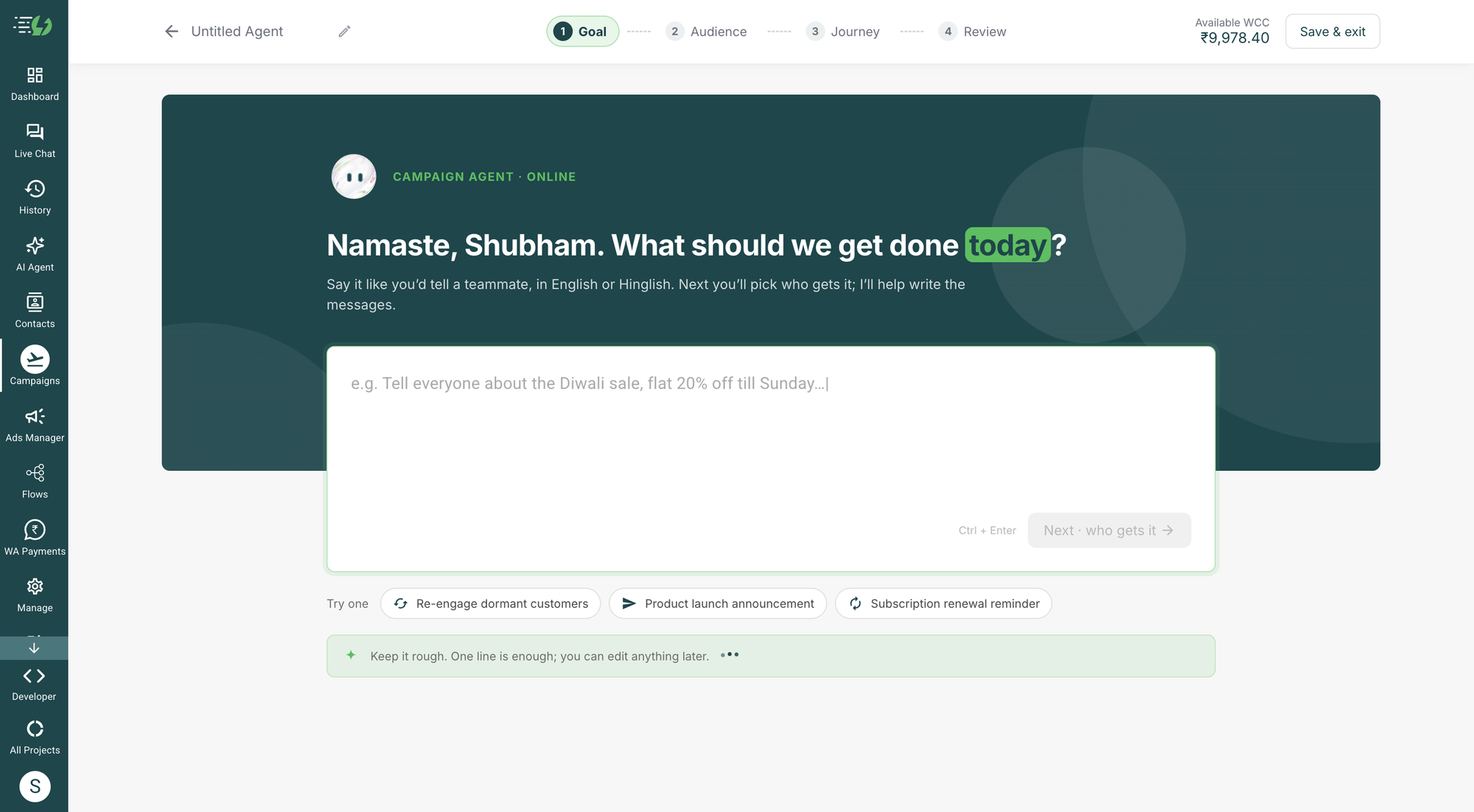
Describe your goal and choose your audience
Tell the agent your offer, products, dates and desired outcome. Select the contacts or tags for your WhatsApp campaign.

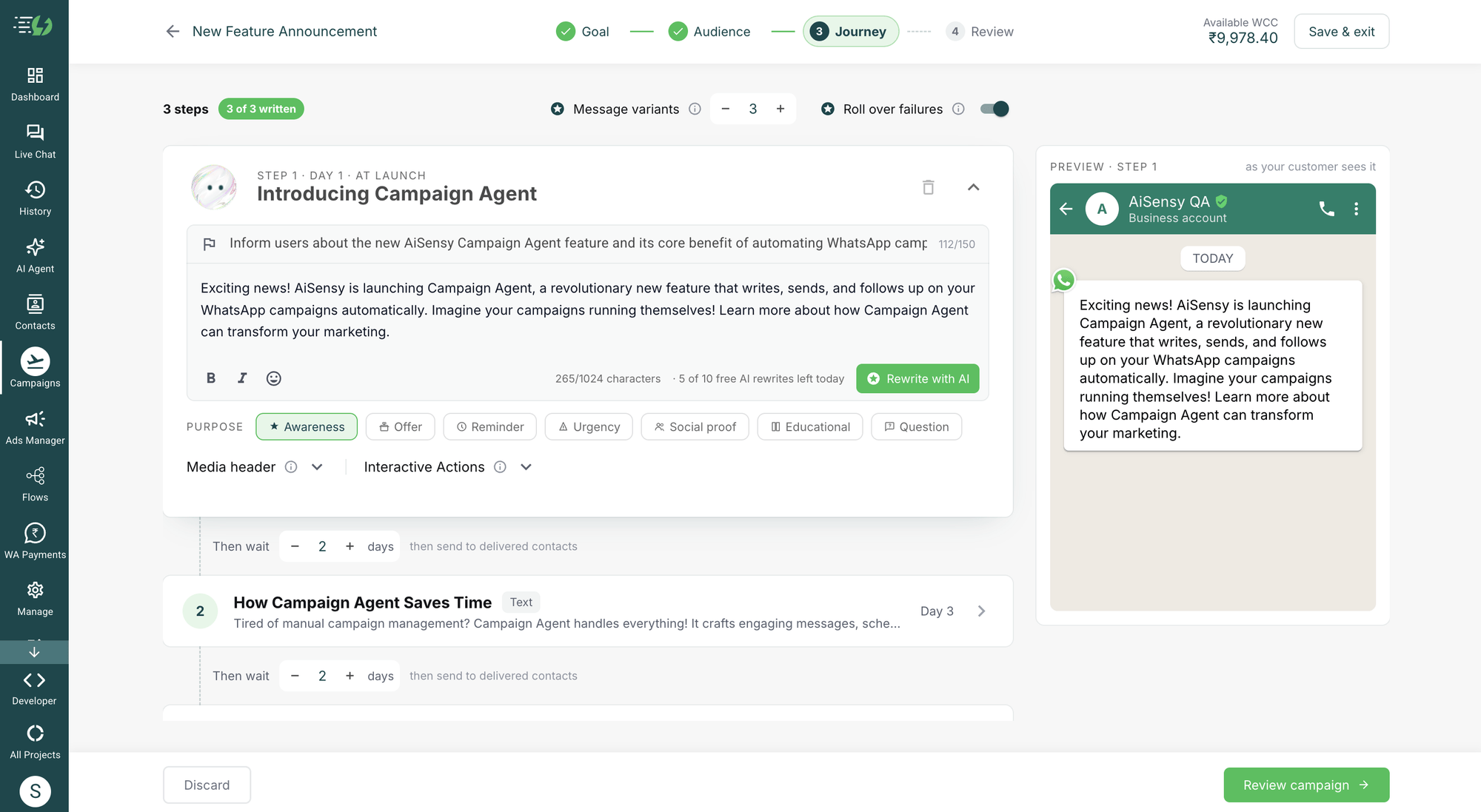
Review your AI-generated journey
Adjust the steps, message variants, media and wait times. Review the audience and estimated cost range before you launch.

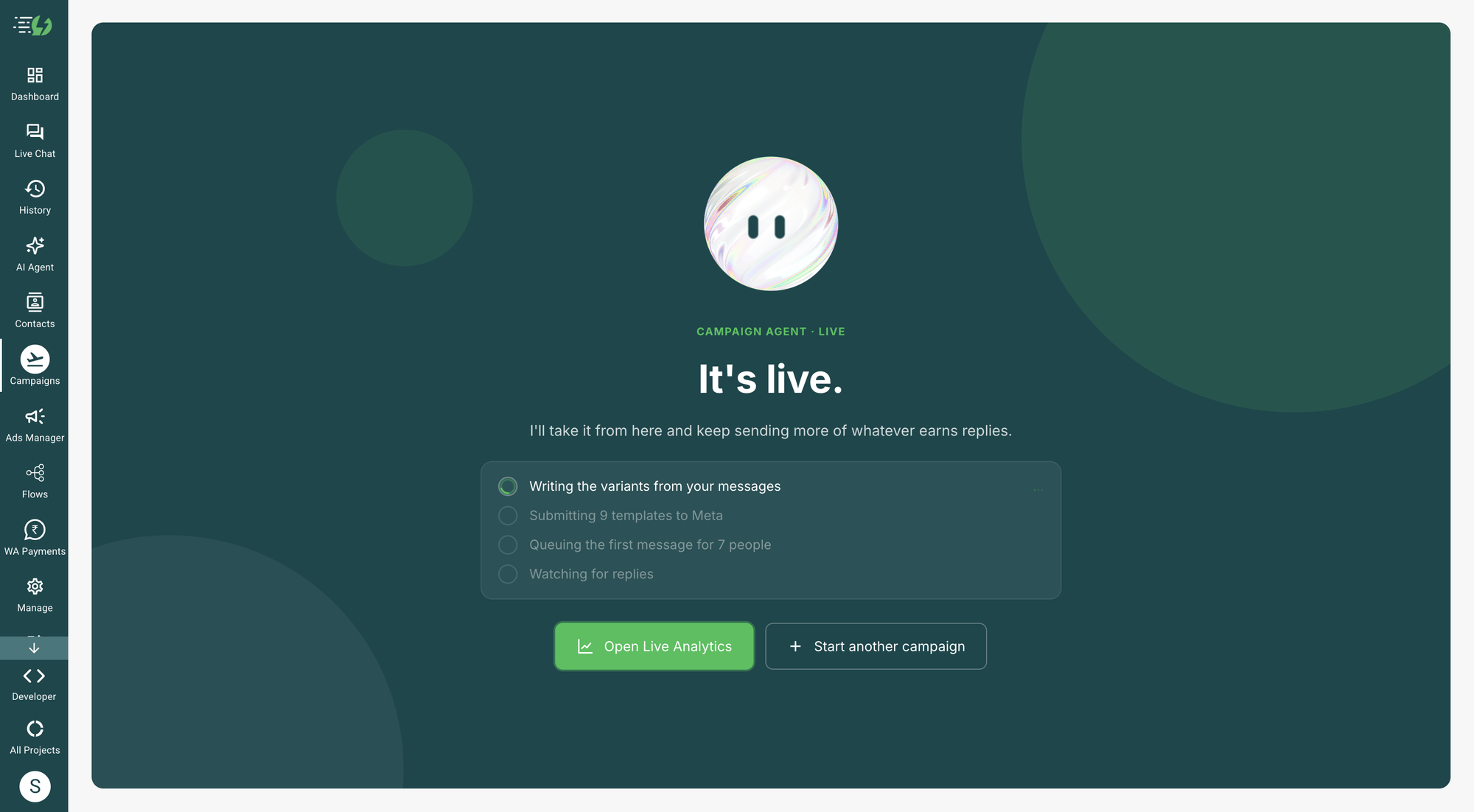
Launch, follow up and track results
Campaign Agent manages Meta approval, sends approved messages and retries delivery with another variant. Follow each step’s results and live spend.

Write, test and follow up with AI
Bring WhatsApp marketing automation into one campaign journey. Campaign Agent manages message versions, approval and timed follow-ups while you stay in control.
Built-in WhatsApp A/B testing
Create several versions of each message. Approved variants share the initial audience, and you can compare their results.
Meta approval, managed for you
The agent submits templates and rewrites rejected versions for resubmission. Sending starts once Meta approves the messages.
Automated follow-ups and retries
Set the wait between steps. Retry undelivered messages with another approved variant, and optionally roll them into the next step.

See every step. Understand every result.
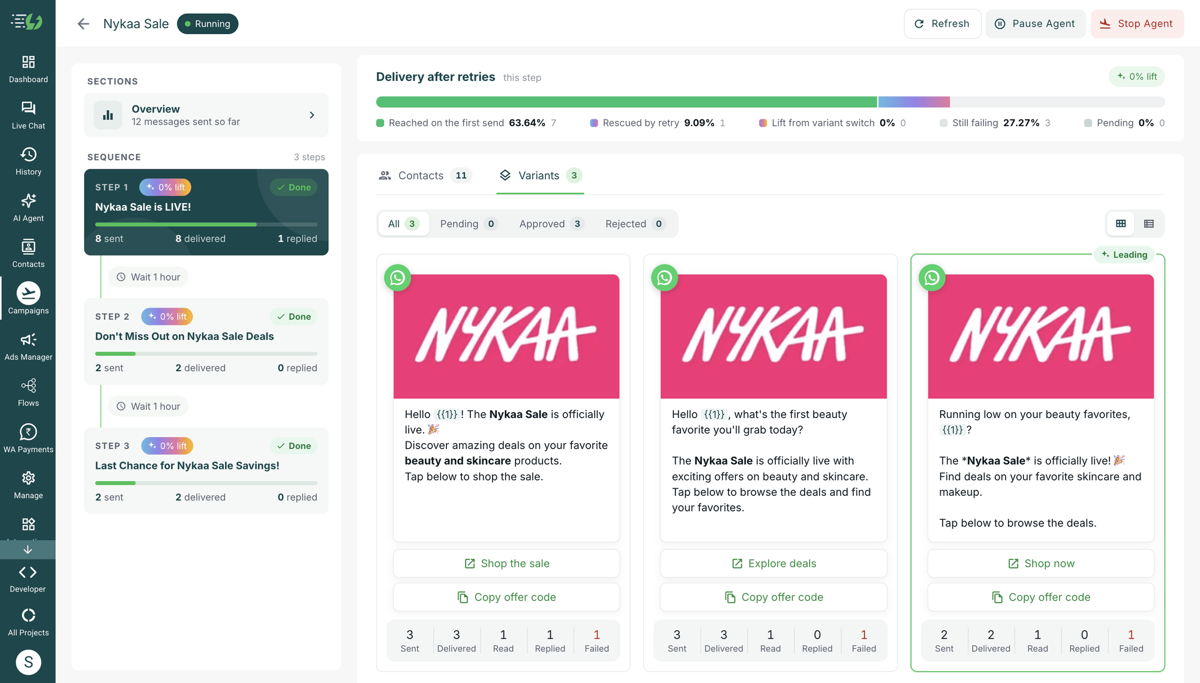
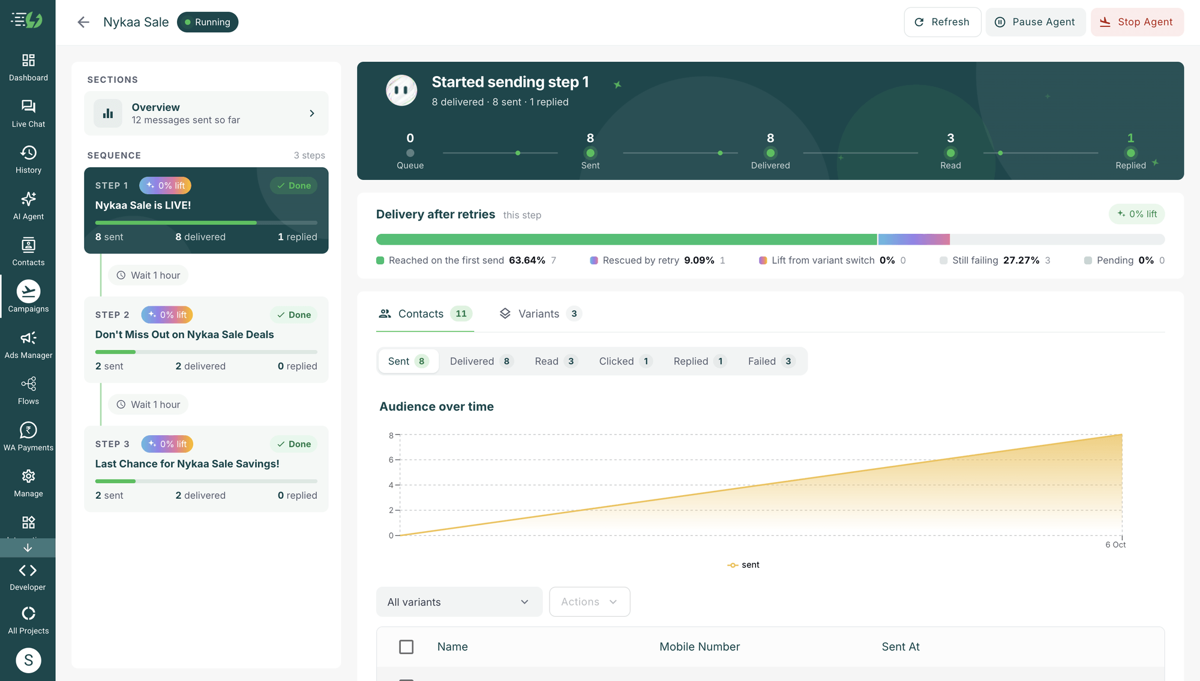
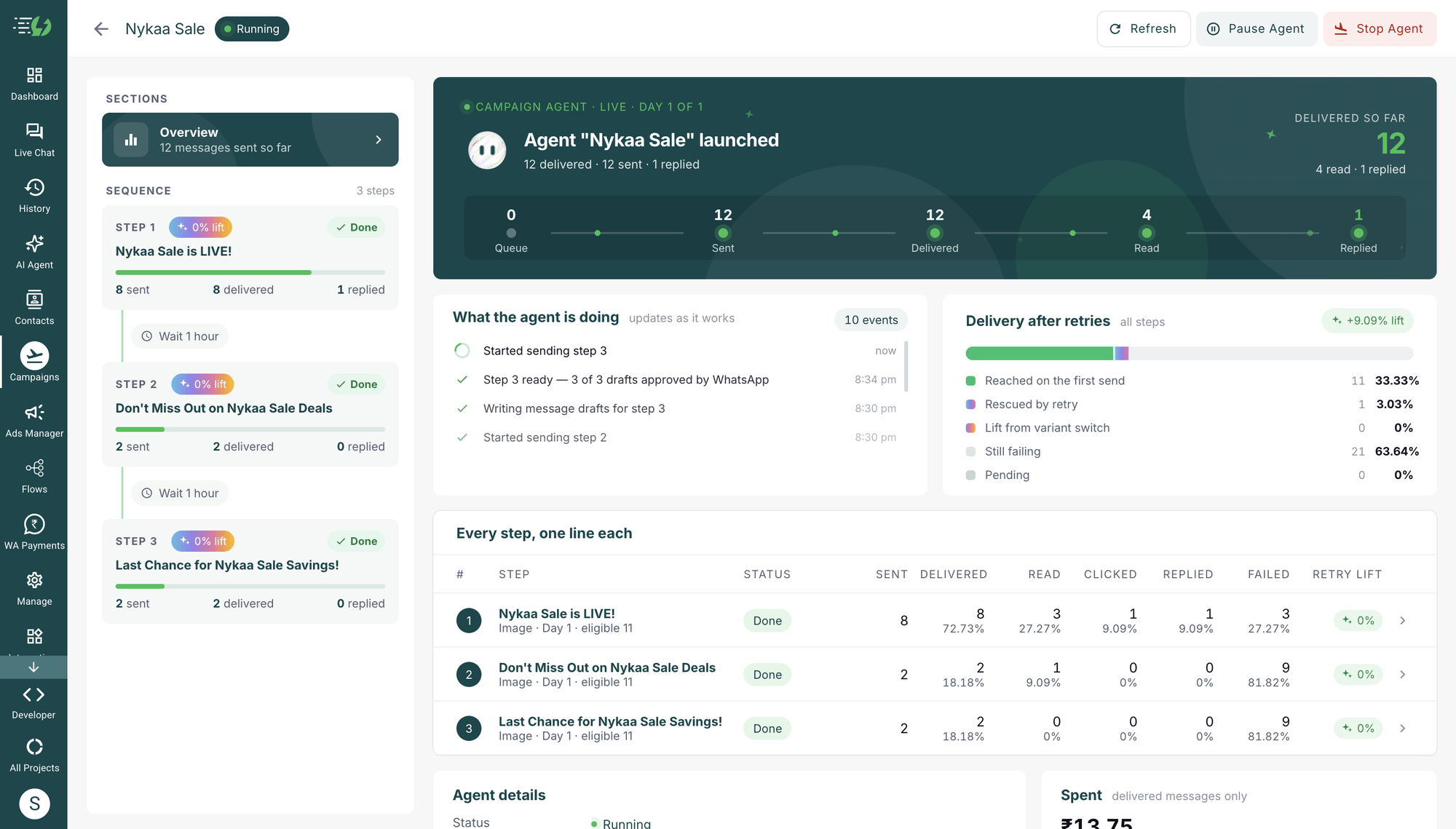
Follow your WhatsApp campaign performance in one view, from the first message to the final follow-up. Example campaign data shown.
Live campaign analytics
Track sent, delivered, read, clicked and replied messages for every step and message version.
Retry performance, made visible
See delivery after retries and the contribution of variant switching, alongside the campaign activity feed.
Spend visibility and campaign control
View live spend and pause or stop the journey from the agent page. Review the estimated cost range before launch.

WhatsApp Campaign Journeys for Every Goal
Start with your business goal. These example journeys show how connected messages can guide the next conversation.
Seasonal sales
Announce your offer, share a timely reminder and follow up before the sale ends. Keep your audience engaged across the campaign.
Product launches
Introduce your new collection, highlight product benefits and invite customers to explore. Build a journey around your launch dates.
Lead nurturing
Share a useful introduction, answer common questions and invite a conversation. Set a clear purpose for each follow-up.
Customer re-engagement
Share a fresh collection or relevant offer with an existing audience. Follow up with another message that gives them a reason to reconnect.
Event promotion
Send an invitation, highlight what attendees can expect and remind your audience to register. Plan each message around the event date.
Subscription renewals
Share renewal details, remind customers of the value they receive and send a timely follow-up. Choose the audience and schedule before launch.
Campaign Agent FAQs
Everything you need to plan, launch and manage your WhatsApp campaign journey.
What is AiSensy Campaign Agent?
Campaign Agent is your AI WhatsApp campaign manager inside AiSensy. Describe a goal to create a multi-step journey with message variants, Meta approval, delivery retries and follow-ups. Review the plan before launch, then track live results.
How do I launch a Campaign Agent journey?
In AiSensy, go to Campaigns → Launch → Campaign Agent. Add your goal, choose the audience, review the journey and cost range, then launch. Include offers, dates and products in your goal to help the agent write relevant messages.
Who can use Campaign Agent?
Campaign Agent is available to Managers and Owners on AiSensy. Paid plans have full access. Trial accounts can launch a journey with up to 10 contacts and 2 steps. Free Forever accounts can upgrade to launch.
How does WhatsApp A/B testing work?
The agent writes several versions of each message. Approved variants share the initial audience, with one version sent to each contact. You can compare sent, delivered, read, clicked and replied results for each version.
When will my campaign start sending?
Launch begins the approval process. Messages start sending after Meta approves the templates. Campaign Agent rewrites rejected versions and submits them again; approval timing is determined by Meta.
How do follow-ups and delivery retries work?
Each step follows the wait time you set after the previous step finishes. Undelivered messages can be retried with another approved version. Turn on Roll over failures to include unreached contacts in the next step as well.
How is Campaign Agent billed?
Campaign Agent uses your WhatsApp Conversation Credits (WCC). Delivered messages incur Meta marketing charges and the Campaign Agent service fee. AI message drafting may incur charges after free allowances. Review the estimated cost range before launch and follow live spend on the agent page.
Can I review, pause or stop my campaign?
Yes. Edit your journey and review the audience, message versions and cost range before launch. Once the campaign is running, you can pause or stop it from the agent page and follow its activity and results.
Your next WhatsApp campaign starts with a goal
Open Campaign Agent in AiSensy, describe what you want to achieve and build your first journey. Trial accounts can explore up to 10 contacts and 2 steps.