Welcome to AiSensy's WhatsApp Template Message Library.
Check out 100s of pre-approved WhatsApp Templates across 8 industries you can send on WhatsApp to drive as much as 150x ROI.

What is a WhatsApp Template Message?
A WhatsApp Template Message is a pre-approved message format used to start conversations with customers on WhatsApp. Every WhatsApp message template is reviewed by Meta to meet the WhatsApp Business Messaging Policy, and is the only way to message users outside the 24-hour reply window.
Pre-Approved by Meta
AiSensy provides 100s of WhatsApp template messages across 8 industries, already reviewed and ready to send in minutes.
Fully Customizable
Personalize each WhatsApp message template with your brand name, custom copy, dynamic variables & CTA buttons inside AiSensy's no-code editor.
Built to Drive Revenue
Access WhatsApp message templates with rich media and buttons drive 3x higher engagement, 98% open rates and up to 150x ROI.
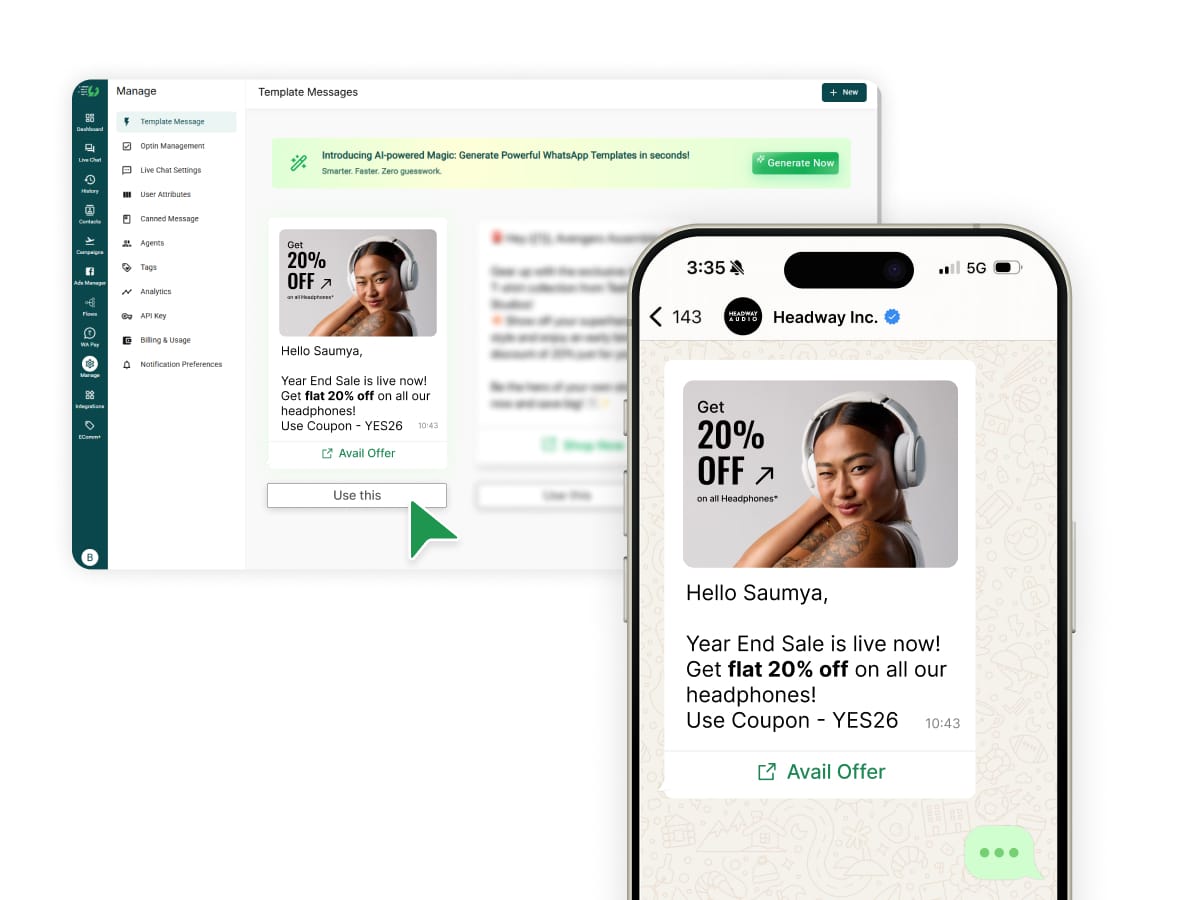
Meet the AI WhatsApp Template Message Generator
The fastest way to ship a WhatsApp message template. Describe what you want to send, and the AI drafts Meta-approved WhatsApp message templates for you in seconds, trained on WhatsApp's Business Messaging Policy.
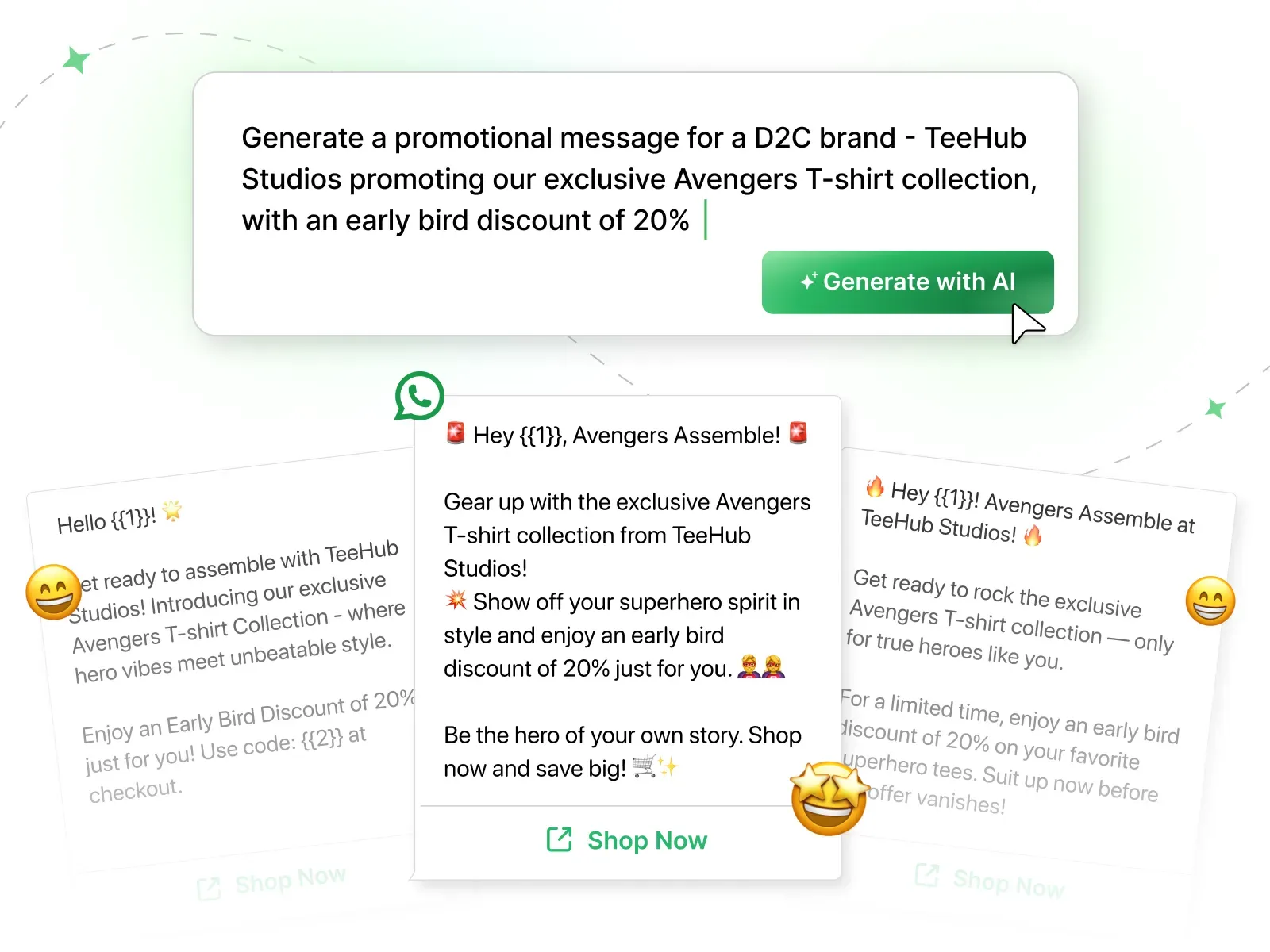
Explore 100+ Pre-Approved WhatsApp Message Templates
for your Industry

Drive 3X sales by sending exclusive vacation offers, flight alerts, payment confirmation & much more
Provide top-notch 24x7 pre-sales & post sales service, invites for launch events, share appointments for test drives etc

General Templates
Send messages to welcome users, payment confirmation, webinar confirmation, festive wishes & many more general messages.
Master WhatsApp Marketing with AiSensy
Templates are just the start. Here's everything else you can do with our end-to-end WhatsApp Marketing & Engagement solution
You can simply Import all your Contacts and Broadcast approved messages Instantly.

Yes, collect payments seamlessly on WhatsApp via WhatsApp Pay, UPI, Net banking and cards.
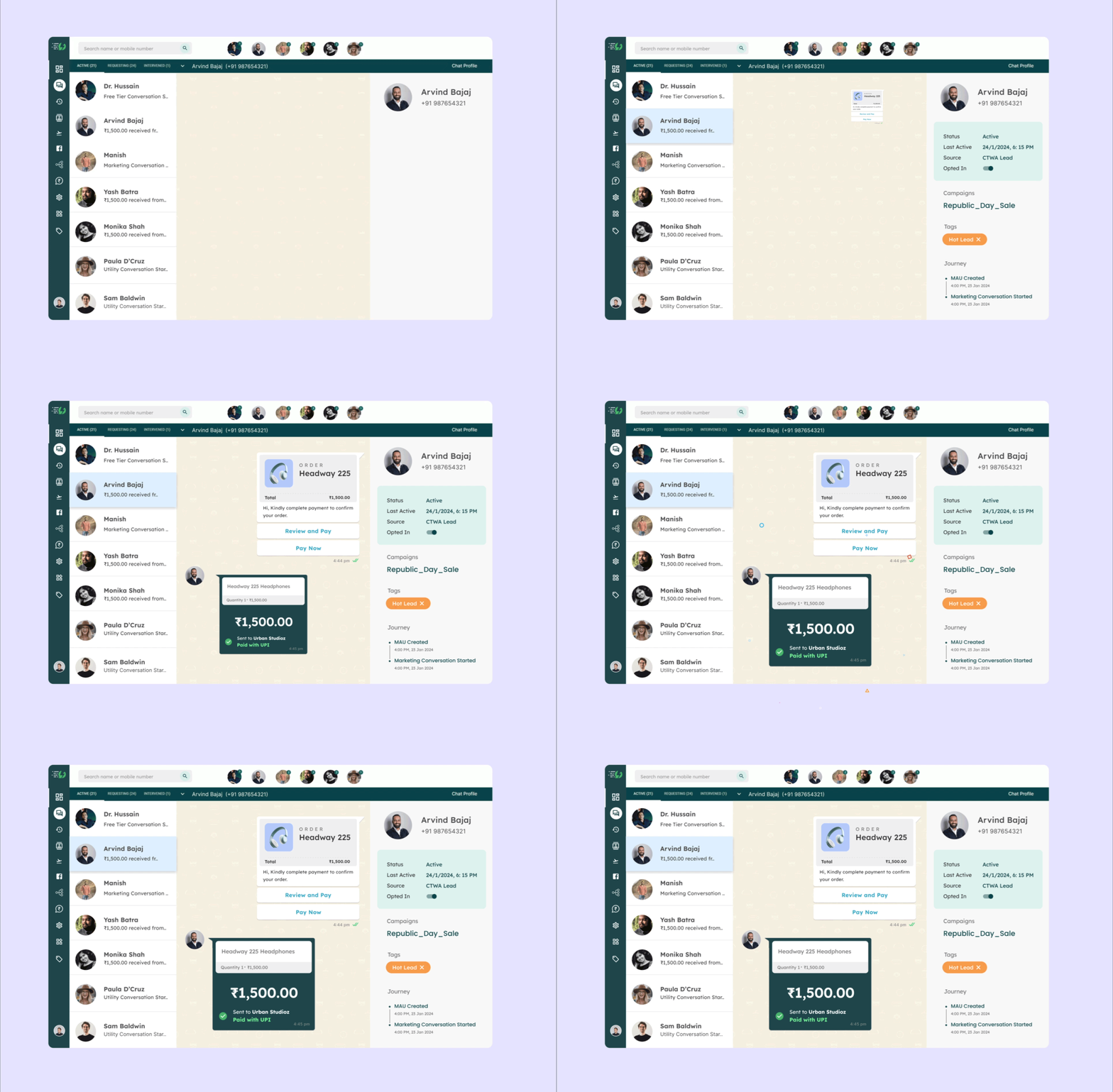
Create ads that click directly to WhatsApp, capture leads instantly, and boost conversions.
See 3-5X more leads & slash your cost per lead.

Effortlessly deploy multiple WhatsApp chatbots with AiSensy's drag-and-drop interface, automating up to 80% of your manual queries.

Automate notifications for Abandoned Cart, Order Confirmation etc by Connecting your CRM, Payment Portals, eCommerce Platforms like Shopify, WooCommerce, Hubspot & more with aiSensy

Why WhatsApp Marketing
Customers ignore emails. They block SMS. But they read WhatsApp — usually within minutes. Here's what 210,000+ businesses are seeing.
Drive 3x Revenue with AiSensy
What is a WhatsApp Template Message?
A WhatsApp Template Message is a pre-approved message format used by businesses to send notifications, promotions, and updates to users on WhatsApp. Every template is reviewed by Meta before approval, so you get high deliverability and zero risk of account blocks.
What is the difference between WhatsApp Template and WhatsApp Broadcast?
A WhatsApp Template is the pre-approved message format you send. A WhatsApp Broadcast is the act of sending that template to many users at once. Think of it this way: the template is what you say. The broadcast is how you say it to thousands of people at the same time. You need an approved template to run a broadcast, but a single template can be used across as many broadcasts as you like. AiSensy lets you do both, create unlimited templates and broadcast them to unlimited contacts.
Why do I need to use Template Messages on WhatsApp?
Templates are the only way to message users on WhatsApp Business API who haven't replied to you in the last 24 hours, which is most users, most of the time. Whether it's an abandoned cart reminder, an order confirmation, or a promotional offer, you need an approved template to send it. AiSensy's customers see 98% open rates, 35% click rates, and up to 150x ROI by sending the right template to the right audience.
Do I need WhatsApp Business API to send template messages?
Yes. Template messages can only be sent through the WhatsApp Business API, not the regular WhatsApp Business app. AiSensy is an Official WhatsApp Business Solution Provider, so when you sign up, our team handles your WhatsApp API approval, number verification, and template setup for free.
How to make a template message in WhatsApp?
You can create a WhatsApp template message in 4 simple steps inside AiSensy:
Sign up on AiSensy and connect your WhatsApp Business API account (our team helps you through this for free).
Go to Manage, then Template Message, and click + New, or pick a ready-made one from the Template Library.
Add your content: message body, header image or video, variables like customer name or order ID, and buttons (quick reply or call-to-action).
Submit for approval. Meta reviews most templates within minutes. Once approved, you can broadcast it to your customers.
If you want to skip the writing entirely, use AiSensy's AI Template Message Generator. Describe what you want to send, and the AI drafts a Meta-approved template for you in seconds.
How do I send a WhatsApp template using AiSensy?
Sign up for AiSensy's free 14-day trial, pick a template from the library, customize it, and broadcast to unlimited contacts in minutes. AiSensy is no-code, so you don't need developers. Our team helps you with WhatsApp Business API approval, template strategy, and integrations, all for free.
How do I get a WhatsApp template approved by Meta?
Submitting a WhatsApp template for approval is straightforward inside AiSensy:
Go to Manage, then Template Message, then + New in your AiSensy dashboard.
Pick a category: Marketing, Utility, or Authentication.
Add your message body, header, variables, and buttons.
Hit Submit. The template goes straight to Meta for review.
Most templates are approved within minutes, but promotional templates can take up to 24 hours. To get approved on the first try, keep your message clear, choose the right category, avoid spammy or threatening language, and don't put variables at the very start or end of the message. If your template gets rejected, AiSensy shows you Meta's exact reason. Fix it, resubmit, and you're back in review.
How long does it take to get a WhatsApp template approved?
Most templates get approved within minutes by Meta. Promotional templates can take up to 24 hours due to stricter review. With AiSensy, you skip the waiting entirely. Our 100+ pre-approved templates are ready to send instantly.
Why was my WhatsApp template rejected?
Meta typically rejects templates for one of these reasons:
Wrong category (sending a promotional message under the Utility category, or the other way around)
Spammy or pushy language like "Buy now or lose this offer forever!"
Threatening tone, especially in finance or collections messages
Bad variable placement, like variables at the very start or end of the message body
Missing sample values, since Meta needs example content to understand what your variables represent
Content policy violations, like asking for sensitive info such as card numbers or pushing prohibited products
Inside AiSensy, you'll see Meta's exact rejection reason. Fix it, resubmit, and you're usually approved on the next try. Templates from AiSensy's Template Library are pre-vetted, so first-attempt approval rates are significantly higher.
Can I send WhatsApp templates without approval?
No. Every template message you send to a user outside the 24-hour service window must be pre-approved by Meta. There are no exceptions. The only time you can send a free-form message without a template is during the 24-hour window after a user has messaged you first. Outside that window, you need an approved template every single time. This is why a Template Library matters. You skip the writing, skip the wait, and start sending the moment your WhatsApp Business API is live.
How long does a WhatsApp template last after approval?
Approved templates don't expire. They stay in your library forever, ready to send whenever you need them. That said, Meta can pause or disable a template if too many users block your messages or report them as spam. To keep your templates active long-term, send to engaged audiences, keep your messaging relevant, and always get proper opt-in consent.
Are these WhatsApp templates free to use?
Yes. All templates in AiSensy's Template Message Library are completely free. Sign up for AiSensy, pick a template from any of the 8 industries, and start sending. You only pay WhatsApp's standard conversation charges, billed by Meta.
How much does it cost to send a WhatsApp template message?
The template itself is free to use. You only pay WhatsApp's per-conversation charge, billed by Meta. Pricing depends on the country and the type of template (marketing, utility, or authentication). In India, marketing messages are around ₹0.78 to ₹0.95 per conversation, and utility messages are ₹0.115. AiSensy doesn't add any markup on Meta's charges.
What are the different message templates in WhatsApp?
WhatsApp supports 4 types of message templates, each built for a different use case:
Marketing: promotions, offers, festive wishes, product launches
Utility: order updates, payment confirmations, appointment reminders, account alerts
Authentication: OTPs and login codes
Service: replies sent during a user-initiated 24-hour chat window
AiSensy's Template Library covers all 4 types across 8 industries, so whatever you're sending, you'll find a starting point.
How to customize a message in WhatsApp?
Inside AiSensy, every WhatsApp message template is fully customizable. You can:
Change the message copy to match your brand voice
Add your brand name in the header
Insert dynamic variables like customer name, order number, or appointment date
Upload images, videos, PDFs, or location pins
Add quick reply buttons or CTA buttons (Call Now, Visit Website)
Once you're done, AiSensy's team helps you submit it for Meta approval, for free. Just keep your edits within Meta's WhatsApp Business Policy guidelines.
Can I add buttons, images, and videos to my WhatsApp message templates?
Absolutely. AiSensy supports quick reply buttons, call-to-action buttons (call number and visit website), images, videos, PDFs, and location pins in your WhatsApp templates. Templates with rich media and buttons drive 3x more engagement than plain text, and AiSensy's no-code editor makes adding them a one-click job.
How many WhatsApp templates can I create?
WhatsApp lets you create up to 6,000 templates per Business Account, including translations across all languages. For most businesses, that's effectively unlimited. AiSensy doesn't limit how many templates you can create or save.
Can I send WhatsApp templates without coding?
Yes. AiSensy is a 100% no-code platform. Pick a template from the library, customize it in the editor, upload your contact list, and hit broadcast. No developers, no APIs, no setup files. The whole process takes about 10 minutes from signup to first send.
Can I A/B test different WhatsApp templates?
Yes. Inside AiSensy, you can create multiple versions of a template, send each to a segment of your audience, and track open rates, click rates, and replies in real time. This is one of the fastest ways to figure out what messaging actually works with your customers. Most marketers see results within their first 2 to 3 campaigns.
Which industries do these WhatsApp Marketing templates cover?
AiSensy's WhatsApp Marketing Template Message Library covers 8 industries: Ecommerce, Education, Events & Webinars, Finance, Travel, Automobile, Healthcare, and General use cases. Each industry has its own set of templates designed for specific use cases like abandoned cart recovery, application drop-offs, and appointment reminders, built from learnings across 210,000+ businesses on AiSensy.
Why choose AiSensy for WhatsApp Template Messages?
AiSensy is a complete WhatsApp Marketing & Engagement Platform built on the official WhatsApp Business API. Beyond 100+ pre-approved templates, you get unlimited broadcasting, no-code WhatsApp chatbots, Click-to-WhatsApp Ads, multi-agent live chat, automated notifications, and integrations with Shopify, WooCommerce, HubSpot, and more. Trusted by 210,000+ businesses across 68 countries, AiSensy is built to drive 3x revenue on WhatsApp.