How to initiate new conversations directly from History Page
You can now send WhatsApp Template Messages directly from the History Page. Know how to do it!
How to initiate new conversations directly from History Page
You can now send WhatsApp Template Messages directly from the History Page. Know how to do it!
You can now initiate a chat with users directly from the History page.
Whether it’s a text template, image, audio or video file; you can initiate a conversation individually from history page easily. Since these users are out of the 24-hour conversation window, you have to send a WhatsApp Template message to initiate a conversation.
You don’t need to go to the length of creating WhatsApp Broadcast for single contacts. Just go to History Page & send a WhatsApp Template to initiate a conversation.
With this feature, you’ll be able to:
Send personalized messages to users individually from History Page in a click
Save time on creating WhatsApp Broadcast for one or few contacts
Start a conversation directly from the History page.
How to initiate conversation with users directly from History Page?
Find this feature in the History Page of AiSensy App & follow these steps:
Reach the History Page
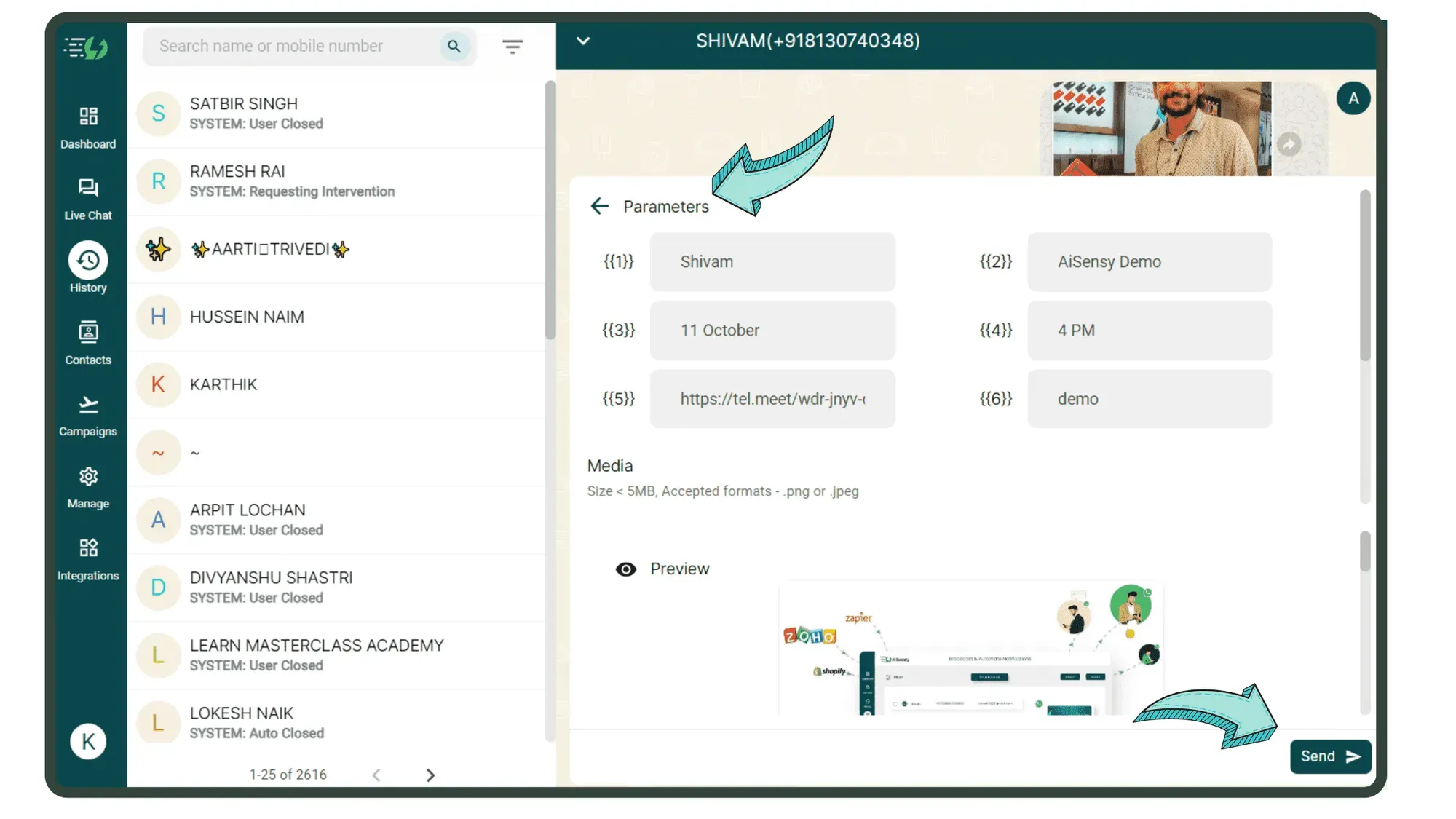
Choose a Contact whom you wish to send the WhatsApp Template Message & click ‘Send Template’.
Choose the pre-approved Template you want to send.
Fill in the Template Message Parameters & preview the message. Press ‘Send’ once you’re satisfied. The message will be sent to the user.