Login

AiSensy WhatsApp AI Suite

Your AI Team for
WhatsApp Marketing

Manage contacts, broadcast offers, automate follow-ups and create ads with AI Assistant, Campaign Agent and Ads Agent. All inside AiSensy.

Built into your AiSensy dashboard

Your next task, with AIExplore the suite
Choose an illustrative product preview
Find my opted-in contacts tagged Diwali.

Audience ready to review

Find the right contacts without searching through every menu.

ContactCampaign tag
Avni SharmaDiwali · Opted-in
Rohan MehtaDiwali · Opted-in
Meera ShahDiwali · Opted-in
Keep working in the same chatContacts · Templates · Reports
Promote our Diwali offer with a follow-up.

Share your offer

AI prepares your broadcast messages

Broadcast

Wait 1 day, then follow up

Keep the conversation going

Follow-up

Track results and spend

See how your campaign performs

Results
You review before launchMessages · Audience · Estimated cost
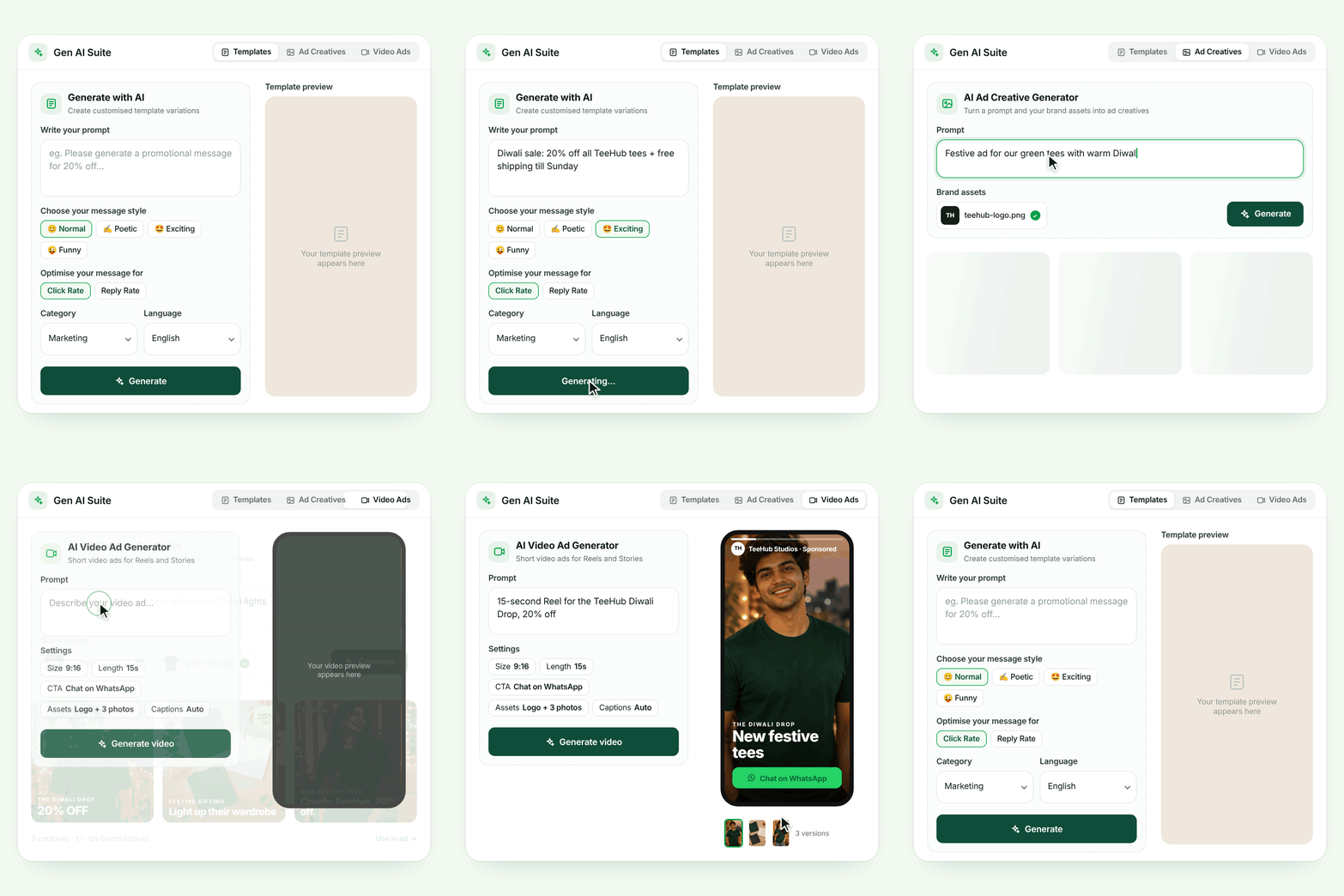
Create an ad for our festive collection.
Your ad preview

Meet your festive favourite.

Explore the new collection. Chat with us to find your pick.

Send WhatsApp Message

Review your creative, copy, audience and budget in Ads Manager.

Ready for your reviewCreative · Copy · Ad setup
Illustrative examples
Start with a request in plain wordsThree tools for your marketing tasksReview the details before launch

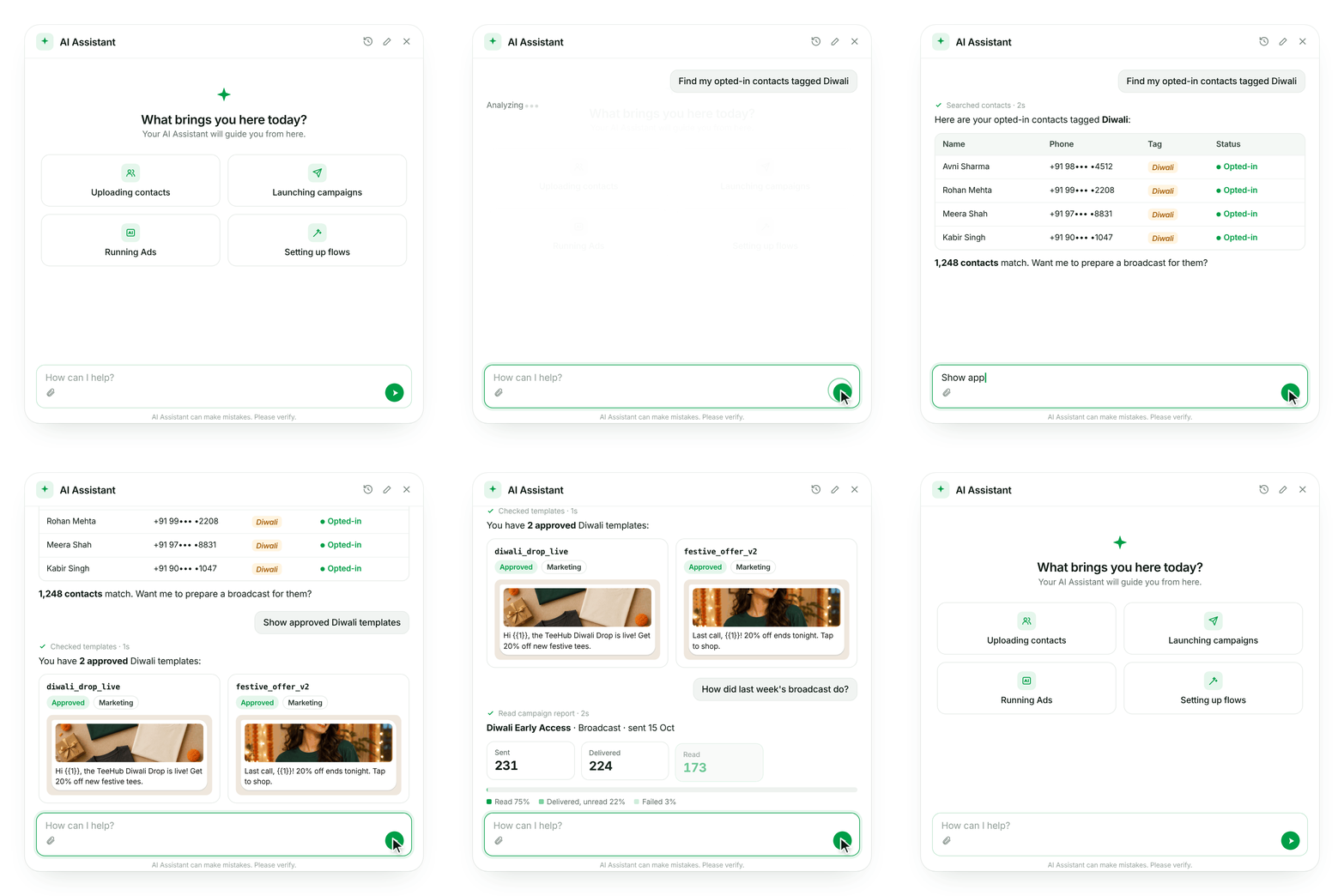
AI Assistant

Get Dashboard Tasks Done Through Chat

Tell AI Assistant what you need. Find contacts, add tags, choose approved templates and prepare broadcasts without going through every menu.

  • Upload contacts and organise your audience
  • Find approved message templates
  • Check campaign results and account details
Explore AI Assistant
AiSensy · AI Assistant
How can I help you today?
Find my opted-in contacts tagged Diwali.

Here are the matching contacts. Review the audience before your next broadcast.

Avni SharmaDiwali · Opted-in
Rohan MehtaDiwali · Opted-in
Meera ShahDiwali · Opted-in
Ask a follow-up question…
Illustrative product preview. Example contacts.
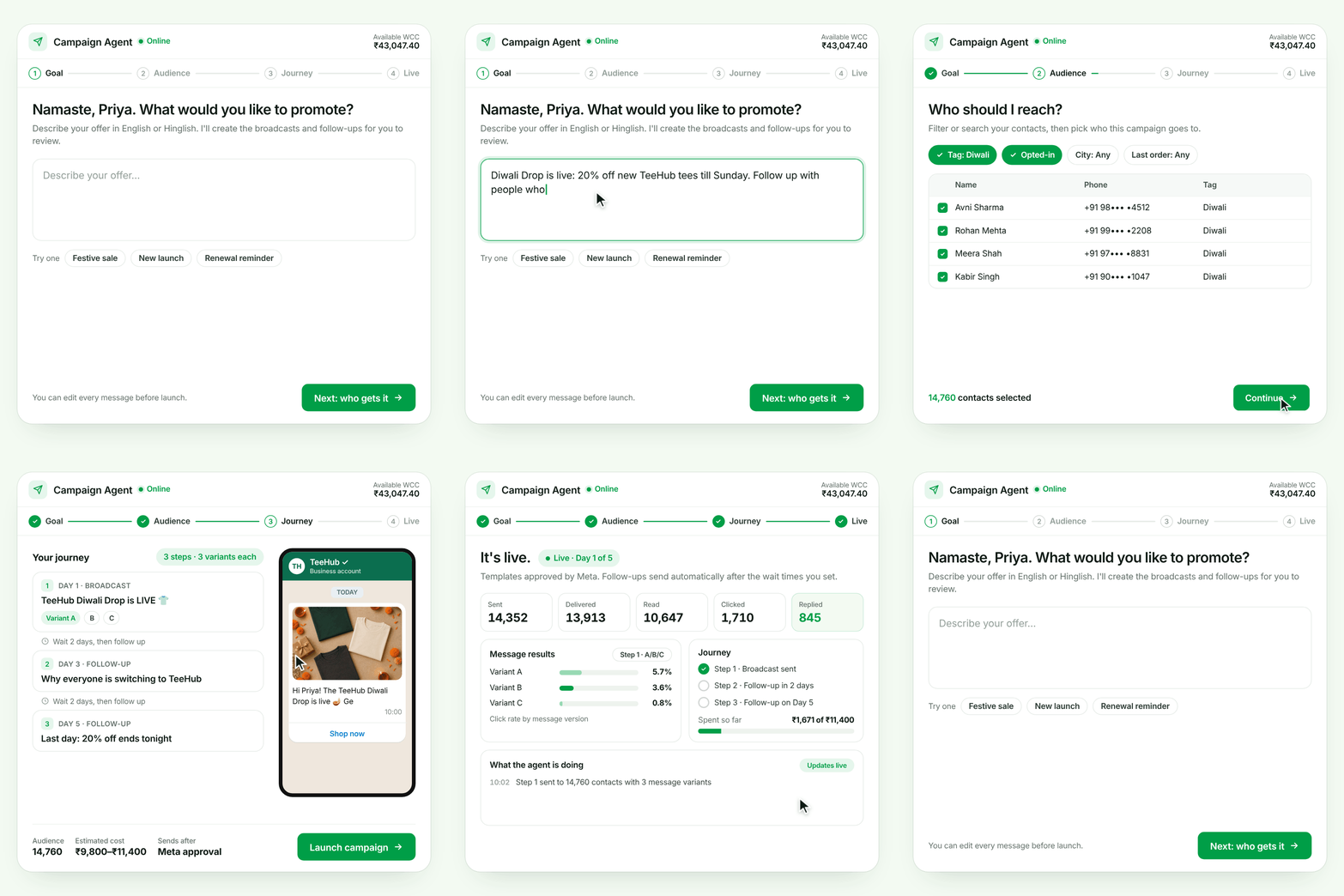
AiSensy · Campaign Agent

Your WhatsApp campaign

Diwali OfferReady to review
1Broadcast

Share the festive offer

Introduce your collection and invite customers to shop.

2Follow-up

Send a reminder

Choose when the next message goes out.

Review messages, audience and estimated cost
Meta approval → Scheduled sendsLive results and spend
Illustrative campaign. Sending follows Meta approval.

AI Campaign Agent

Run WhatsApp Broadcasts and Follow-ups

Tell AI what you want to promote. Campaign Agent writes your messages, submits templates to Meta and sends approved broadcasts and follow-ups.

Review the messages, audience and estimated cost before launch. Track results and spend as your campaign runs.

  • Run offers, sales and product launches
  • Automate follow-ups after each broadcast
  • Compare message results and track spend
Explore Campaign Agent

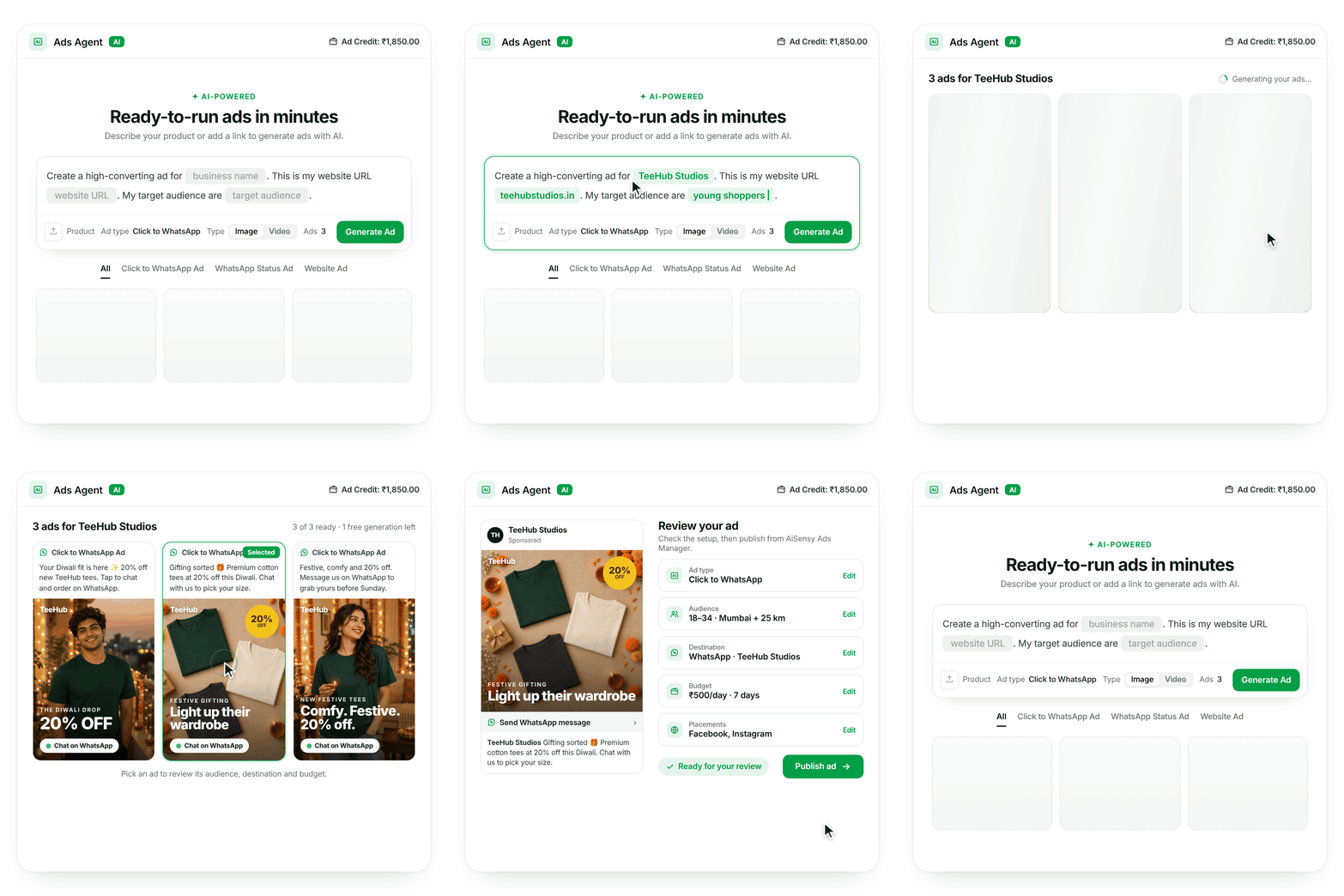
AI Ads Agent

Create Your Next Ad with AI

Describe what you’re promoting and add your website or product images. AI Ads Agent helps create your ad copy and creative, ready for your review in AiSensy Ads Manager.

  • Choose the ad type and format for your offer
  • Review and edit AI-generated copy and creatives
  • Check the audience, destination and budget
Explore AI Ads Agent
AiSensy · AI Ads Agent
SStudio StoreSponsored · Example ad
The festive editMake it yours.
Your festive favourite is here.Send WhatsApp Message

Review your ad

Ad typeClick to WhatsApp
AudienceYour chosen audience
BudgetYour daily budget
Creative & copyReview and edit
You review before launch
Illustrative product preview. Example ad and business.

AiSensy WhatsApp AI Suite

Put AI to Work for Your Marketing

See how AI Assistant, Campaign Agent and Ads Agent can help with your next marketing task.