Login

Free WhatsApp QR Code Generator

Create a WhatsApp QR code for your number, group, channel or catalog in 3 simple steps. Customers scan it and start a chat with you, without saving your number.

Select your country code and type your WhatsApp or WhatsApp Business number.

 
+91

People who scan your code see this message typed and ready to send.

Try:
Customize your QR code
Color
Style
Logo
  • Free, unlimited QR codes
  • No signup needed
  • Works with WhatsApp and WhatsApp Business
Live preview
Your QR code appears here

How to create a WhatsApp QR code in 3 steps

Generate your WhatsApp QR code with AiSensy for free. No signup and no app to install.

Enter your WhatsApp number

Pick your country code and type your WhatsApp number. Add a pre-filled message like "Hi, I have a query" so the chat opens with the message ready to send.
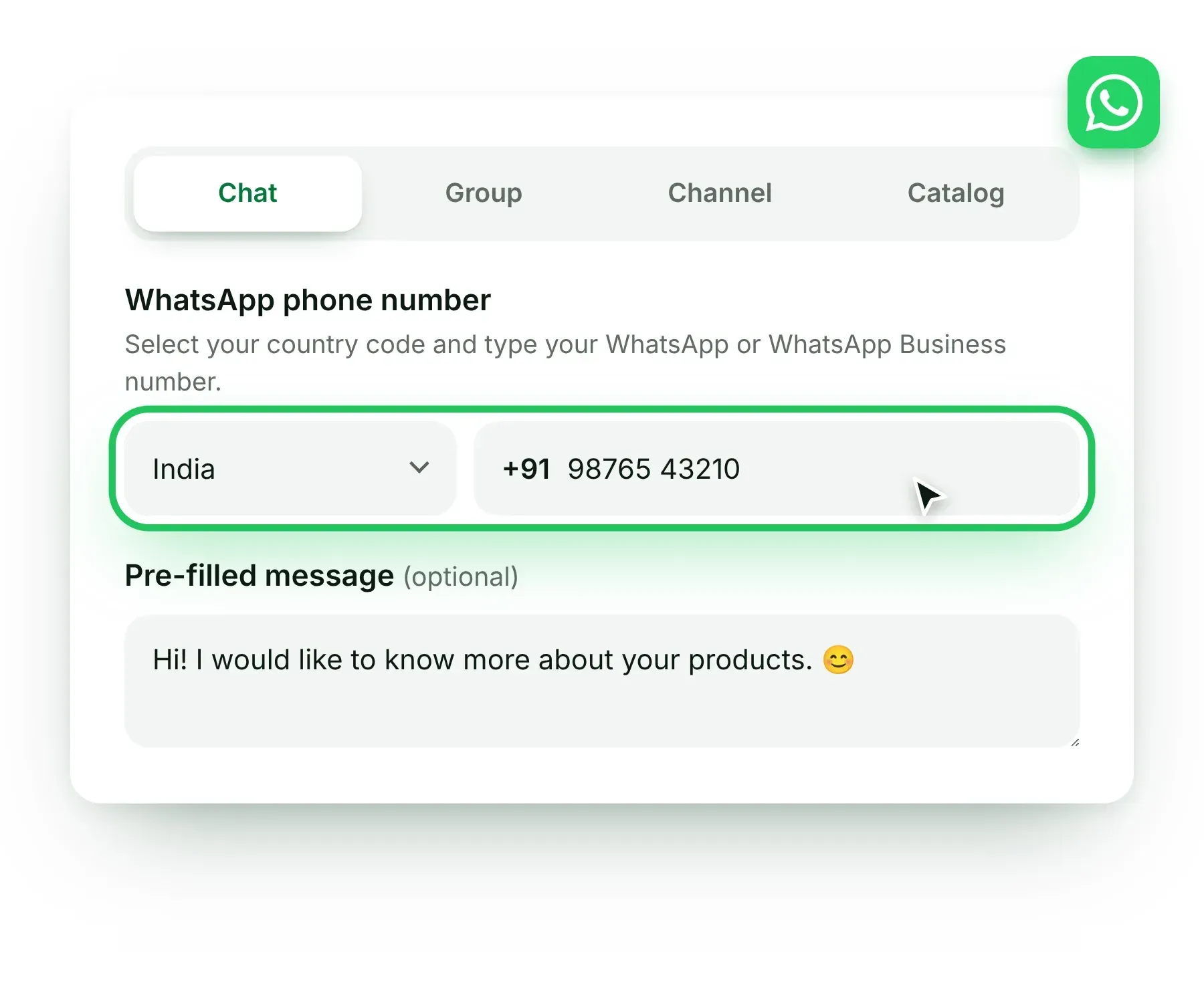
Step 1 of the WhatsApp QR code generator: choose the country code, enter the WhatsApp number and add a pre-filled message

Customize your QR code

Choose a color and a style, keep the WhatsApp logo in the center and add a caption such as "Scan to chat with us on WhatsApp".
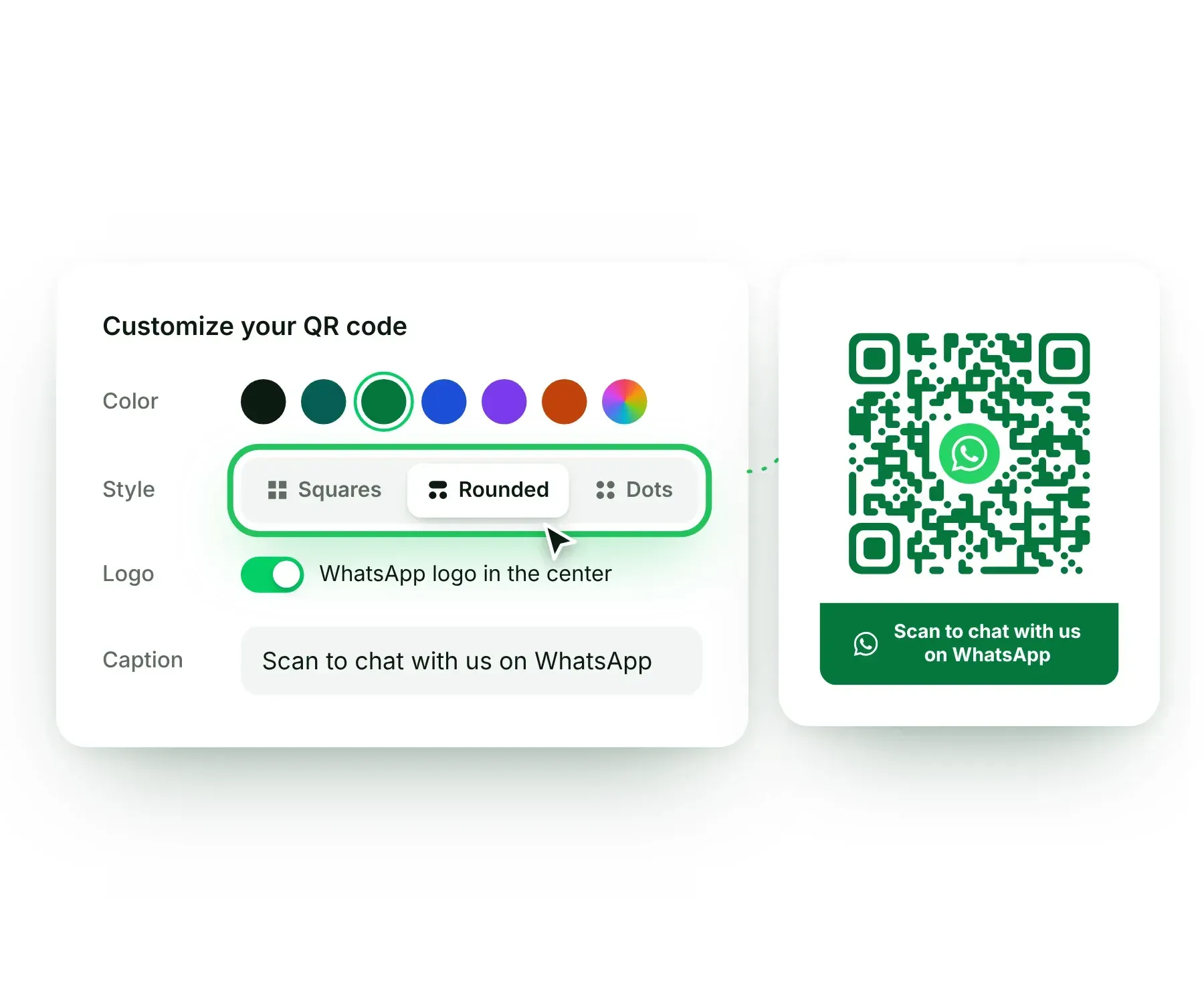
Step 2: customize the WhatsApp QR code with a color, style, WhatsApp logo and caption

Generate and download

Click Generate QR Code. Download it as a PNG for social media and WhatsApp, or as an SVG for sharp prints on packaging, posters and banners.
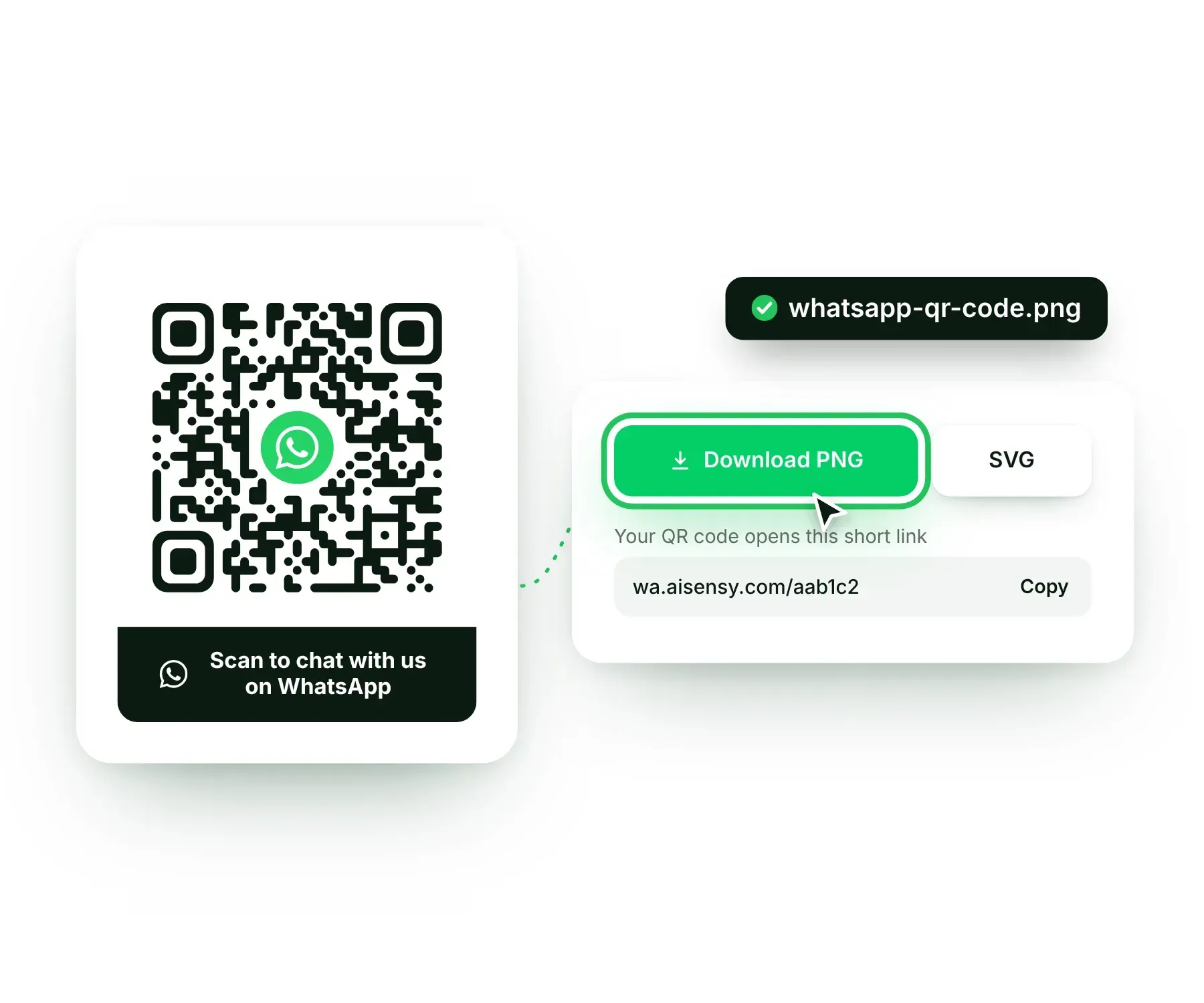
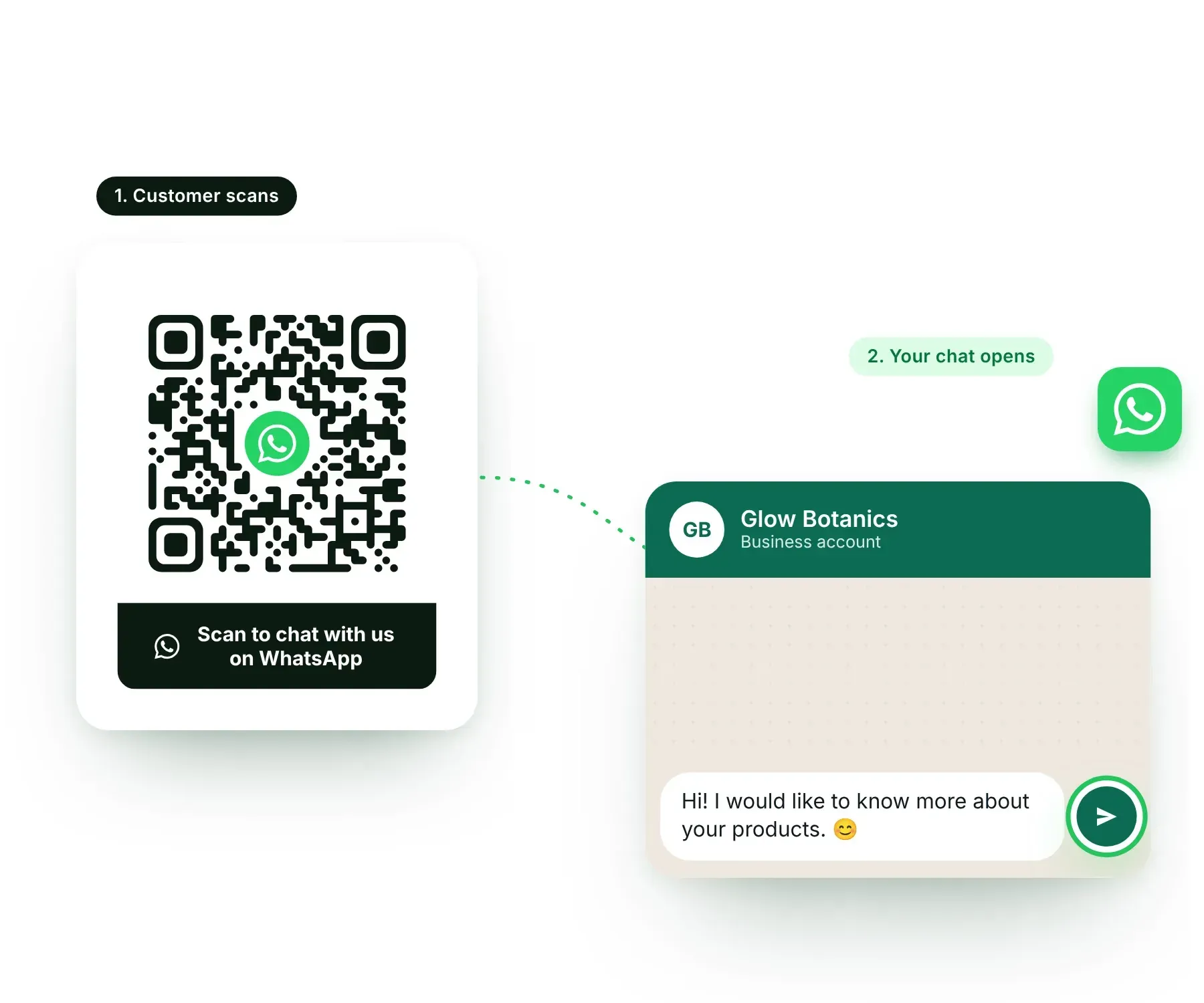
Step 3: download the WhatsApp QR code as a PNG or SVG file

What is a WhatsApp QR code?

A WhatsApp QR code is a scannable code that opens a WhatsApp chat with your number. People point their phone camera at it and land in your chat. No typing your number and no saving a contact.

  • Opens a chat in one scan

    Any phone camera or QR scanner can read it. WhatsApp opens with your chat ready.

  • Carries a pre-filled message

    Add a ready message to the code so the customer only has to press send, and you know where they came from.

  • Works with every WhatsApp number

    Use it with a personal WhatsApp number, a WhatsApp Business app number or a WhatsApp Business API number.

  • A WhatsApp QR code that opens a WhatsApp chat with a pre-filled message when a customer scans it
    Free Forever Plan

    Turn WhatsApp scans into customers

    Your QR code brings the chats. Sign up right here in 2 minutes and get the official WhatsApp Business API free. Broadcast offers, automate replies with AI and sell more on WhatsApp.

    • Free WhatsApp Business API and Green Tick verification
    • Zero setup fee, free onboarding with our team
    • Broadcasts, chatbots, AI agents and Click-to-WhatsApp ads in one place
    • Real support on WhatsApp, live chat, email and phone
    2.5L+ brandsgrow with AiSensy
    Meta Business Partner, SOC 2 compliant and ISO 27001 certified

    How to scan a WhatsApp QR code

    Your customers do not need a special app. Any recent phone can scan a WhatsApp QR code in a few seconds.

  • Scan with the phone camera

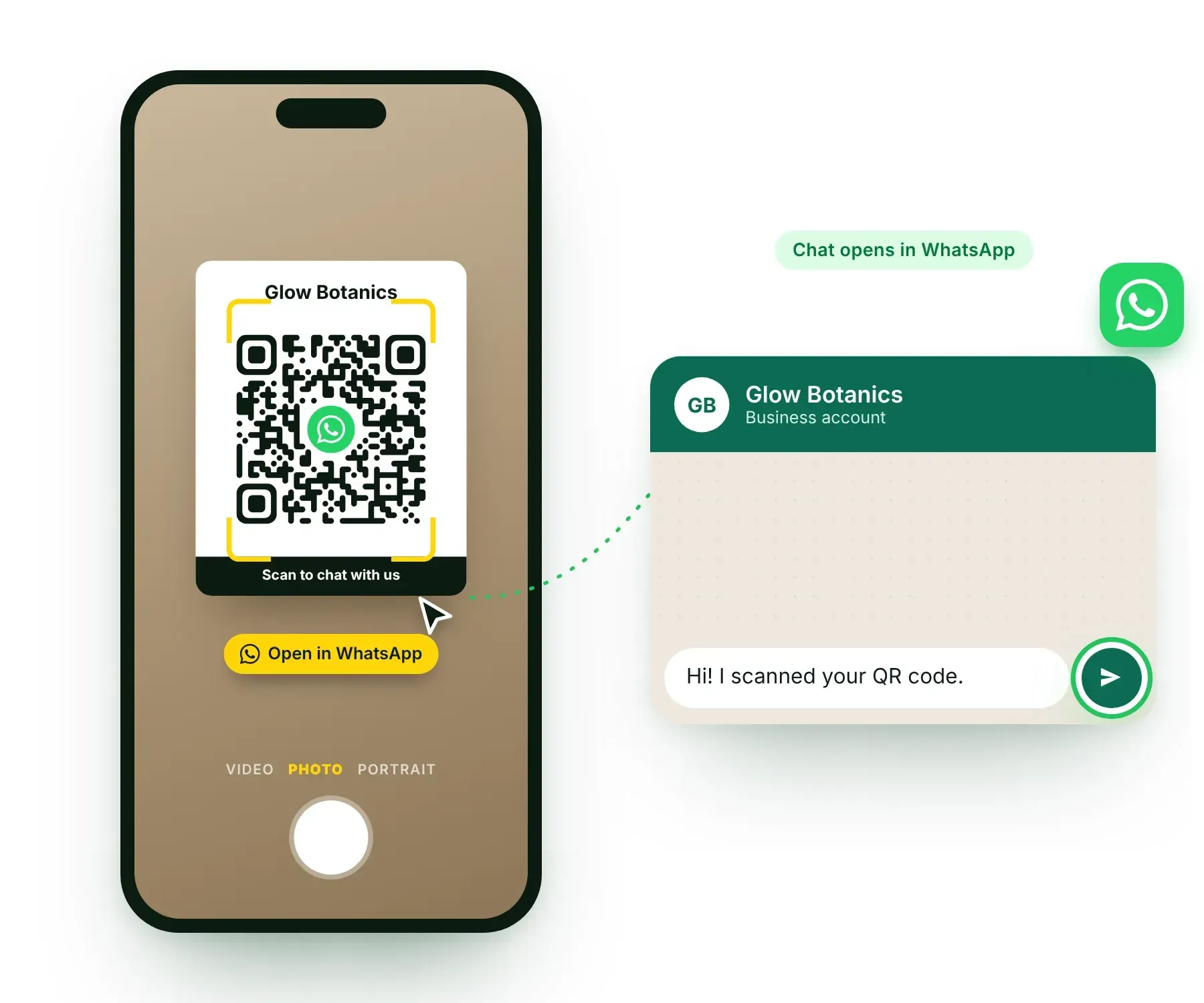
    Open the camera on an iPhone or Android phone, point it at the code and tap the link that appears. WhatsApp opens the chat.

  • Scan from inside WhatsApp

    Open WhatsApp, go to Settings and tap the QR icon next to your name. Then choose Scan code and point the phone at the QR code.

  • Scan a QR code saved as an image

    Got the code as a photo or screenshot? Open it with Google Lens on Android or in the Photos app on iPhone and tap the link.

  • How to scan a WhatsApp QR code with a phone camera to open a WhatsApp chat

    Types of WhatsApp QR codes you can create

    One free generator for every WhatsApp QR code your business needs.

    WhatsApp chat QR code

    Opens a one-to-one chat with your number. Best for enquiries, orders and customer support.

    WhatsApp Business QR code

    Works with WhatsApp Business app and WhatsApp Business API numbers, with a pre-filled message of your choice.

    WhatsApp group QR code

    Paste your group invite link and people join your group or community with one scan.

    WhatsApp channel QR code

    Turn your channel link into a code and get followers from posters, events and packaging.

    WhatsApp catalog QR code

    Send shoppers straight to your WhatsApp Business catalog to browse products and prices.

    QR code with logo and caption

    Add the WhatsApp logo, your brand color and a line like "Scan to chat" so people trust the code and scan it.

    Where to use your WhatsApp QR code

    A QR code brings your offline customers to WhatsApp. These places get the most scans for businesses.

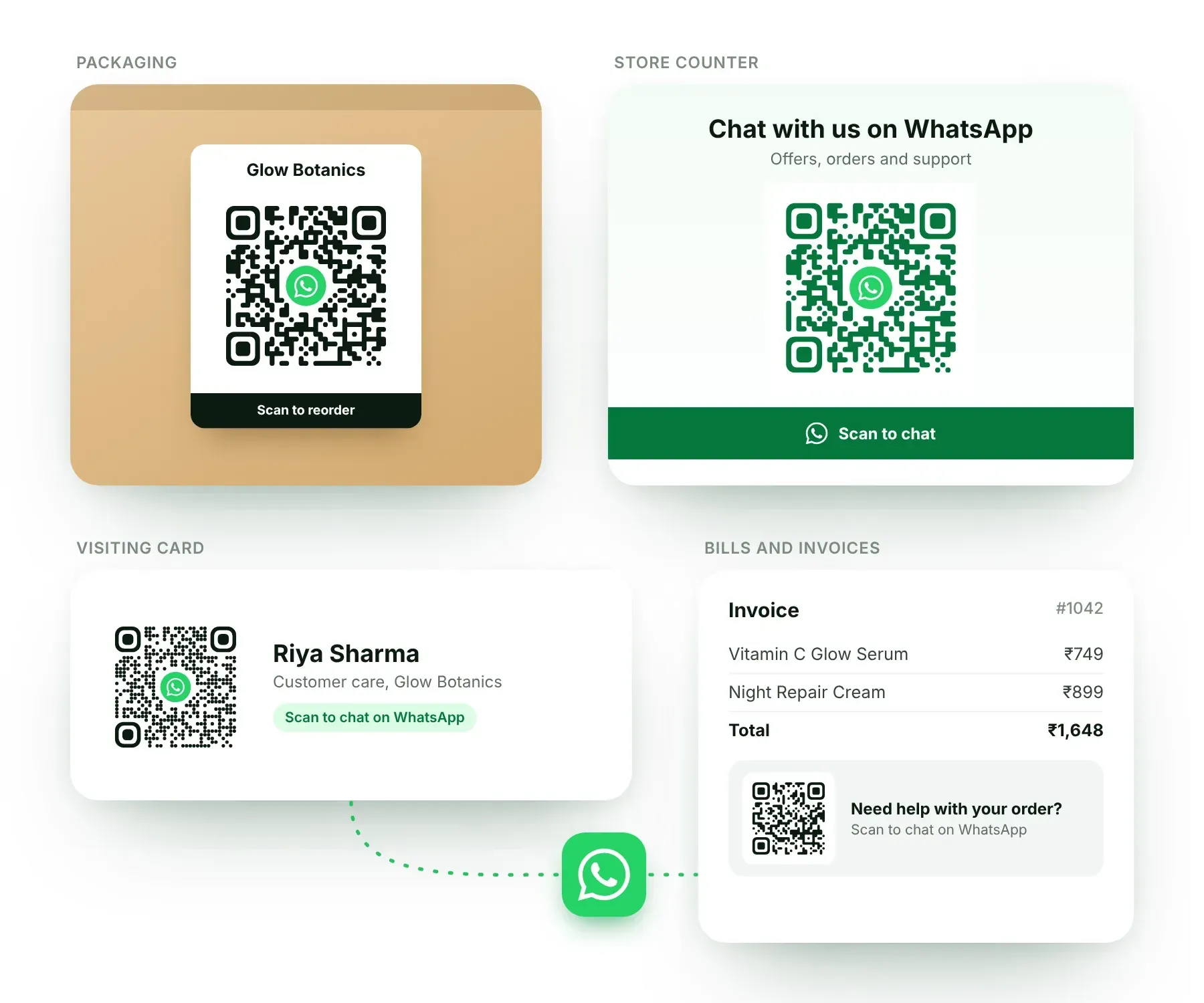
  • Product packaging and inserts

    Print it on boxes, labels and thank-you cards so buyers can reorder or ask for help on WhatsApp.

  • Store counters and standees

    Place it at the billing counter, on tables and at the entrance. Walk-in customers scan it and stay in touch with you.

  • Bills, invoices and visiting cards

    Add it next to your phone number. One scan is easier than typing ten digits.

  • Posters, flyers and banners

    Use it at events, exhibitions and in print ads with a clear line like "Scan to get the offer".

  • Websites, social media and slides

    Show it on your desktop site, Instagram posts and webinar slides so people can move the chat to their phone. For places where people can tap, use a WhatsApp link or a WhatsApp button.

  • Where to use a WhatsApp QR code: product packaging, store counter standee, visiting card and invoice

    Go beyond a QR code: grow on WhatsApp with AiSensy

    A QR code starts the conversation. AiSensy, built on the official WhatsApp Business API, helps you turn those conversations into sales.

  • Broadcast to everyone who scans

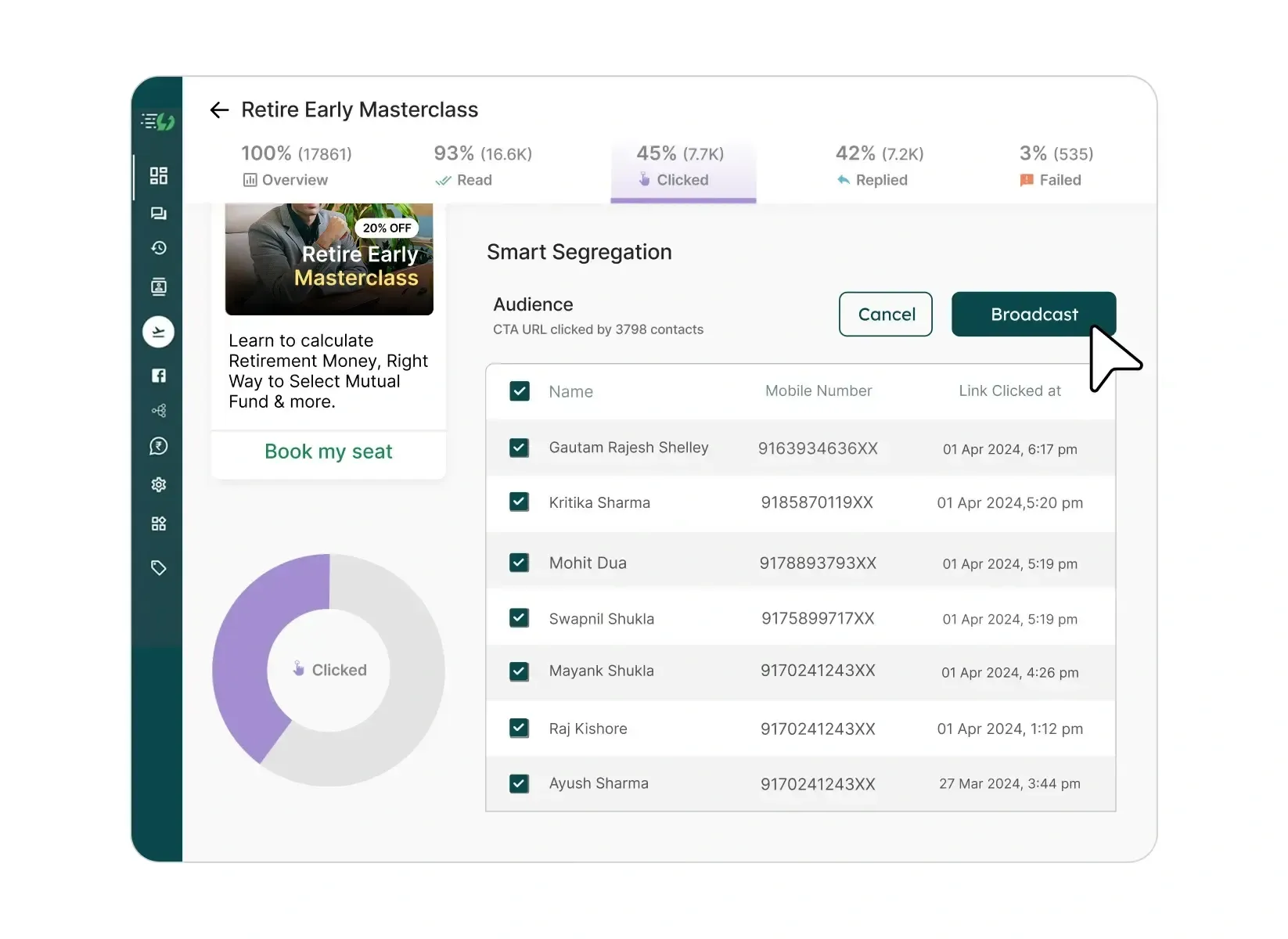
    Every scan can become an opted-in contact. Send offers and updates to all of them in one go with WhatsApp broadcasting.

  • Reply instantly, 24x7

    Let AI agents and chatbots answer common questions and qualify leads while your team is away.

  • One inbox for your whole team

    Handle every WhatsApp chat from a shared team inbox with multiple agents.

  • Get started for free

    Create your AiSensy account in a few minutes and explore the platform. Start for FREE

  • AiSensy dashboard showing a WhatsApp campaign report and a broadcast to people who clicked

    WhatsApp QR code generator FAQs

    What is a WhatsApp QR code?

    A WhatsApp QR code is a scannable code that opens a WhatsApp chat, group, channel or catalog. People scan it with their phone camera and reach you without saving your number.

    How do I create a QR code for my WhatsApp number?

    Enter your number with the country code in the generator above, add an optional message and click Generate QR Code. Then download the code as a PNG or SVG. It works with WhatsApp and WhatsApp Business numbers.

    Is the AiSensy WhatsApp QR code generator free?

    Yes. You can create unlimited WhatsApp QR codes for free, without signing up.

    How do I create a WhatsApp QR code with a pre-filled message?

    Type your message in the Pre-filled message box before you click Generate QR Code. When someone scans the code, WhatsApp opens your chat with that message ready to send.

    How do I create a QR code for a WhatsApp group or channel?

    For a group, open it in WhatsApp, tap the group name, choose Invite via link and copy the link. For a channel, open it, tap the channel name and choose Copy link. Select Group or Channel in the generator, paste the link and click Generate QR Code.

    Where do I find my own QR code in WhatsApp?

    Open WhatsApp, go to Settings and tap the QR icon next to your name. In the WhatsApp Business app, you will also find it under Business tools and Short link. That code cannot carry your brand color or a caption, which is why businesses create one with a generator.

    Is this the same as the WhatsApp Web QR code?

    No. The WhatsApp Web QR code appears on web.whatsapp.com, and you scan it from Linked devices in your WhatsApp to log in on a computer. The QR code you create here is for your customers. It opens a chat with your business.

    How do customers scan a WhatsApp QR code?

    They open the phone camera, point it at the code and tap the link. They can also scan it from WhatsApp: Settings, the QR icon next to the name, then Scan code.

    Does a WhatsApp QR code expire?

    A QR code itself does not expire. It works as long as the link inside it is active. If you change your WhatsApp number or reset a group invite link, create a new QR code.

    What size should I print my WhatsApp QR code?

    Keep it at least 2 x 2 cm on small items like visiting cards and packaging. For posters and banners, make the code about one tenth of the scanning distance, so a code scanned from 2 metres should be around 20 cm wide. Use the SVG file for large prints and test with two phones before you print.

    What is the difference between a WhatsApp link and a WhatsApp QR code?

    Both open the same chat. A link is for places where people can tap, like your Instagram bio, website and ads. A QR code is for places where people cannot tap, like packaging, posters and shop counters. You can create a link with our free WhatsApp link generator.

    Can I add a logo to my WhatsApp QR code?

    Yes. The generator places the WhatsApp logo in the center of the code, and you can pick a color, a style and a caption. The logo tells people that the code opens WhatsApp, so more of them scan it.

    Ready to do more with WhatsApp?

    Join 2.5L+ brands that broadcast, automate and sell on WhatsApp with AiSensy.