Ads Agent
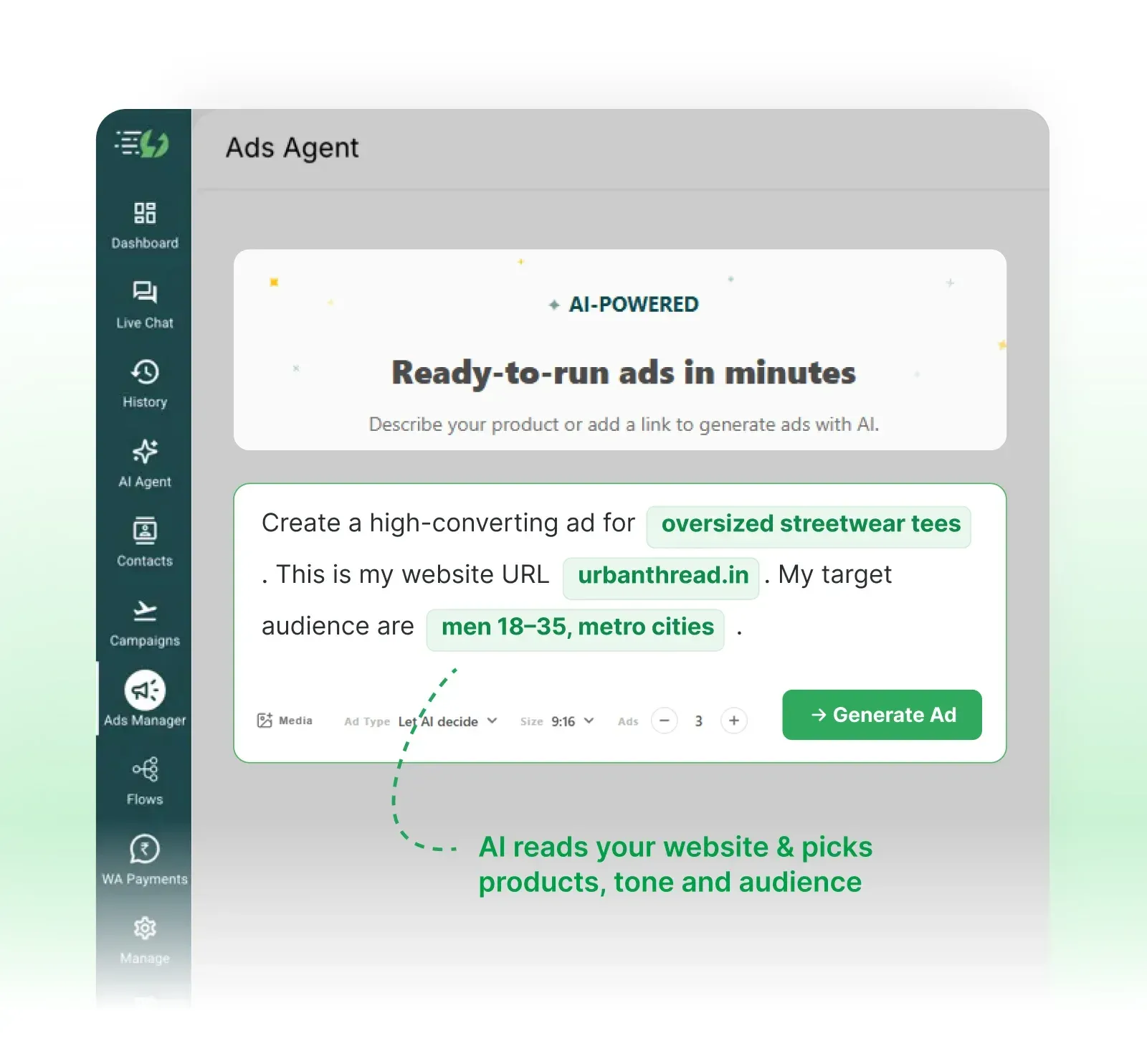
Ready-to-run ads in minutes
Describe your product or add a link to generate ads with AI.
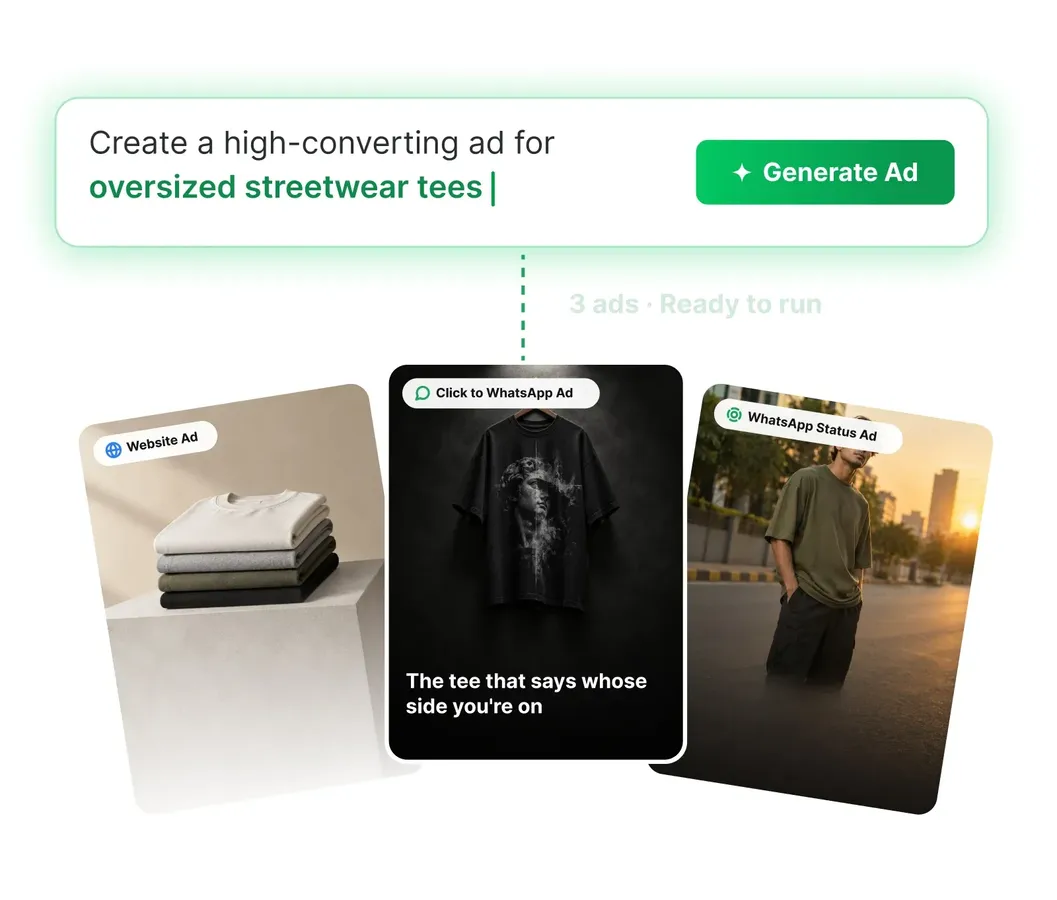
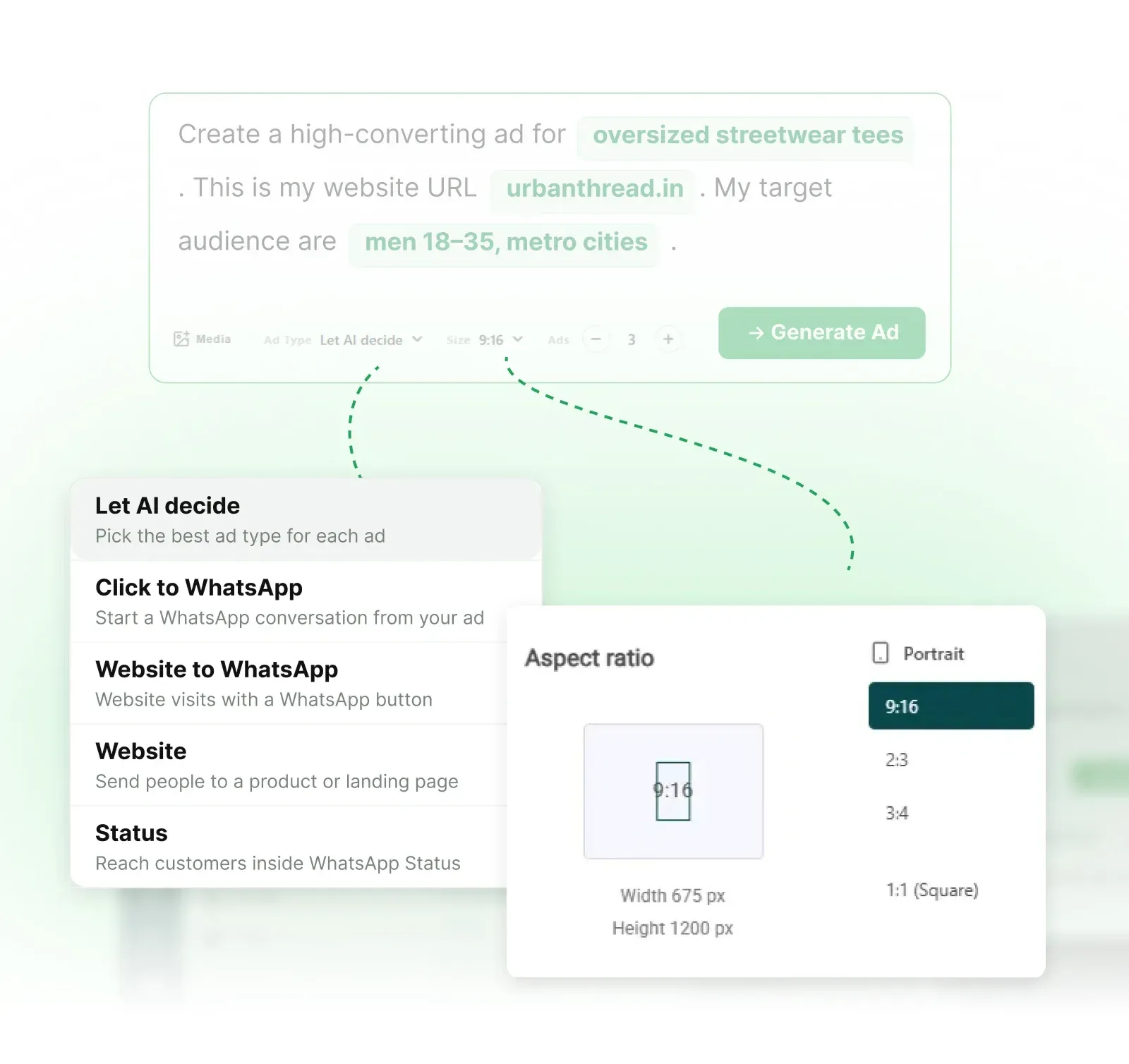
Create a high-converting ad for . This is my website URL . My target audience is .
Create Meta ads from one prompt.
AiSensy AI Ads Agent creates your ad copy, creatives and audience suggestions from your website or a short brief. Generate image and video ads, then edit your campaign in one dashboard.
Describe your product or add a link to generate ads with AI.
Create a high-converting ad for . This is my website URL . My target audience is .
Describe your product or add a link to generate ads with AI.
Create a high-converting ad for . This is my website URL . My target audience is .
Trusted by 210,000+ Businesses across 68+ Countries


Let AI create your next ad
Put your offer in front of customers with AI-generated copy and creatives built around your business.
Turn your website into your next ad
Share your website and the product or service you want to promote. Ads Agent uses that context to draft your ad copy and creative.
Create image and video ads
Choose portrait, landscape or square formats to suit your creative and ad placement.
Generate up to 10 ads in one go
Compare the generated copy and creatives, then choose which ads to use for your campaign.

Take control of your campaign
Your ad opens in a pre-filled editor, so you can make changes without starting from scratch.
Edit your ad copy and creative
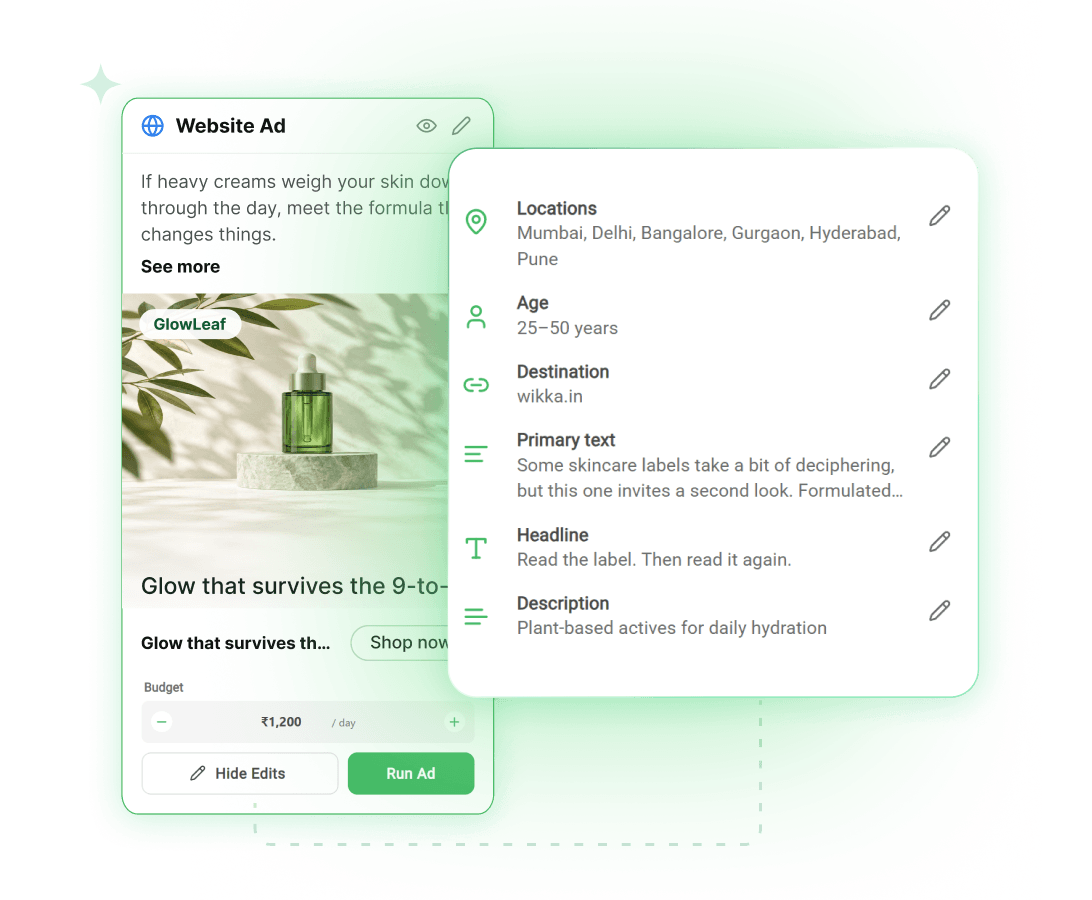
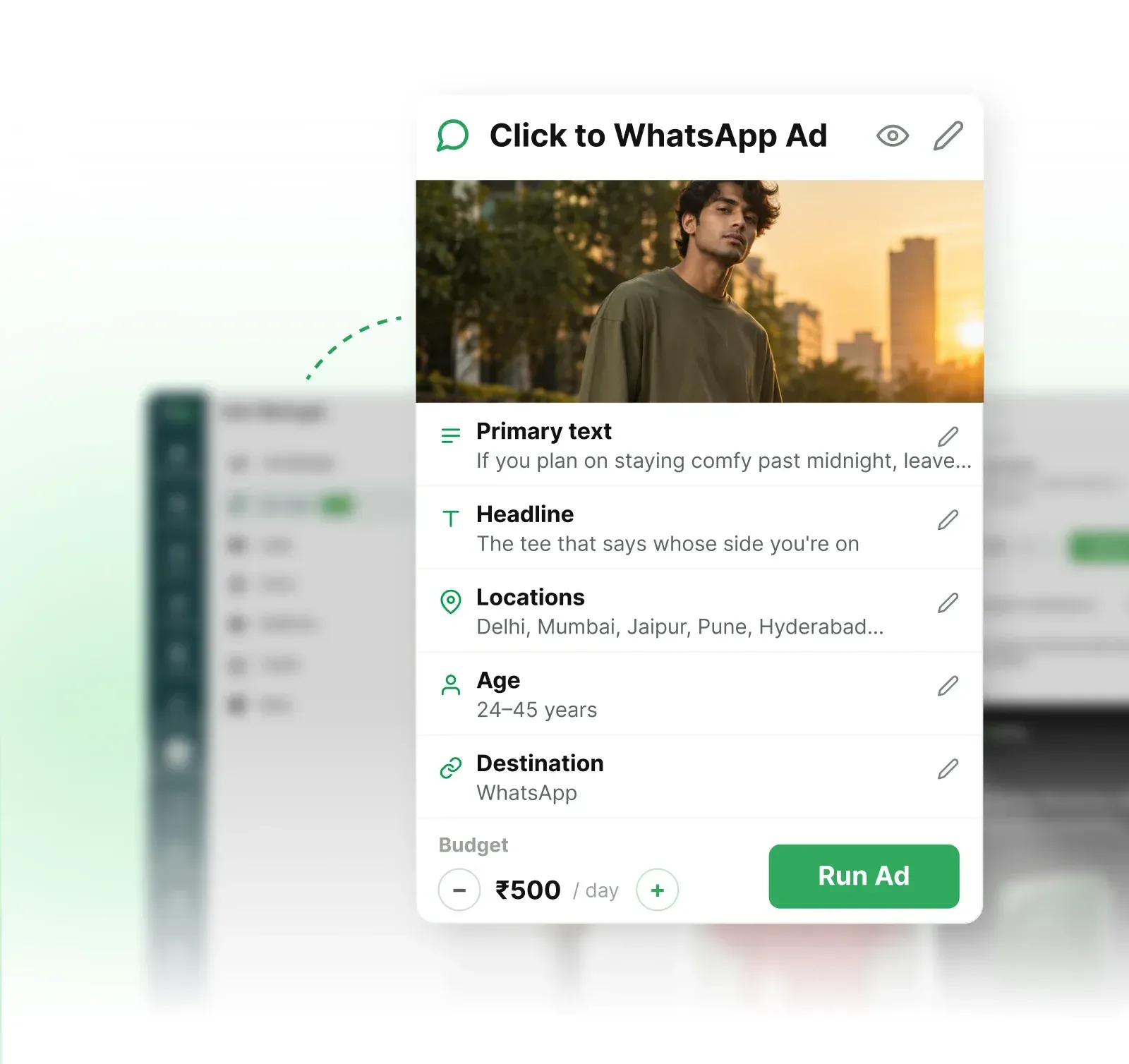
Update your headline and message with Quick Edits. Open the full editor to adjust your creative and CTA.
Choose who sees your ad
Adjust your audience, locations and age range in the ad editor to match the customers you want to reach.
Set your budget and schedule
Decide how much to spend each day and when your campaign runs before you submit it.

Create WhatsApp and website ads with AI
Start WhatsApp conversations, bring visitors to your website or create ads for WhatsApp Status. Choose your ad type or let AI suggest options for your brief.
Click to WhatsApp ads
Turn ad clicks into WhatsApp conversations. Answer product questions and follow up with interested customers in AiSensy Live Chat.
Website to WhatsApp ads
Let customers explore your website and start a WhatsApp chat when they need help choosing a product or understanding your offer.
Website ads
Bring visitors to your product page, collection or landing page to explore your offer and take the next step.
WhatsApp Status ads
Create full-screen ads for the WhatsApp Status experience. Reach people as they browse Status updates.
Create your first AI ad in 3 simple steps
From your first brief to a campaign ready for review.
Describe your business
Enter what you sell, your website URL and the customers you want to reach.

Generate your ads
Select an ad type or Let AI decide. Choose your format, aspect ratio and number of ads, then click Generate Ad.

Edit and prepare your campaign
Review the generated ad and confirm your campaign settings. When you’re ready, submit it for Meta review.

AiSensy AI Ads Agent FAQs
Everything you need to know about ad creation, editing, credits and campaign setup.
What is AiSensy AI Ads Agent?
AiSensy AI Ads Agent helps you create ads from a brief about your product, service or website. It generates copy and creative options with suggested audience details, which you can review and edit in AiSensy Ads Manager before running an ad.
How do I create an ad with AI Ads Agent?
In AiSensy, go to Ads Manager → Ads Agent. Describe your business and target audience, add your website, then choose the ad type, creative format and aspect ratio. Generate options and review the ad and campaign settings before you run it.
Which ad types can I create?
Ads Agent offers Click to WhatsApp, Website to WhatsApp, Website and Status. You can also choose Let AI decide. Check the setup and placement options for your selected type before launching.
Can I edit the AI-generated ad?
Yes. Use Quick Edits on the ad card for supported changes, or open Edit Ad to review the full campaign. Check the copy, creative, CTA, destination, audience, locations, age range and budget before submitting.
Will generating an ad launch it automatically?
No. Generation creates ad options for you to review. Running an ad is a separate action that requires a connected Meta ad account and completed campaign setup. Meta review and account eligibility affect whether the ad can run.
Do I need a connected Meta ad account?
You need a connected Meta ad account and the required permissions to run ads through AiSensy. Complete the account connection in Ads Manager Setup and check the selected assets before submitting your campaign.
What does AI Ads Agent cost?
Check the Ad Credits shown for your generation settings before creating ads. Your campaign advertising budget is separate from creative-generation usage. Review the current account offering and any WhatsApp messaging charges that apply to your follow-up workflow.
Can my team handle WhatsApp enquiries in AiSensy?
For ads that lead to your connected WhatsApp number, your team can handle incoming conversations in AiSensy Live Chat. You can separately set up a chatbot to answer common questions and collect details before handing the conversation to your team.
Turn your next offer into an AI-generated ad
Have a product, service or offer to promote? Open AiSensy Ads Agent and create your first ad from a short brief.