How to use API Request Feature in Chatbot Flow Builder?
Explore how to use API Request Feature in Chatbot Flow Builder in AiSensy
How to use API Request Feature in Chatbot Flow Builder?
Explore how to use API Request Feature in Chatbot Flow Builder in AiSensy
Wish to integrate API calls within your flows that allow you to fetch as well as send data right into your endpoints/CRM?
AiSensy's Flow Builder allows you to integrate API calls within your flows. You can make HTTP requests using various request types such as GET, POST, PUT, PATCH, and DELETE. Additionally, you can customize the request by adding parameters, and headers, and sending JSON raw data.
But, what exactly is the use of this feature? Well, let's understand with a simple use case.
You are a bank and want your users to be able to get their updated balance & account statements right on WhatsApp whenever they ask for it.
By integrating your API calls within flows, your customer will be able to get their exact report by simply entering details like their account number and dates between which they'd like to receive their account statement.
This is made possible with the help of API integration calls; a feature of AiSensy Flow builder.
So, let's understand how you can use the API request feature in Chatbot Flows.
How to use API Calls Request feature in Chatbot Flows?
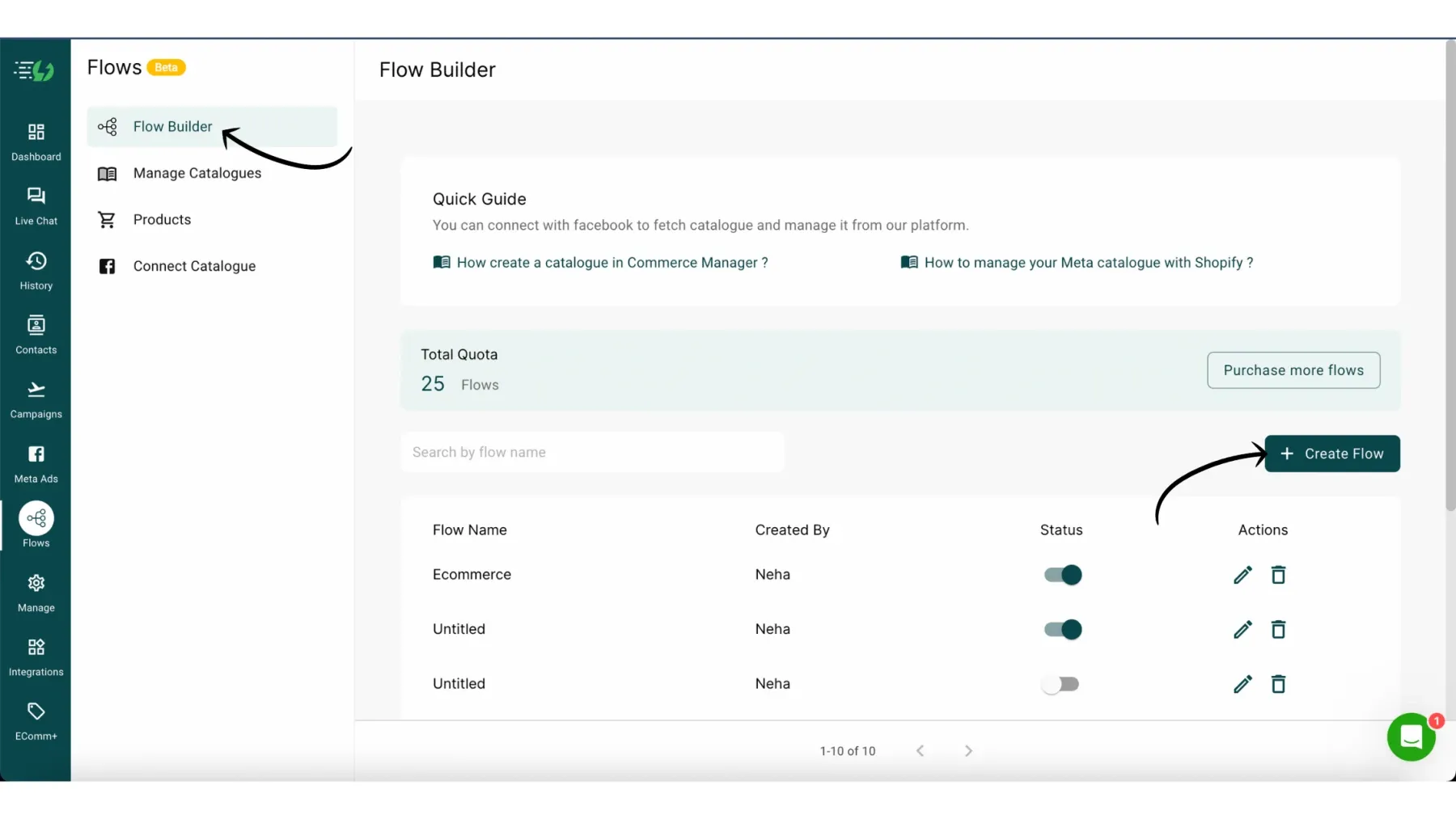
1. Create a New Flow
Go to Flow Builder and click Create Flow to create the flow for your WhatsApp Chatbot.
2. Select API Request from the Content Block
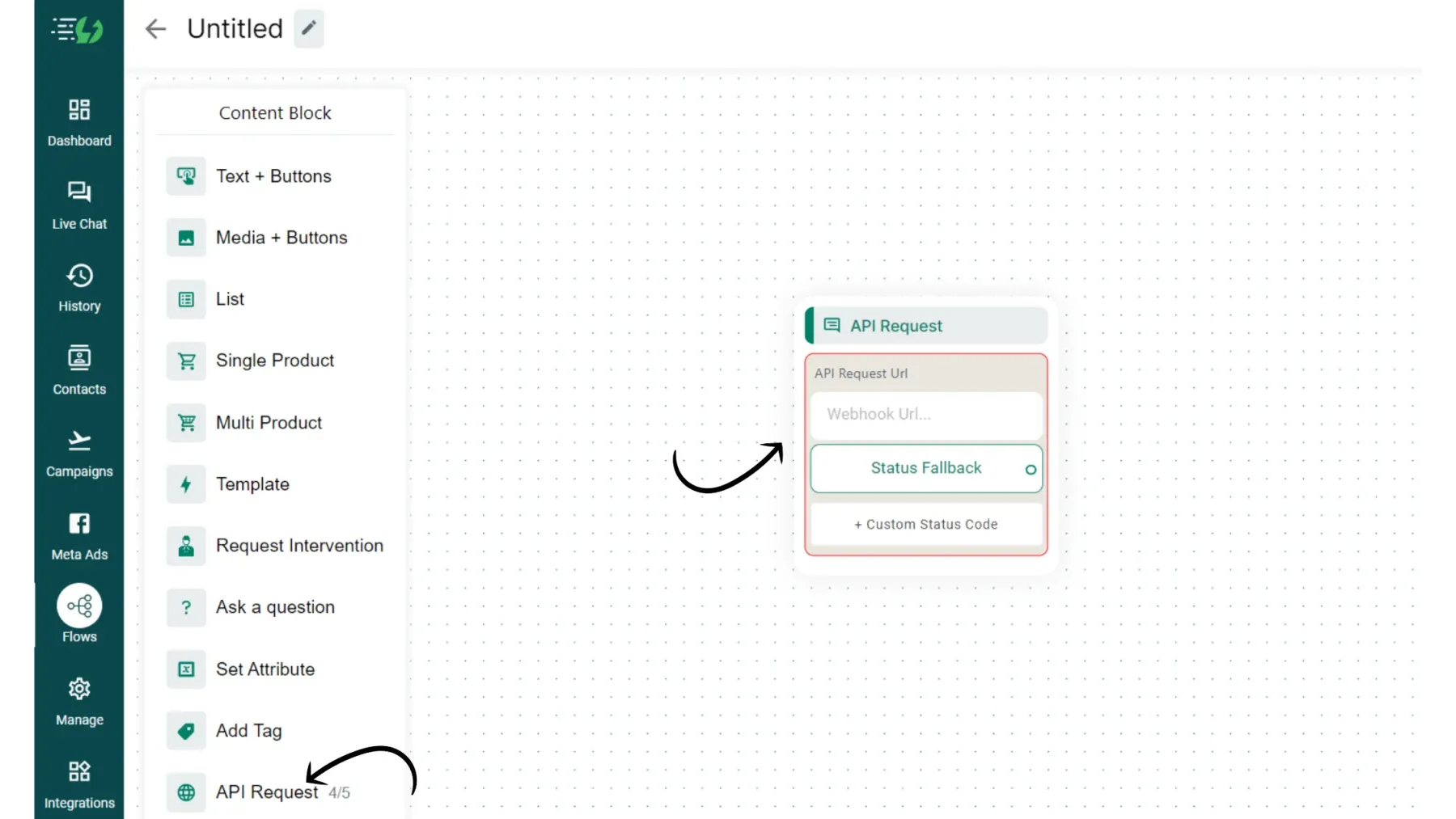
3. API Request Configuration
Follow the below steps to configure API Requests:
1. URL:
Specify the URL of the API endpoint you want to communicate with. This URL should resemble the one used in Postman.
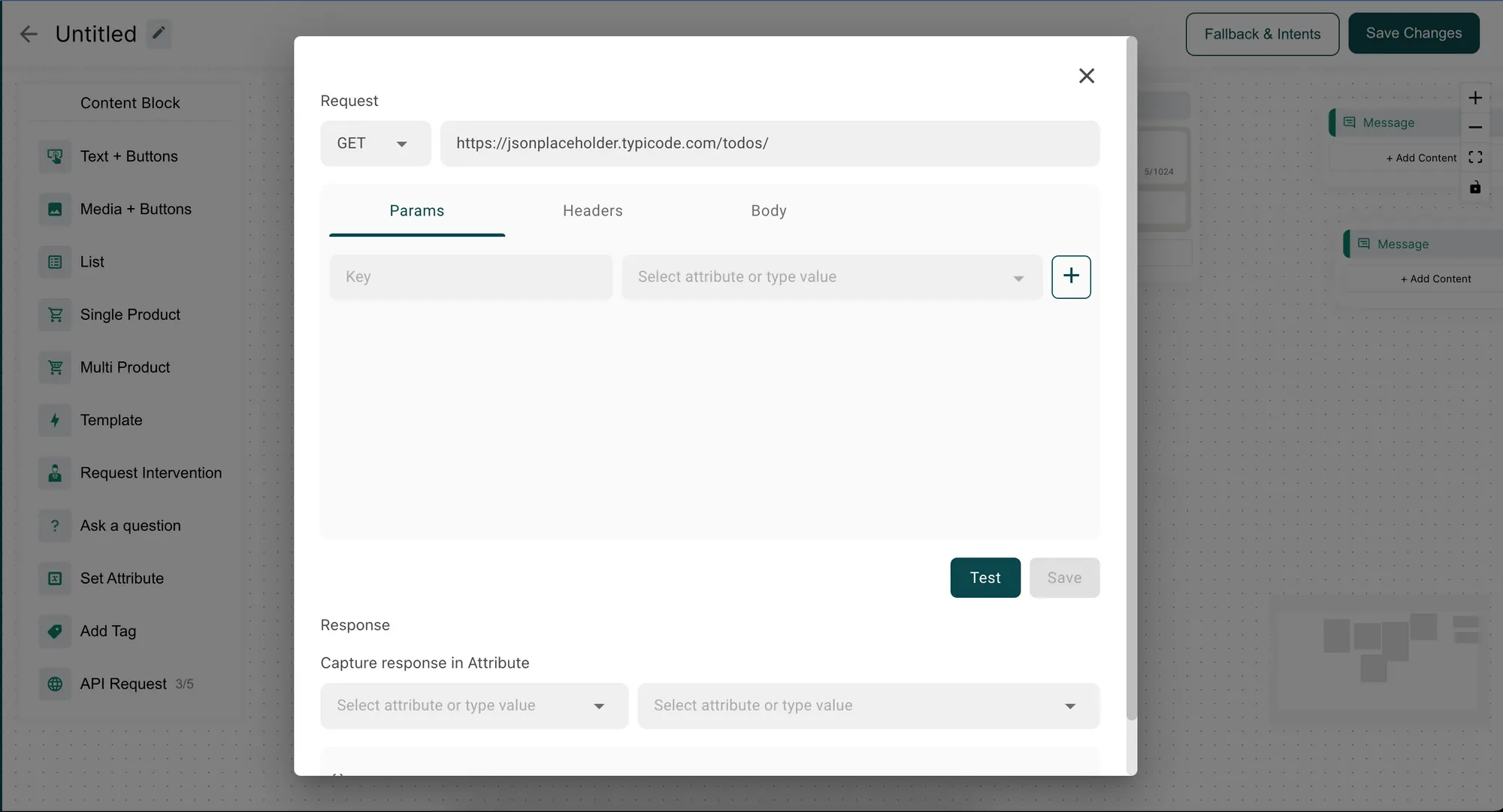
2. Request Type
Select the appropriate request type from the available options: GET, POST, PUT, PATCH, or DELETE.
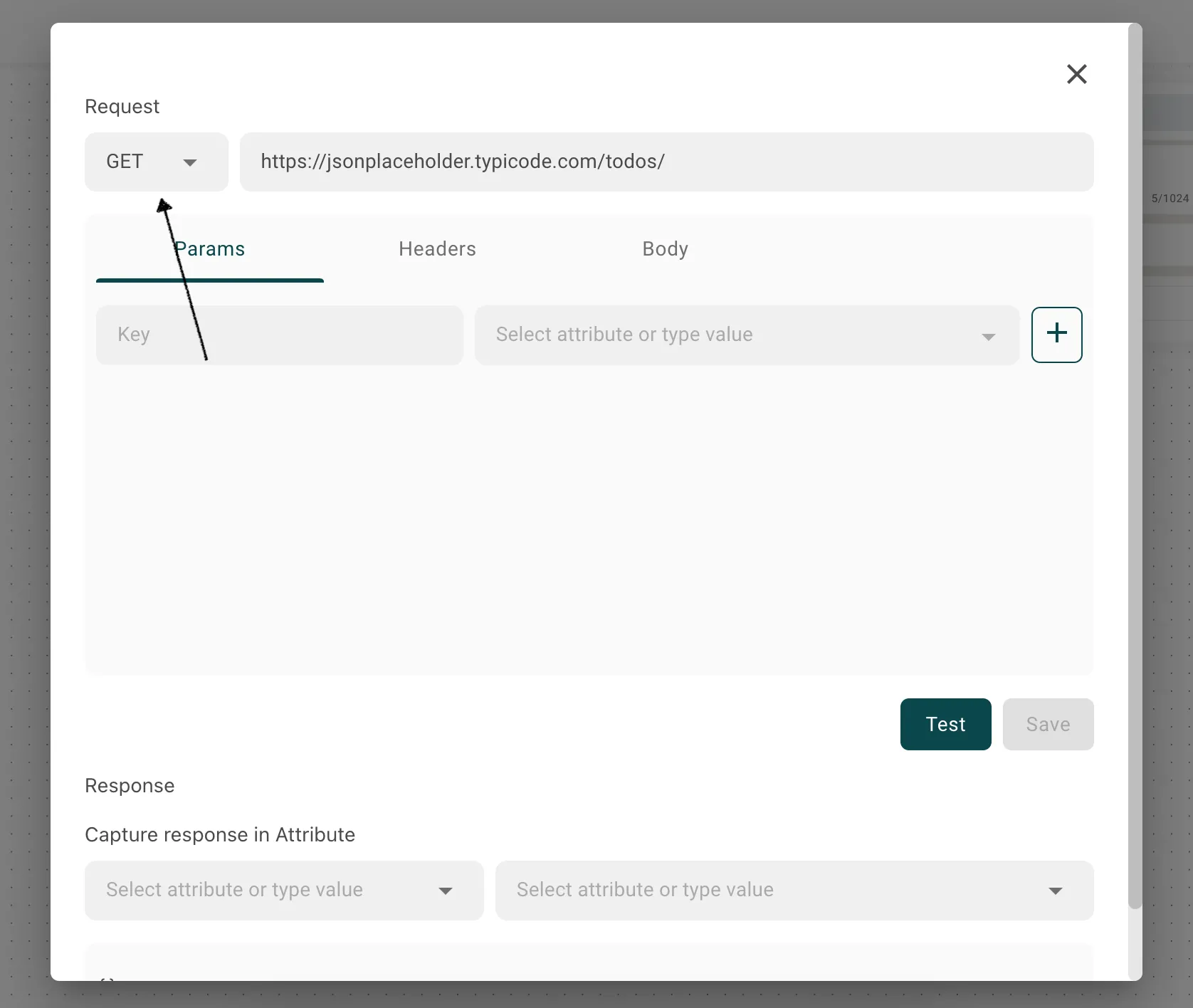
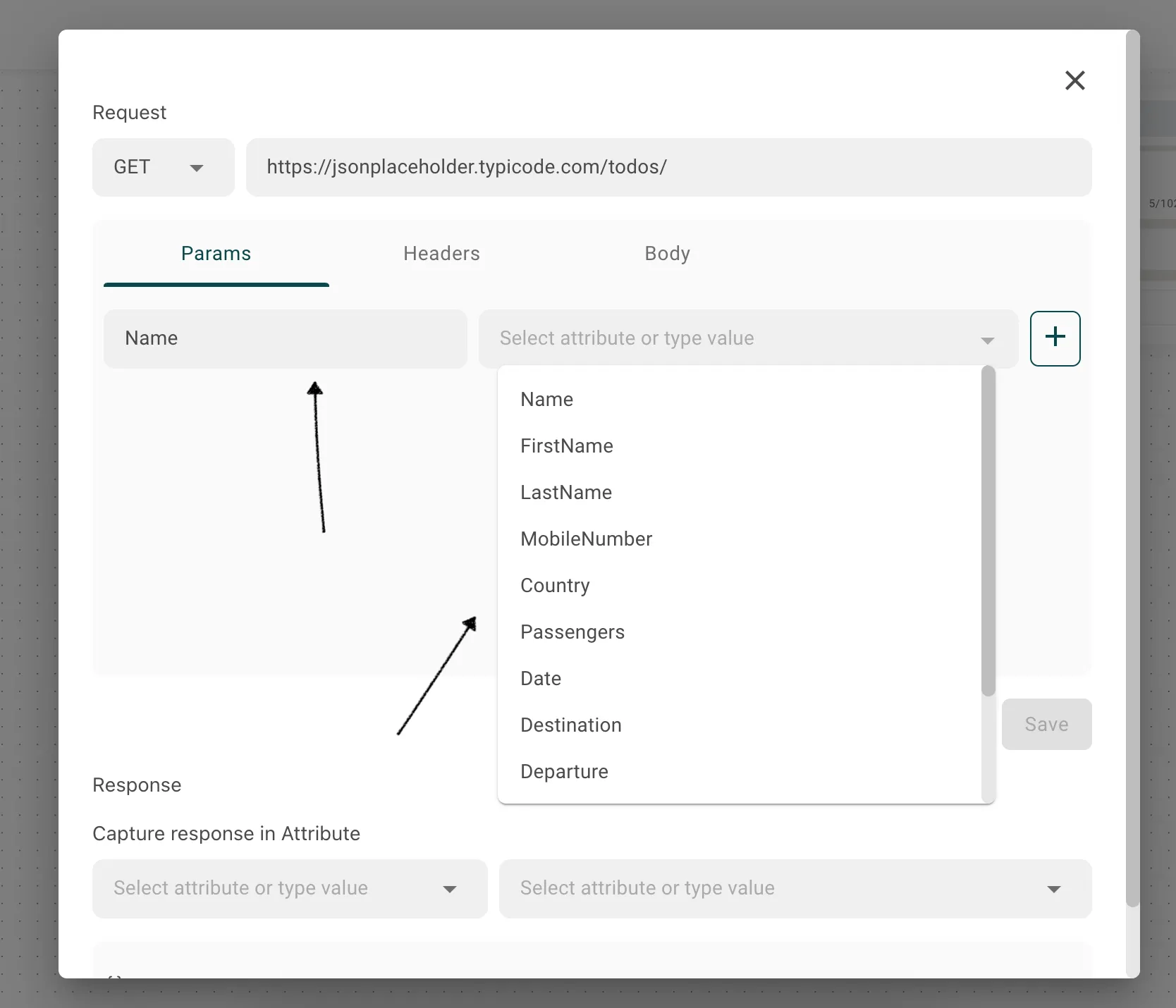
3. Parameters
Users can either provide static values for the parameters or select attributes to dynamically share information within the flow.
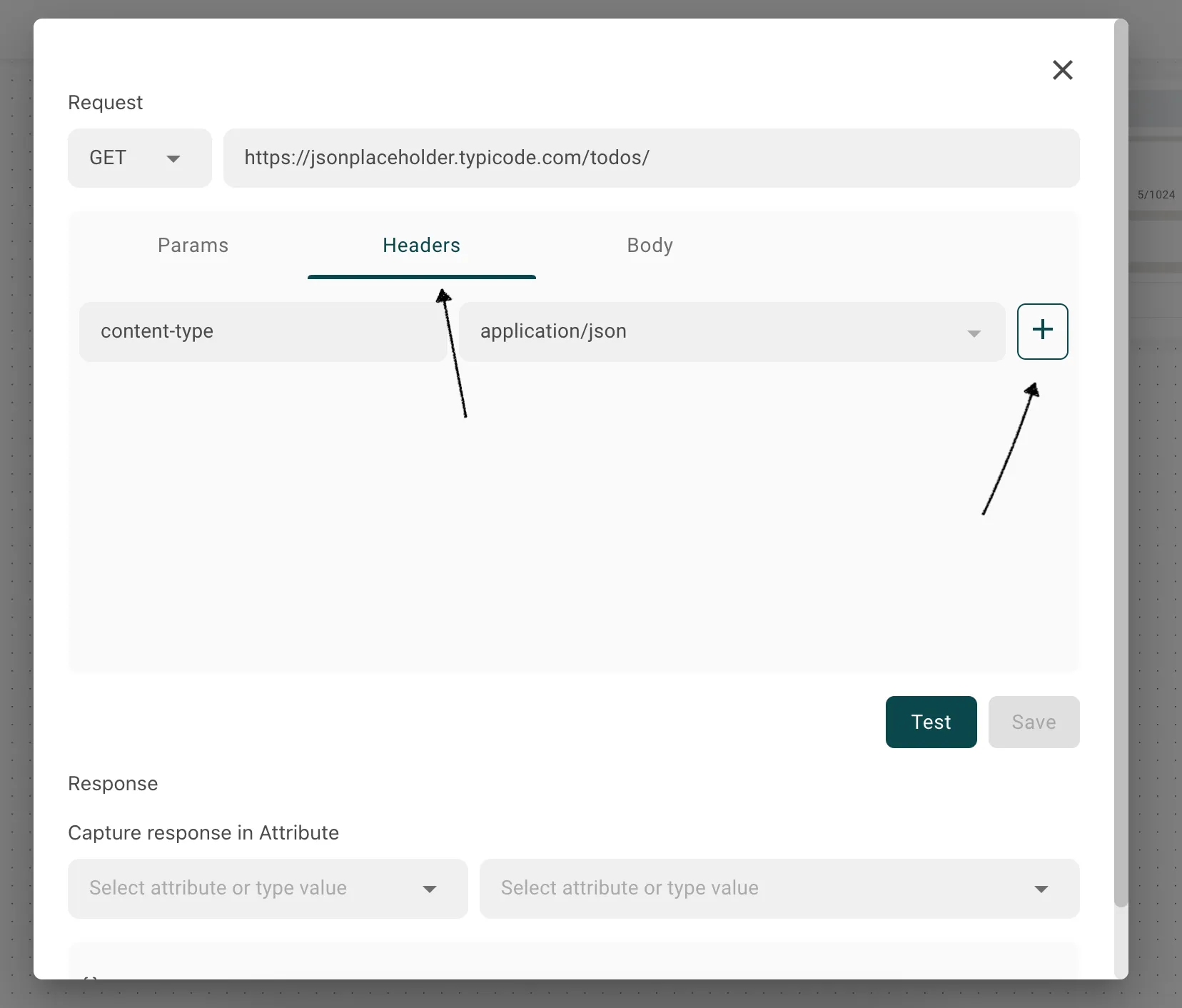
4. Headers
Include any necessary headers for your API request. Headers provide additional information about the request, such as authentication credentials or content type.
5. JSON Raw Data
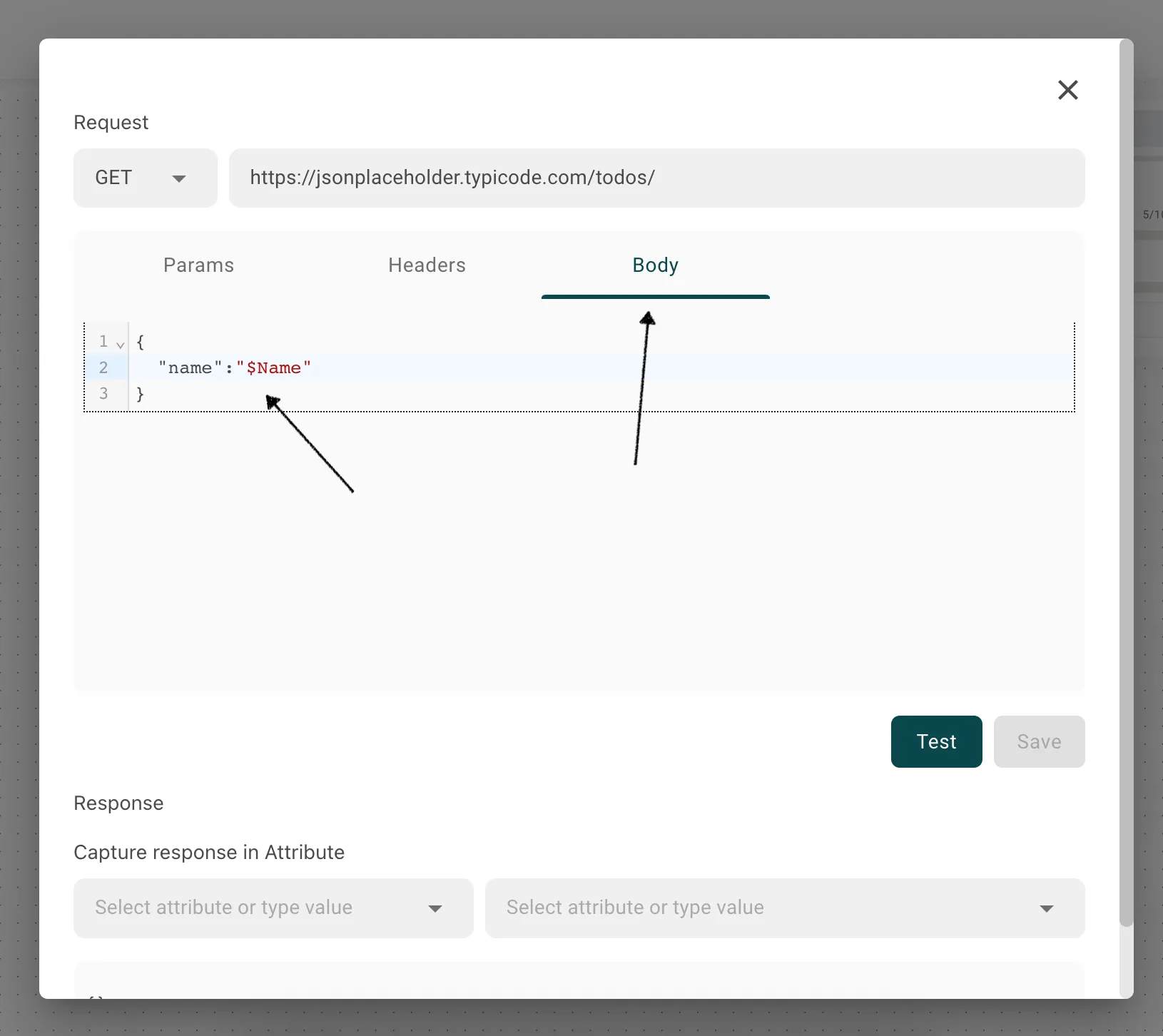
If required, you can send JSON raw data as part of the request body. Users can pass attribute values within the JSON object using the $ sign followed by the attribute name.
6. Test the API
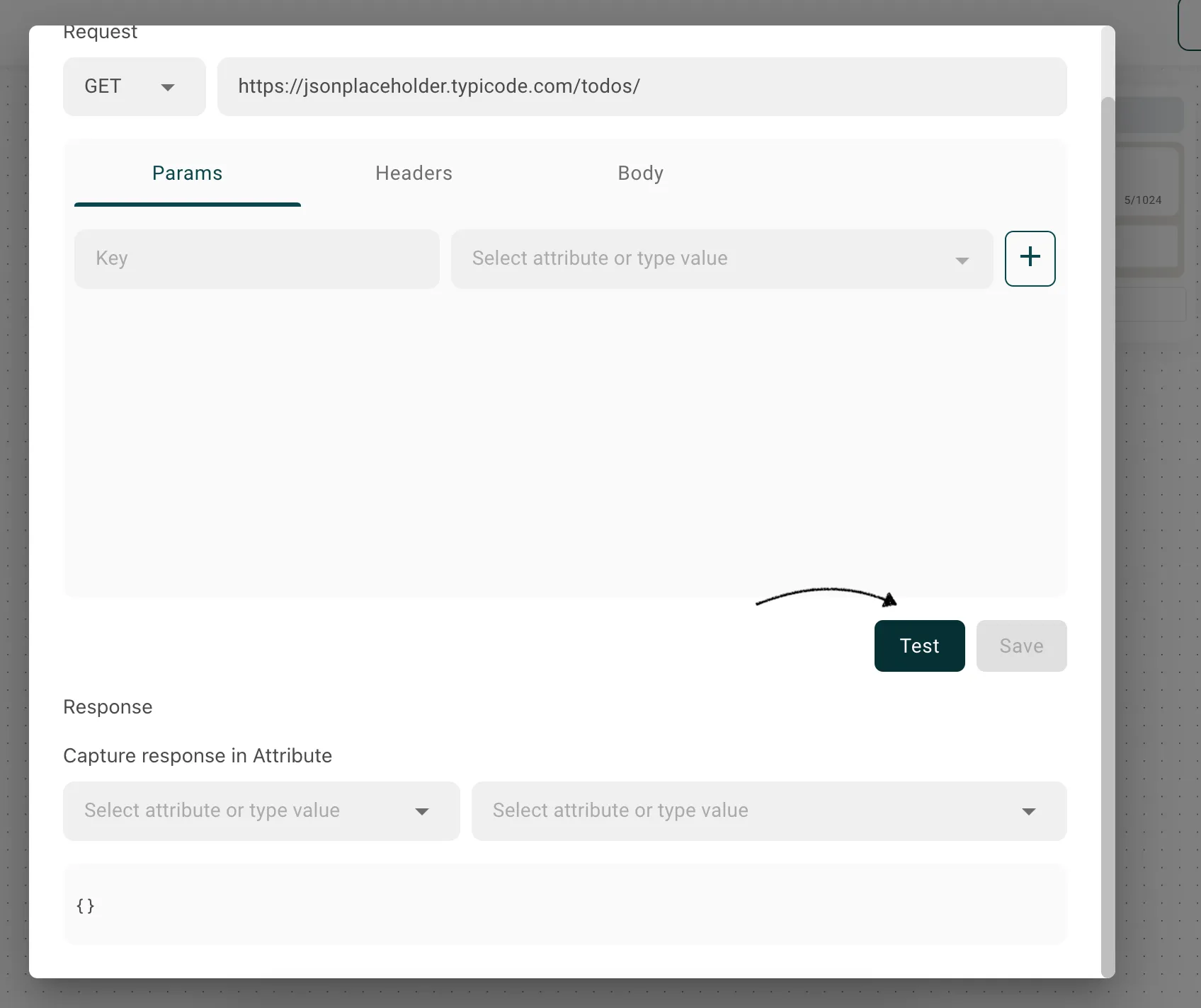
Once you have configured the API request, you can click on the "Test" button to send the request and verify its functionality. This will simulate the actual API call and provide you with the response.
7. Capture Response Data
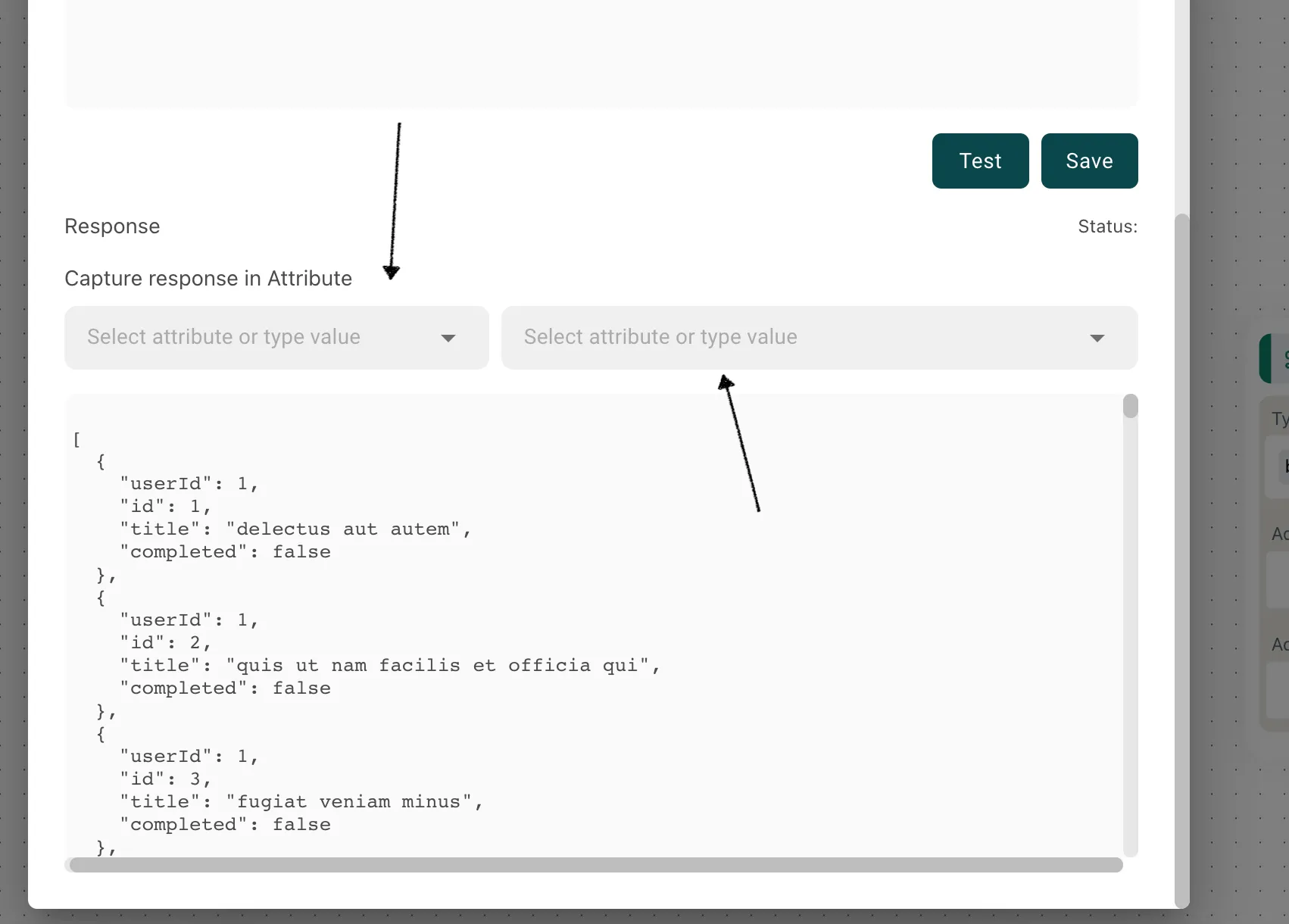
After a successful API response, you have the option to capture specific data from the response and save it as attribute values. This allows you to store and use the retrieved data within your flow for further processing.
8. Save the Request
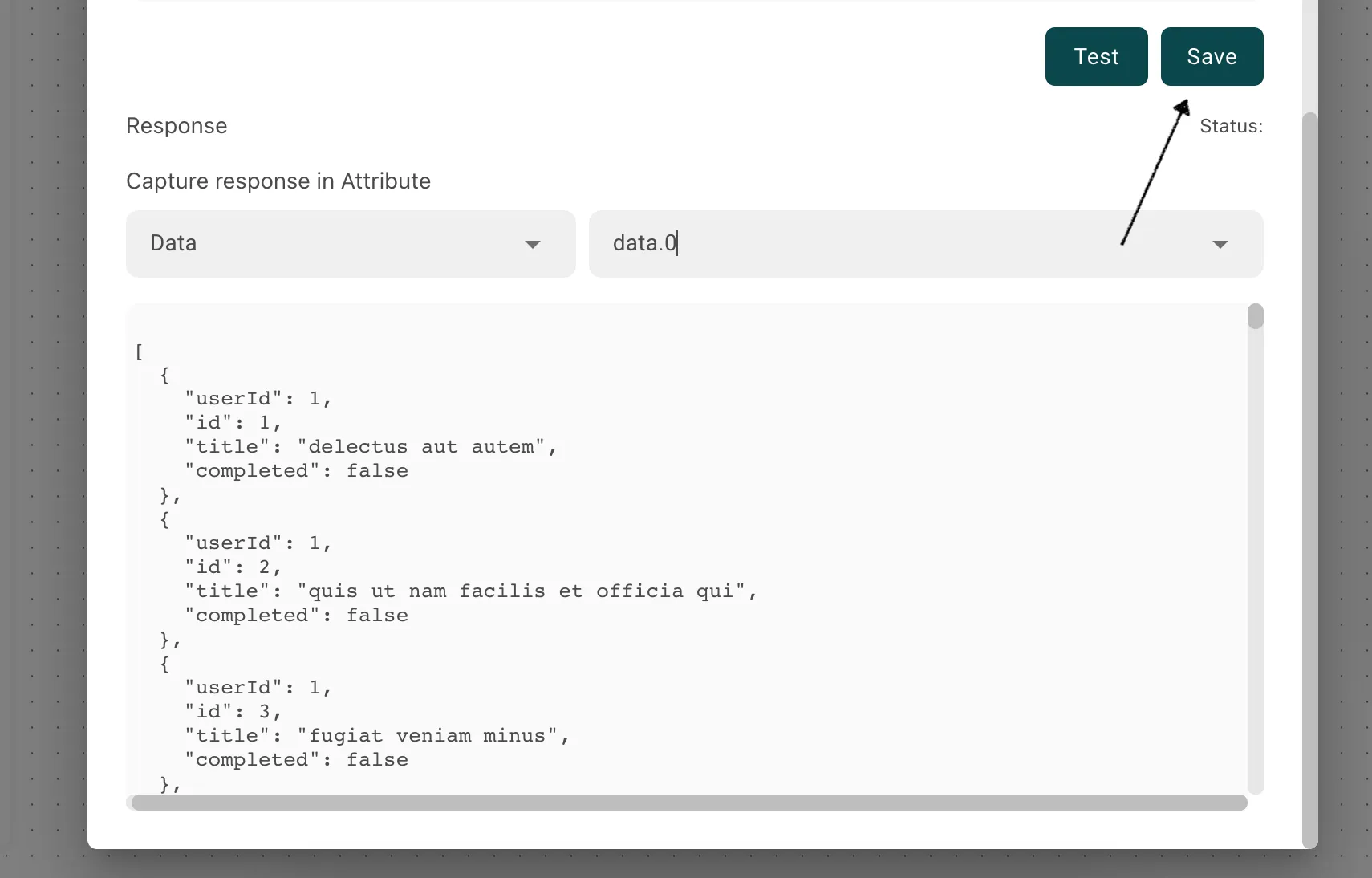
If you are satisfied with the configured API request, you can click on the "Save" button to store the request for future use. This ensures that your request settings are preserved and can be easily accessed when needed.
Setting Block Level Configuration
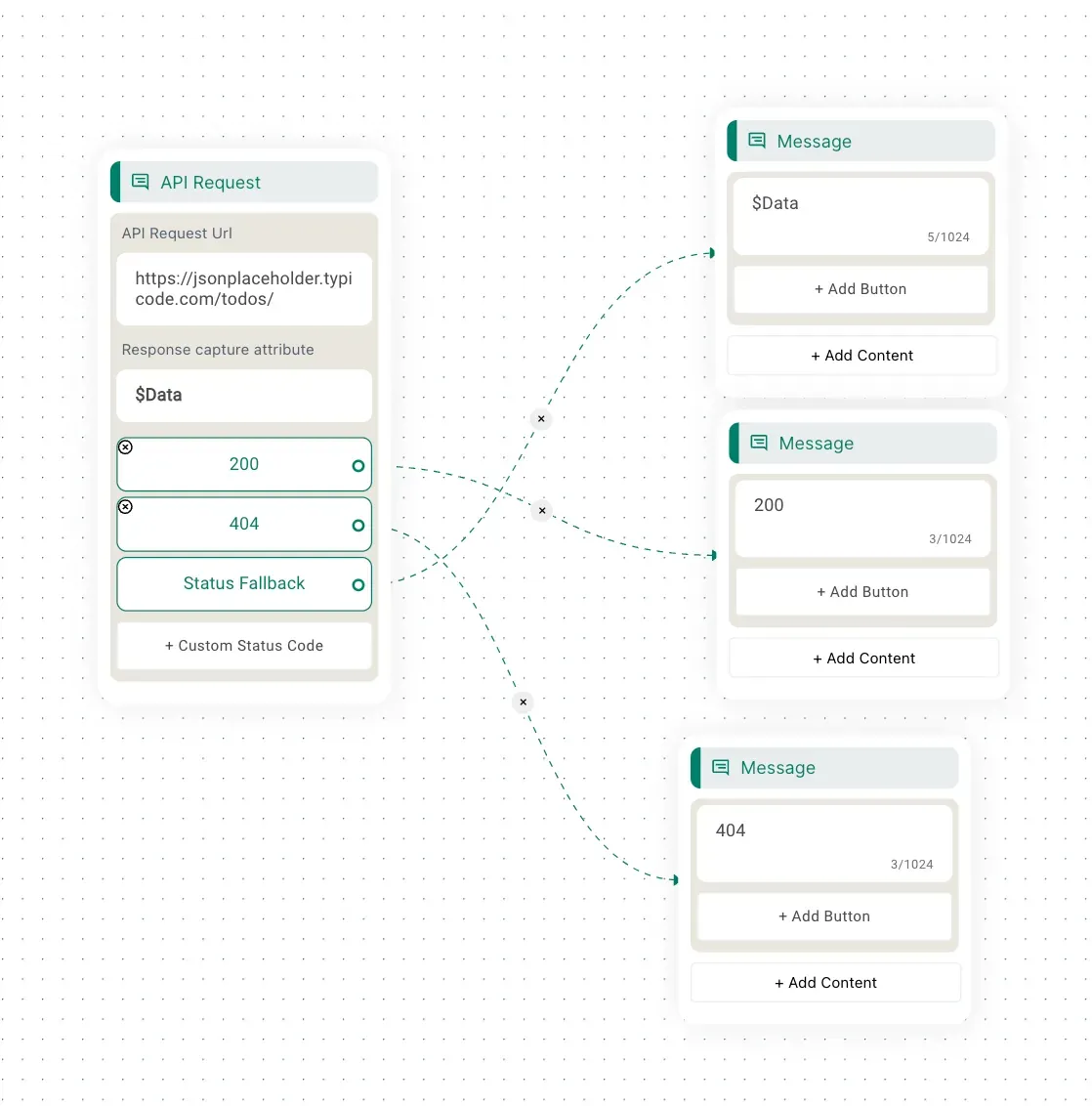
Within the Flow Builder, you can define block-level actions based on the API response status codes. The available options include "Status Fallback" and "Custom."
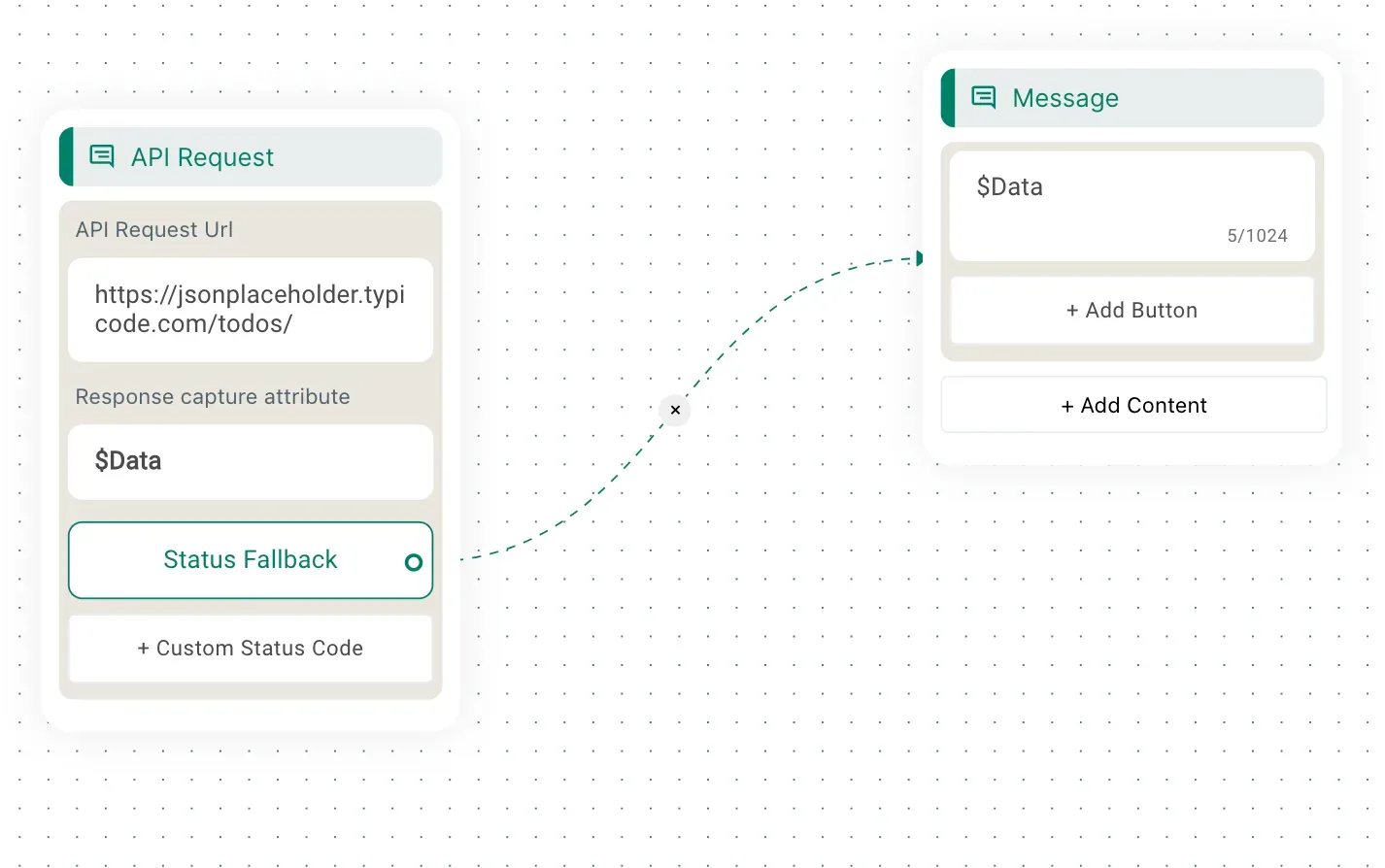
1. Status Fallback
Define a fallback action to be executed when the API responds with a specific status code. For example, if the API returns a 404 status code (Not Found), you can redirect the flow to another block or perform a specific action.