WhatsApp AI Agent by AiSensy
WhatsApp AI Agent for Customer Support
Answer every customer question on WhatsApp, automatically.
Train the ready-made Customer Support AI Agent on your policies & let it clear the queue round the clock.
No coding needed!

What Your AiSensy Customer Support AI Agent Handles
Every customer question, handled on WhatsApp, without adding to your team’s workload.
Answers From Your Actual Policies
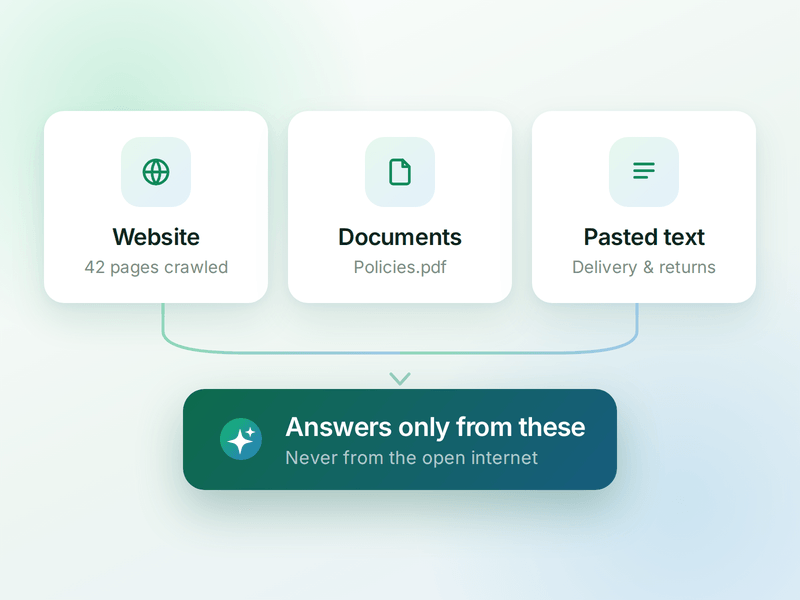
Delivery areas, timings, warranty, returns - answered from your documents & website, not invented. If it isn't in your knowledge base, the agent doesn't say it.
Clears the Repeat Questions
Store hours, location, "do you deliver here", "is this available". The questions that eat your team's day, handled the second they're asked.
Replies Instantly, at 2am Too
No queue, no "we'll get back to you tomorrow". Every customer gets a real answer in seconds, whatever time they message.
Looks Up Live Information
Connect your systems & the agent can check things mid-chat - order status, slot availability, ticket state - instead of guessing or raising a ticket.
Hands Over Before Frustration Sets In
A billing dispute, a complaint, or a customer who just wants a person. The agent passes the chat to your team with the full history attached.
Supports in Your Customer's Language
English, Hindi, Hinglish or anything in between - the agent matches how your customer talks.
How a Question Gets Answered
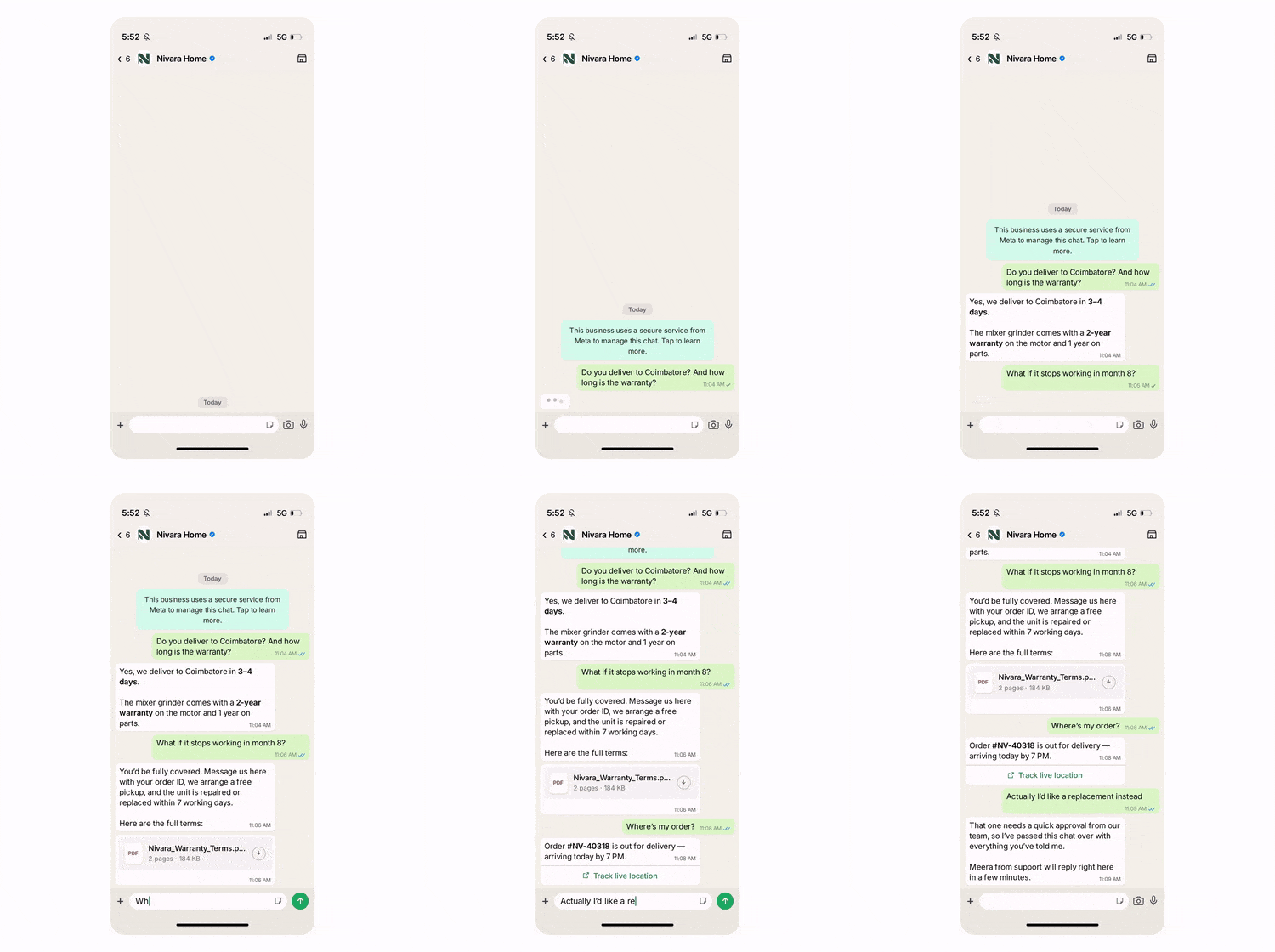
A real conversation, step by step - your team only enters when a human actually has to decide something.
The Question
Customer: "Do you deliver to Coimbatore? And how long is the warranty?"
Both answered in seconds, straight from your delivery policy & warranty document.
The Follow-Up
"What if it stops working in month 8?"
The agent walks through the claim process step by step & shares the warranty document itself. This assures customer of guarantee.
The Lookup
"Where's my order?"
The agent checks your system through a connected API & replies with the actual status. The customer does not have to raise any ticket for such a simple query, hence no wait.
The Handover
Now the customer wants a replacement approved. That's a human decision, so the chat goes to your support team with every message attached.

Key Terms: How AiSensy AI Agent works
A brief description on each section you'll see inside AiSensy AI Agent Dashboard and what each one actually does.

Business Profile
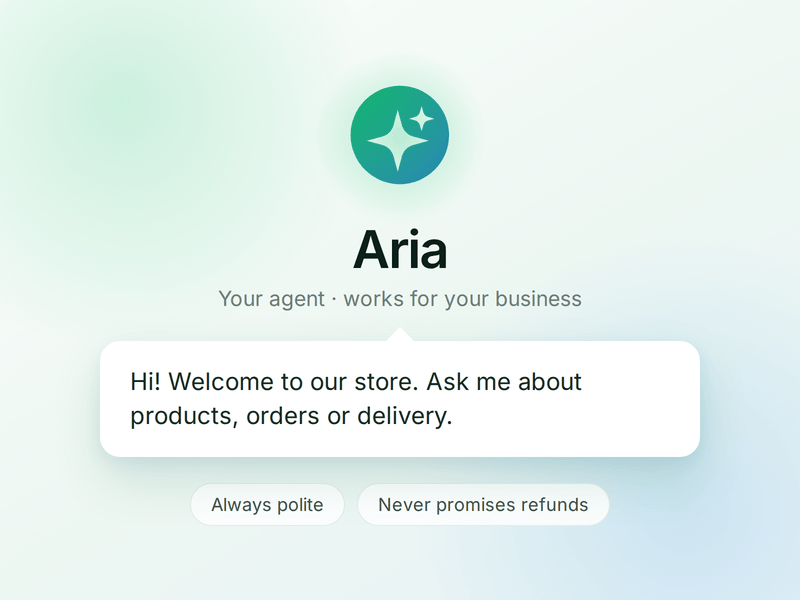
Who your agent is and who it works for. Your business details, the agent's name and greeting, and the ground rules it must always follow.

Knowledge
Everything your agent is allowed to know. Crawl your website, upload documents or paste text - the agent answers from these, not from the internet.

Skills
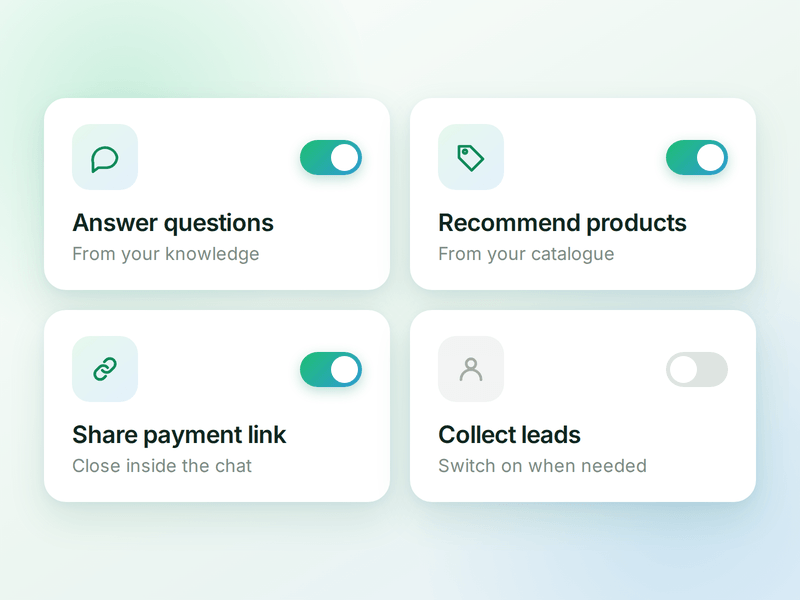
The jobs your agent can do. Switch on a ready-made skill or create your own, and the agent works out which one a conversation needs.

Products
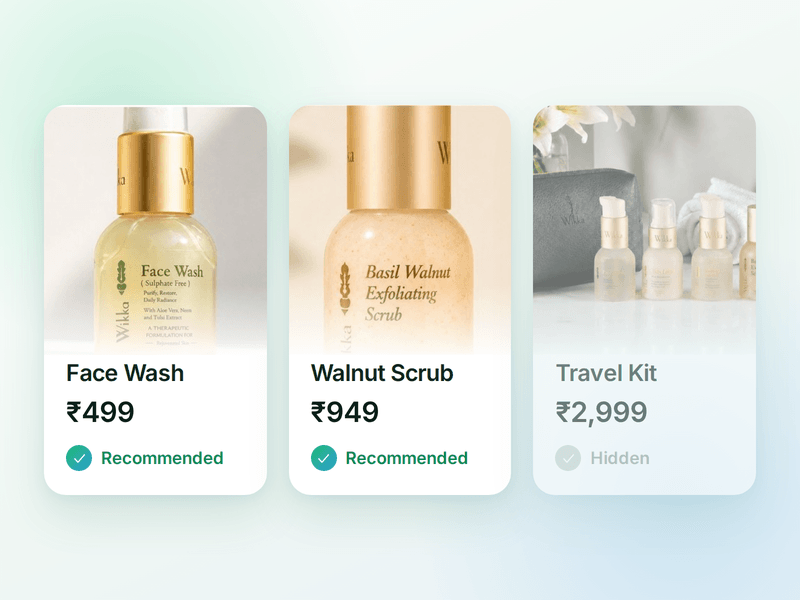
The catalogue your agent sells from. Sync your store or add items by hand, then pick which ones the agent is allowed to recommend.

Payments
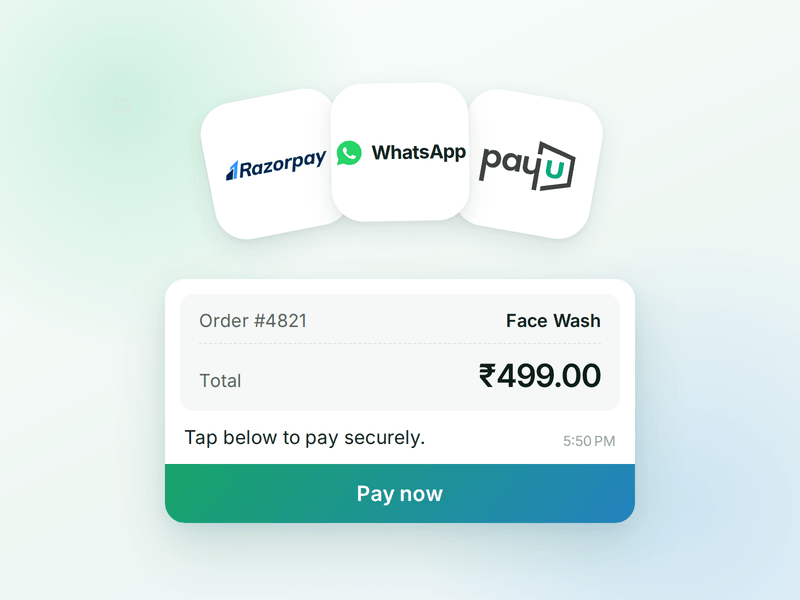
Your checkout, inside the chat. Connect Razorpay or PayU & the agent can send a secure payment link the moment a customer decides.

AI Messages
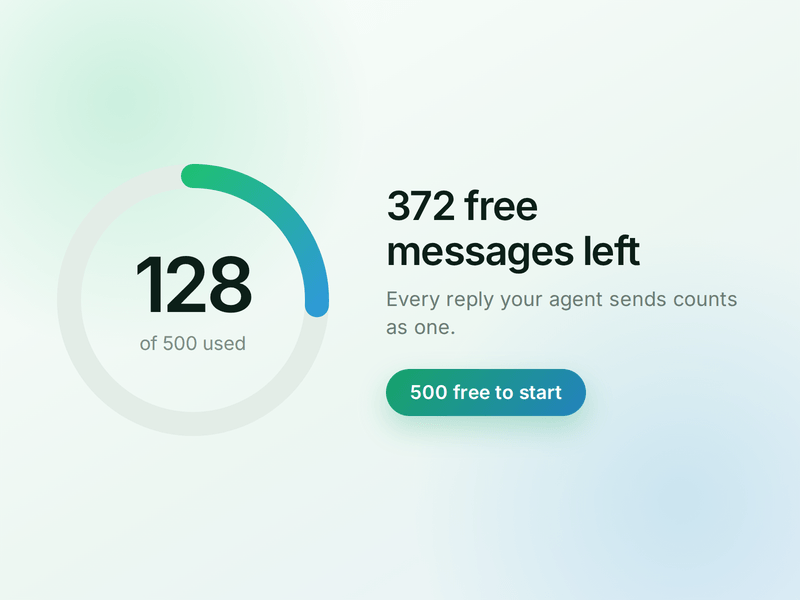
Each reply sent by your AI Agent counts as one AI Message and is deducted from your active plan. You get 500 free AI Messages to test your agent before going live.
How to Build Your WhatsApp Customer Support AI Agent in Minutes
Here's how a real brand goes from zero to a live Customer Support AI Agent on WhatsApp.
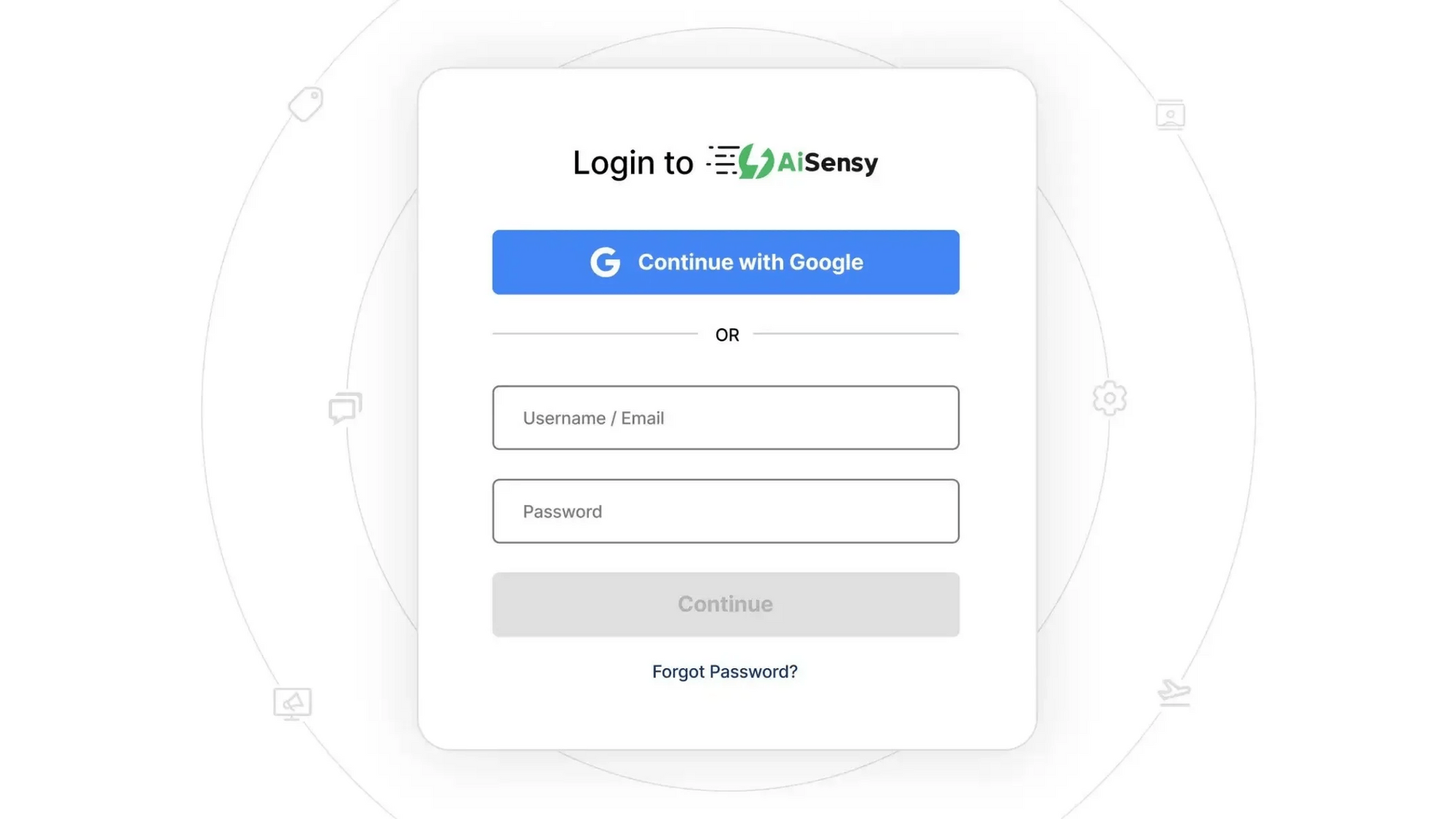
Sign up on AiSensy
Go to the AiSensy Signup Page. Create your account using either:
Your Google account, or
Your business email address by filling out the sign-up form.
Once signed up, Log in to AiSensy using the same Google account or email credentials.

Build Your Agent from Your Website
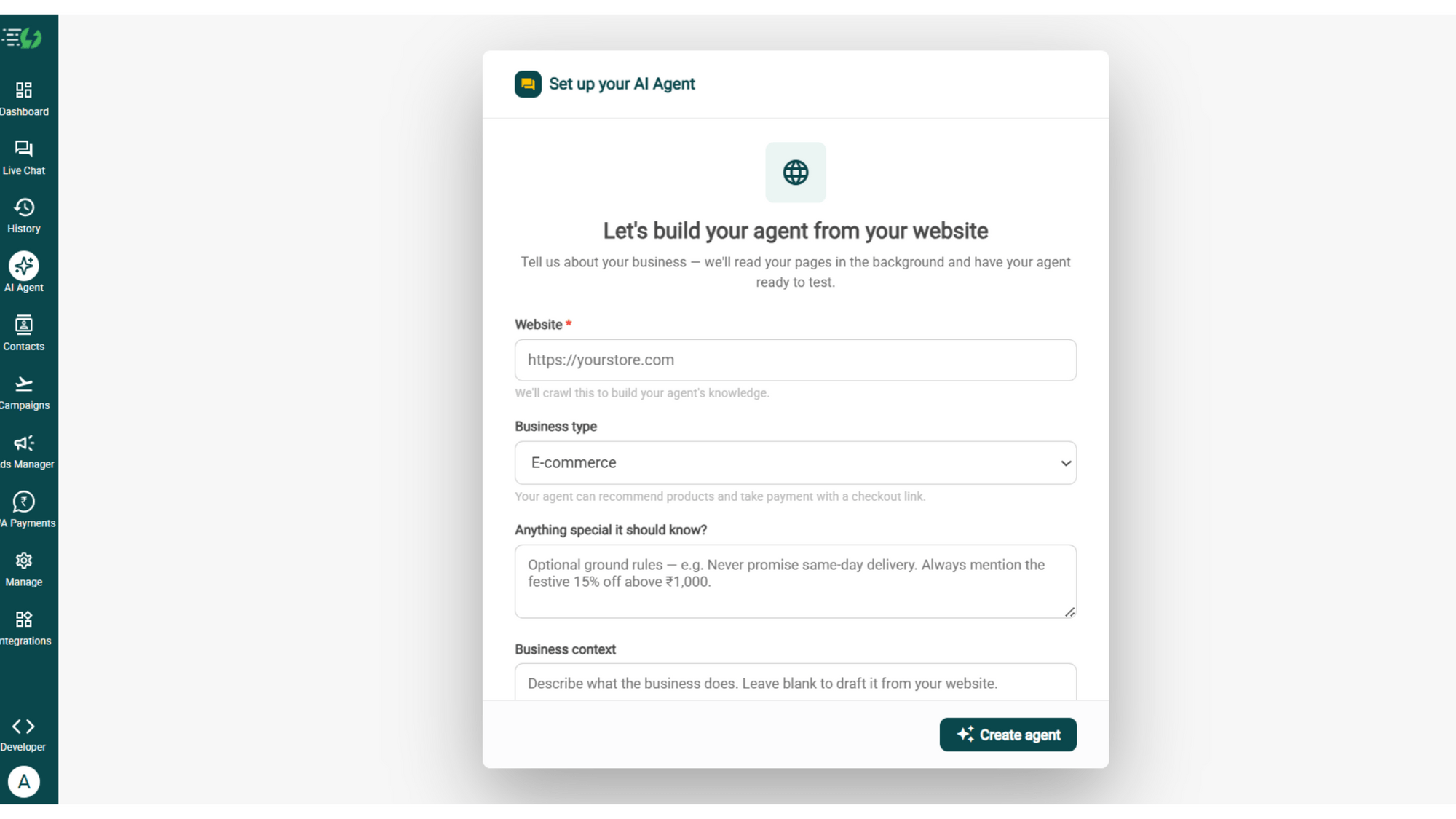
Once you are logged in, navigate to and click on AI Agent available on the navbar on the left.
Fill in the details given below:
Website (mandatory)
Business type
Anything special it should know? (optional)
Business context (optional)
Once you fill these details correctly, proceed to hit '✨ Create agent' button. AiSensy automatically builds an agent trained on your business.

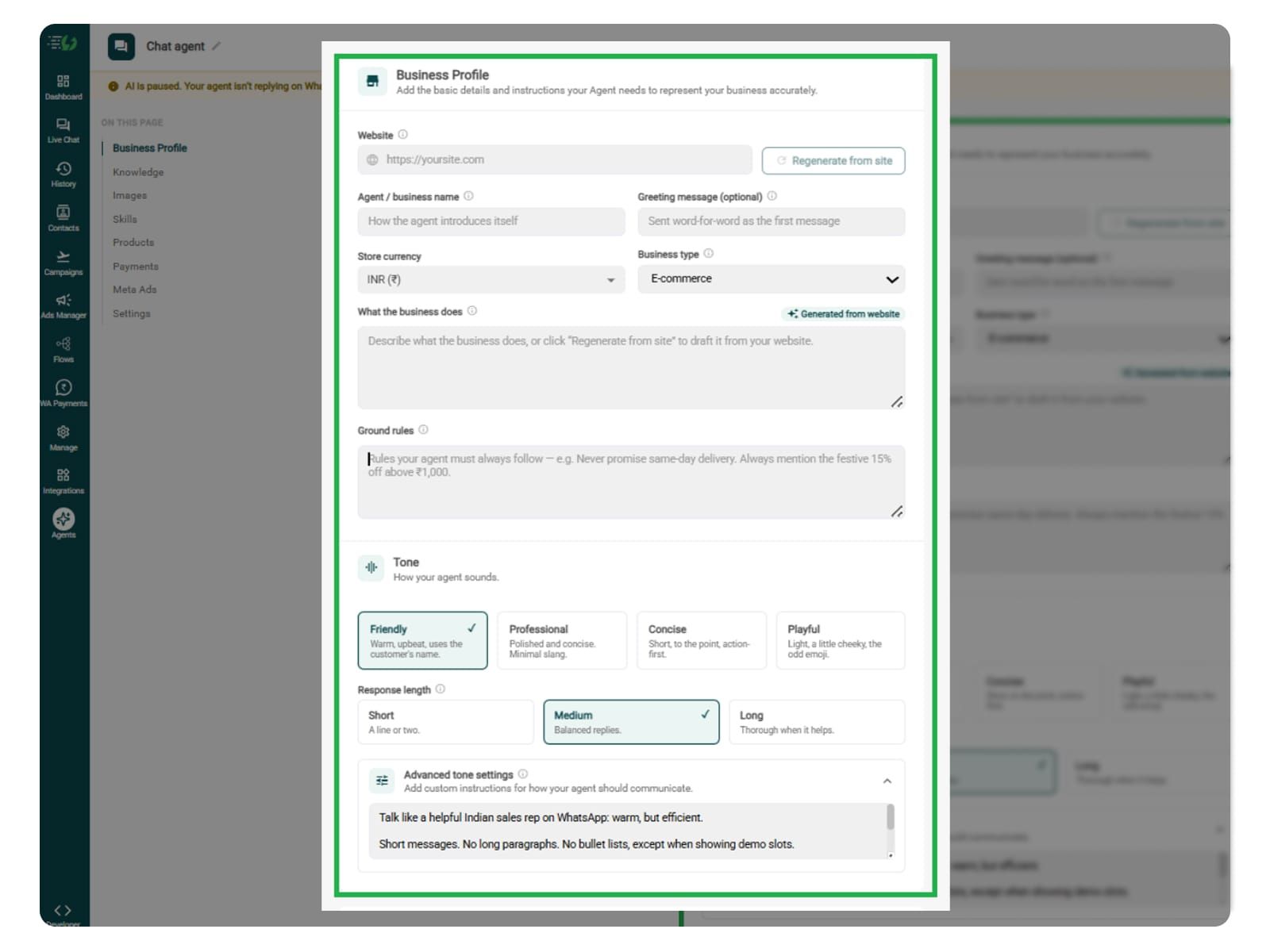
Add Your Business Profile
When you add your website, AiSensy auto-generates your business description. Set your agent's name, greeting, and a few ground rules it must always follow.
Fill the details given below:
Website
Agent/business name
Greeting message (optional)
Store currency
Business type
What the business does
Ground rules

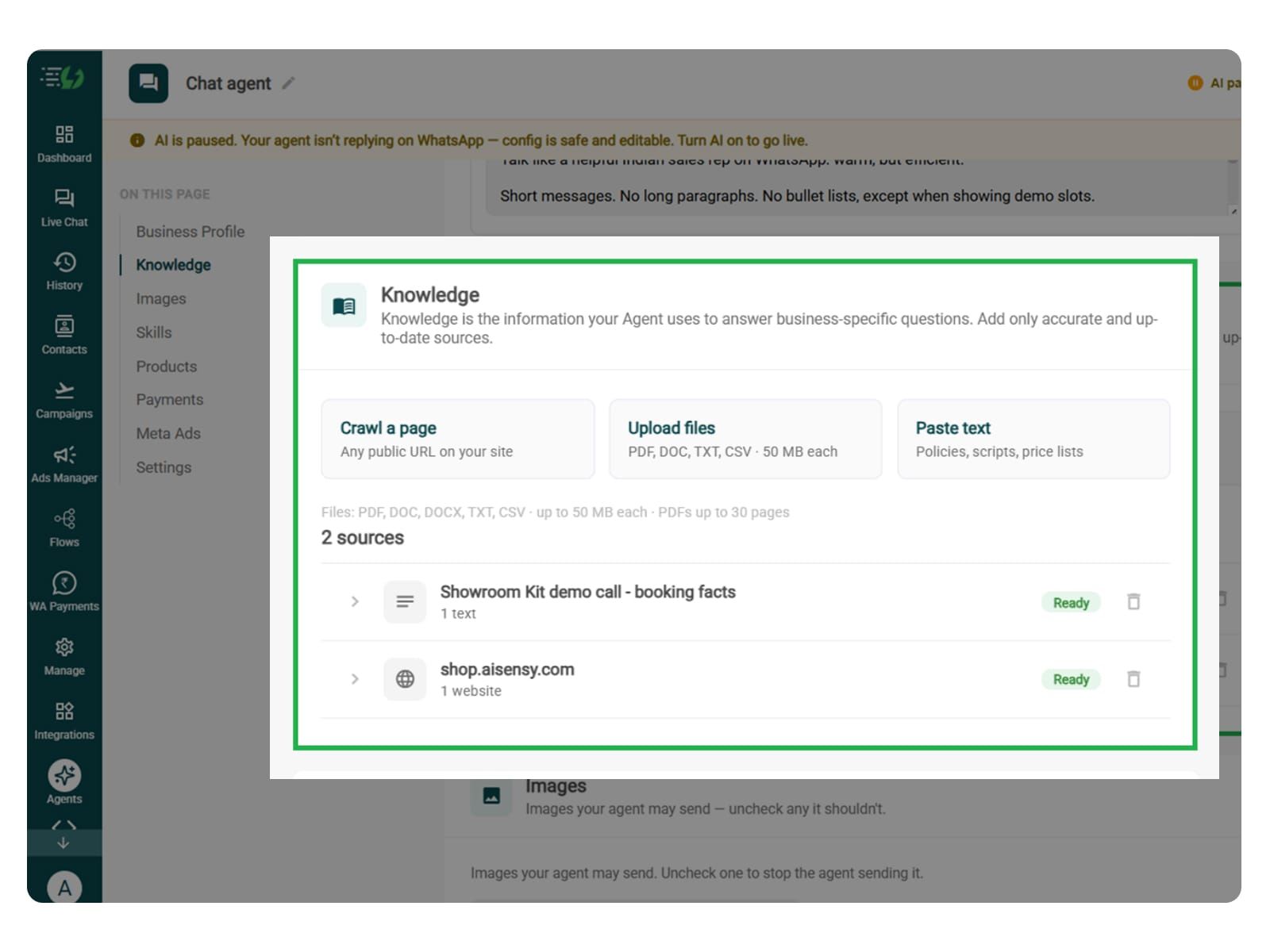
Train the Agent with Your Knowledge
Train the agent on your business website. You can include your products or services, common customer FAQs, troubleshooting guides, and support policies while adding information.
The agent will use this information to answer customers' queries. You can submit the information in the form of PDF, DOC, TXT, or CSV files. It never gives generic replies.
Every source shows "Ready" once learned.
Perform the below mentioned steps:
Crawl a page (website URL)
Upload files (PDF, DOC, TXT, CSV - up to 50MB each)
Paste text (policies, scripts, price lists)
For customer support, also add details about account access, billing issues, cancellations, refunds, and when to escalate a request to your team.
This helps the agent guide customers through common issues and recognise when a support representative needs to step in.

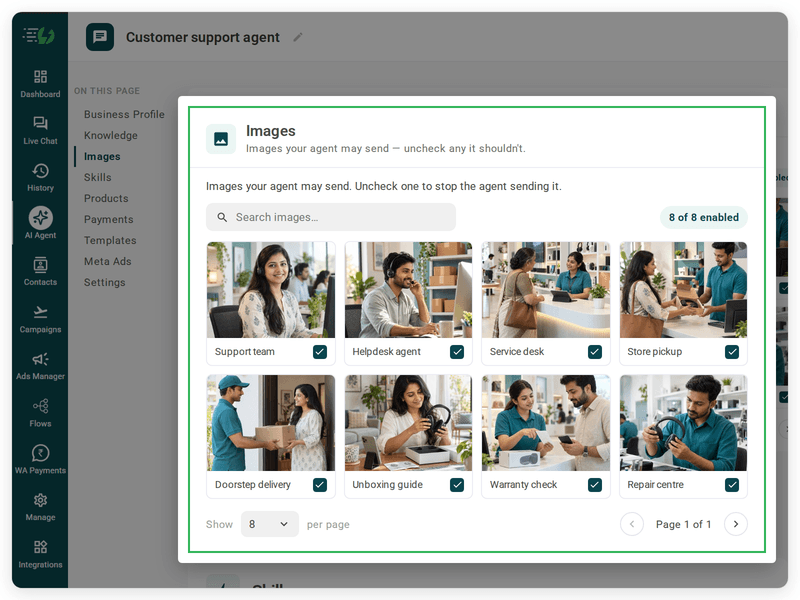
Choose the Images It Can Share (Optional)
In this step, you can add images of set-up guides, troubleshooting screenshots, or product instructions can help explain a solution.
When you add your website, the AI Agent automatically fetches the image from it. You can control the visuals the agent can share in chat - product shots, catalogs, offers.
Untick any image it shouldn't send.
You can:
Create Image library (enable/disable per image)
Search images

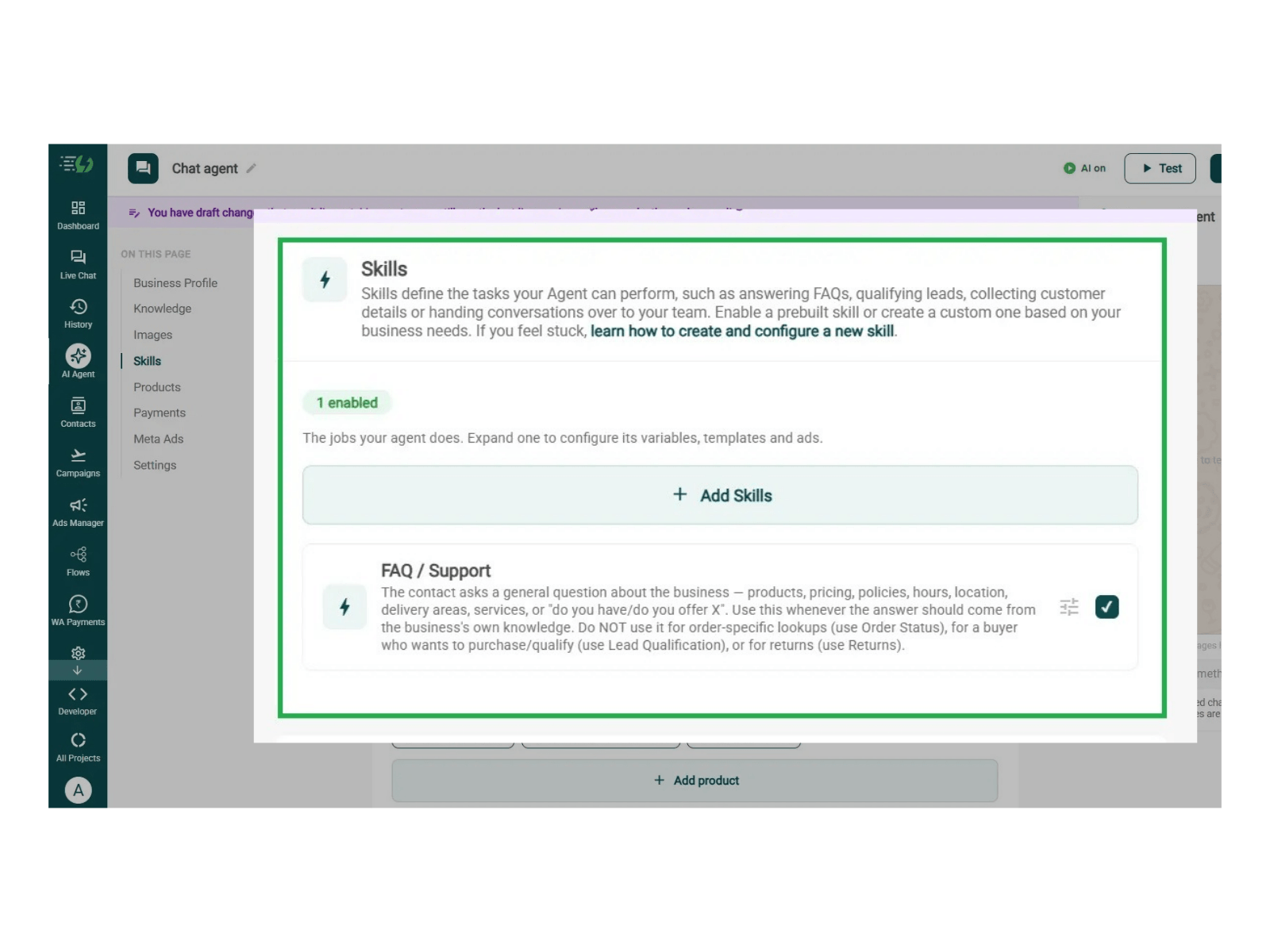
Enable the FAQ / Support Skill on Your Agent
Navigate to and click on '+ Add Skills' button. Customer Support is one of the pre-defined skills that you select simply by clicking on the checkbox available next to it.
Once you switch it on, you can expand it to set your cut-off and where a qualified applicant should go, then hit Done.
All you have to go through is:
Skills list
Enable the FAQ / Support skill
Expand to configure its variables, templates & ads
Now, you must make sure that the instructions fed to the agent are clear and easy to understand. The agent behaves according to the instructions given to it.
The agent uses your instructions and connected catalog to help customers find and buy their desired products.
For more info, tap here to learn how to create a custom skill

Configure the Customer Support Skill
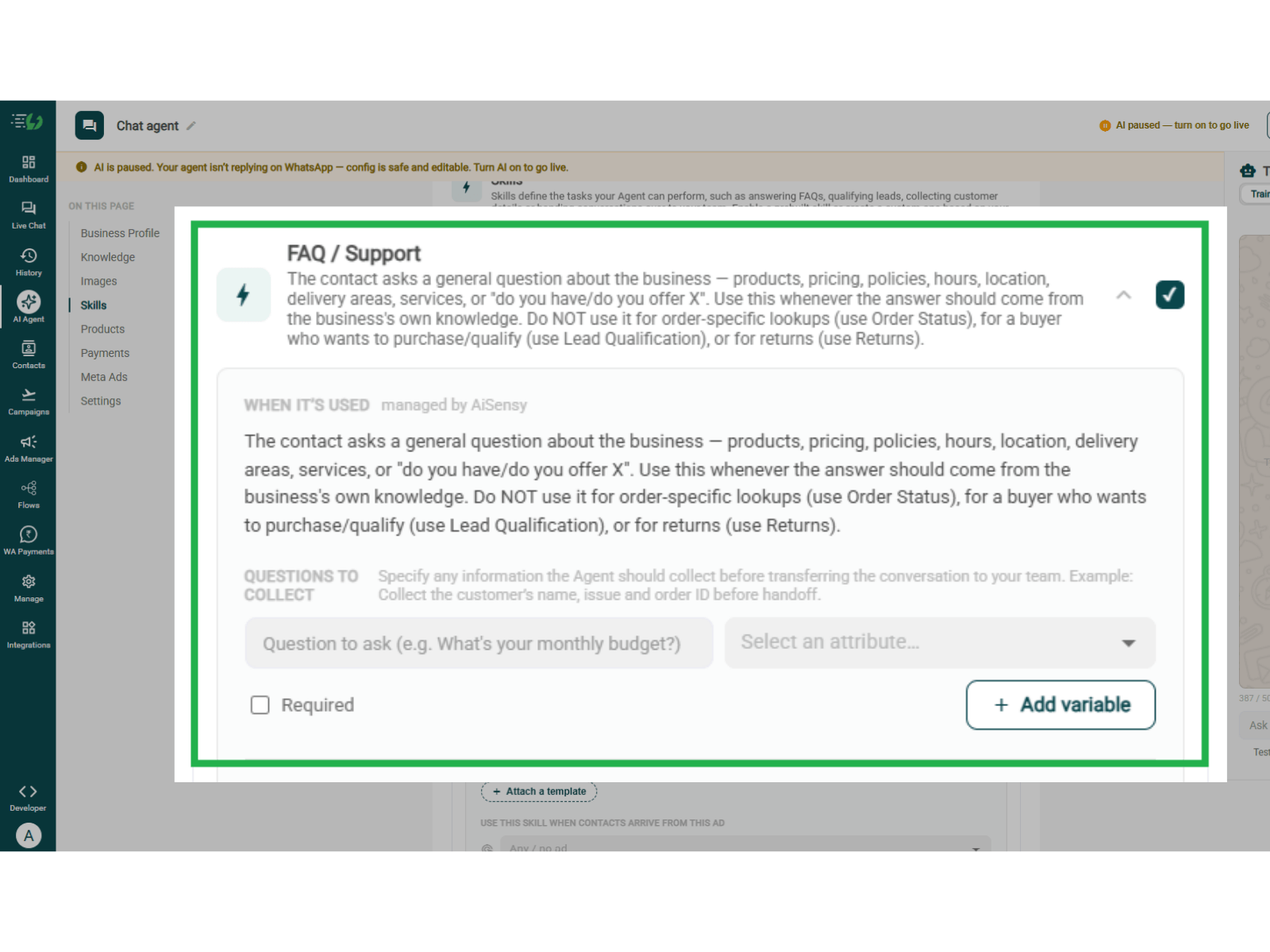
In order to configure the customer support skill, you will have to expand the already enabled FAQ / Support skill.
The 'When it’s used' section explains when the agent answers general questions using your business knowledge, such as products, pricing, policies, and working hours. It’s managed by AiSensy.
Under Questions to collect, add details needed before handing the conversation to your team.
Question to ask: Enter a question, such as “What do you need help with?”
Variable: Select or create a variable to store the answer.
Required: Mark essential questions as mandatory.
Add variable: Add more details to collect, such as the customer’s name.

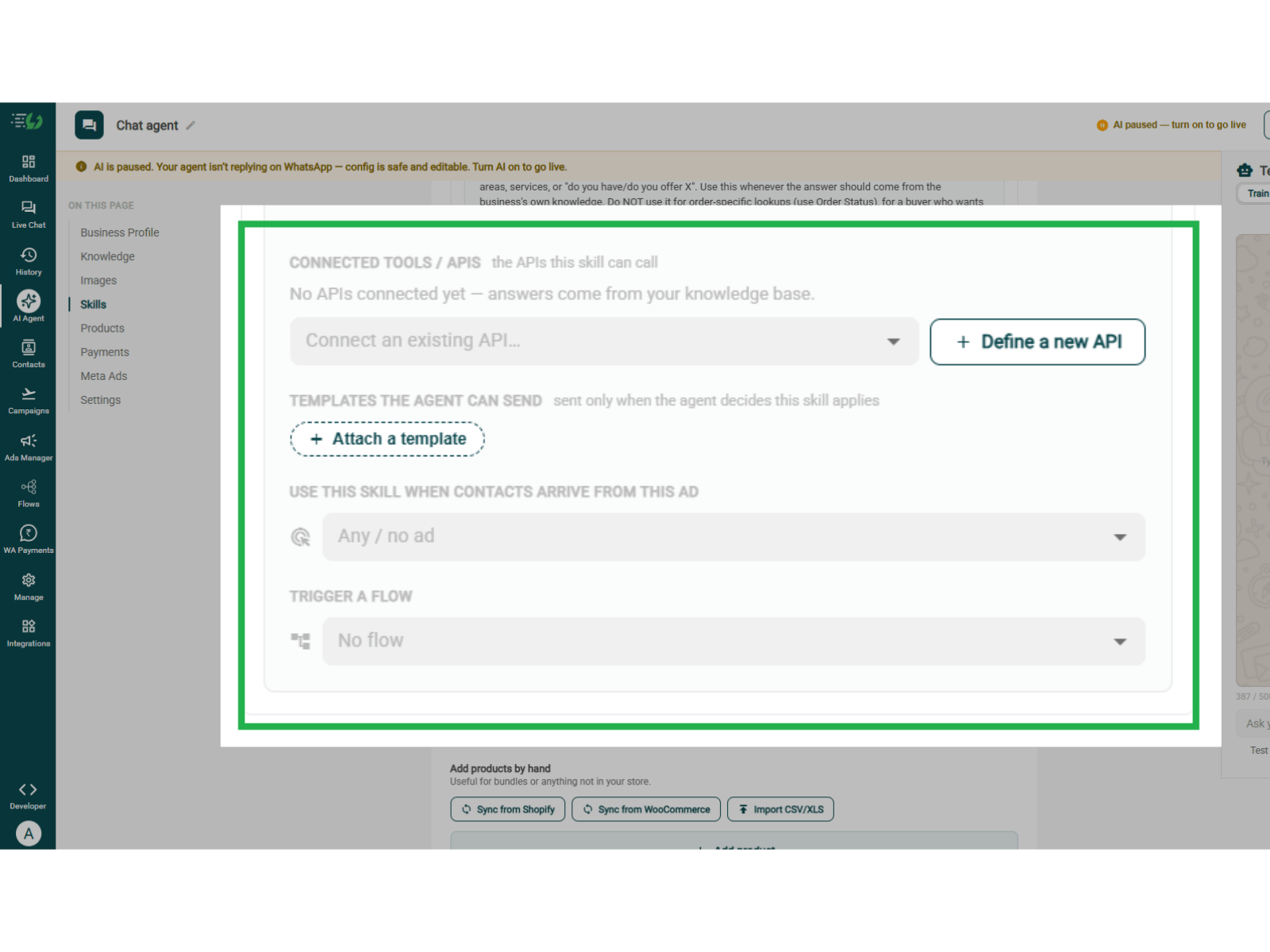
Connect Support Tools and Actions
During this step, you can connect the tools and messages your agent needs for support.
Connected tools / APIs: Select an existing API or define a new one.
Templates: Attach approved WhatsApp messages.
Ad mapping: Select the ad linked to this skill, if relevant.
Trigger a flow: Choose an optional chatbot flow.
Without connected APIs, the agent answers from your knowledge base.

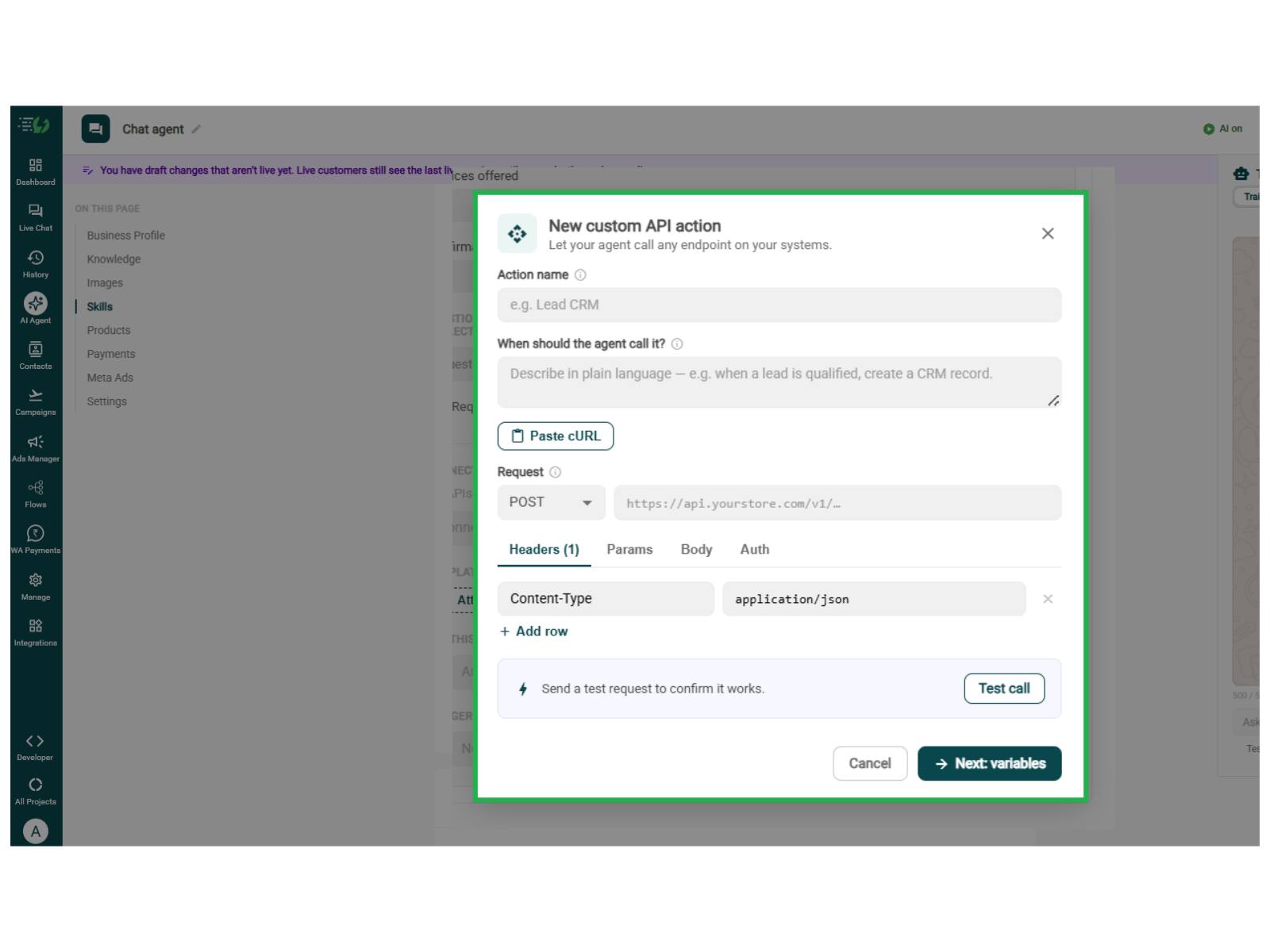
Define a New API (Optional)
Click + Define a new API to connect a support system, such as a tool for creating support tickets.
Action name: Name the action, such as “Create Support Ticket”.
When should the agent call it? Describe when it should run.
Request: Select the method and enter the API URL.
Headers, Params, Body & Auth: Add the details required by your API.
You can also use Paste cURL to import the request.
Click Test call to check it, then Next: variables to continue.

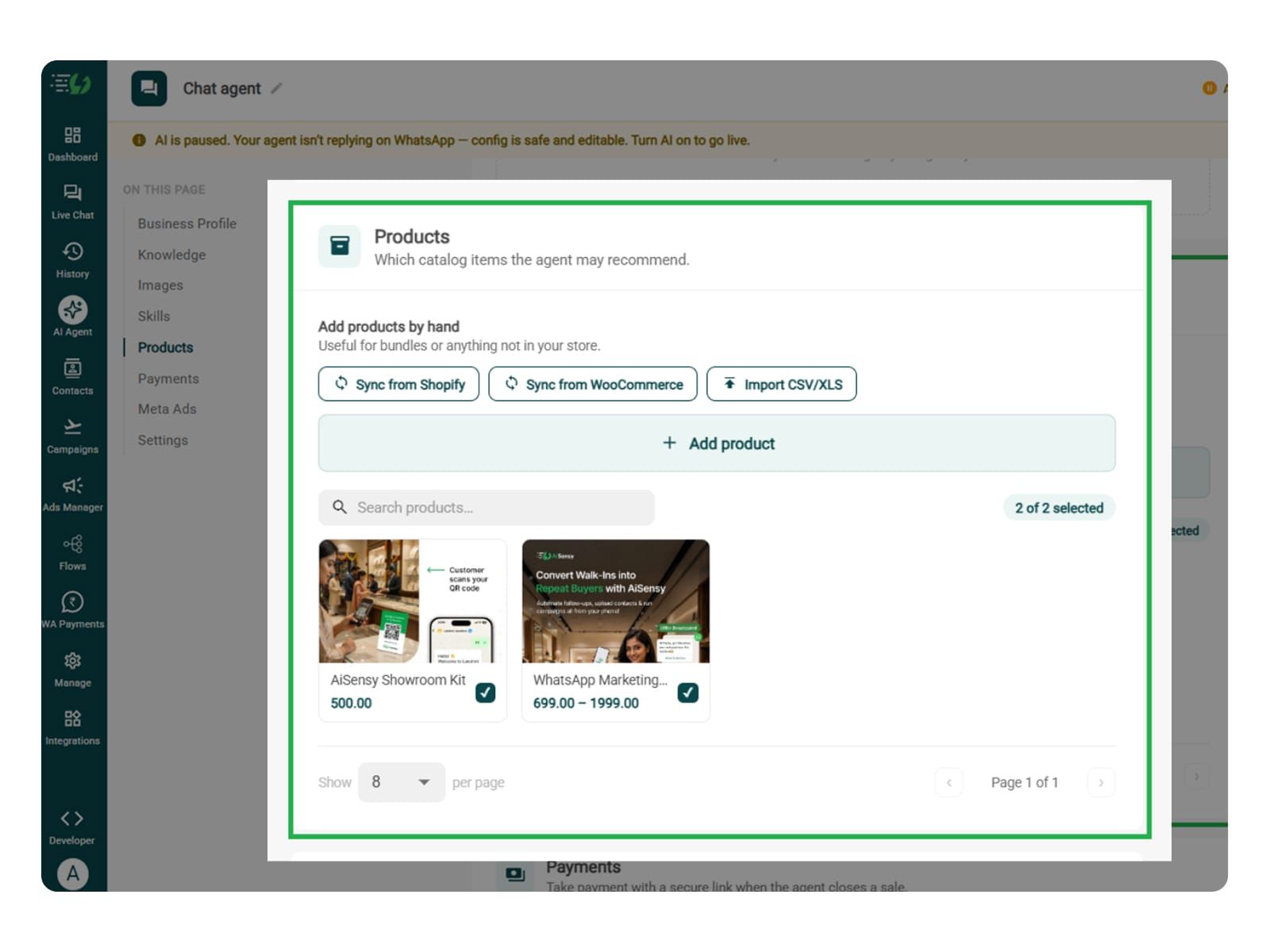
Add Your Products (Optional)
You can perform this step for answering product-specific questions related to specifications, compatibility, or usage.
To add products, choose which catalog items the agent can recommend - so every suggestion comes from your actual range.
Catalog products (select what the agent may recommend)
Add products by hand (for bundles or items not in your store)
Sync from Shopify
Sync from WooCommerce
Import CSV/XLS

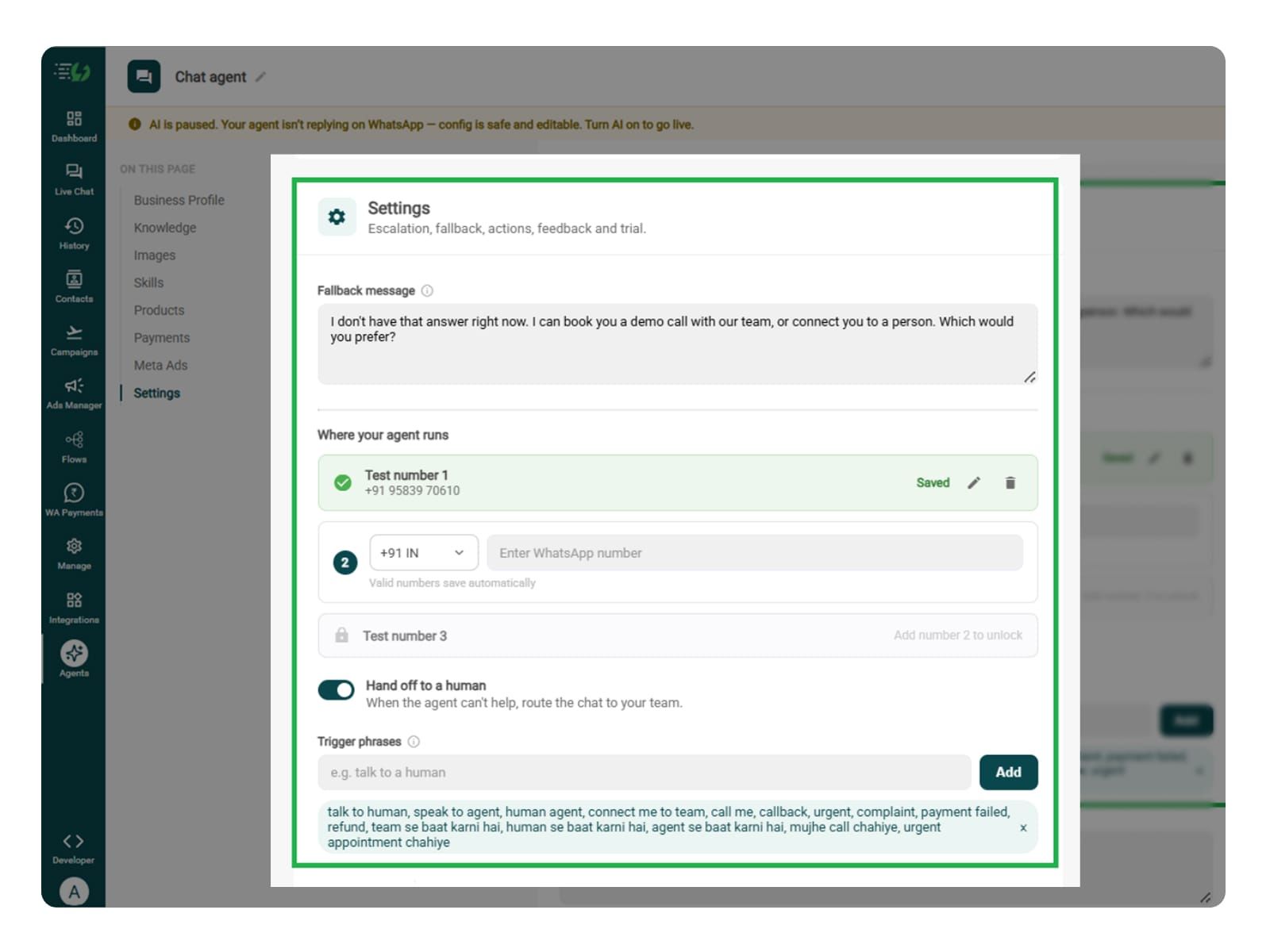
Set Your Fallback & Handoff Rules
This step decides what happens when the agent can’t resolve a customer’s issue. Unresolved complaints, complex technical problems, or requests to speak with someone may need your support team’s attention.
Add a fallback message, switch on Hand off to a human, and set phrases that bring a support representative into the chat.
What you must fill:
Fallback message
Where your agent runs: up to 3 test numbers
Hand off to a human: toggle
Trigger phrases, such as “My issue is still unresolved”, “Talk to support”, or “I want to raise a complaint”
Handoff message

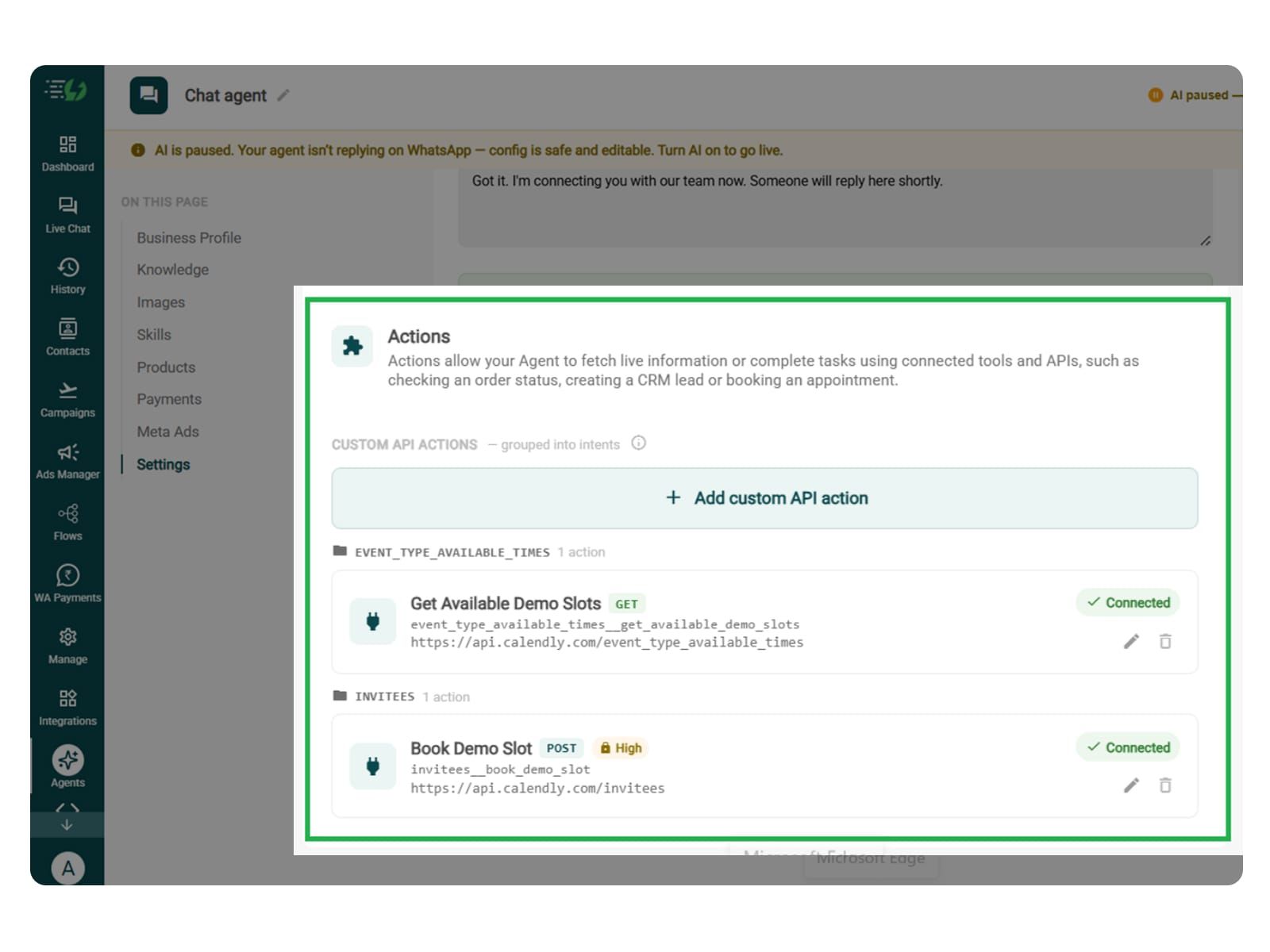
Connect Tools & APIs (Optional)
Performing this step is optional. If there are FAQs or general troubleshooting steps, then it is useful. It can be used to retrieve customer-specific order, refund, or account status, or create and update tickets in an external system.
Actions let your agent fetch live information or complete tasks using connected tools and APIs - checking an order status, creating a CRM lead or booking an appointment.
Hit Add custom API action, tell it when to call it, then paste your cURL - the request fills itself in.
Action name
When should the agent call it?
Paste cURL
Request: method + endpoint URL
Headers
Params
Body
Auth
Test call
Click on - Next: variables

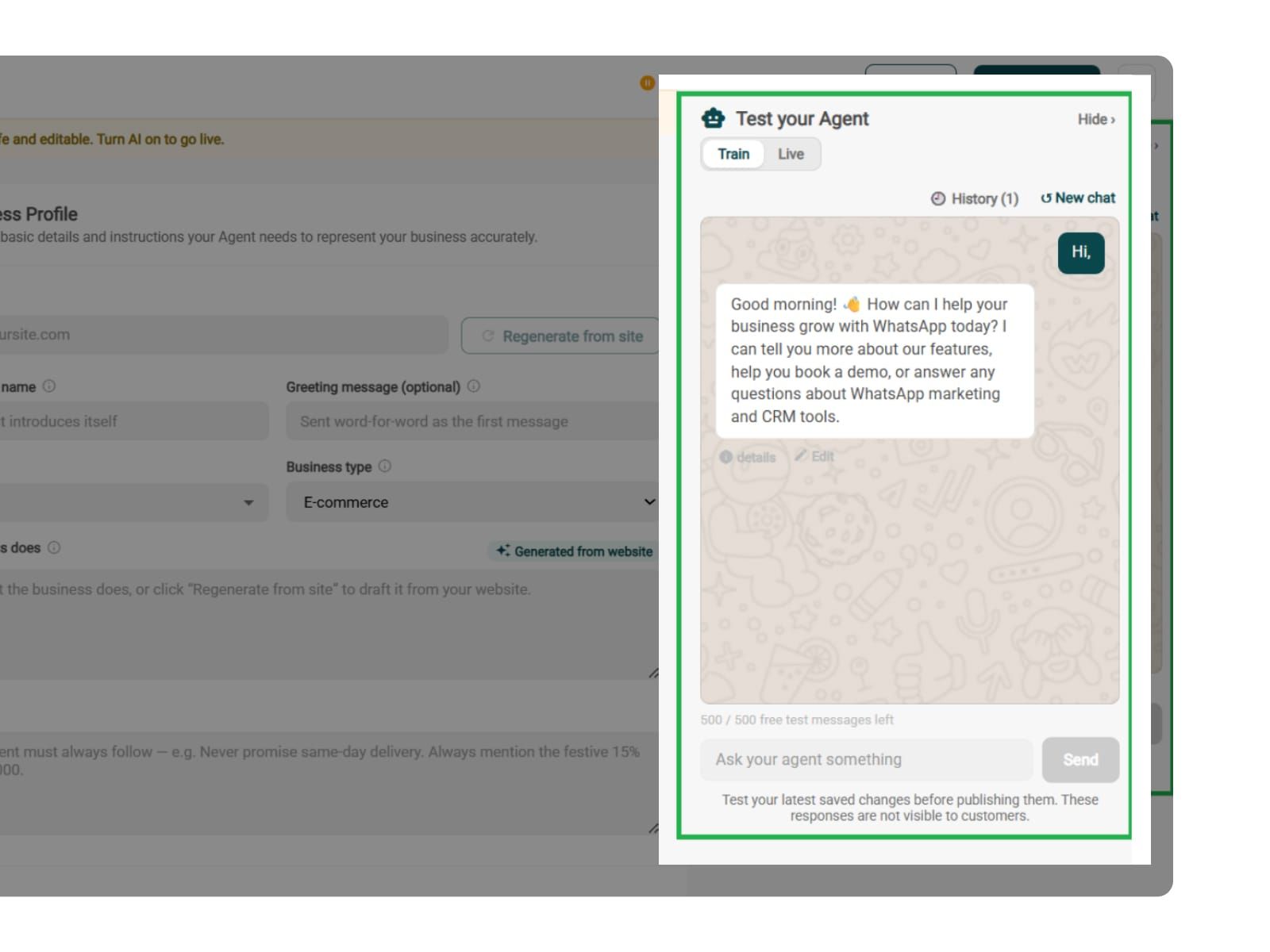
Test, Publish & Go Live
Before you go live with the agent, you can test it. You can test common questions, unclear complaints, failed troubleshooting, unavailable records, and handoff.
Chat with your agent before your customers do - 500 free AI messages to trial it. Happy?
Publish, switch the AI on & you're live.
Test your Agent panel (Train/Live modes)
Publish
AI on/off toggle

Simple Pricing. Every Agent Included.
One plan unlocks the entire library - deploy any AI Agent, or build your own.
₹1,350
Per Month (includes 1000 AI messages)
$50
Per Month, Billed Annually (includes 1000 AI messages)
WhatsApp AI Agent Features
Access every pre-built AI Agent in this library, plus the no-code builder to create your own - trained on your business and live on WhatsApp in minutes.
1000 AI messages every month
500 FREE AI messages for testing
Knowledge Base Q&A - train it on your website & documents
Long-term customer memory
No-code builder to customize any agent
Tool calling, skills & API integrations
What can the Customer Support AI Agent answer?
Anything covered by your own information - products, pricing, policies, hours, location, delivery areas and services. It handles the general questions that fill your inbox, so your team only sees the ones that genuinely need them.
Where does it get its answers from?
From the knowledge you give it. Crawl your website, upload your policy documents and price lists, or paste text directly. The agent answers from those sources rather than from generic internet knowledge.
Will it make things up?
It answers from your knowledge base, and you set ground rules it has to follow. When something isn't covered, the right behaviour is to say so and hand over - which is exactly what the fallback message and Human Handoff skill are for.
Can it check my customers' order status?
Yes, through a connected API. Order status isn't a prebuilt skill - you connect your system under Tools & APIs and the agent looks the order up mid-conversation instead of raising a ticket.
What happens when it can't answer?
You set a fallback message so no customer hits a dead end, and the Human Handoff skill passes the chat to your team. Billing disputes, complaints and anything sensitive should route to a person by design, not by accident.
When does a human take over the conversation?
Whenever you decide. A customer explicitly asking for a person, clear frustration, or anything outside the agent's scope - all handed over with the full conversation attached, so nobody repeats themselves.
Does it work in Hindi and other languages?
Yes. The agent replies in the language your customer writes in, including Hinglish, so you don't need a separate flow per language.
How is this different from a WhatsApp chatbot?
A chatbot follows a flow you draw - buttons, branches, fixed paths. This agent reads the question and answers from your knowledge, so it handles the phrasings you never anticipated. AiSensy offers both - the chatbot builder and the AI agent are separate add-ons.
Can I test it before customers see it?
Yes. You get 500 free AI messages to chat with your agent in Train mode, and you can add up to 3 WhatsApp test numbers before going live. Nothing you test is visible to customers.
How much does the Customer Support AI Agent cost?
It's included in the AI Agent plan at ₹1350 a month for 1000 AI messages a month. That one plan unlocks every pre-built agent in the library plus the no-code builder to create your own - you're not paying per agent.