Login

WhatsApp AI Agent by AiSensy

WhatsApp AI Agent for Order Status Update

Questions like“Where is it?”, "Has it been dispatched?" get answered instantly with this Order status WhatsApp AI Agent.

Build an Order Status AI Agent for your ecommerce store to allow customers to check their orders, shipments, tickets and applications anytime on WhatsApp.

No coding needed!

What Your AiSensy Order Status AI Agent Handles

The question that fills your inbox every single day, handled inside WhatsApp.

Answers "Where Is It?" in Seconds

Orders, shipments, tickets, applications, service jobs. The customer asks at 11pm and gets a real answer at 11pm. Everything inside WhatsApp chat.

Looks It Up - Doesn't Guess

Connected to your own system, so the answer is the actual status of the actual record. Nothing invented, nothing approximate.

Finds the Right Record

Asks for the order ID, or matches the customer's number to their record - so nobody has to dig through emails to find a reference before they can ask a question.

Explains What the Status Means

"Out for delivery" isn't an answer, it's a label. The agent explains what it means for them - arriving today, driver calls first, here's the tracking link shared on WhatsApp.

Flags the Ones That Are Actually Wrong

A delay, a failed delivery, a rejected application - the agent says so plainly and hands the WhatsApp chat to your team instead of repeating a status nobody wants to hear.

Answers in Your Customer's Language

English, Hindi, Hinglish or anything in between - the agent matches how your customer writes.

How an Order Status Update gets Shared on WhatsApp

A real conversation, step by step - at an hour when nobody was going to pick up the phone.

  • The Question

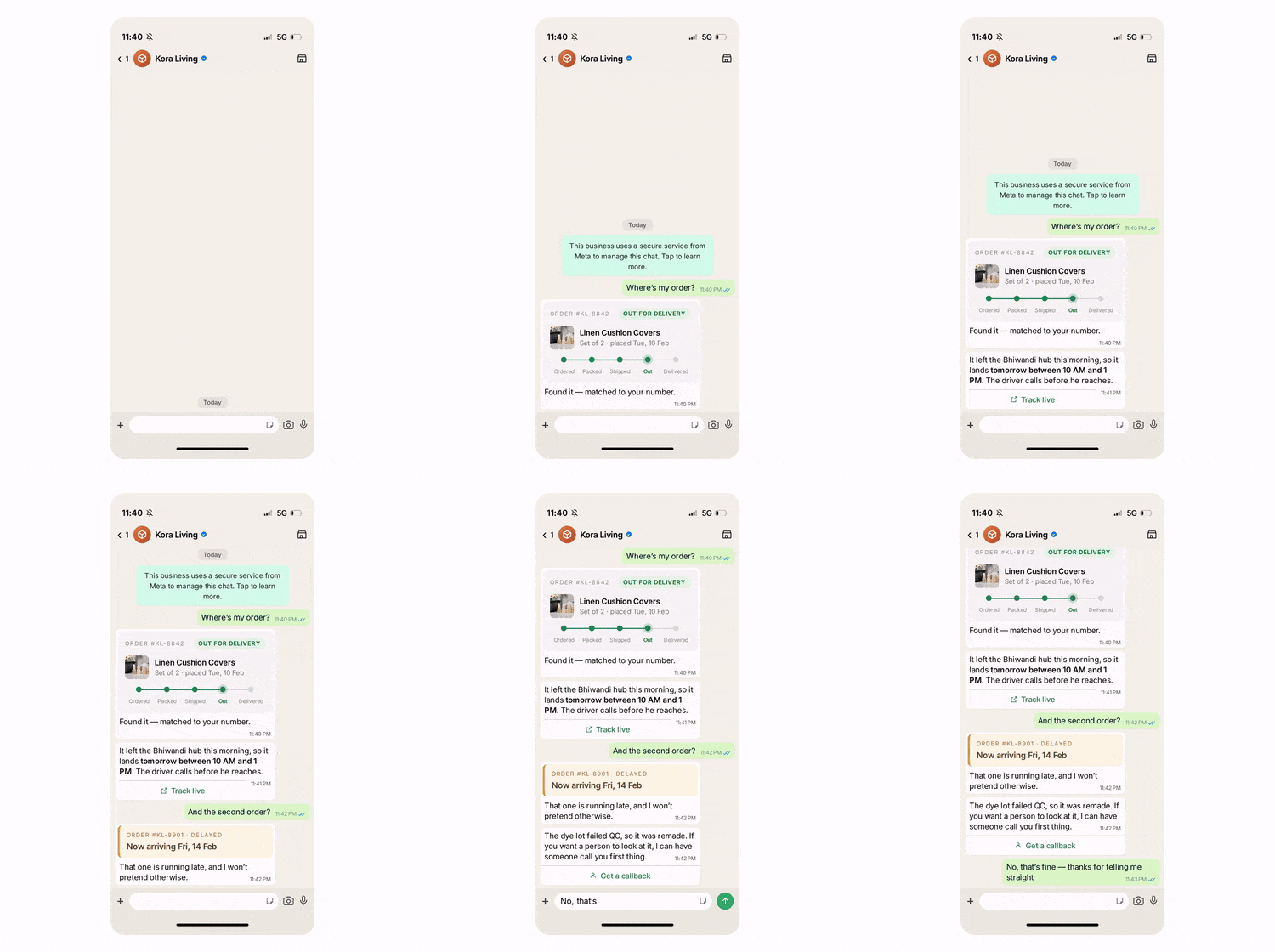
    It's 11:40 pm and the customer asks: "Where's my order?"

    The agent answers then and there sharing the status update with the customer. No ticket raised and no "our team will get back to you in 24-48 hours."

  • The Lookup

    The agent then matches their number to the order, checks your system & comes back with the real status. The reply is not a canned one.

  • The Translation

    A status like "Out for delivery" on its own means nothing. The agent informs users what it means: whether it is arriving tomorrow, the driver would call before he reaches, the tracking link shared on WhatsApp that you can use to track your order.

  • The Exception

    If anything happens that does not align with users' expectations such as their order gets delayed, or is cancelled for some unforeseen reasons. The agent says so honestly, gives them revised date, fair reasons, and offers to handover the WhatsApp chat to a person. 

  • Key Terms: How AiSensy AI Agent works

    A brief description on each section you'll see inside AiSensy WhatsApp AI Agent dashboard and what each one actually does.

    term_1_business_profile.png

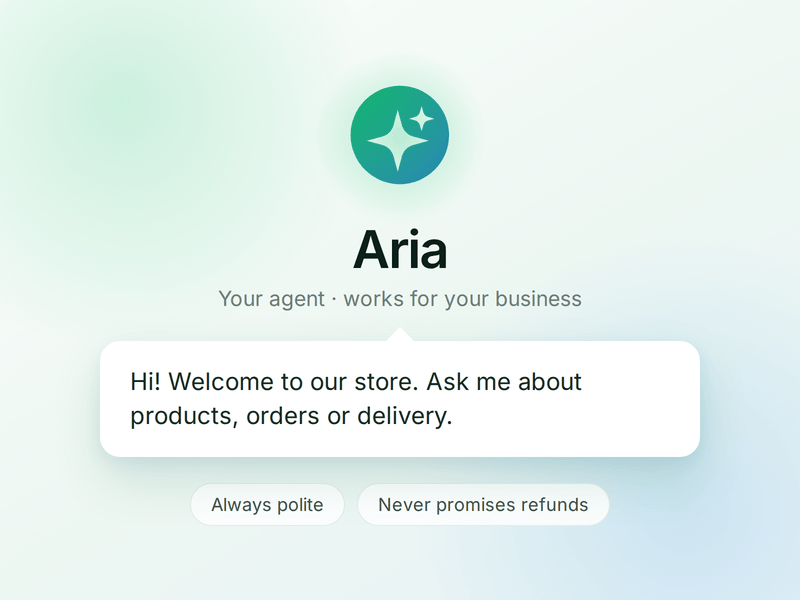
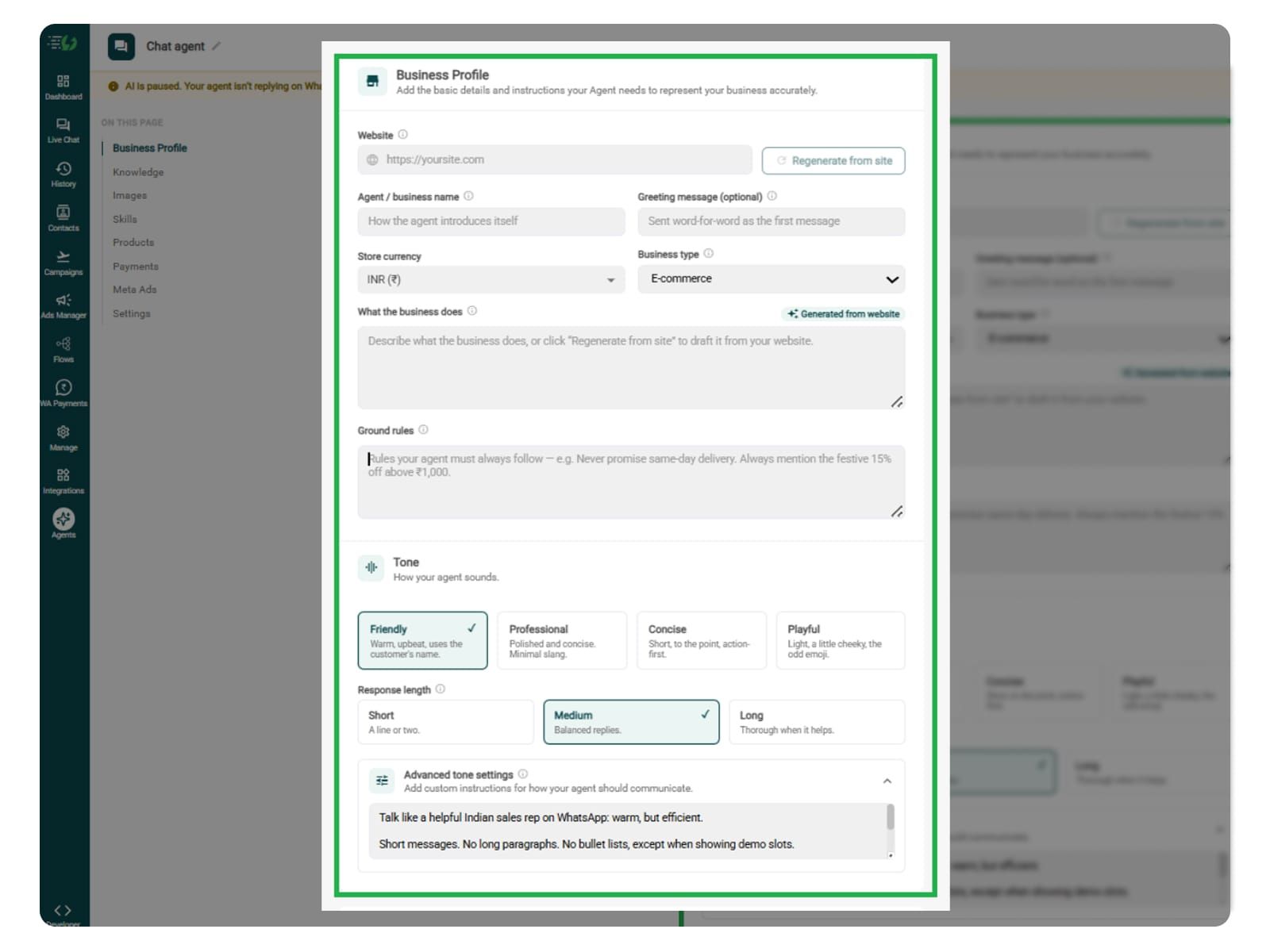
    Business Profile

    Who your agent is and who it works for. Your business details, the agent's name and greeting, and the ground rules it must always follow.

    term_2_knowledge.png

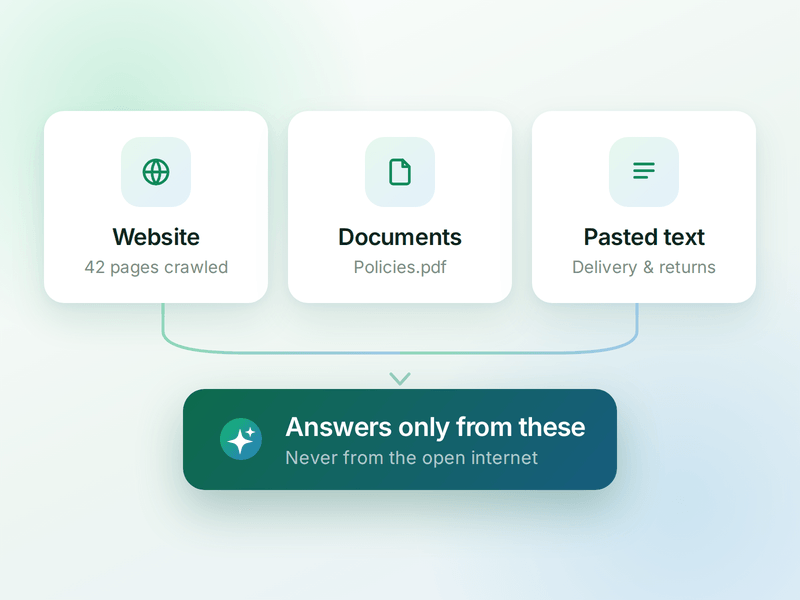
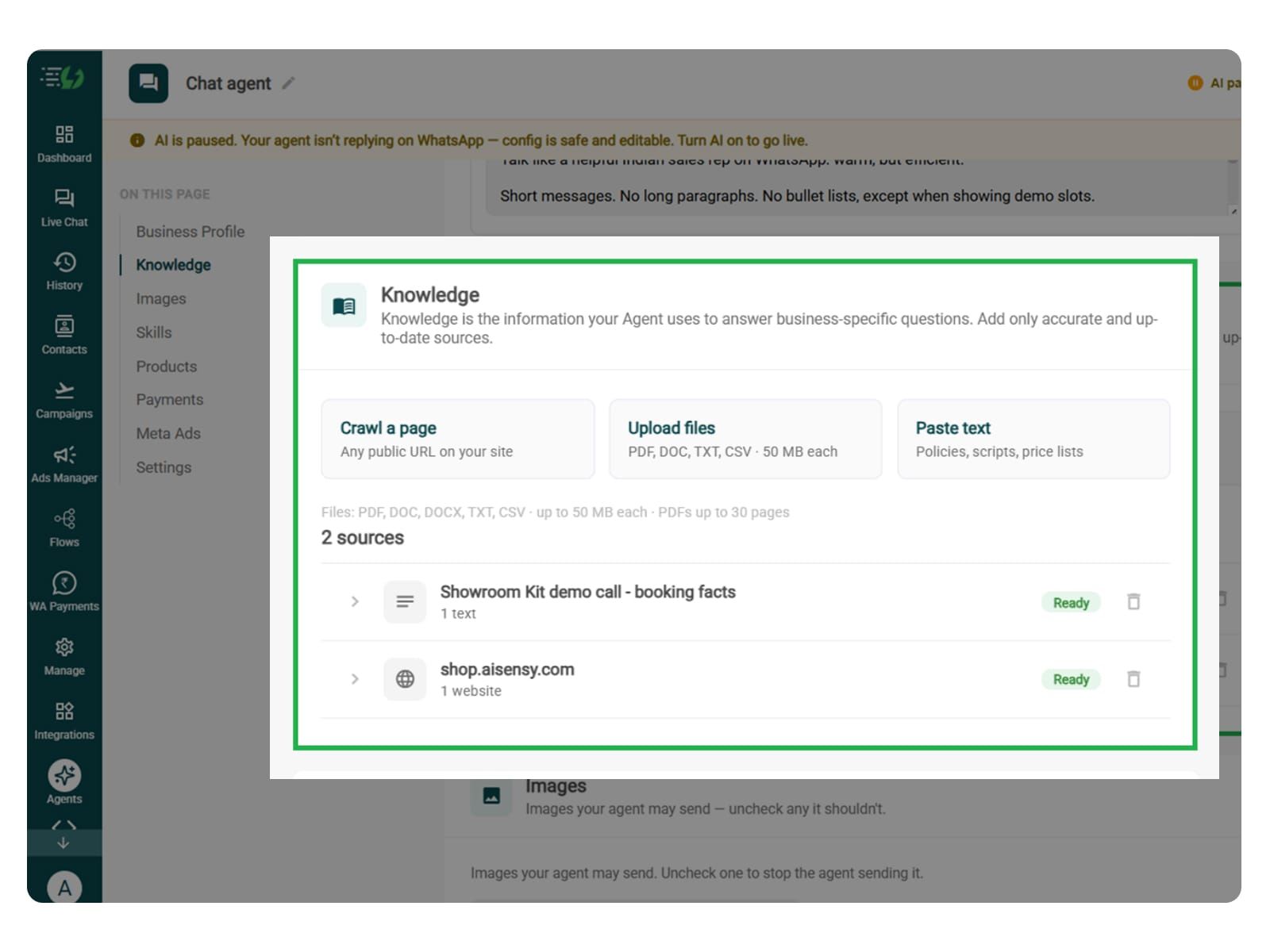
    Knowledge

    Everything your agent is allowed to know. Crawl your website, upload documents or paste text - the WhatsApp AI agent answers from these, not from the internet.

    term_3_skills.png

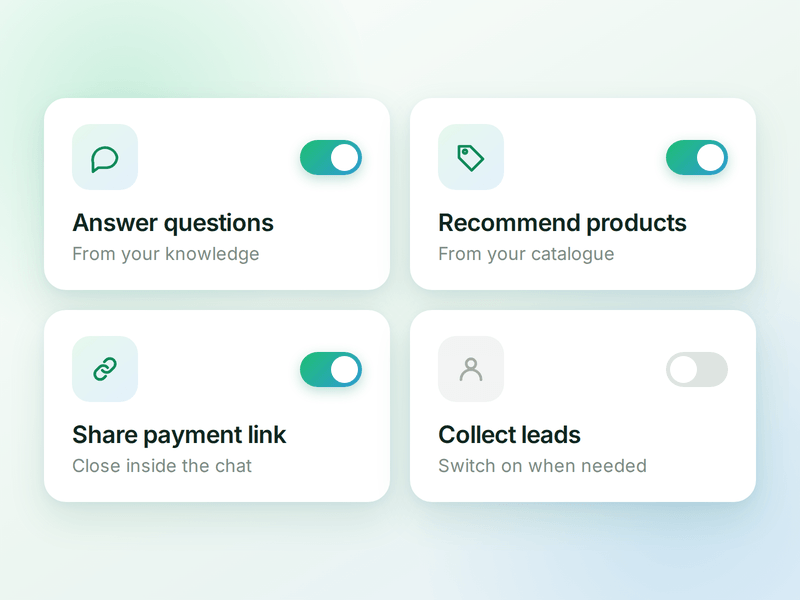
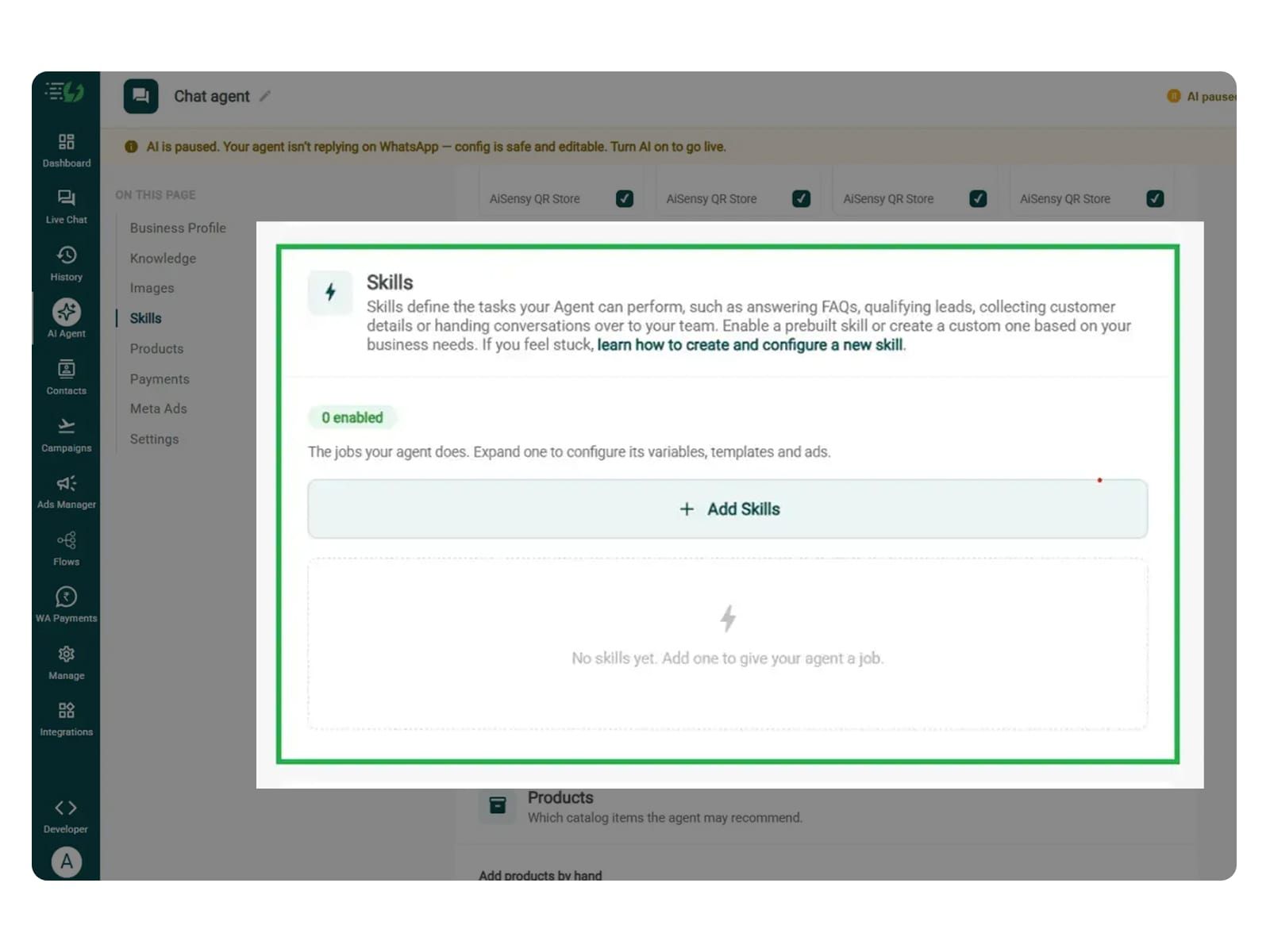
    Skills

    The jobs your agent can do. Switch on a ready-made skill or create your own, and the agent works out which one a conversation needs.

    term_4_products.png

    Products

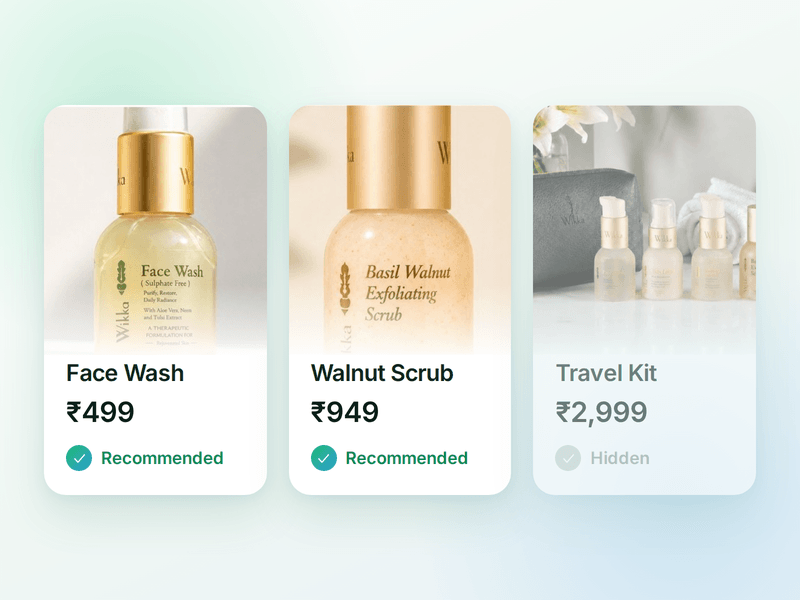
    The catalogue your agent sells from. Sync your store or add items by hand, then pick which ones the agent is allowed to recommend.

    term_5_payments (1).png

    Payments

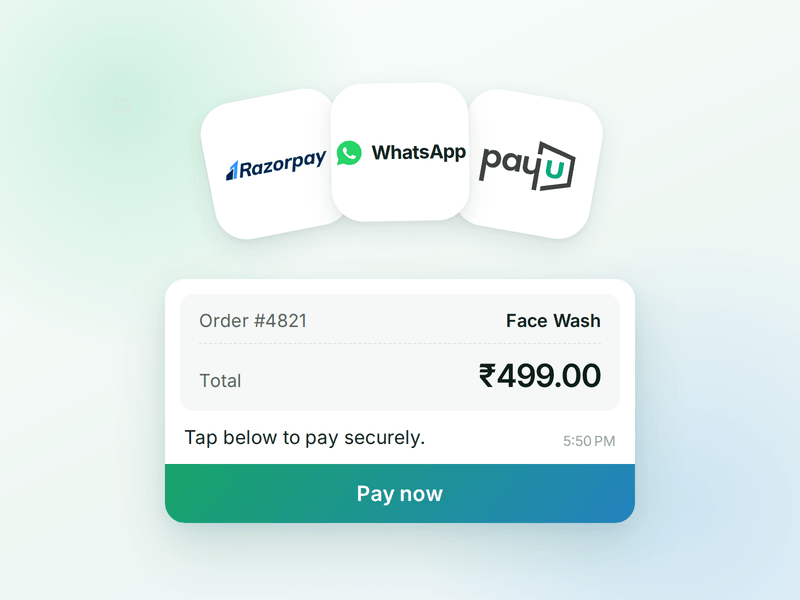
    Your checkout, inside the WhatsApp chat. Connect Razorpay or PayU & the agent can send a secure payment link the moment a customer decides.

    term_6_ai_messages (2).png

    AI Messages

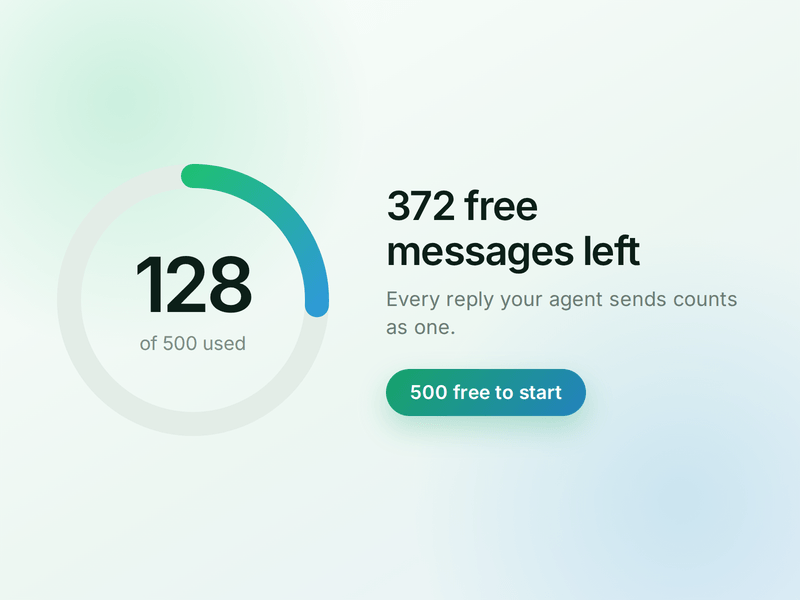
    Each reply sent by your AI Agent counts as one AI Message and is deducted from your active plan. You get 500 free AI Messages to test your agent before going live.

    How to Build Your Order Status AI Agent in AiSensy

    Here's how a real brand goes from zero to a live Status AI Agent on WhatsApp.

    Sign up on AiSensy

    Go to the AiSensy Signup Page. Create your account using either:

    • Your Google account, or

    • Your business email address by filling out the sign-up form.

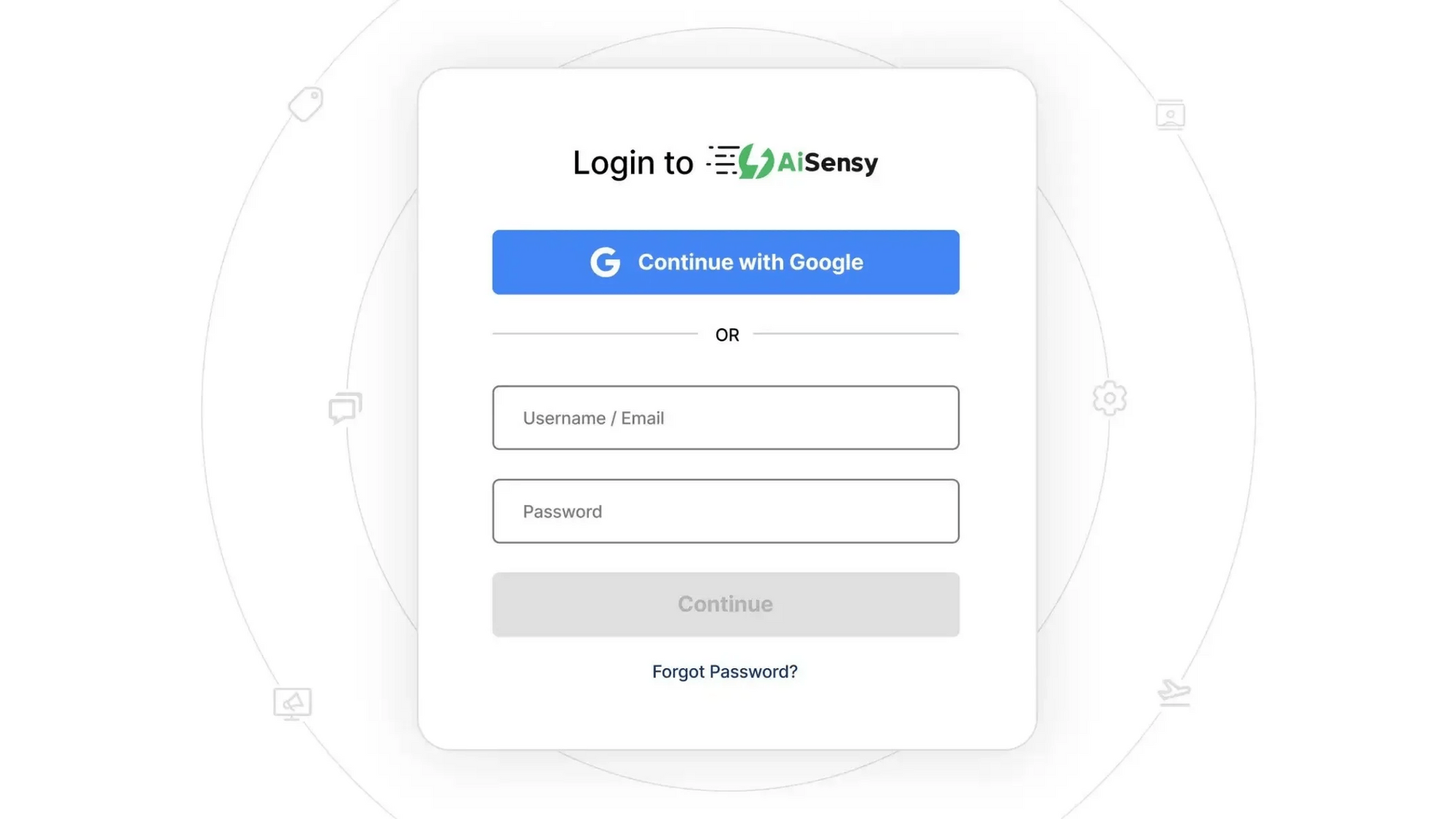
    Once signed up, Log in to AiSensy using the same Google account or email credentials.

    login1.png

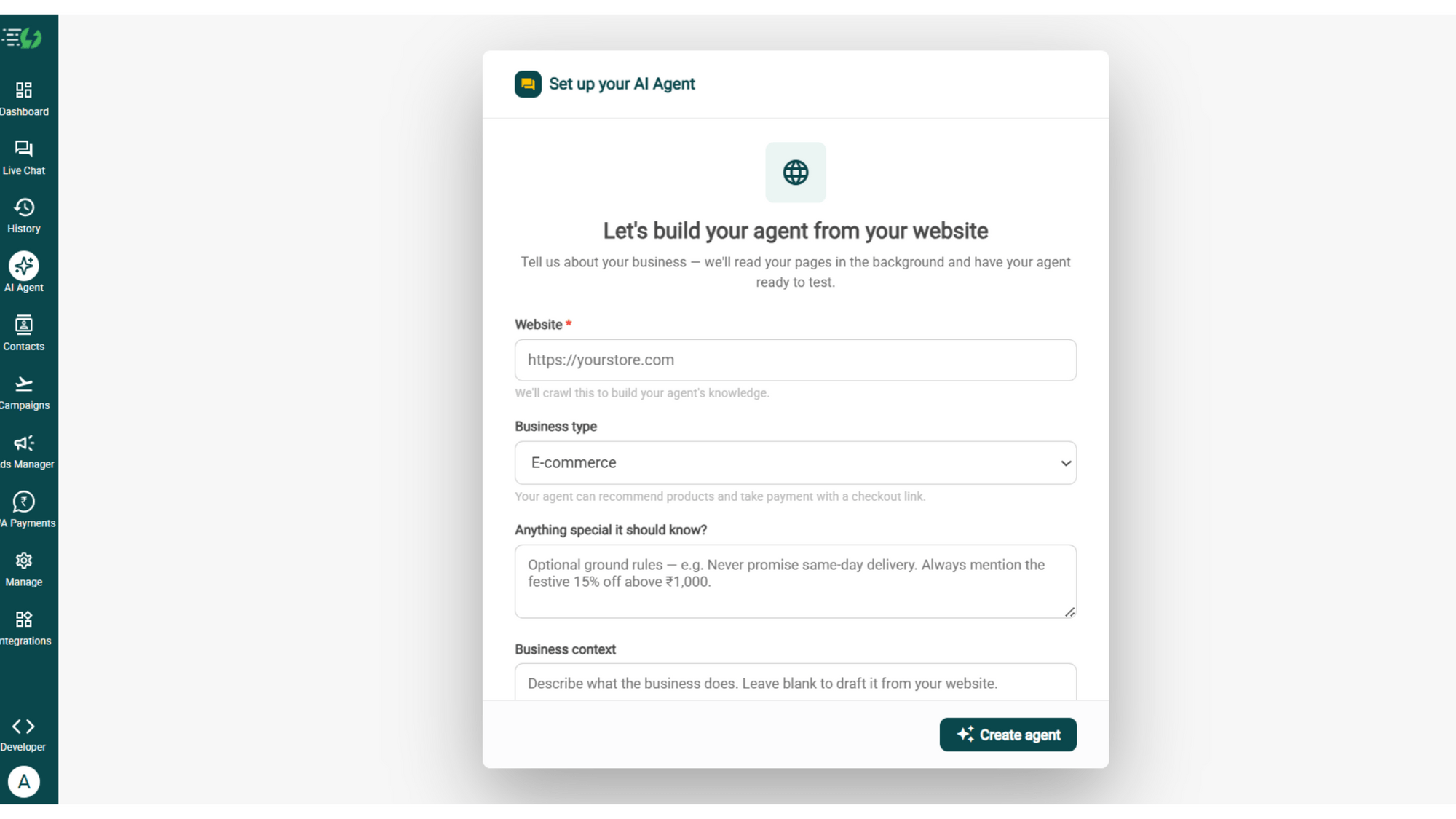
    Build Your Agent from Your Website

    Once you are logged in, navigate to and click on AI Agent available on the navbar on the left.

    Fill in the details given below:

    • Website (mandatory)

    • Business type

    • Anything special it should know? (optional)

    • Business context (optional)

    Once you fill these details correctly, proceed to hit '✨ Create agent' button. AiSensy automatically builds an agent trained on your business.

    image (4).png

    Add Your Business Profile

    When you add your website, AiSensy AI engine auto-generates your business description. Here you set your agent's name, greeting, and a few ground rules it must always follow.

    Fill the details given below:

    • Website (fetched automatically)

    • Agent/business name

    • Greeting message (optional)

    • Store currency

    • Business type

    • What the business does

    • Ground rules

    Add business profile.jpg

    Train the Agent with Your Knowledge

    In this step, you have to tell the agent about your business website. You can submit this information in the form of PDF, DOC, TXT, or CSV files. The agent entirely relies on the kind of information you submit. Hence it always responds according to it and never gives generic replies.

    Every source shows "Ready" once learned.

    Perform the below mentioned steps:

    • Crawl a page (website URL)

    • Upload files (PDF, DOC, TXT, CSV - up to 50MB each)

    • Paste text (policies, scripts, price lists)

    What you can do:

    You can add shipping timelines, tracking instructions, explanations of order statuses, return and refund timelines, and escalation policies. In this case, the already uploaded FAQs alone cannot provide live order status.

    knowledge.jpg

    Create the Check Order Status Skill

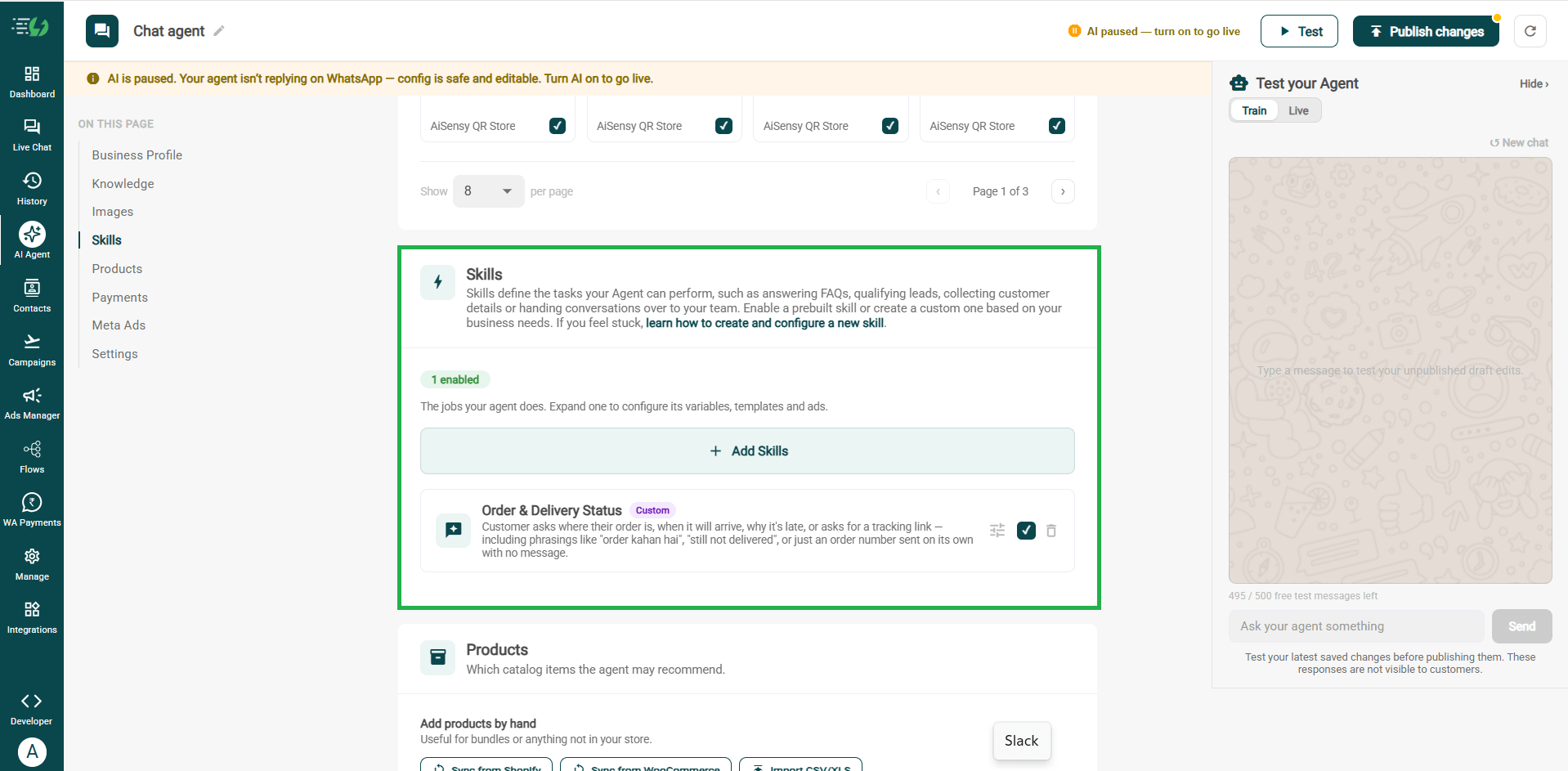
    In this step, navigate to and open Add Skills. Check the prebuilt skills list first. If the skill you need isn't already available, then navigate to and hit 'Create custom' button. You can name it Order & Delivery Status, and pick Task skill as the type.

    The other details which need to be filled are given below:

    • What kind of skill is this? (Task skill)

    • Icon & name: Order & Delivery status

    • When should the agent use it?

    • Instructions

    • Add skills

    Now, you must make sure that the instructions fed to the agent are clear and easy to understand. The agent behaves according to the instructions given to it.

    One such template example is:

    “When someone asks ‘What’s the status of my request?’, ask for their order, application, or request ID. Follow the required verification steps, then check the connected system for the latest status. Share the update and expected completion date, if available. If no update is available, connect them with the support team instead of guessing.”

    Once you enter these instructions, the agent fetches the information around the instructions and replies accordingly. 

    For more info, tap here to learn how to create a custom skill

    add skills.jpg

    Enable It on Your Agent

    Now that you have created the skill you need, it starts to appear in the Skills list. You can now switch it on, expand it to set your cut-off and where a qualified applicant should go, then hit Done.

    All that you have to go through is:

    • Skills list

    • Enable the order & delivery status skill

    • Expand to configure its variables, templates & ads

    • Skills enabled counter

    Now you agent is well taught and it knows how it should respond.

    Note* Please make sure that before enabling the skill, you configure it to identify which update the customer needs, collect the required reference number, verify ownership before sharing personal details, and retrieve the latest available status.

    skills new.png

    Set Your Fallback & Handoff Rules

    This step decides what happens when the agent can't help.

    You can set handoff triggers for orders not found after rechecking details, overdue deliveries or refunds, tracking that hasn’t updated beyond your defined timeframe, or customers disputing a “delivered” status.

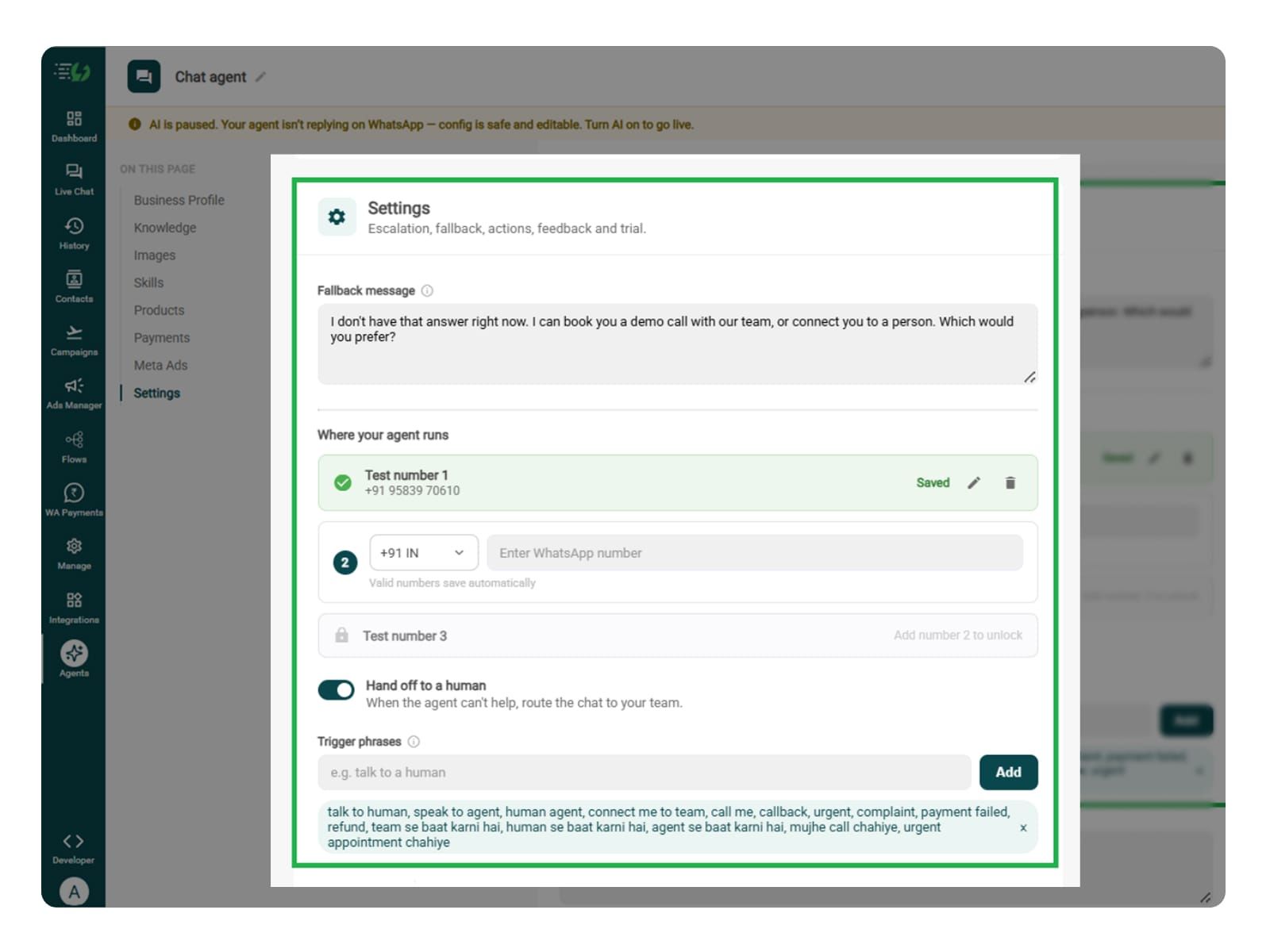
    You can decide what happens when the agent can't help. Write the fallback message, switch on Hand off to a human, and add the phrases that should pull a person into the chat.

    What you must fill:

    • Fallback message

    • Where your agent runs: up to 3 test numbers

    • Hand off to a human: toggle

    • Trigger phrases

    • Handoff message

    fallback.jpg

    Connect Tools & APIs

    This step is the most crucial step of all and essential for live status updates.

    You should connect the relevant order management, shipping, or returns system so the agent can retrieve the customer’s actual status. It can be optional only if it simply shares a tracking portal link and general instructions.

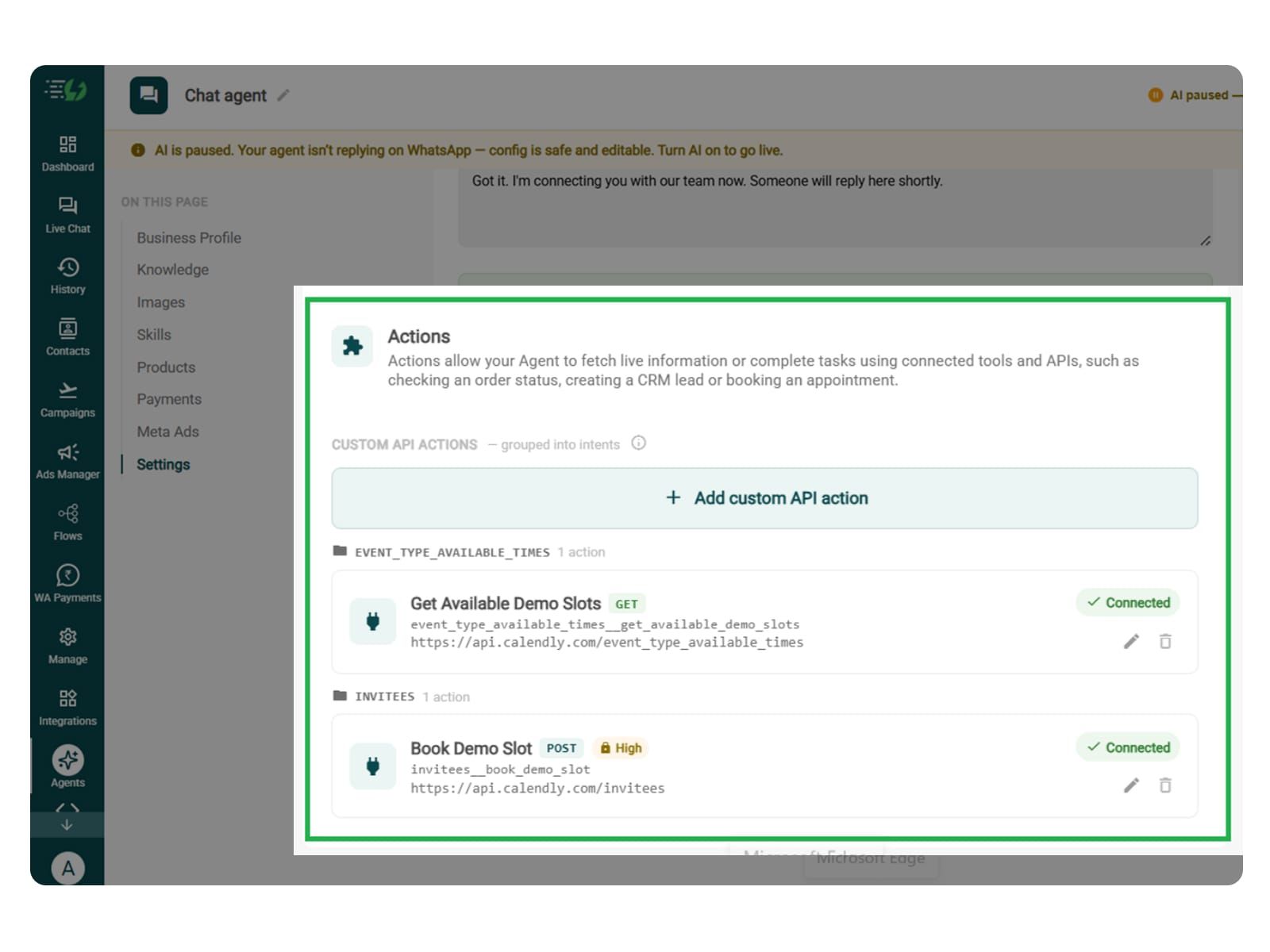
    Actions let your agent fetch live information or complete tasks using connected tools and APIs - checking an order status, creating a CRM lead or booking an appointment.

    Hit Add custom API action, tell it when to call it, then paste your cURL - the request fills itself in.

    • Action name

    • When should the agent call it?

    • Paste cURL

    • Request: method + endpoint URL

    • Headers

    • Params

    • Body

    • Auth

    • Test call

    Click on - Next: variables

    Actions.jpg

    Test, Publish & Go Live

    Before going live with the agent, you can test your agent to identify valid and incorrect order IDs, multiple orders, delayed shipments, pending refunds, and integration failures.

    Please ensure that the agent never invents a status or delivery date and clearly says when it cannot retrieve an update.

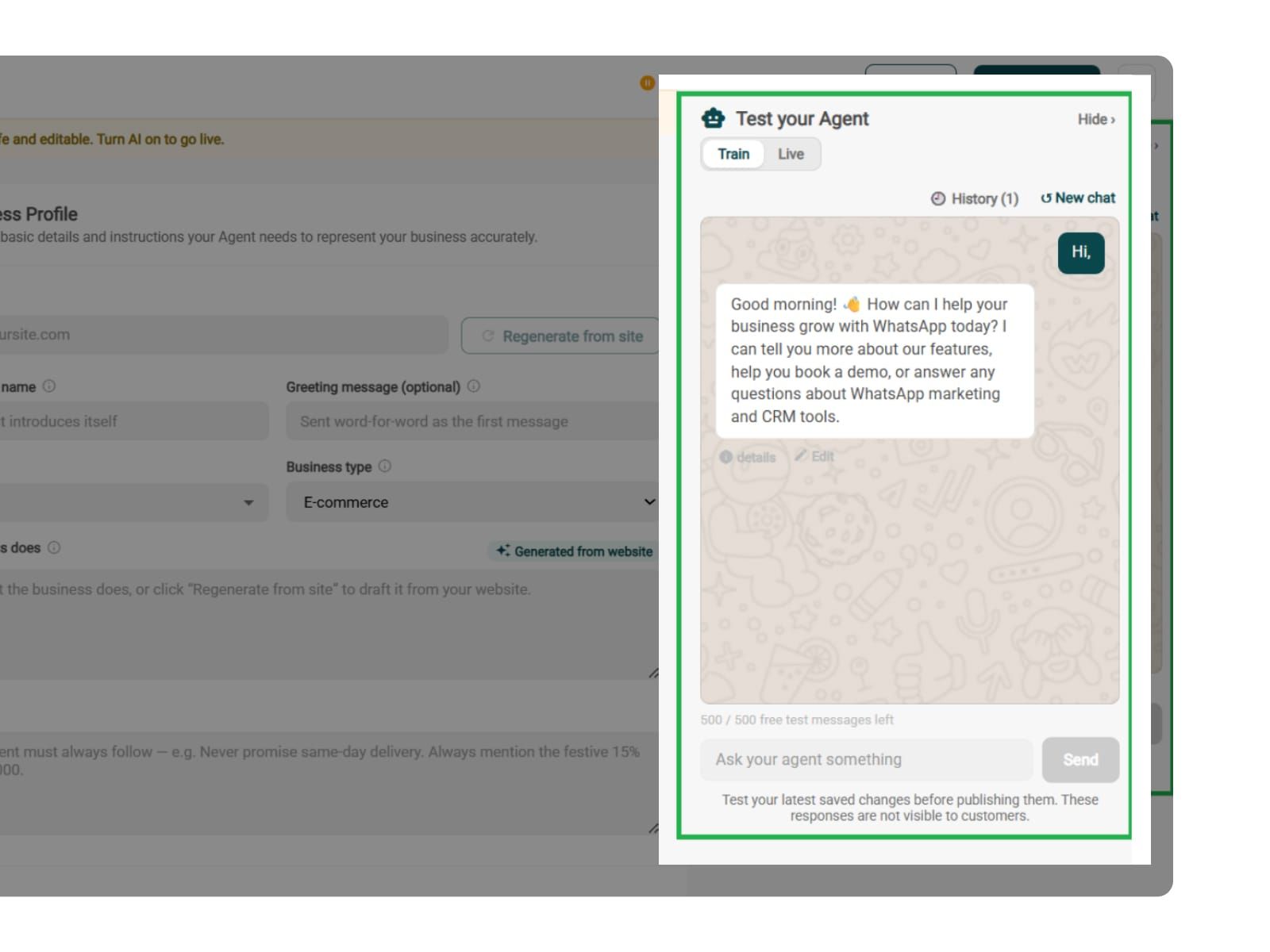
    You can chat with your agent before your customers do with AiSensy's 500 free AI messages for a trial.

    Publish, switch the AI on & you're live.

    • Test your Agent panel (Train/Live modes)

    • Publish

    • AI on/off toggle

    test.jpg

    Simple Pricing. Every Agent Included.

    One plan unlocks the entire library - deploy any AI Agent, or build your own.

    ₹1,350

    Per Month (includes 1000 AI messages)

    Start for Free

    $50

    Per Month, Billed Annually (includes 1000 AI messages)

    Start for Free

    WhatsApp AI Agent Features

    Access every pre-built AI Agent in this library, plus the no-code builder to create your own - trained on your business and live on WhatsApp in minutes.

    • 1000 AI messages every month

    • 500 FREE AI messages for testing

    • Knowledge Base Q&A - train it on your website & documents

    • Long-term customer memory

    • No-code builder to customize any agent

    • Tool calling, skills & API integrations

    FAQ

    Frequently asked questions answered

    What can it check the status of?

    Anything your systems can return - orders, shipments, service jobs, support tickets, applications, repairs. If a system somewhere knows the answer, the agent can be connected to it and asked.

    Does it need to connect to my system?

    Yes, and this is the one agent that genuinely can't work without it. The others answer from your knowledge base; this one reports live records, so a connected API under Tools & APIs is the whole job, not an optional extra.

    What if my systems aren't connected yet?

    Then start with the Customer Support agent, which answers from your documents, and add Status once the connection is in place. Publishing a Status agent with nothing behind it just moves the disappointment later in the conversation.

    How does it know which order the customer means?

    Either the customer gives an order ID, or the agent matches their WhatsApp number to their record. Multiple open orders and it asks which one - rather than guessing and reporting the wrong thing.

    Is customer data safe when it looks something up?

    The agent calls the API you connect and returns what that call gives it. You define which endpoints it can reach and what it may share, so it can't surface anything you haven't exposed to it.

    What happens if the lookup fails?

    It says so, rather than inventing a status. You set the fallback, and a failed lookup is exactly the moment to hand the chat to a person with the reference already attached.

    Can it do more than report - like change a delivery date?

    That depends on what your API allows. Reading a status and writing a change are two different permissions; if your system accepts the write, the agent can be given that action too.

    How much support volume will this actually take off?

    Depends on your mix, and we'd rather you measured it than took a number from us. "Where is it?" is the highest-frequency query for most order-based businesses, which is why it's the first one worth automating - check your own inbox for the honest answer.

    Can it tell customers when something changes, without being asked?

    Not on its own. An AI agent replies rather than initiating, so proactive updates go out as approved templates from your campaigns - and this agent handles the questions that come back.

    Does it work alongside my existing support agent?

    Yes, and it should. They're two skills on the same agent - Support answers policy and product questions, Status handles anything about a specific record. The agent picks whichever fits the message.