WhatsApp AI Agent Library
WhatsApp AI Agent for Returns
Take returns off your support team.
The Returns AI Agent answers policy questions, checks eligibility and raises returns on WhatsApp.
No coding needed!

WhatsApp AI Agent Library
WhatsApp AI Agent for Returns
Take returns off your support team.
The Returns AI Agent answers policy questions, checks eligibility and raises returns on WhatsApp.
No coding needed!
How to Build Your WhatsApp Returns AI Agent in Minutes
Here's how a real brand goes from zero to a live Returns AI Agent on WhatsApp.
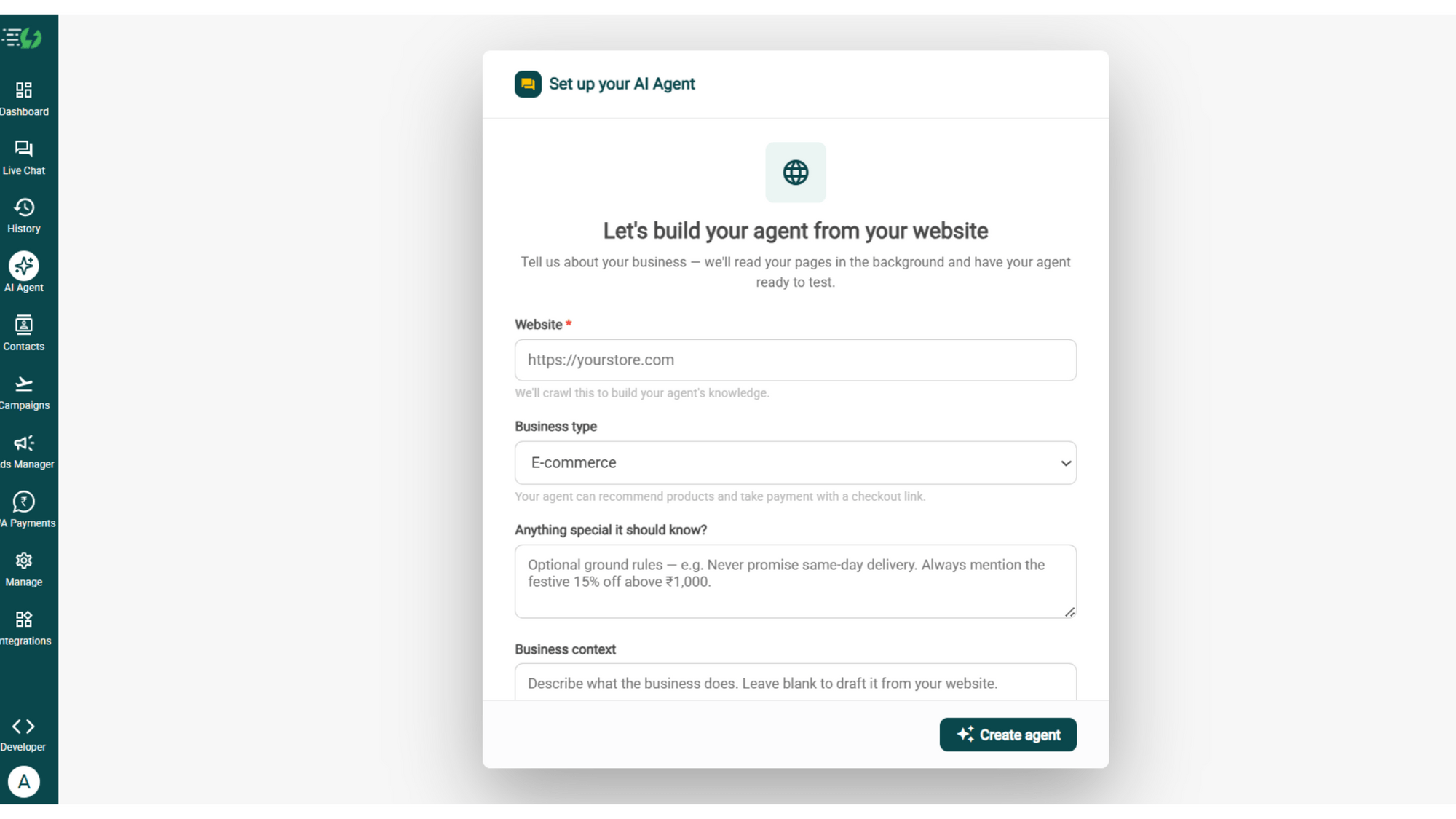
Build Your Agent from Your Website
Click AI Agent, add your website, and AiSensy automatically builds an agent trained on your business.
Website (required)
Business type
Anything special it should know? (optional)
Business context (optional)
Then hit ✨ Create agent.
Add Your Business Profile
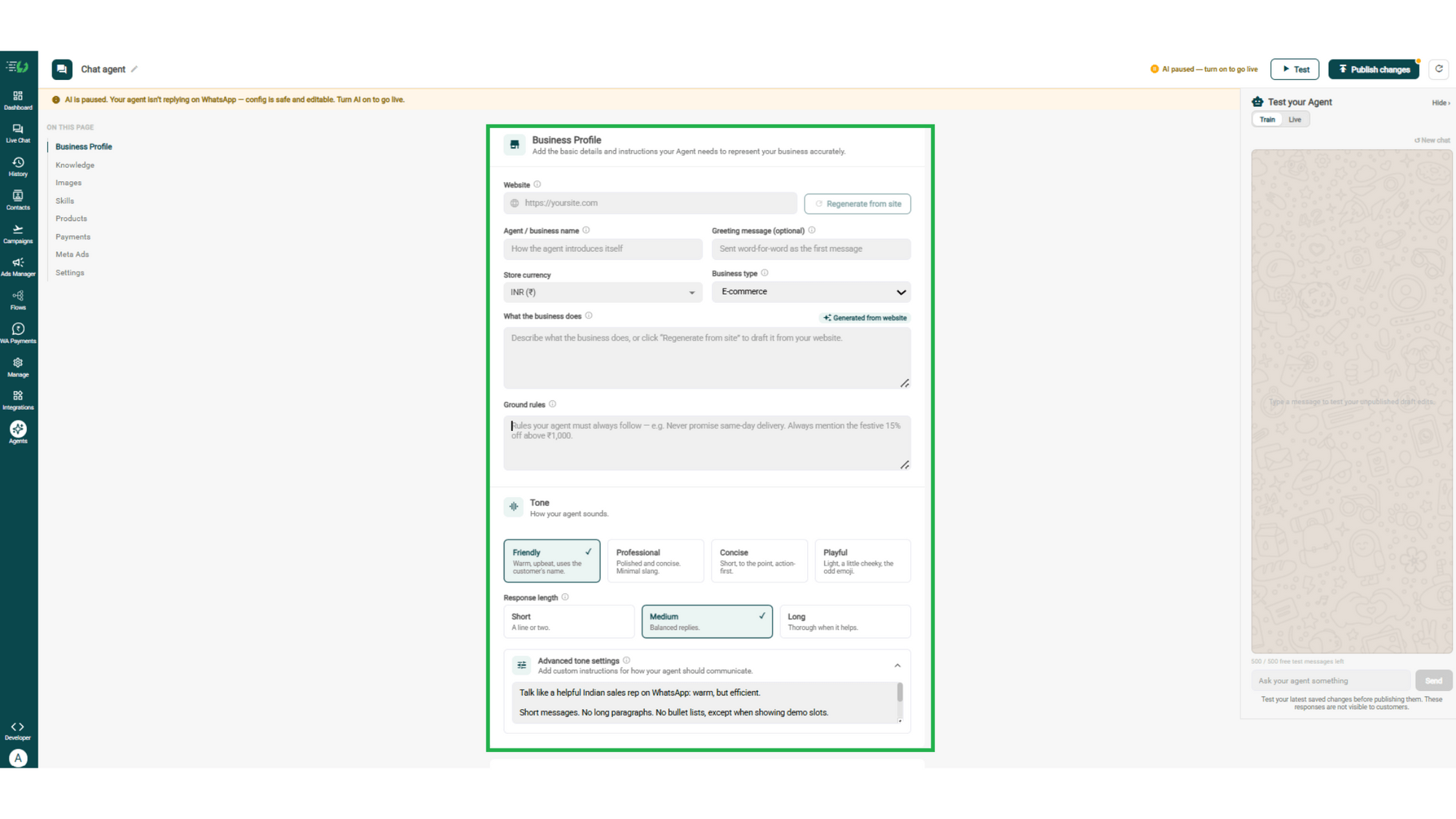
Add your website & AiSensy auto-generates your business description. Set your agent's name, greeting, and a few ground rules it must always follow.
Website
Agent/business name
Greeting message (optional)
Store currency
Business type
What the business does
Ground rules
Train the Agent with Your Knowledge
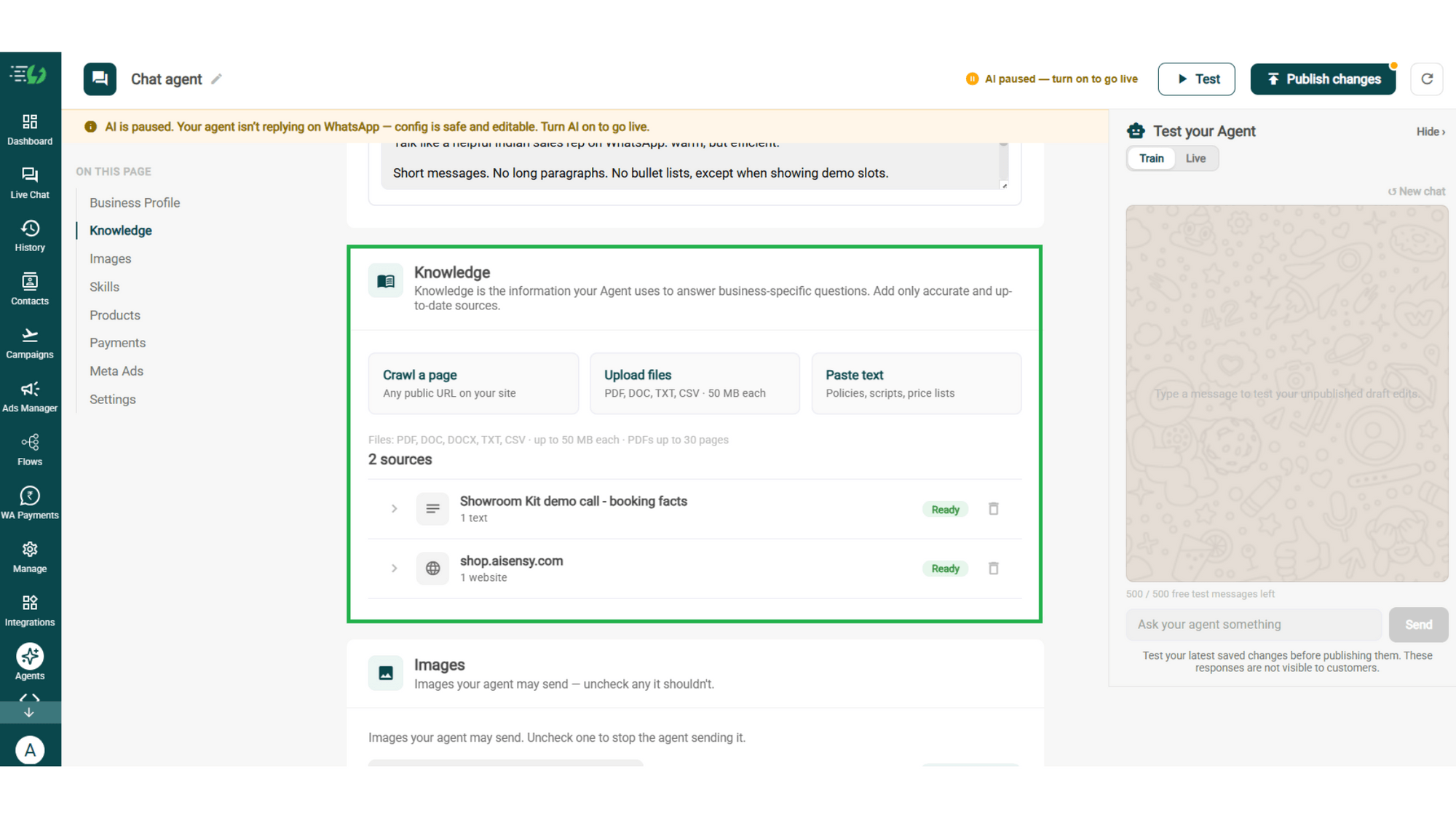
Train the agent on your business - it answers from your information, not generic replies. Every source shows "Ready" once learned.
Details to be filled are:
Crawl a page (website URL)
Upload files (PDF, DOC, TXT, CSV - up to 50MB each)
Paste text (policies, scripts, price lists)
Choose the Images It Can Share
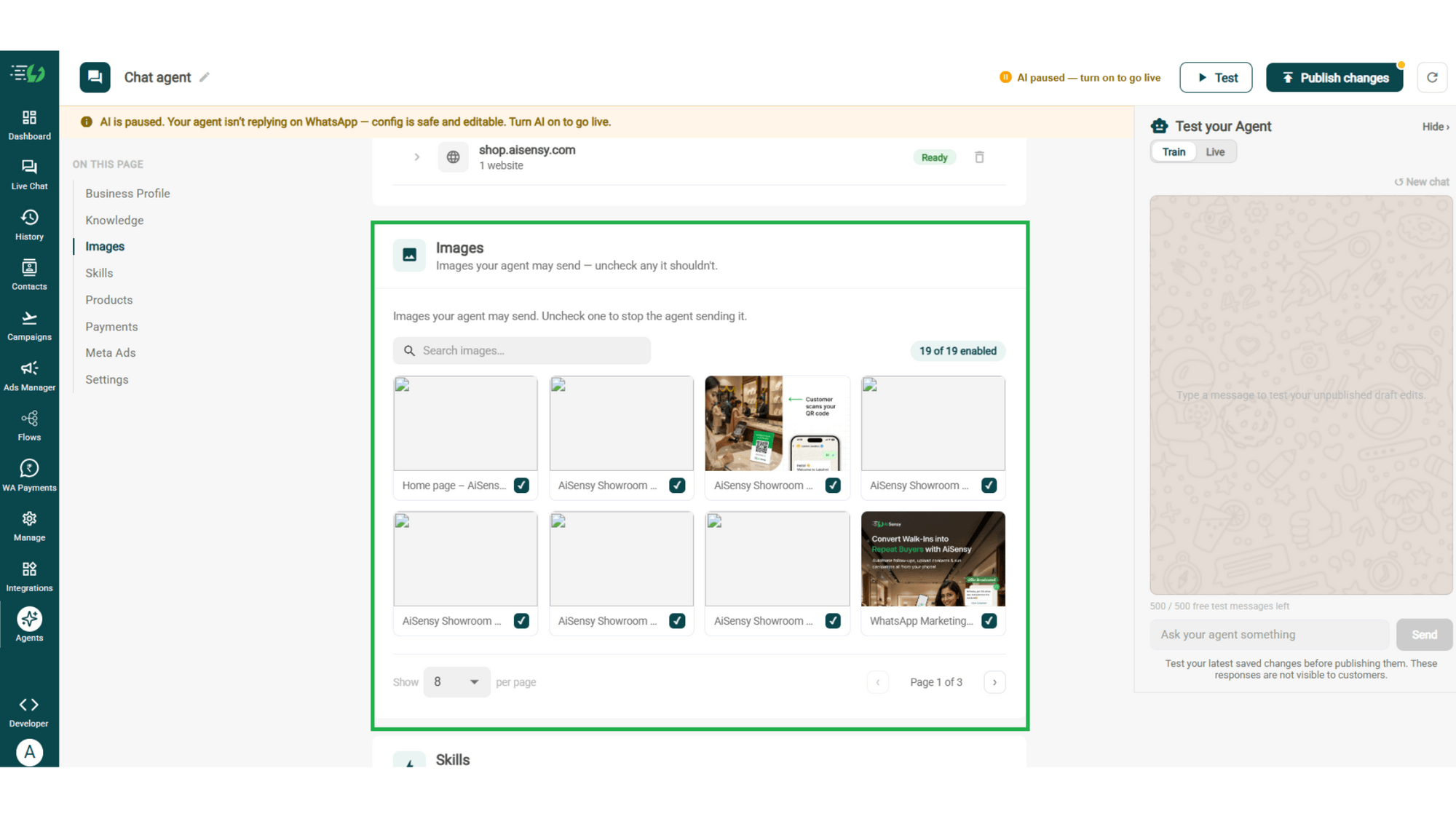
Control the visuals your agent can share in chat - product shots, catalogs, offers. Untick any image it shouldn't send.
Image library (enable/disable per image)
Search images
Create the Returns Skill
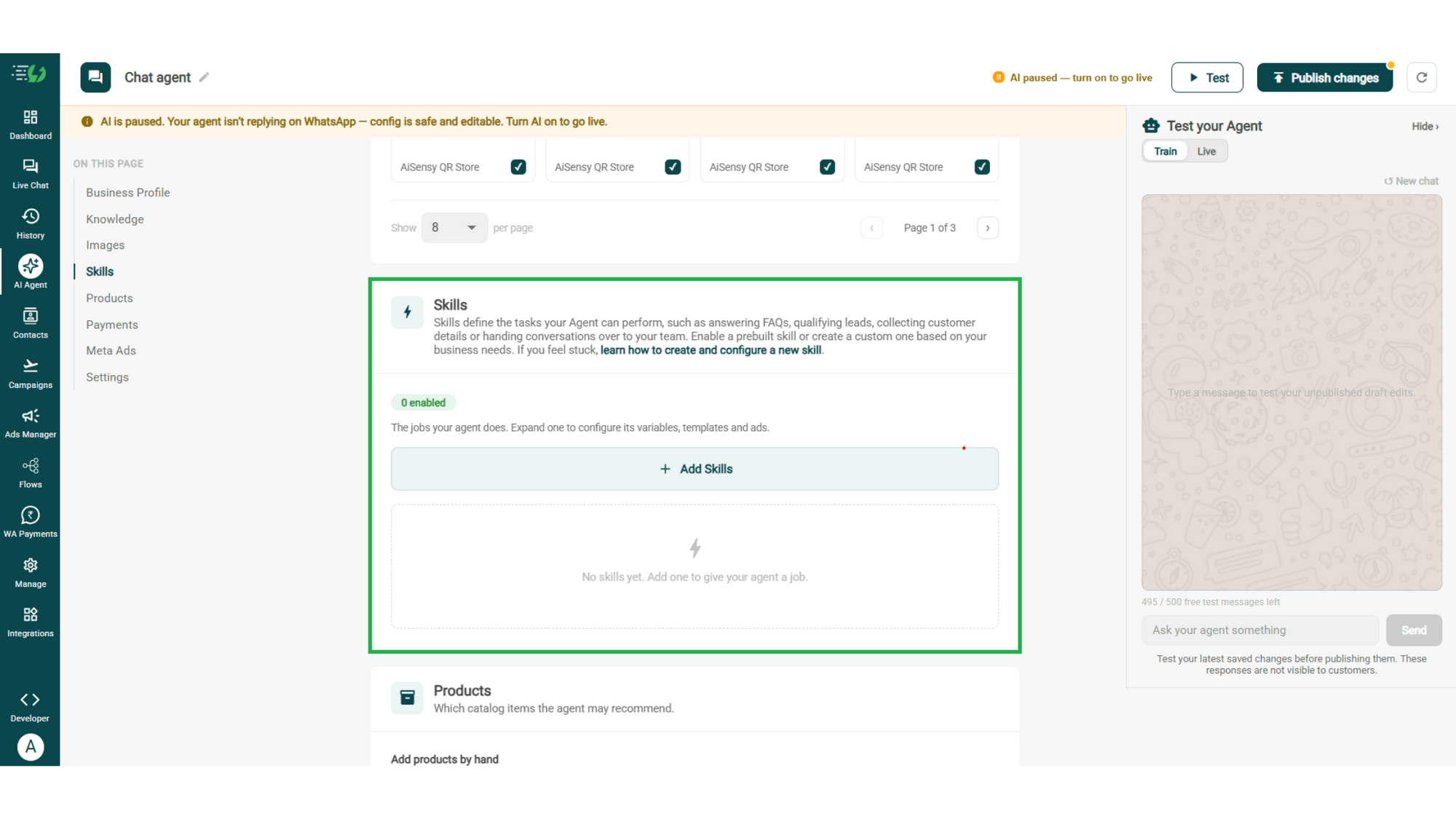
Open Add Skills and check the prebuilt list first - if the skill you need isn't there, hit Create custom, name it Returns, and pick Task skill as the type.
What kind of skill is this? (Task skill)
Icon & name: Returns
When should the agent use it?
Instructions
Add skills
Enable It on Your Agent
Your new skill lands in the Skills list. Switch it on, expand it to set your qualifying questions, your cut-off and where a qualified applicant should go, then hit Done.
Skills list
Enable the returns skill
Expand to configure its variables, templates & ads
Skills enabled counter
Add Your Products
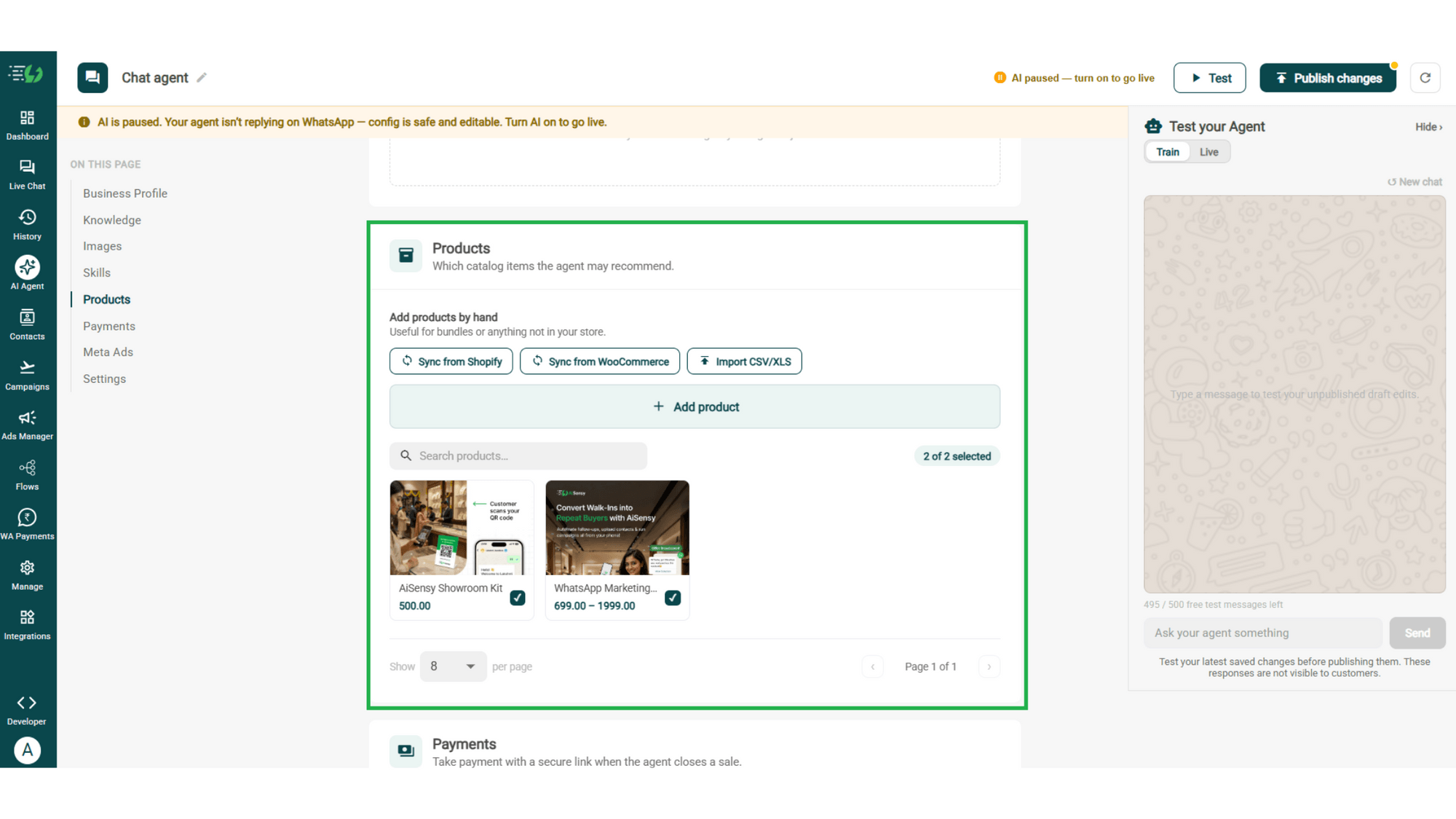
Choose which catalog items the agent can recommend - so every suggestion comes from your actual range.
Catalog products (select what the agent may recommend)
Add products by hand (for bundles or items not in your store)
Sync from Shopify
Sync from WooCommerce
Import CSV/XLS
Connect Your Payment Gateway
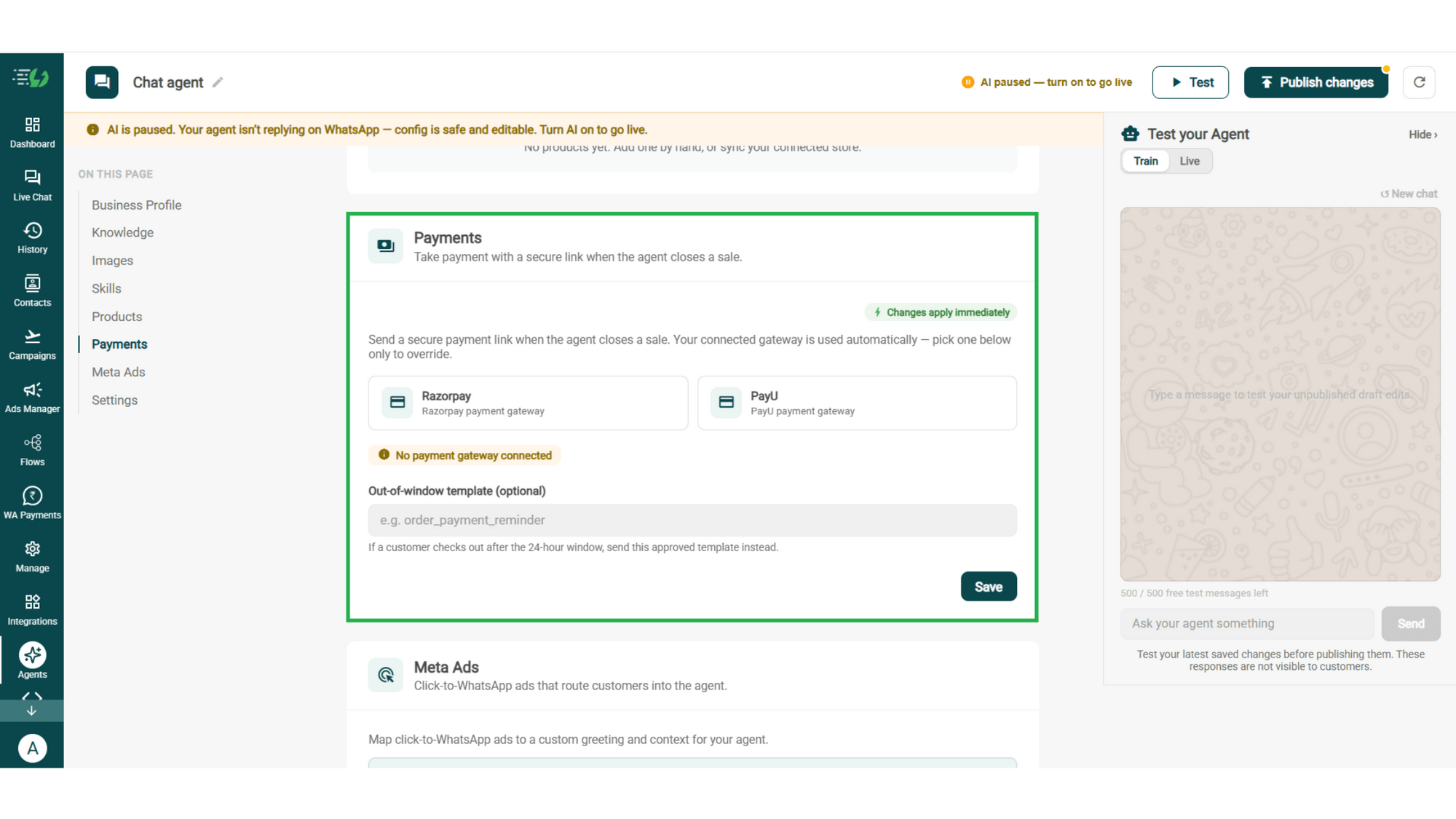
Connect your payment gateway so the agent closes sales with a secure payment link, right inside the chat.
Payment gateway (Razorpay or PayU)
Out-of-window template (optional)
Link Your Meta Ads (Optional)
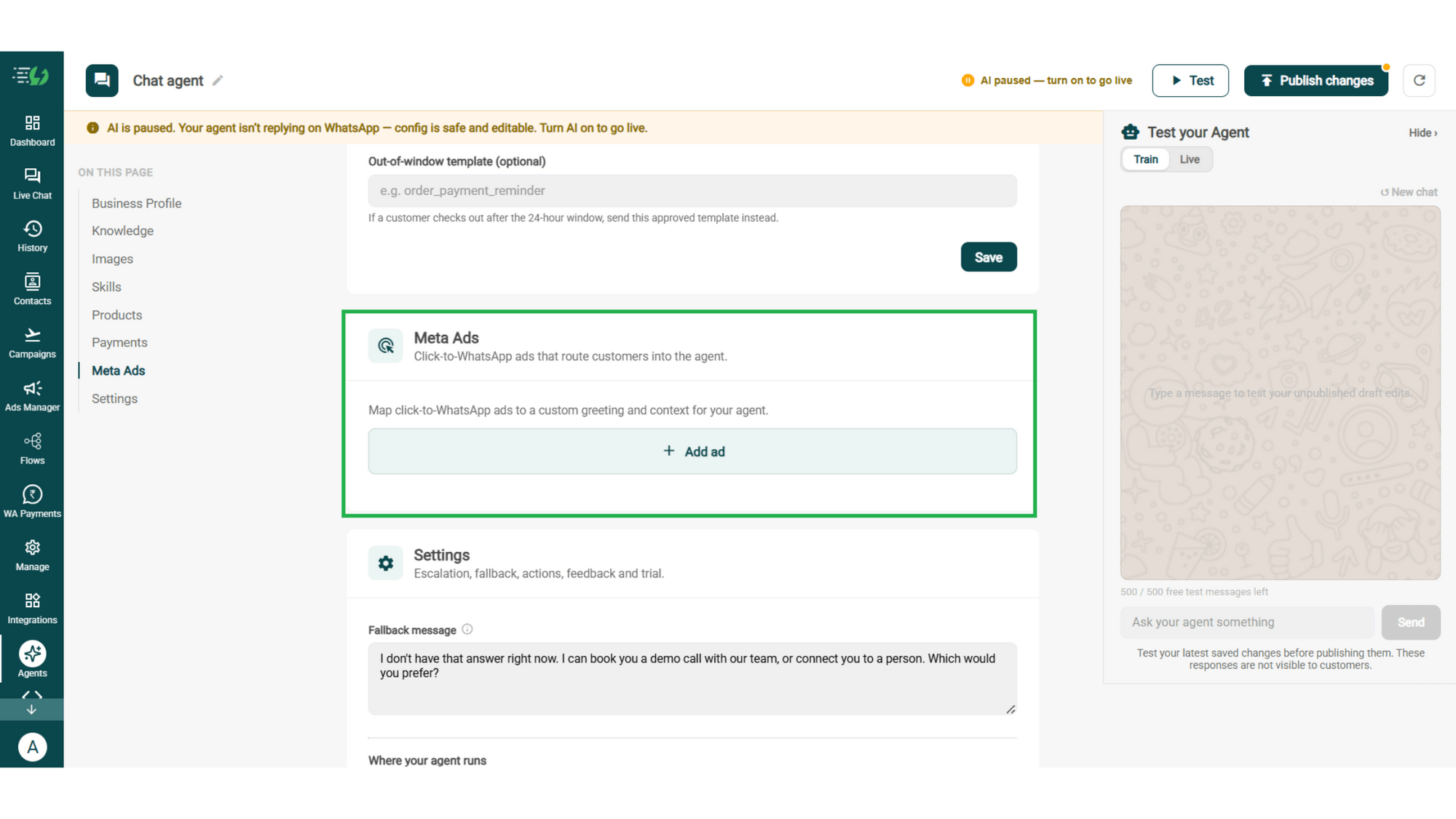
Running Click-to-WhatsApp ads?
Map each ad to a custom greeting & context, so the agent knows exactly which ad brought the customer in.
Add ad (map ad → custom greeting & context)
Ad ID
Label
Greeting (first message to user)
Context (extra context for the agent)
Discount honoured at checkout (optional)
Products featured in this ad
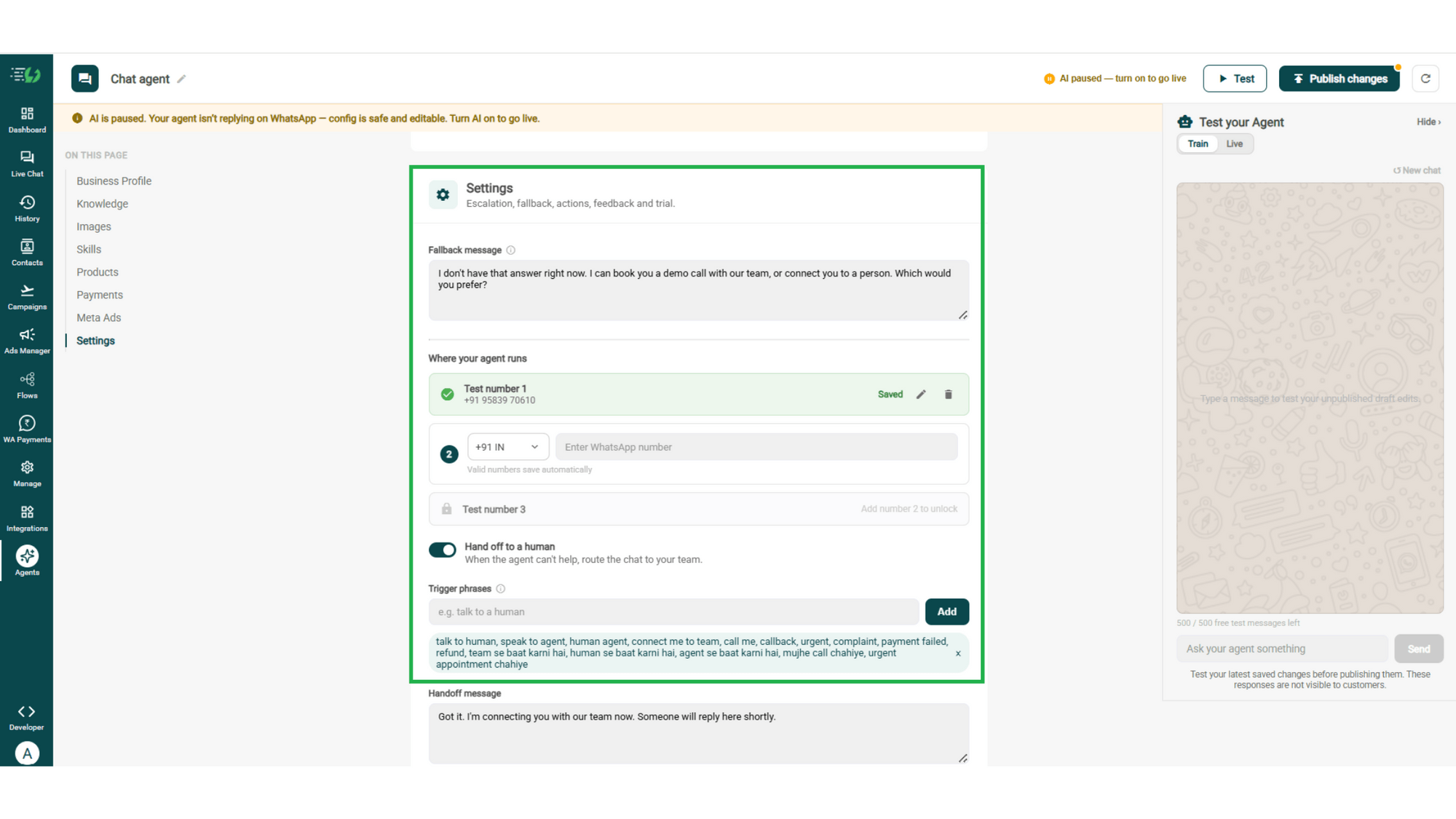
Set Your Fallback & Handoff Rules
Decide what happens when the agent can't help. Write the fallback message, switch on Hand off to a human, and add the phrases that should pull a person into the chat.
What you must fill:
Fallback message
Where your agent runs: up to 3 test numbers
Hand off to a human: toggle
Trigger phrases
Handoff message
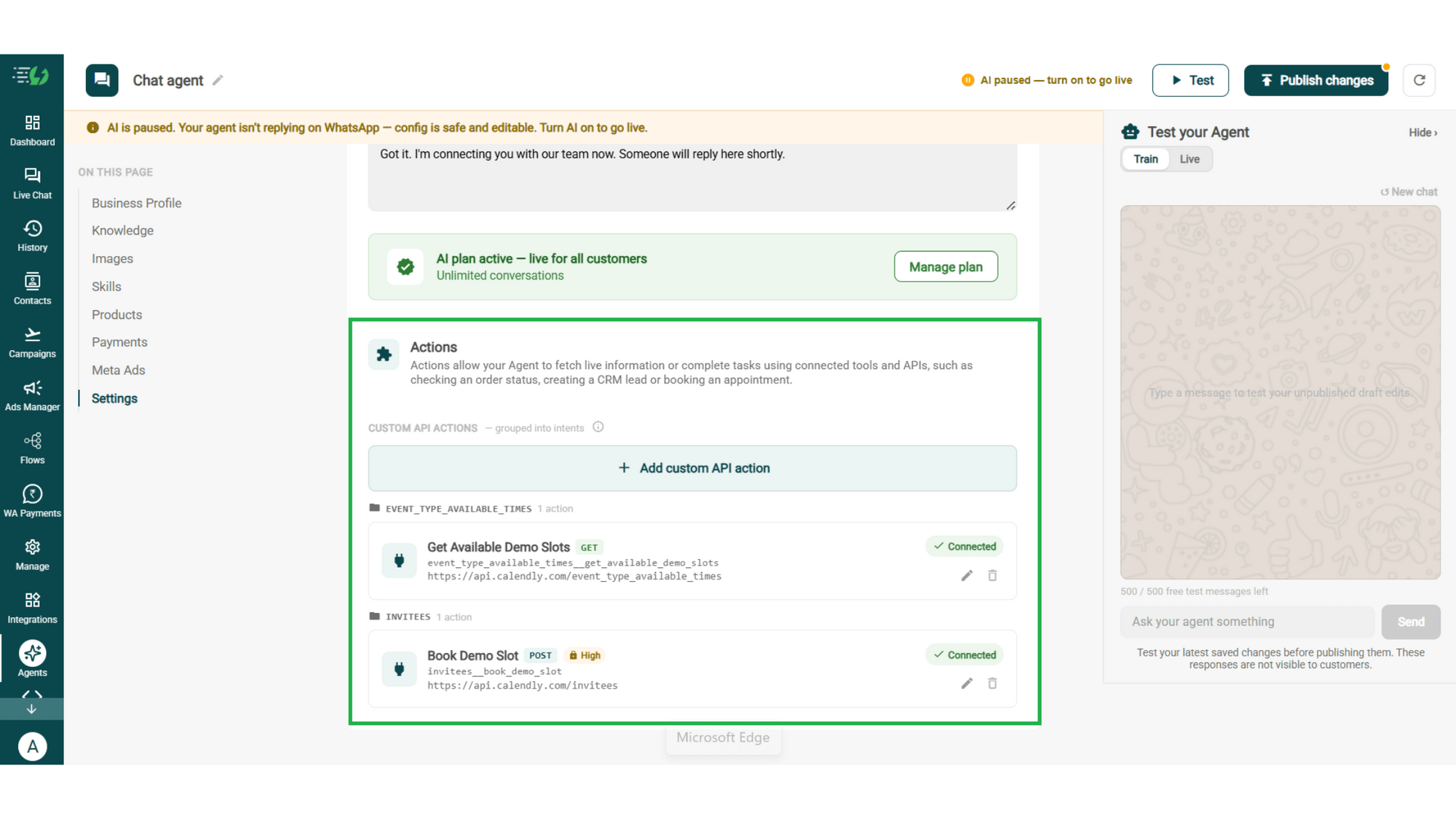
Connect Tools & APIs
Actions let your agent fetch live information or complete tasks using connected tools and APIs - checking an order status, creating a CRM lead or booking an appointment.
Hit Add custom API action, tell it when to call it, then paste your cURL - the request fills itself in.
Action name
When should the agent call it?
Paste cURL
Request: method + endpoint URL
Headers
Params
Body
Auth
Test call
Click on - Next: variables
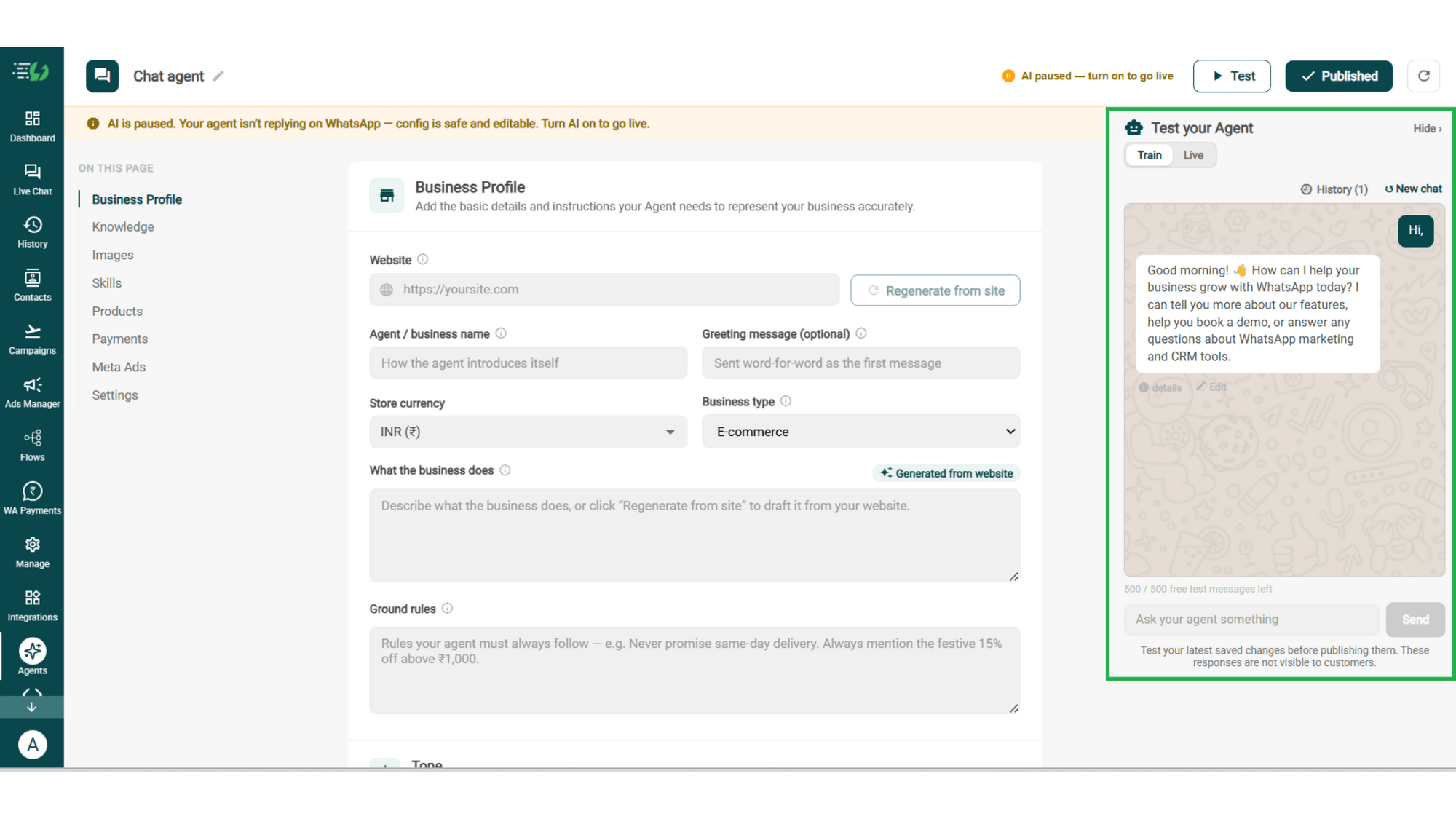
Test, Publish & Go Live
Chat with your agent before your customers do - 500 free AI messages to trial it. Happy?
Publish, switch the AI on & you're live.
Test your Agent panel (Train/Live modes)
Publish
AI on/off toggle
How a Return Gets Handled
A real conversation, step by step - the return your team never had to touch.
The Request
Customer: "I want to return the jacket I ordered." The agent pulls up the order and answers the first question before it's asked: yes, it's inside your 30-day window.
The Check
Unworn, tags on, not a final-sale item. The agent works through your conditions one at a time and confirms the return qualifies - against your policy, not its own opinion.
The Reason
"Too tight across the shoulders." Collected, stored against its own field, and now sitting in your data where a sizing problem becomes visible instead of invisible.
The Pickup
Return raised in your system, pickup slot confirmed, refund timeline shared exactly as your policy states it.
Total time: 3 minutes. Tickets raised: zero.