WhatsApp AI Agent by AiSensy
WhatsApp AI Agent for Returns
Take returns off your support team with this WhatsApp AI Agent.
The Returns AI Agent answers policy questions, checks eligibility and raises returns inside WhatsApp chat.
No coding needed!

WhatsApp AI Agent by AiSensy
WhatsApp AI Agent for Returns
Take returns off your support team with this WhatsApp AI Agent.
The Returns AI Agent answers policy questions, checks eligibility and raises returns inside WhatsApp chat.
No coding needed!
How a Return is Handled on WhatsApp
A real conversation, step by step - the return your team never had to touch.
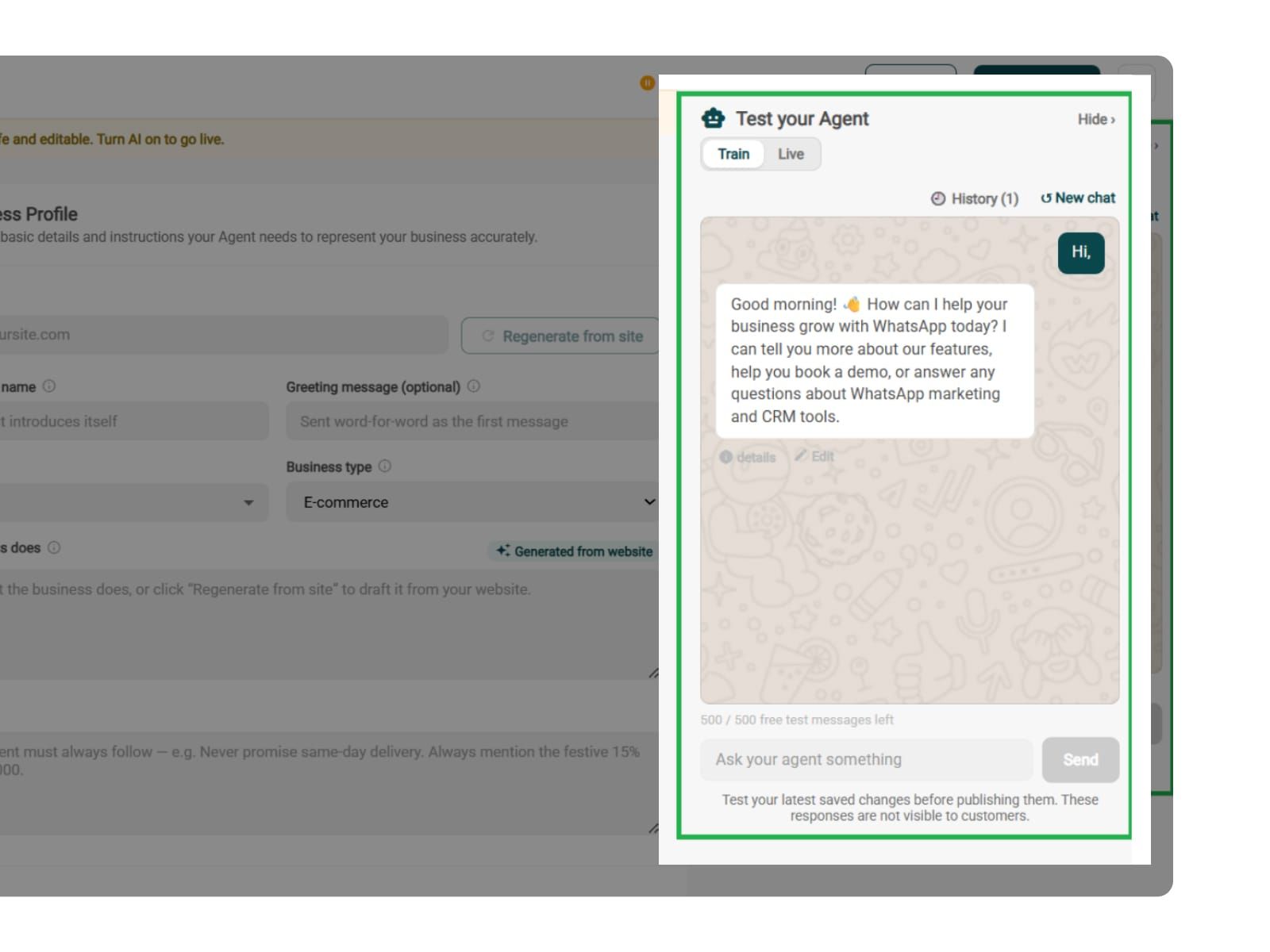
The Request
Customer sends a simple message: "I want to return the jacket I ordered."
The WhatsApp AI agent pulls up the order and answers the first question before it's asked: Sure. You are eligible for the return as it's inside your 30-day window.
The Check
The agent checks the return conditions one by one: unworn item, tags intact, not a final-sale product. If everything matches your policy, it confirms the return is eligible.
The Reason
"Too tight across the shoulders."
The agent collects the data, stores it in the right field, and makes patterns like sizing issues easy to spot.
The Pickup
The return gets raised in your system, the pickup slot gets confirmed, and the refund timelines are shared with the customer exactly as your policy states it.
Key Terms: How AiSensy AI Agent works
A brief description on each section you'll see inside AiSensy WhatsApp AI Agent Dashboard and what each one actually does.
Business Profile
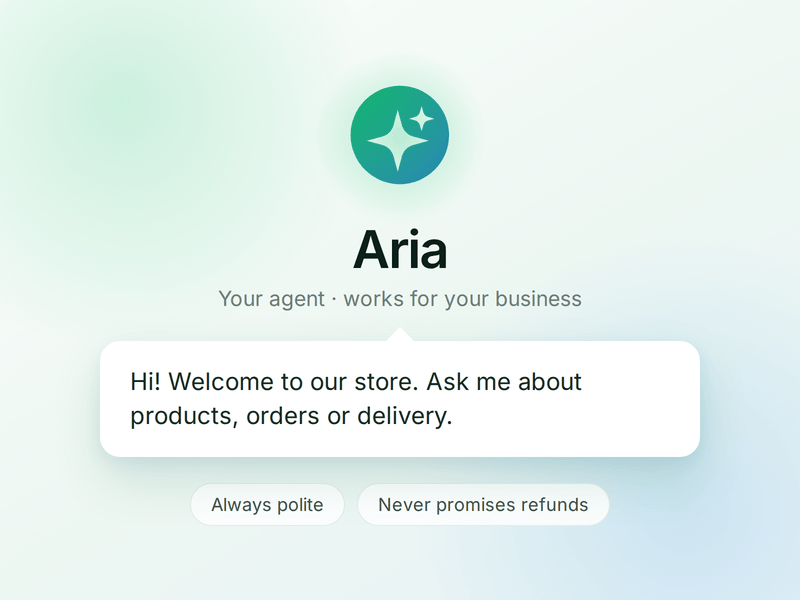
Who your agent is and who it works for. Your business details, the agent's name and greeting, and the ground rules it must always follow.
Knowledge
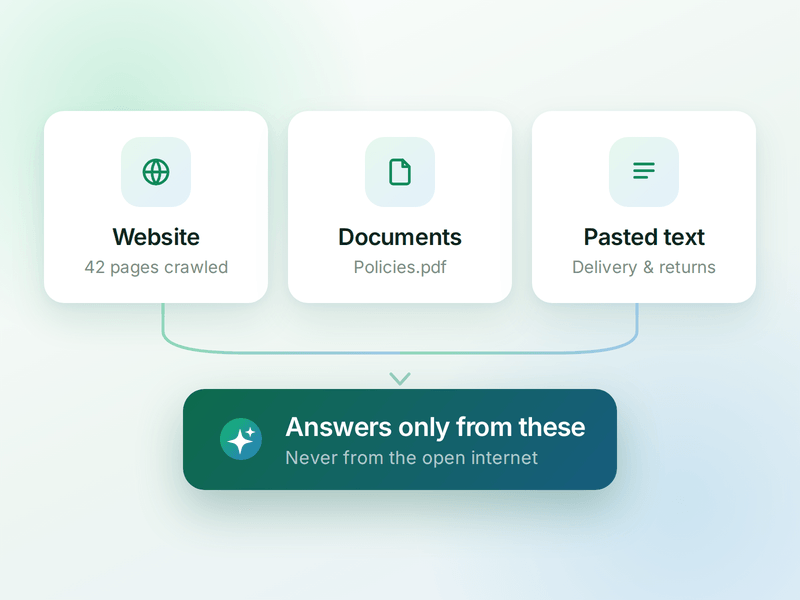
Everything your agent is allowed to know. Crawl your website, upload documents or paste text - the WhatsApp AI agent answers from these, not from the internet.
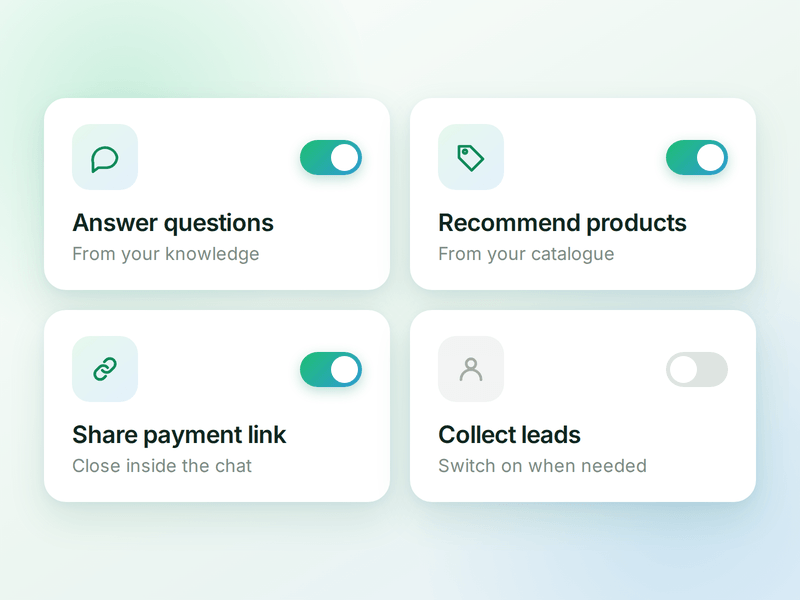
Skills
The jobs your agent can do. Switch on a ready-made skill or create your own, and the agent works out which one a conversation needs.
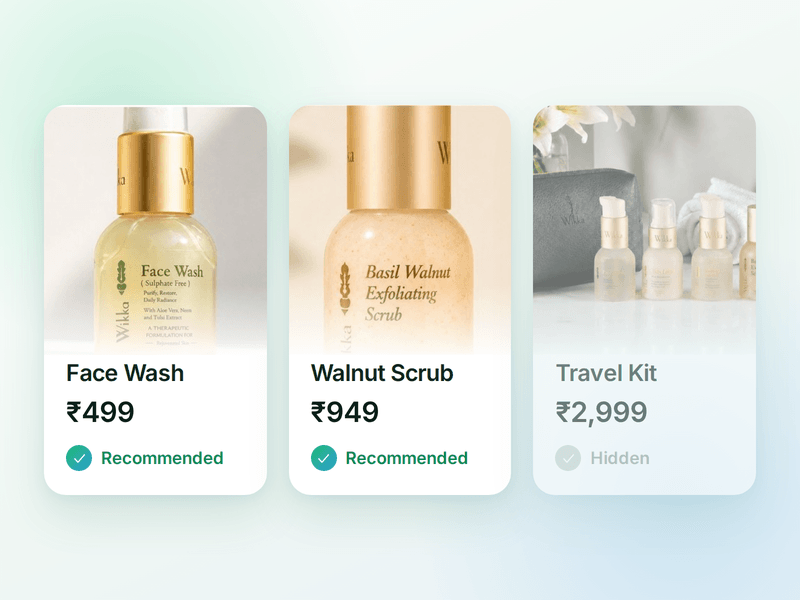
Products
The catalogue your agent sells from. Sync your store or add items by hand, then pick which ones the agent is allowed to recommend.
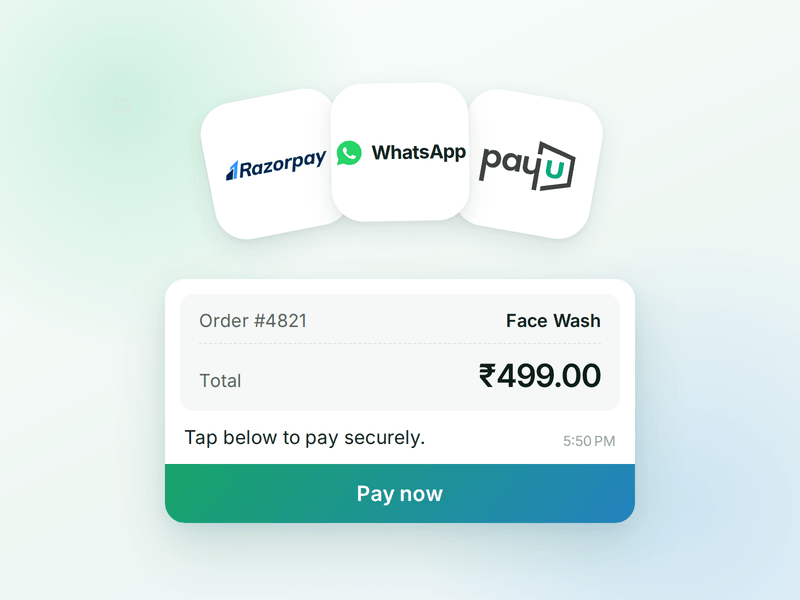
Payments
Your checkout, inside the WhatsApp chat. Connect Razorpay or PayU & the agent can send a secure payment link the moment a customer decides.
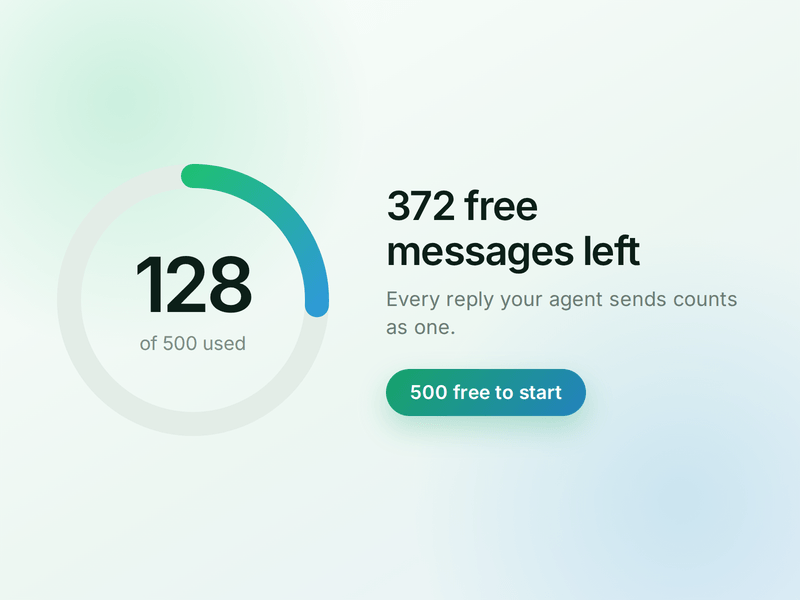
AI Messages
Each reply sent by your AI Agent counts as one AI Message and is deducted from your active plan. You get 500 free AI Messages to test your agent before going live.
How to Build Your WhatsApp Returns AI Agent in AiSensy
Here's how a real brand goes from zero to a live Returns AI Agent on WhatsApp.
Sign up on AiSensy
Go to the AiSensy Signup Page. Create your account using either:
Your Google account, or
Your business email address by filling out the sign-up form.
Once signed up, Log in to AiSensy using the same Google account or email credentials.
Build Your Agent from Your Website
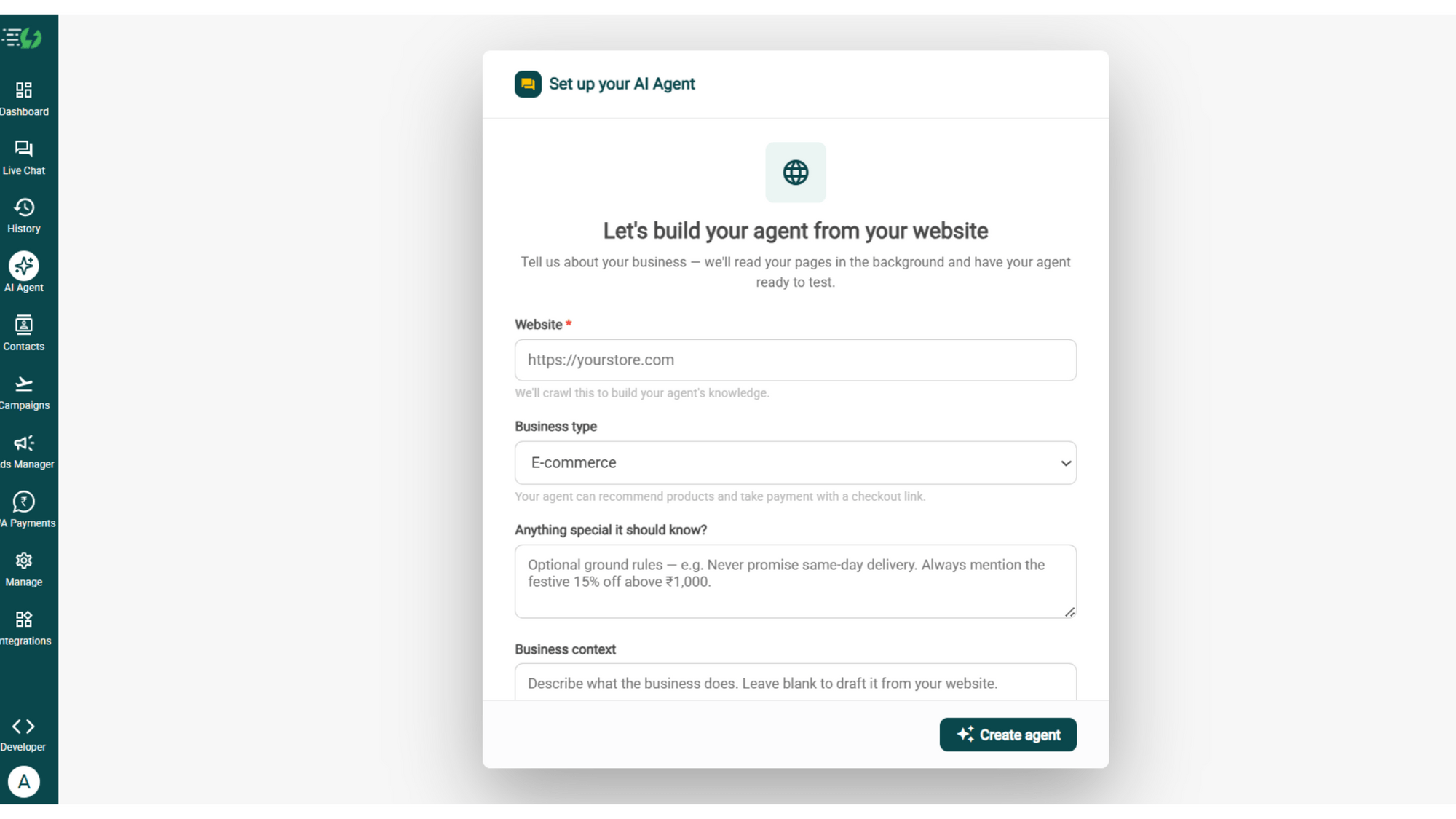
Once you are logged in, navigate to and click on AI Agent available on the navbar on the left.
Fill in the details given below:
Website (mandatory)
Business type
Anything special it should know? (optional)
Business context (optional)
Once you fill these details correctly, proceed to hit '✨ Create agent' button. AiSensy automatically builds an agent trained on your business.
Add Your Business Profile
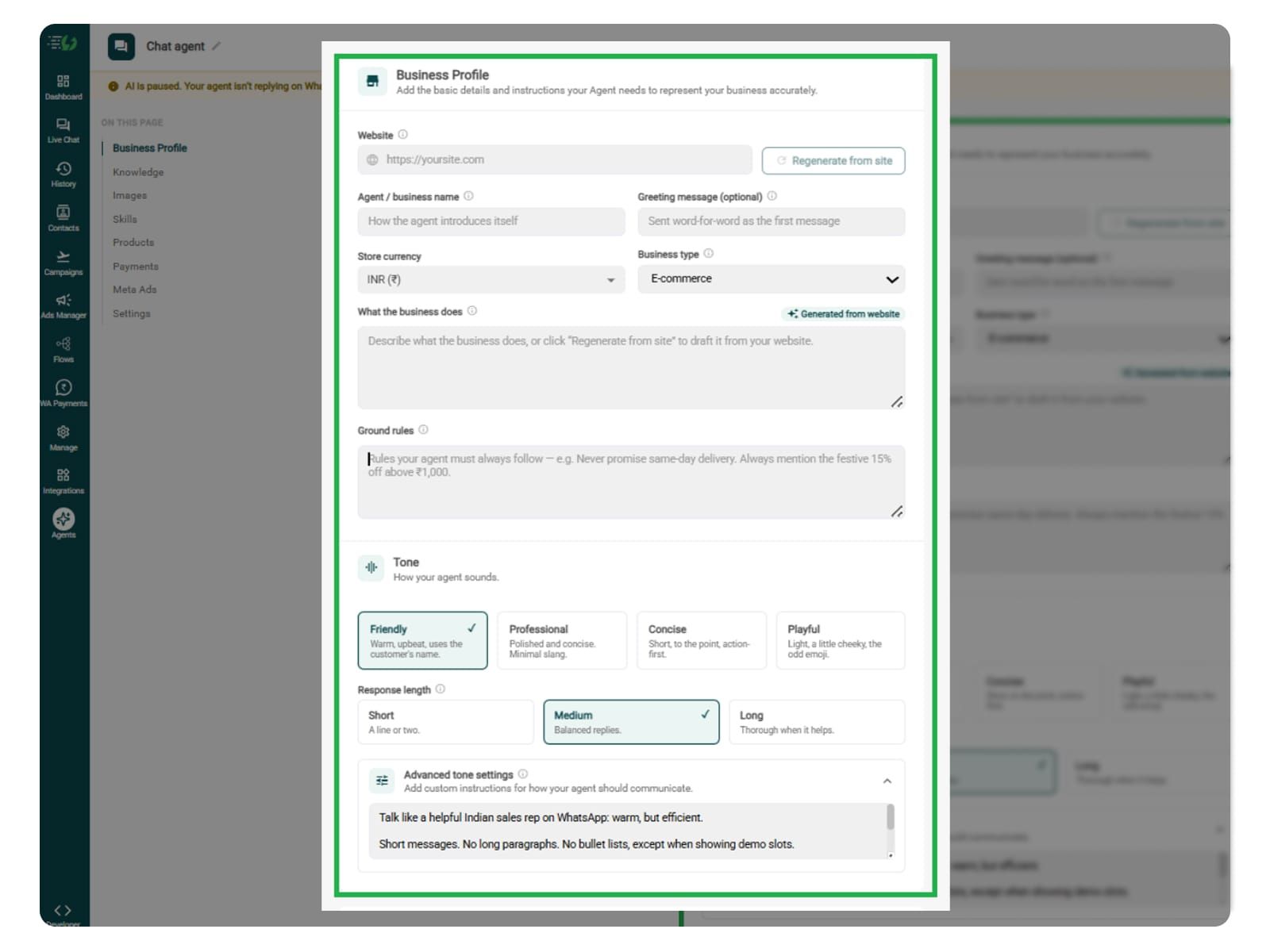
When you add your website, AiSensy AI engine auto-generates your business description. Set your agent's name, greeting, and a few ground rules it must always follow.
Fill the details given below:
Website (fetched automatically)
Agent/business name
Greeting message (optional)
Store currency
Business type
What the business does
Ground rules
Train the Agent with Your Knowledge
In this step, you have to tell the agent about your business website. You can include return windows, excluded products, item-condition requirements, return reasons accepted, pickup charges, packaging instructions, and refund timelines.
You can also train your agent to explain when the return window starts and when the refund timeline begins.
You can submit this information in the form of PDF, DOC, TXT, or CSV files. The agent entirely relies on the kind of information you submit. Hence it always responds according to it and never gives generic replies.
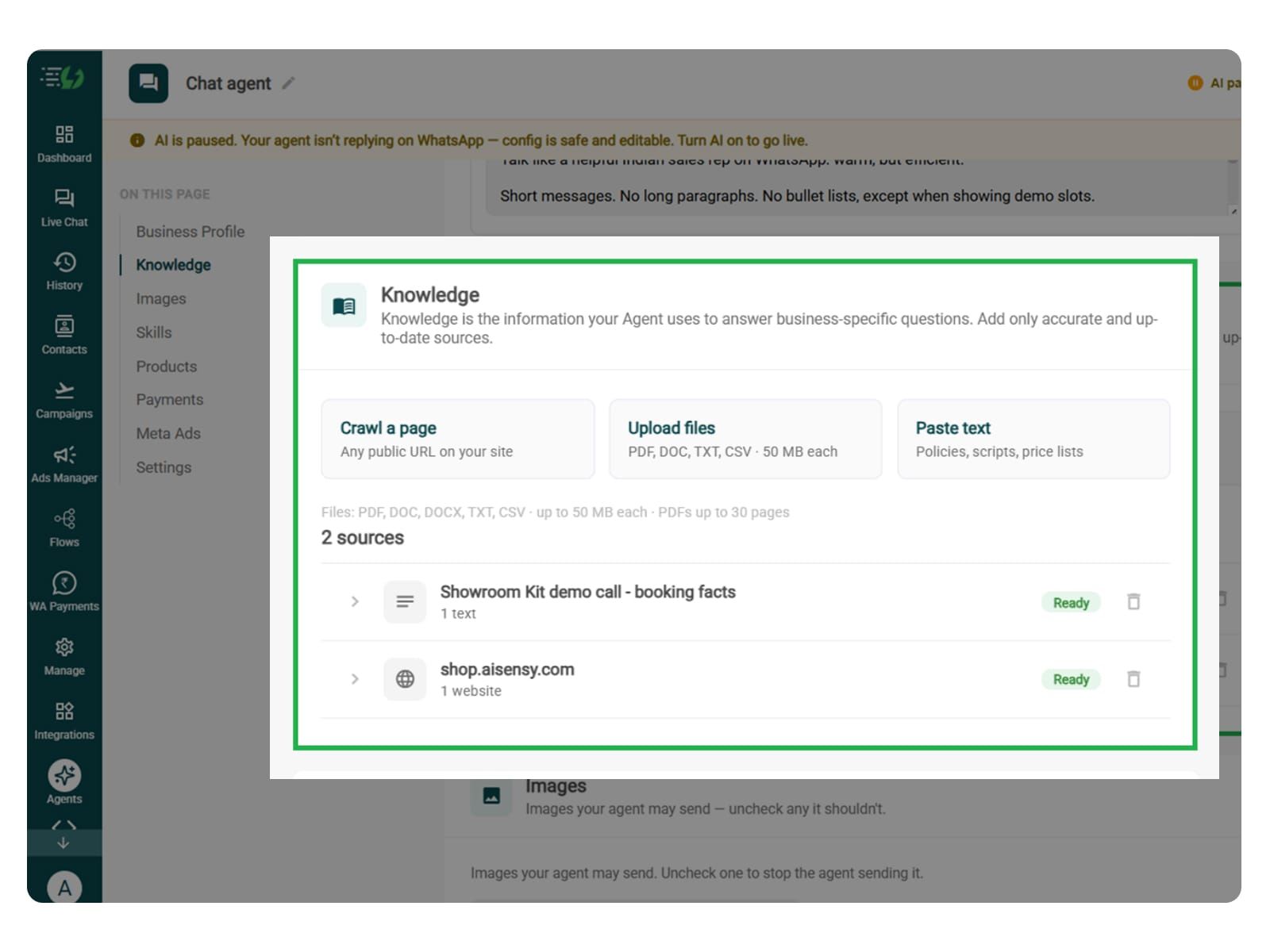
Every source shows "Ready" once learned.
Perform the below mentioned steps:
Crawl a page (website URL)
Upload files (PDF, DOC, TXT, CSV - up to 50MB each)
Paste text (policies, scripts, price lists)
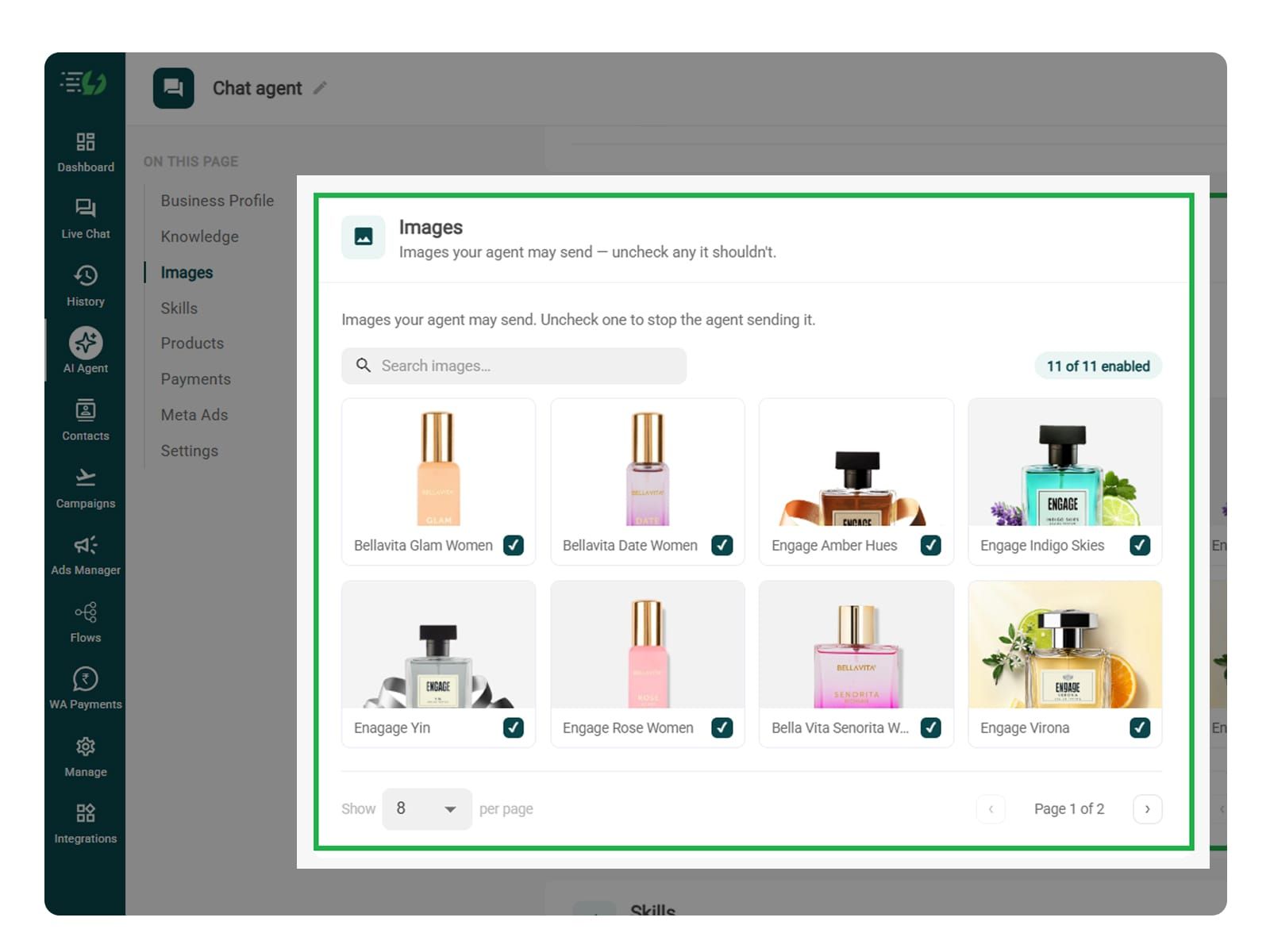
Choose the Images It Can Share (Optional)
This step is entirely optional. You can add packing instructions or pickup preparation guides in this step. This step usually controls the images your agent sends. It doesn't configure collecting damaged photos from customers.
When you add your website, the WhatsApp AI Agent automatically fetches the image from it. You can control the visuals the agent can share inside the WhatsApp chat.
Untick any image it shouldn't send.
You can:
Create Image library (enable/disable per image)
Search images
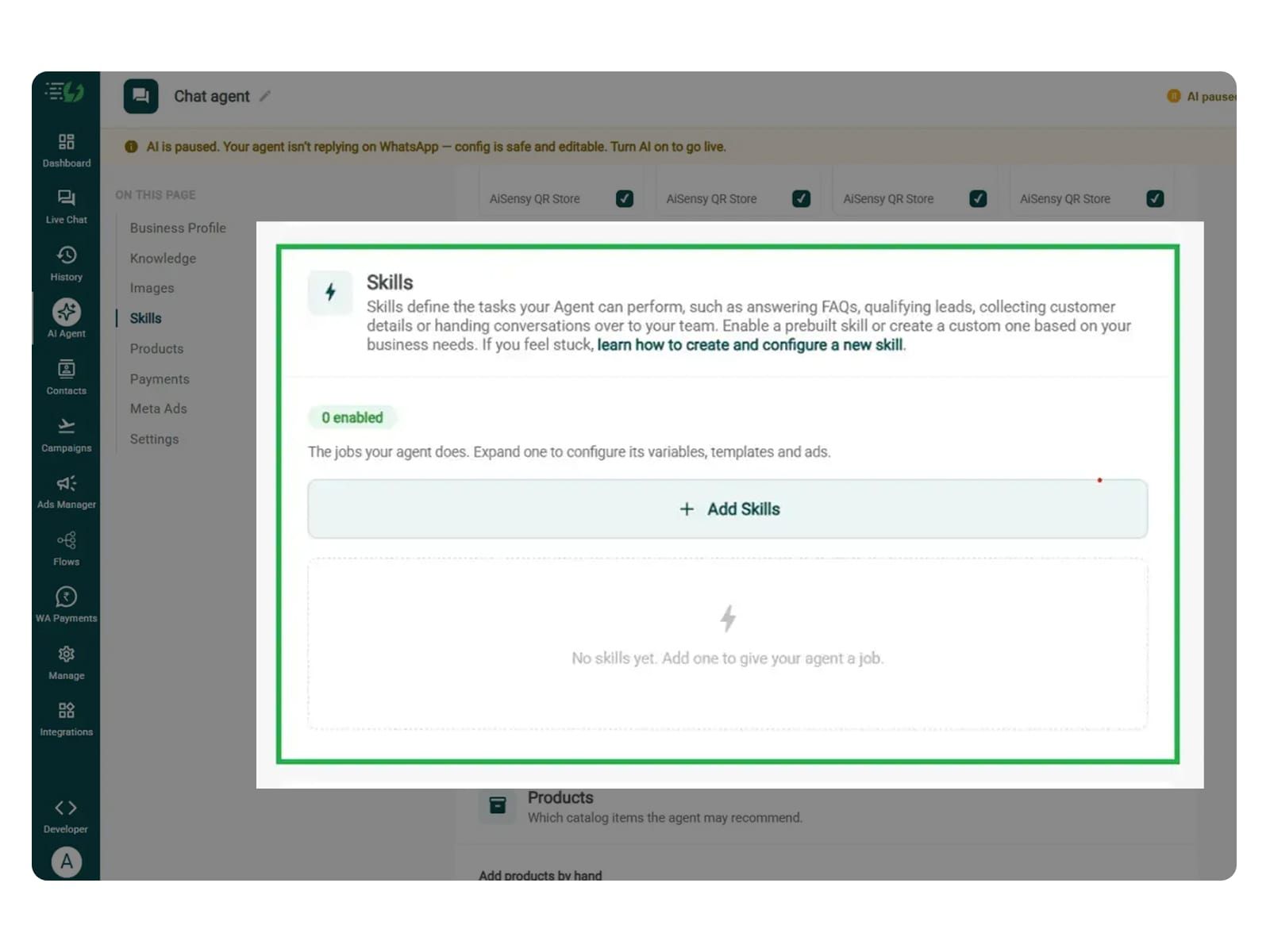
Create the Returns Skill
Open Add Skills and check the prebuilt list first - if the skill you need isn't there, hit Create custom, name it Returns & Exchange, and pick Task skill as the type.
What kind of skill is this? (Task skill)
Icon & name: Returns & Exchange
When should the agent use it?
Instructions
Add skills
Now, you must make sure that the instructions fed to the agent are clear and easy to understand. The agent behaves according to the instructions given to it.
One such template example is:
“When a customer says ‘I want to return my order’, ask for their order ID, the item they want to return, and the reason, one question at a time. Follow the required verification steps and check eligibility using the store’s return policy and order details. If eligible, guide them through submitting a return request. Explain pickup and refund timelines only from the information provided. Refer exceptions to the support team, and never confirm a return or refund unless the connected system confirms it.”
Here, you can add your return window, item condition requirements, non-returnable products, and any return charges to the agent’s knowledge.
The agent uses your instructions and connected catalog to help customers find and buy their desired products.
For more info, tap here to learn how to create a custom skill
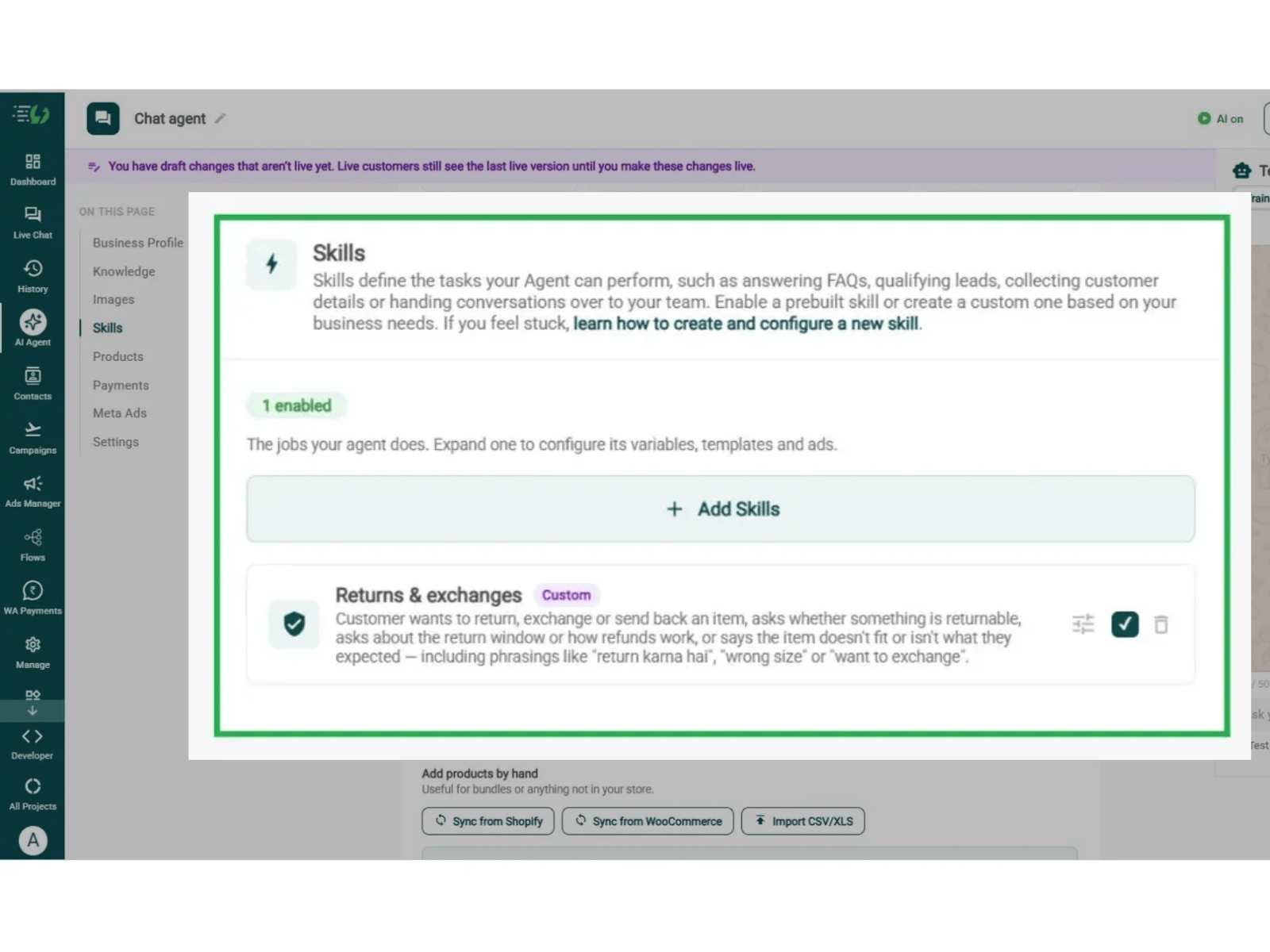
Enable It on Your Agent
The skill you just created lands in the Skills list. You can now switch it on, expand it to set your qualifying questions, your cut-off and where a qualified applicant should go, then hit Done.
All you have to go through is:
Skills list
Enable the returns skill
Expand to configure its variables, templates & ads
Skills enabled counter
In this step, you can train your agent to check the request against your policy and order records, explain the available options, and obtain confirmation before submitting a return.
The agent will then be able to distinguish a submitted request from an approved return or completed refund.
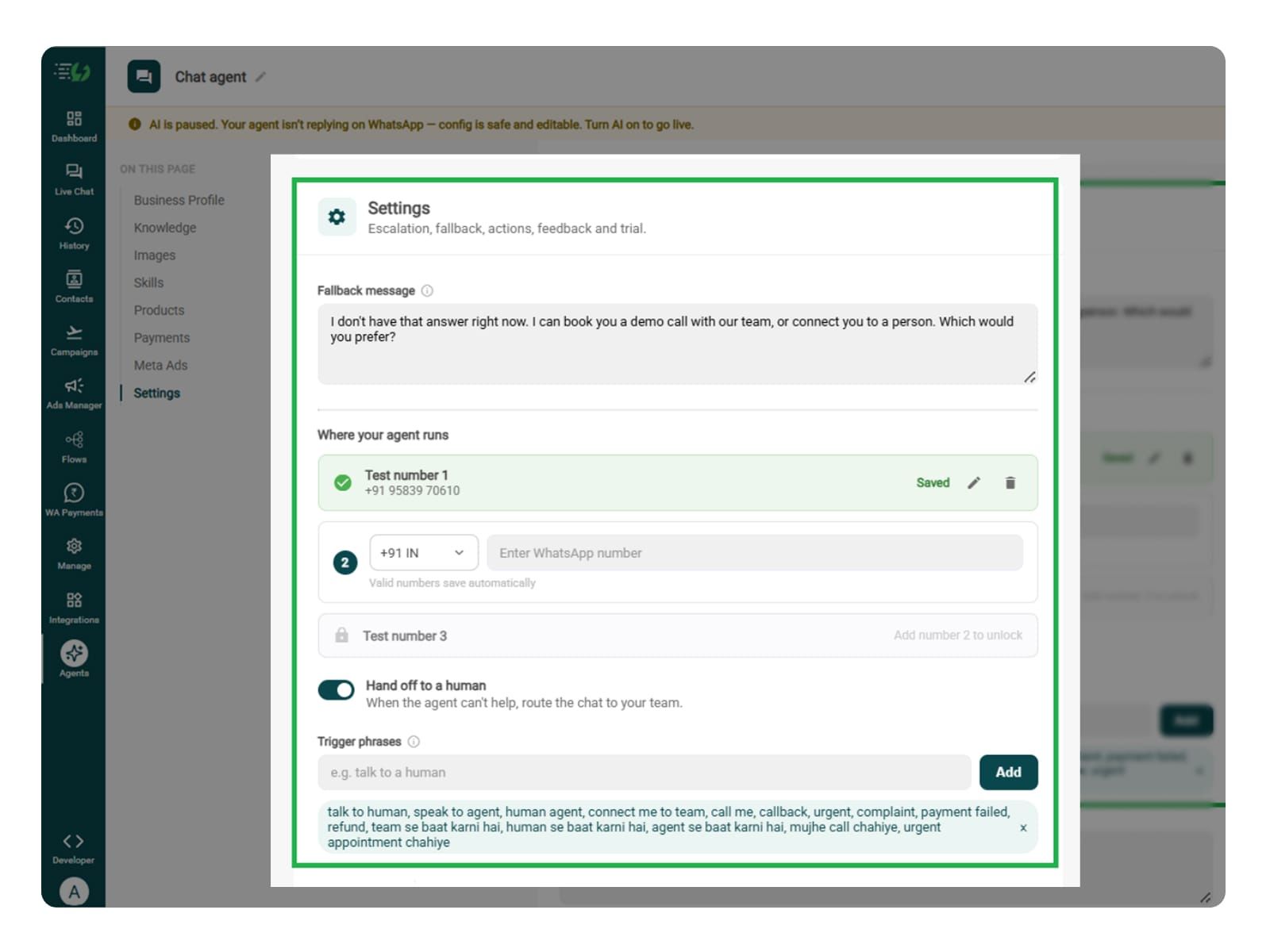
Set Your Fallback & Handoff Rules
In this step, you can train your agent to use triggers for policy exceptions, disputed eligibility, missed pickups, overdue refunds, failed return submissions, or requests for a support representative.
You can decide as to what happens when the AI agent can't help. You can write the fallback message, switch on Hand off to a human, and add the phrases that should pull a person into the WhatsApp chat.
What you must fill:
Fallback message
Where your agent runs: up to 3 test numbers
Hand off to a human: toggle
Trigger phrases
Handoff message
Connect Tools & APIs
It is one of the most crucial steps while building a returns WhatsApp AI agent.
You will need the agent to retrieve order details, check eligibility against purchase records, create return requests, or retrieve pickup and refund status.
You can skip this step if the agent only explains policies and shares a return portal link.
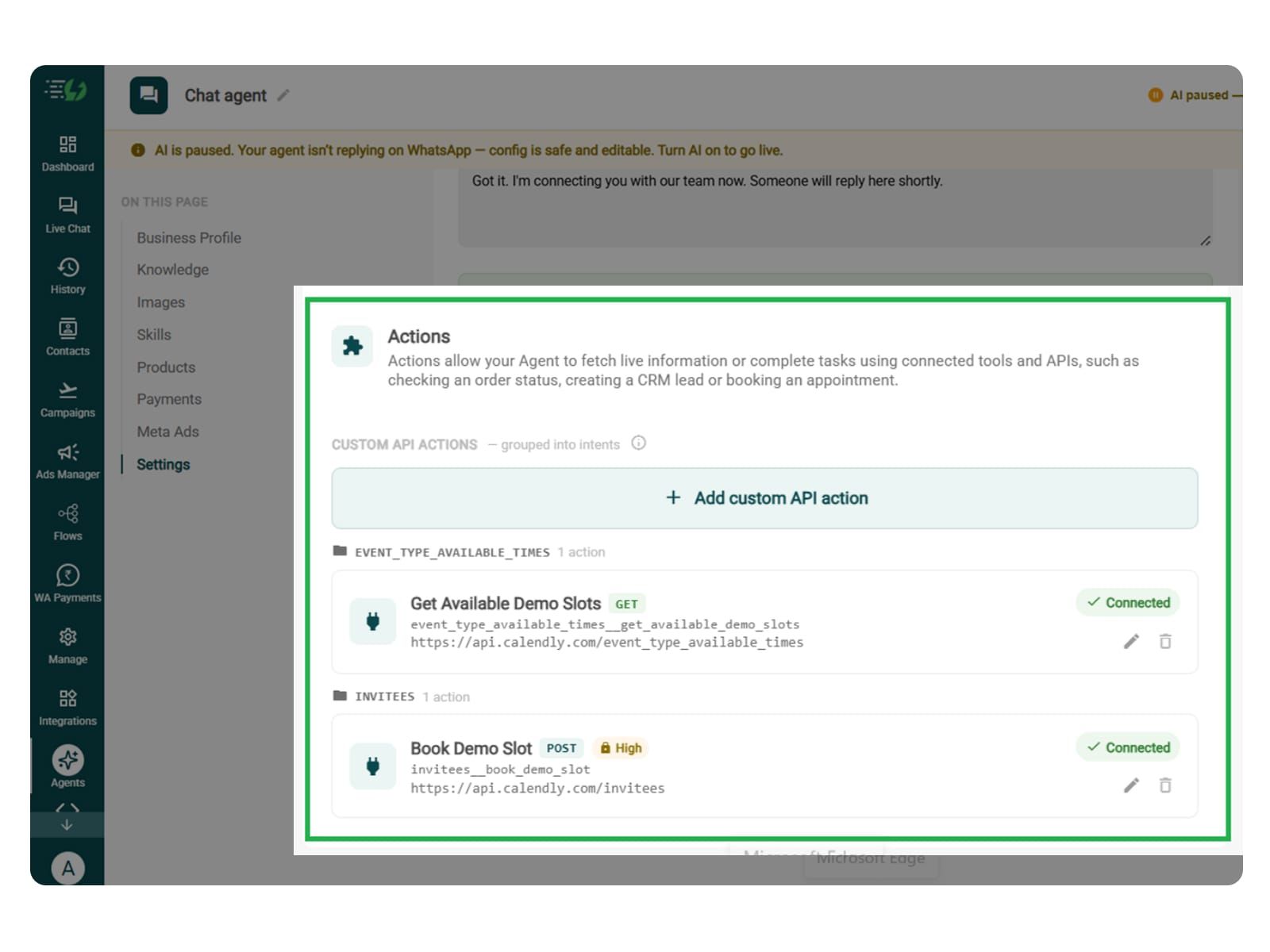
Actions let your agent fetch live information or complete tasks using connected tools and APIs - checking an order status, creating a CRM lead or booking an appointment.
Hit Add custom API action, tell it when to call it, then paste your cURL - the request fills itself in.
Action name
When should the agent call it?
Paste cURL
Request: method + endpoint URL
Headers
Params
Body
Auth
Test call
Click on - Next: variables
Test, Publish & Go Live
Before making the agent go live, you can test it. You can test eligible and ineligible returns, partial returns, duplicate requests, damaged items, and integration failures.
Please ensure that the agent doesn’t promise approval, pickup dates, or refunds without confirmation from the relevant system.
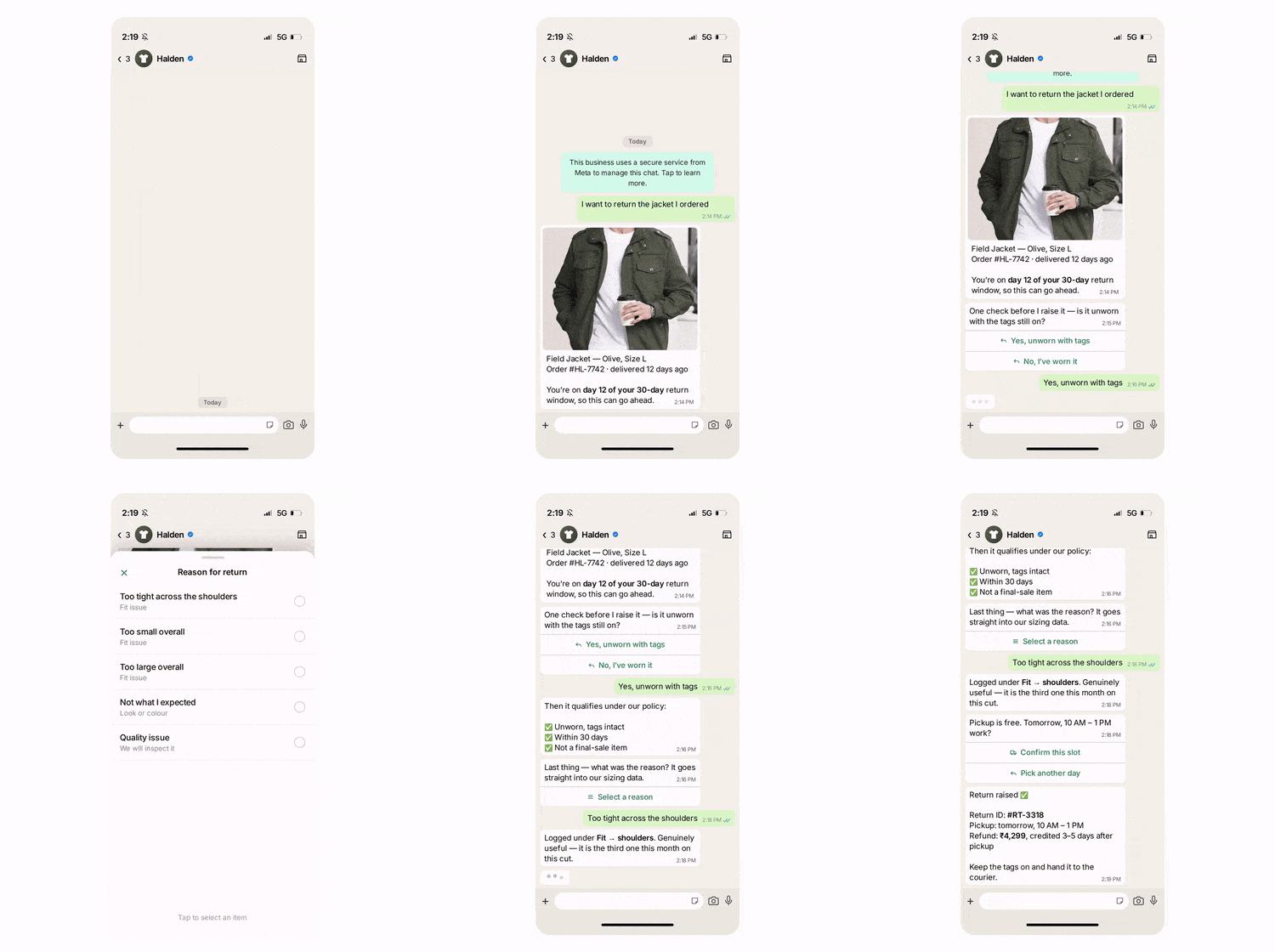
You can chat with your agent before your customers do with AiSensy's 500 free AI messages for a trial.
Publish, switch the AI on & you're live.
Test your Agent panel (Train/Live modes)
Publish
AI on/off toggle