Login

WhatsApp AI Agent by AiSensy

WhatsApp AI Agent for Diet & Workout

Turn diet & workout enquiries into fitness journeys with this WhatsApp AI Agent.

Train the Diet & Workout AI Agent on your fitness programs, meal plans & services, and let it recommend and guide customers 24/7.

No coding needed!

What Your AiSensy Diet & Workout WhatsApp AI Agent Handles

Every step from "what should I eat and how should I train?" to a personalized diet & workout plan, handled inside WhatsApp.

Consults on Diet & Workout Plans

Asks customers about their fitness goals, activity levels, dietary preferences, and workout experience, then recommends a suitable plan from your offerings.

Answers Every Fitness Query

Meal timings, workout routines, exercise techniques, plan duration, and program fees. The WhatsApp AI agent answers questions instantly using your approved fitness information.

Shares Approved Fitness Resources

The AI agent can send meal plan samples, workout schedules, exercise guides, trainer information, FAQs, and other resources you've added to its knowledge.

Helps Users Compare Different Plans

If you offer multiple diet, workout, or coaching programs, the agent can explain the differences and help users understand which option better matches their needs.

Guides Users to the Next Step

Guides users to book consultations, join programs, request custom plans, or make payments through configured integrations.

Collects Details Before Human Handover

For cases that need a trainer, nutritionist, or sales team, the agent can first collect the user's goals, preferences, questions, and contact details so your team gets the full context.

How a Diet & Workout Plan Gets Started on WhatsApp

Here’s how the AiSensy Diet & Workout WhatsApp AI Agent understands goals, recommends plans, guides sign-ups, and hands off when needed.

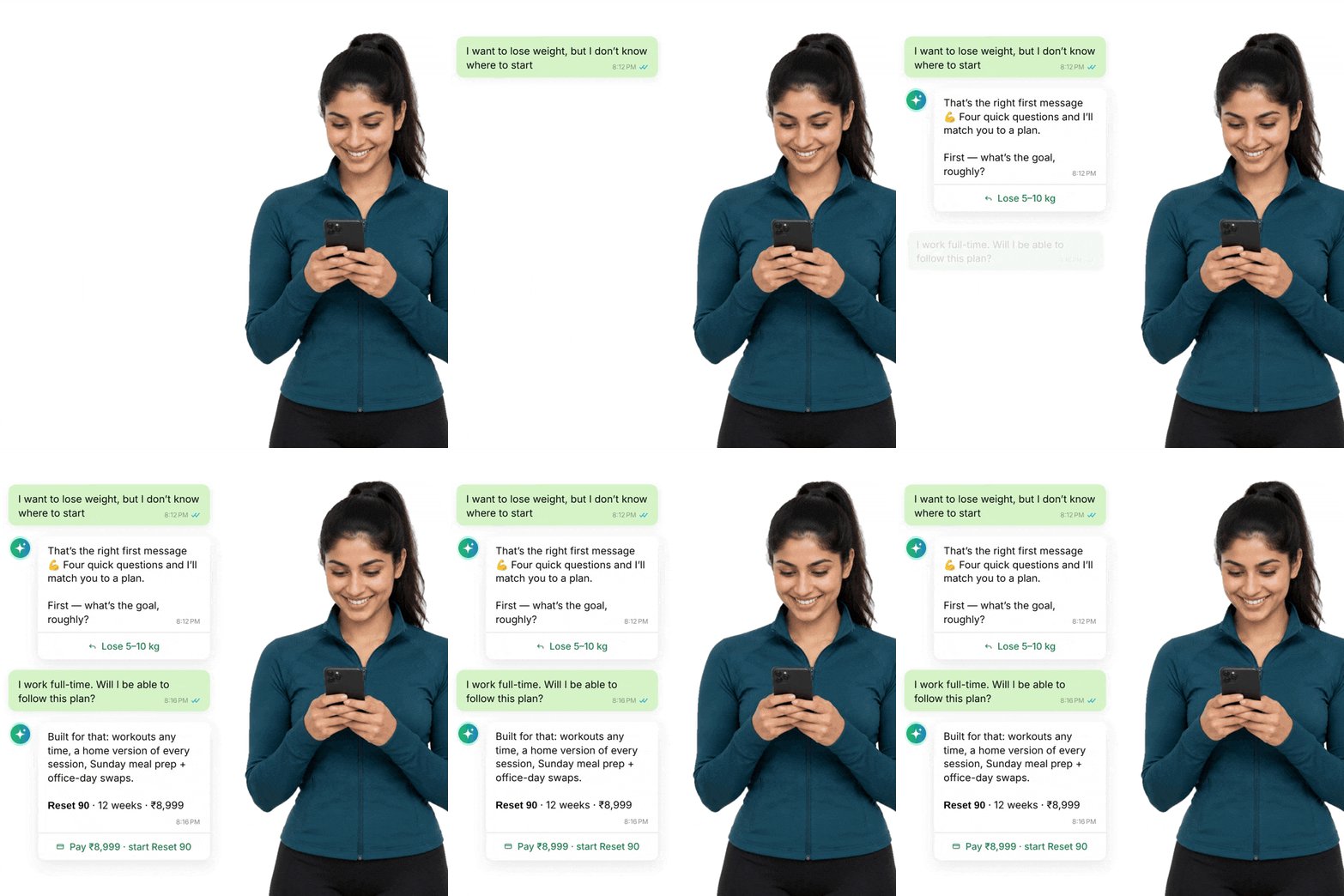
  • Understanding Their Fitness Goals

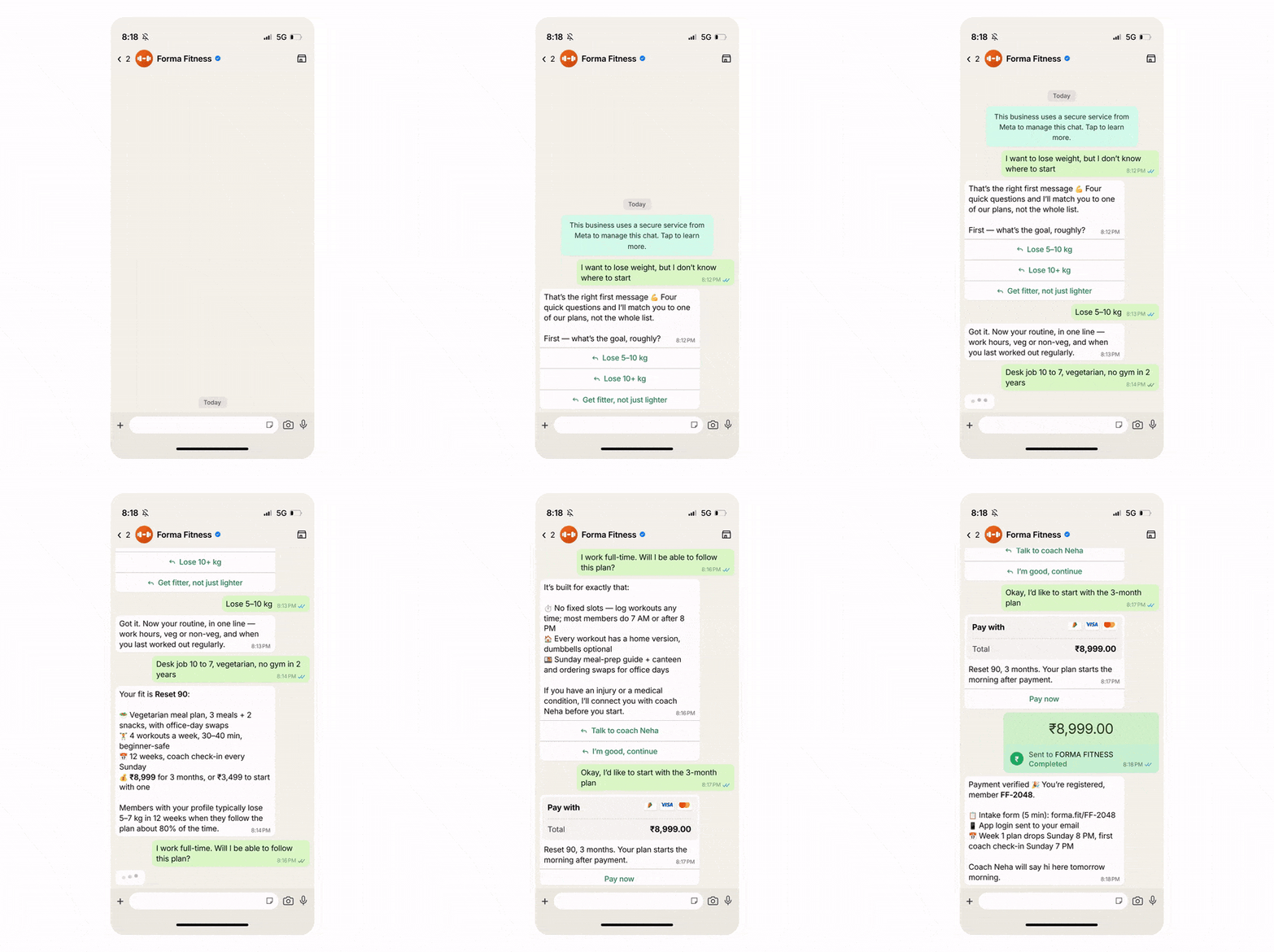
    Customer: "I want to lose weight, but I don't know where to start."

    The WhatsApp AI Agent asks a few questions about their fitness goals, routine, and preferences to understand their needs.

  • Finding a Plan That Fits

    Based on their goals and preferences, the AI Agent recommends suitable diet and workout plans, explaining meal options, workout schedules, duration, and pricing to help customers choose the right program.

  • Clearing Doubts Before They Commit

    Customer: "I work full-time. Will I be able to follow this plan?"

    The agent explains flexible workout timings, home exercise options, and meal planning support. For specialised guidance, it connects customers with a fitness expert.

  • Turning Interest Into a Sign-Up

    Customer: "Okay, I'd like to start with the 3-month plan."

    The WhatsApp AI Agent shares a secure payment link, helps complete registration after payment verification, and shares program details to get started.

  • Key Terms: How AiSensy WhatsApp AI Agent works

    A brief description on each section you'll see inside AiSensy WhatsApp AI Agent dashboard and what each one actually does.

    term_1_business_profile.png

    Business Profile

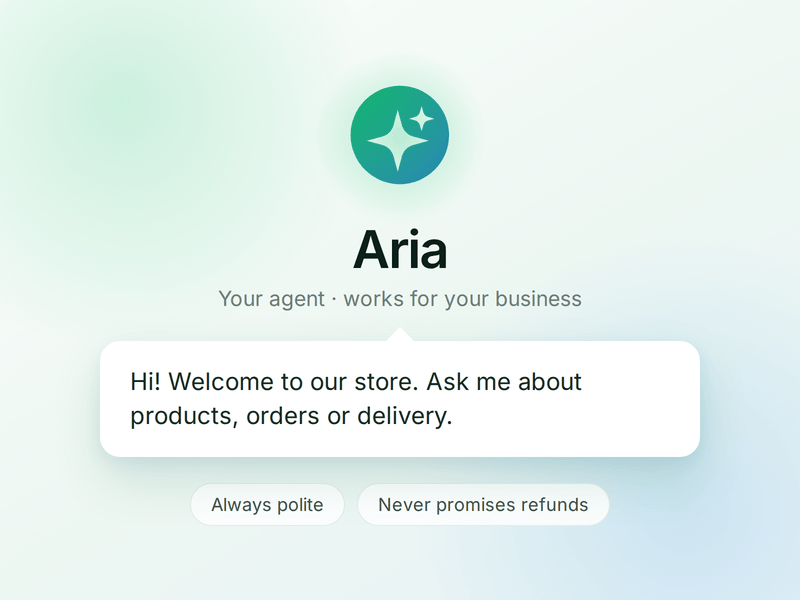
    Who your agent is and who it works for. Your business details, the agent's name and greeting, and the ground rules it must always follow.

    term_2_knowledge.png

    Knowledge

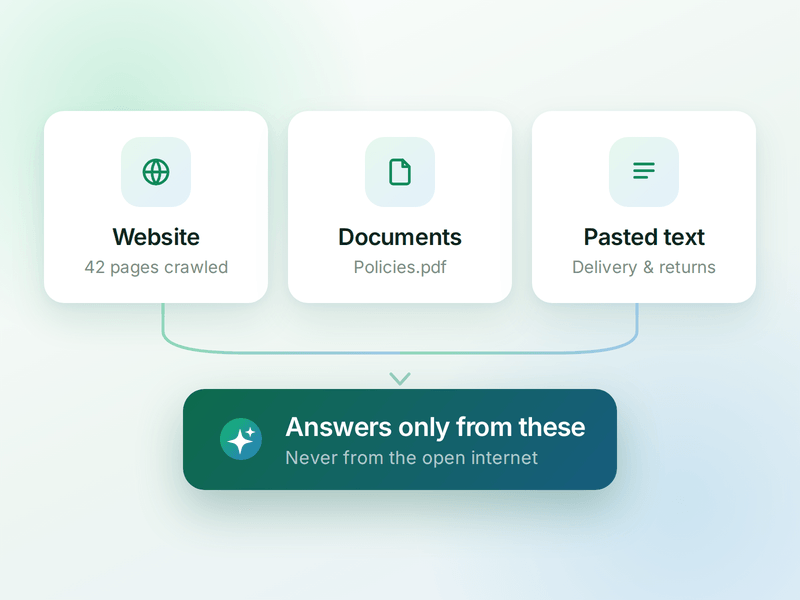
    Everything your agent is allowed to know. Crawl your website, upload documents or paste text - the WhatsApp AI agent answers from these, not from the internet.

    term_3_skills.png

    Skills

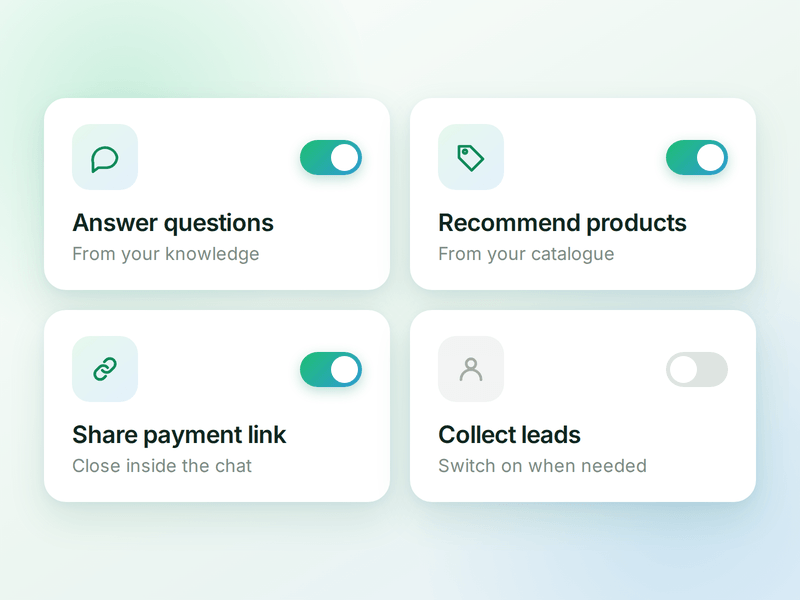
    The jobs your agent can do. Switch on a ready-made skill or create your own, and the agent works out which one a conversation needs.

    term_4_products.png

    Products

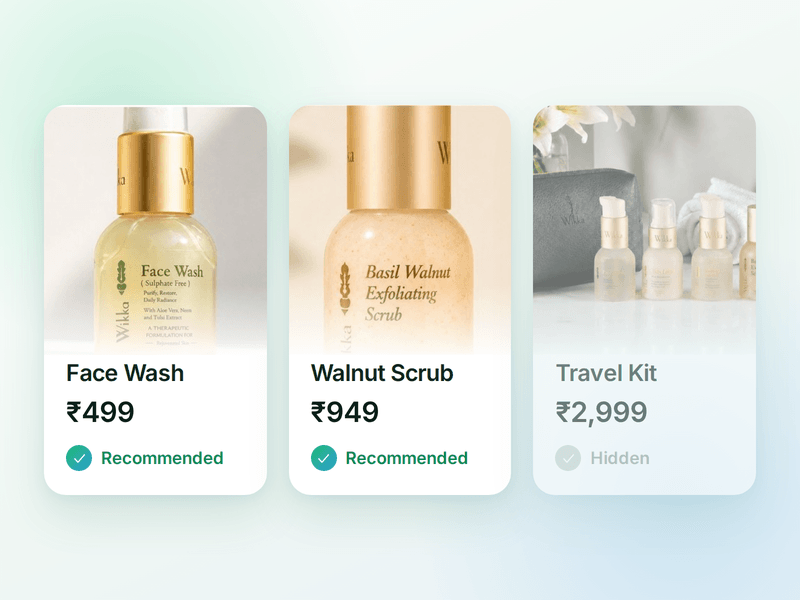
    The catalogue your agent sells from. Sync your store or add items by hand, then pick which ones the agent is allowed to recommend.

    term_5_payments (1).png

    Payments

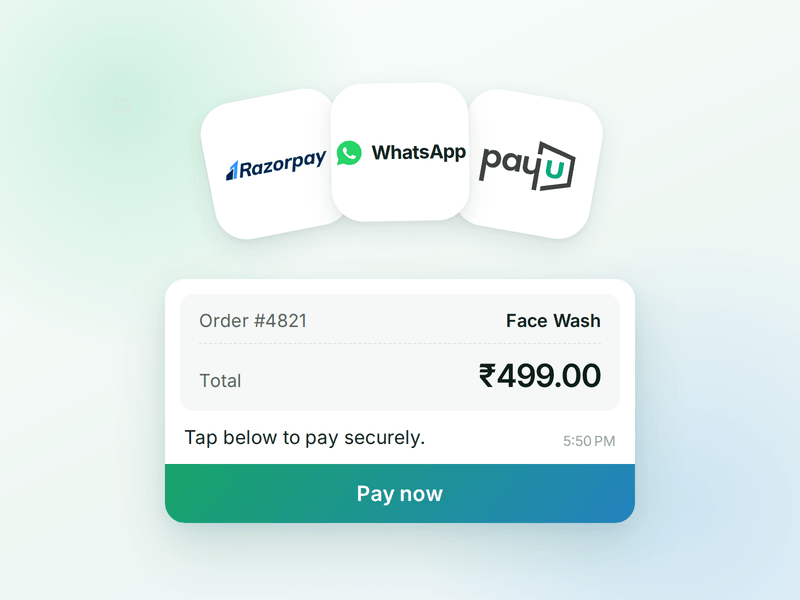
    Your checkout, inside the WhatsApp chat. Connect Razorpay or PayU & the agent can send a secure payment link the moment a customer decides.

    term_6_ai_messages (2).png

    AI Messages

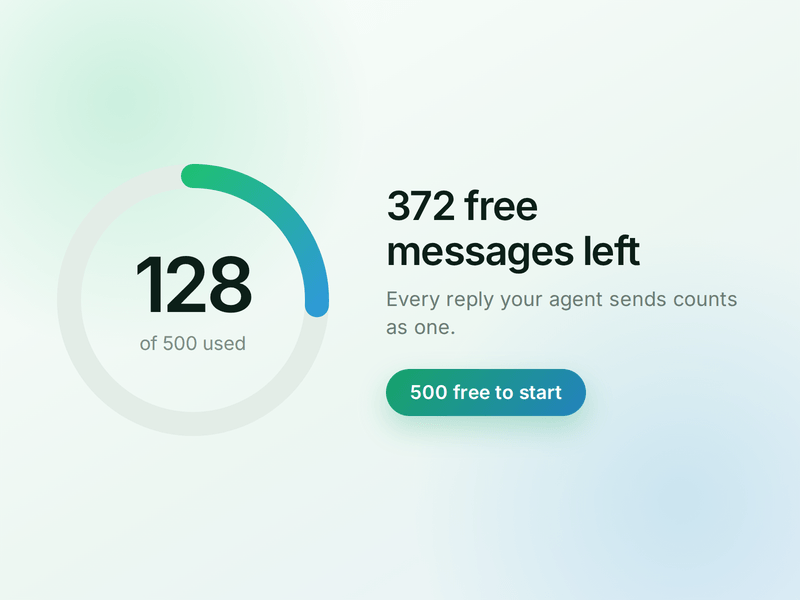
    Each reply sent by your AI Agent counts as one AI Message and is deducted from your active plan. You get 500 free AI Messages to test your agent before going live.

    How to Build Your WhatsApp Diet & Workout AI Agent in AiSensy

    Here’s how a real brand goes from zero to a live Diet & Workout AI Agent on WhatsApp.

    Sign up on AiSensy

    Go to the AiSensy Signup Page. Create your account using either:

    • Your Google account, or

    • Your business email address by filling out the sign-up form.

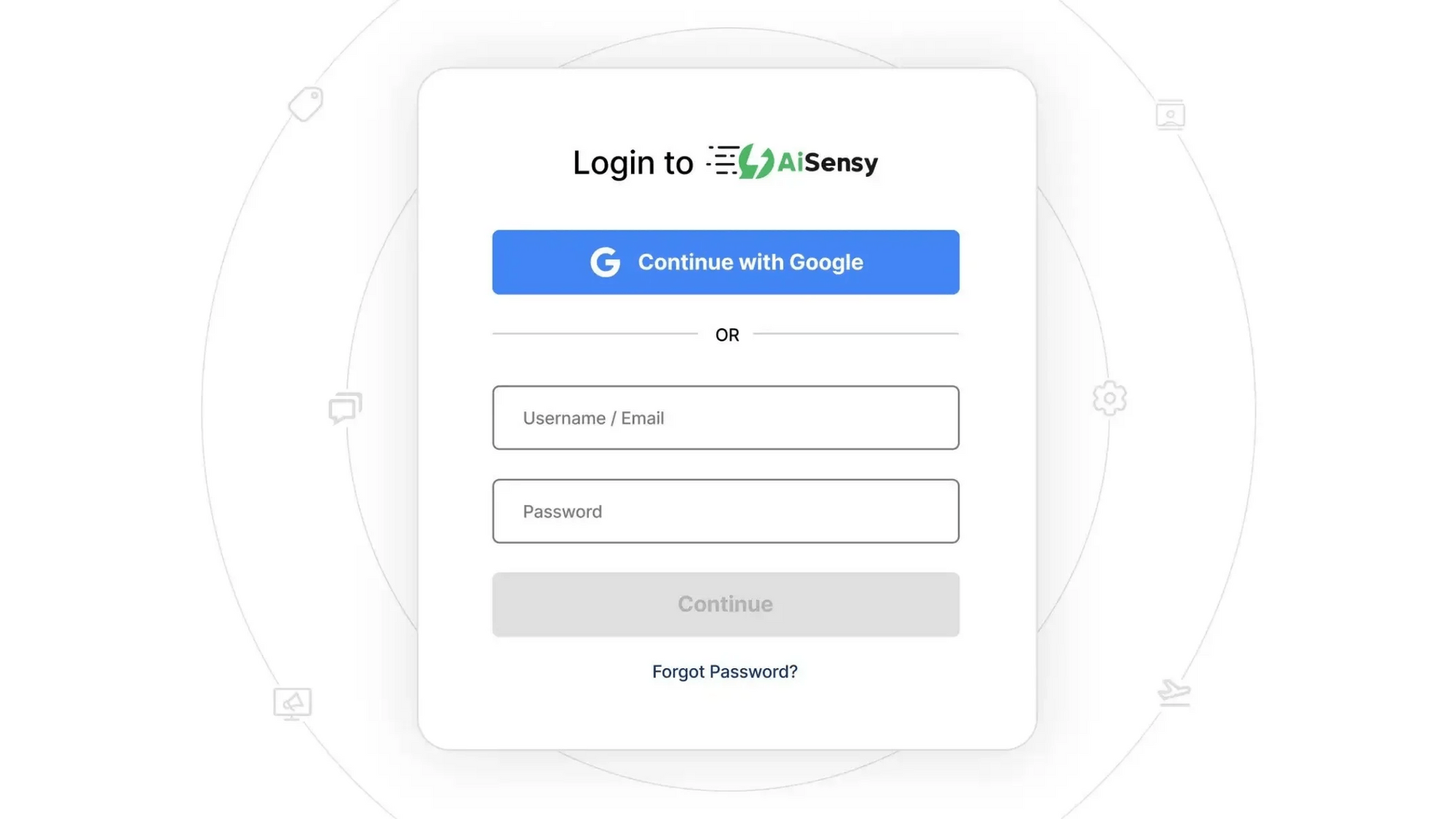
    Once signed up, Log in to AiSensy using the same Google account or email credentials.

    login1.png

    Build Your Agent from Your Website

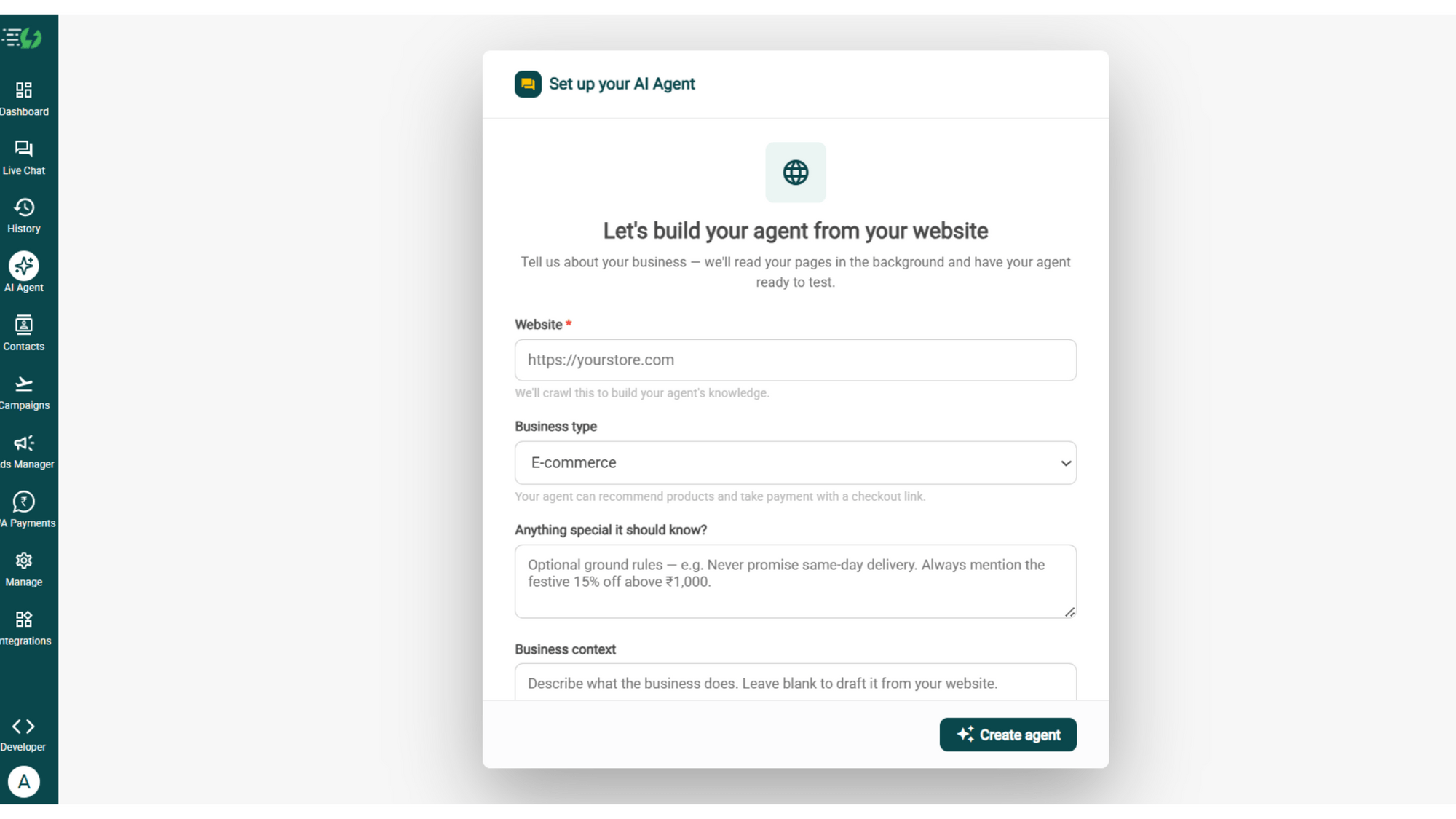
    Once you are logged in, navigate to and click on AI Agent available on the navbar on the left.

    Fill in the details given below:

    • Website (mandatory)

    • Business type

    • Anything special it should know? (optional)

    • Business context (optional)

    Once you fill these details correctly, proceed to hit '✨ Create agent' button. AiSensy automatically builds an agent trained on your business.

    image (4).png

    Add Your Business Profile

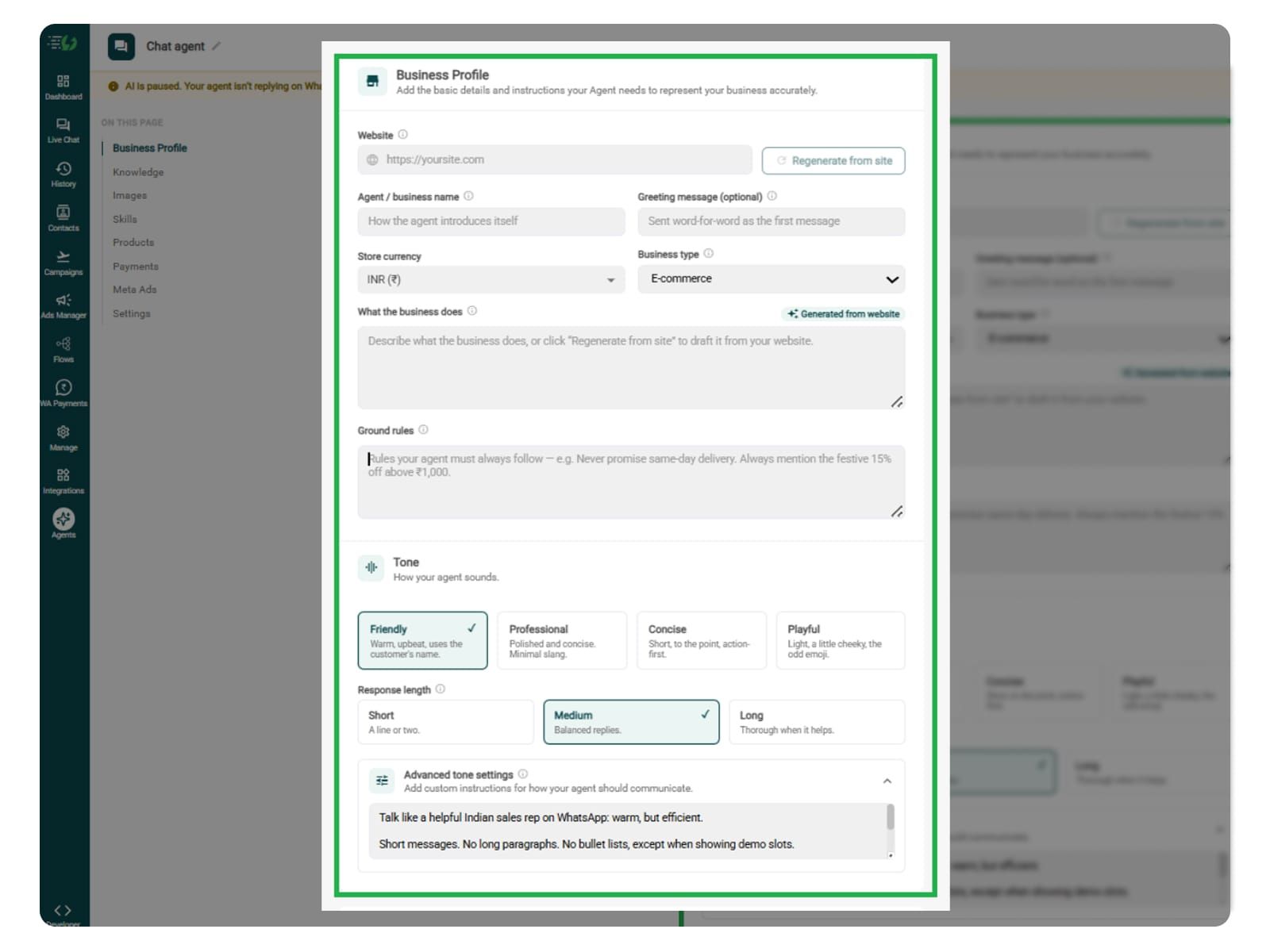
    When you add your website, AiSensy AI engine auto-generates your business description. You can here set your agent's name, greeting, and a few ground rules it must always follow.

    Fill the details given below:

    • Website (fetched automatically)

    • Agent/business name

    • Greeting message (optional)

    • Store currency

    • Business type

    • What the business does

    • Ground rules

    Add business profile.jpg

    Train the Agent with Your Knowledge

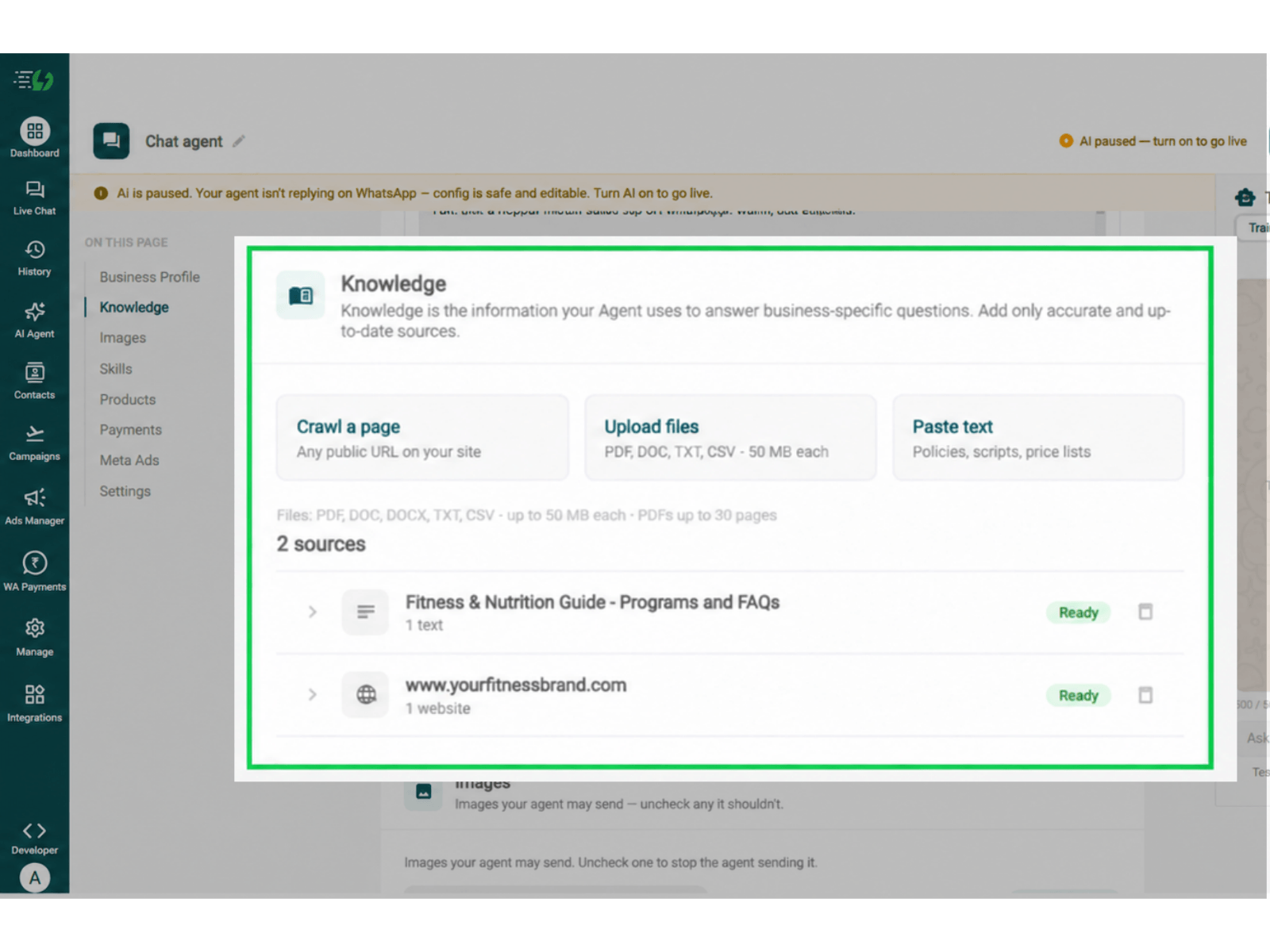
    In this step, you need to tell the agent about your fitness or wellness business website. Add information about your diet plans, workout programs, fitness goals, meal schedules, exercise routines, program duration, pricing, and trainer support.

    You can submit this information through PDF, DOC, TXT, or CSV files. The WhatsApp AI Agent uses the information you provide to answer customer enquiries accurately and recommend suitable diet and workout programs without making up details.

    Every source shows "Ready" once learned.

    Perform the below-mentioned steps:

    • Crawl a page (website URL)

    • Upload files (PDF, DOC, TXT, CSV – up to 50MB each)

    • Paste text (policies, scripts, price lists)

    For your reference, you can train your agent to answer questions about weight management programs, diet preferences, meal plans, workout schedules, home vs. gym workouts, program fees, fitness consultations, and trainer availability.

    diet & workout knowledge.png

    Choose the Images It Can Share (Optional)

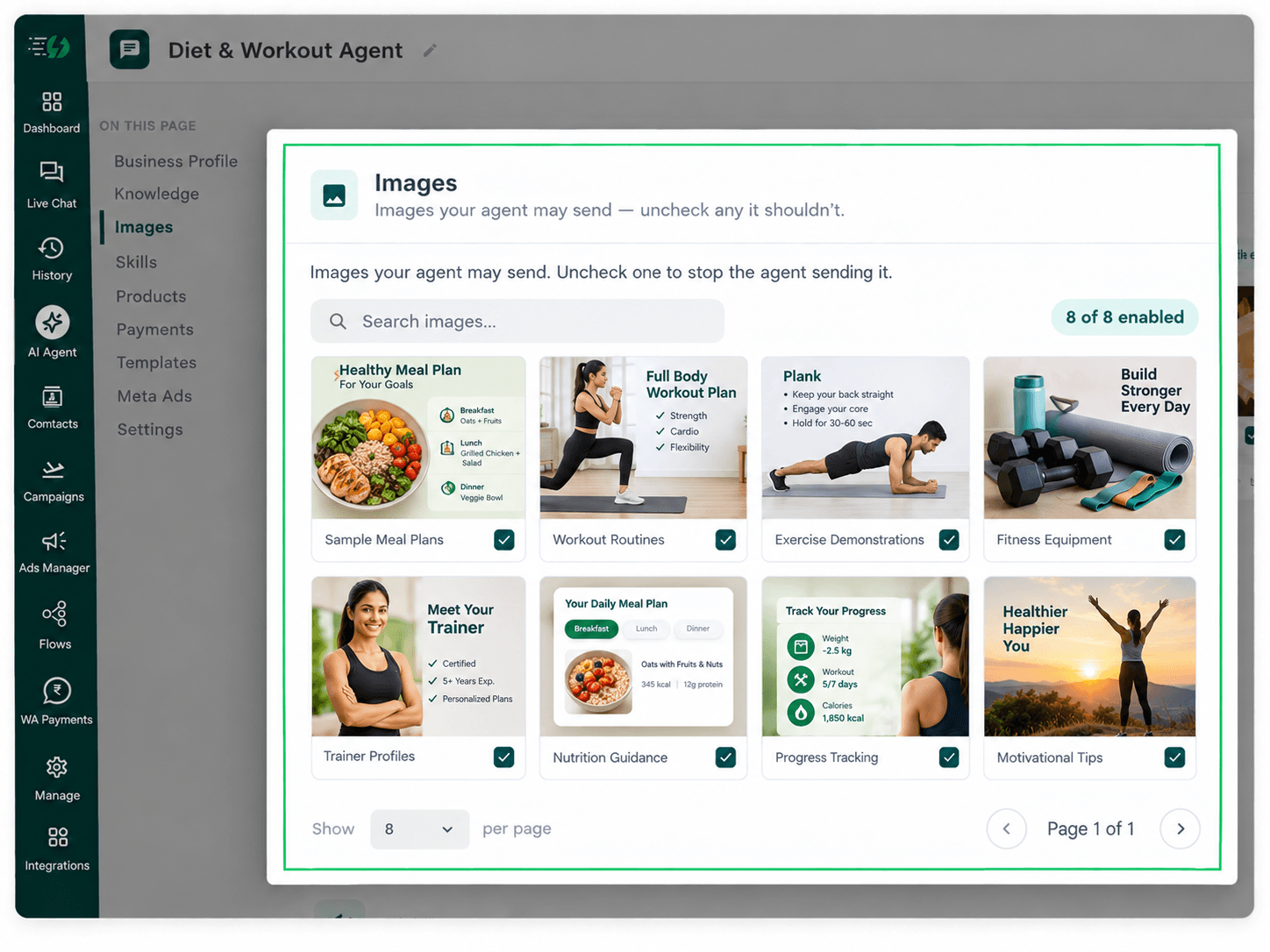
    This step is entirely optional. You can add images of sample meal plans, workout routines, exercise demonstrations, fitness equipment, and trainer profiles to help customers understand your diet and workout programs before signing up.

    When you add your website, the WhatsApp AI Agent automatically fetches images from it. You can review and control which visuals the agent can share with customers during WhatsApp conversations.

    Untick any image you don't want the agent to send.

    You can:

    • Create Image library (enable/disable per image)

    • Search images

    • Upload guidelines PDF for better understanding

    diet.png

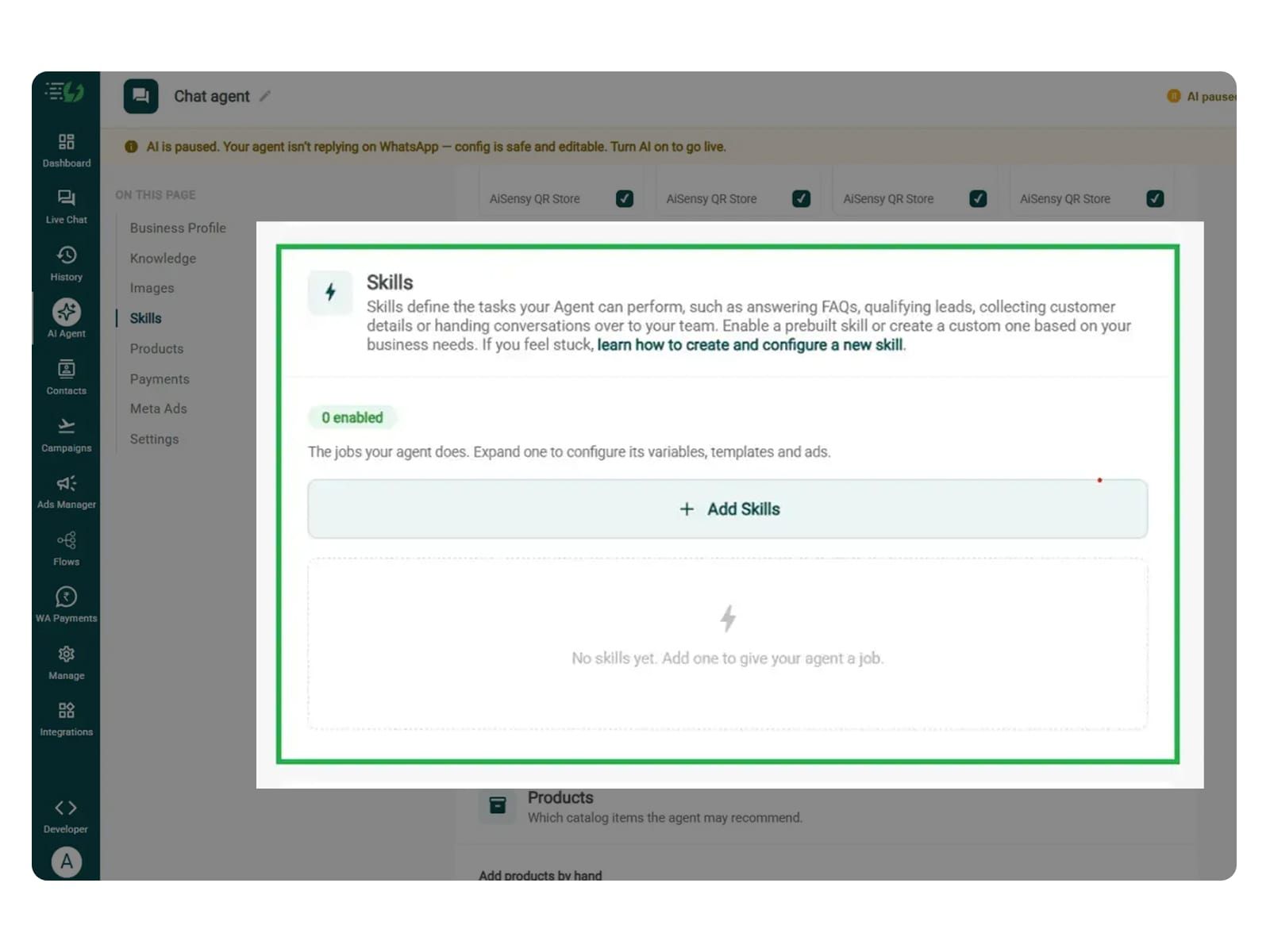
    Create the Diet & Workout Skill

    In this step, navigate to and open Add Skills. Check the prebuilt skills list first. If the skill you need isn't already available, click Create custom, name it Diet & Workout Guidance, and select Task skill as the type.

    • What kind of skill is this? (Task skill)

    • Icon & name: Diet & Workout Guidance

    • When should the agent use it?

    • Instructions

    • Add skills

    Make sure the instructions you provide are clear and easy to understand. The agent follows these instructions to understand customers' fitness goals, recommend suitable diet and workout programs, and guide them through the next steps.

    One such template is:

    “When someone asks 'Can you suggest a diet and workout plan?', ask about their fitness goals, activity level, dietary preferences, workout experience, and budget, one question at a time. Recommend suitable programs from the information provided and explain their meal plans, workout schedules, duration, pricing, and available trainer support. Do not promise specific fitness results or provide medical advice. If someone has an injury, medical condition, or needs a personalised health assessment, refer them to a qualified professional.”

    Once you enter these instructions, the agent uses your provided knowledge to respond to diet and workout enquiries accordingly.

    For more information, learn how to create a custom skill.
    add skills.jpg

    Enable the Diet & Workout Skill on Your Agent

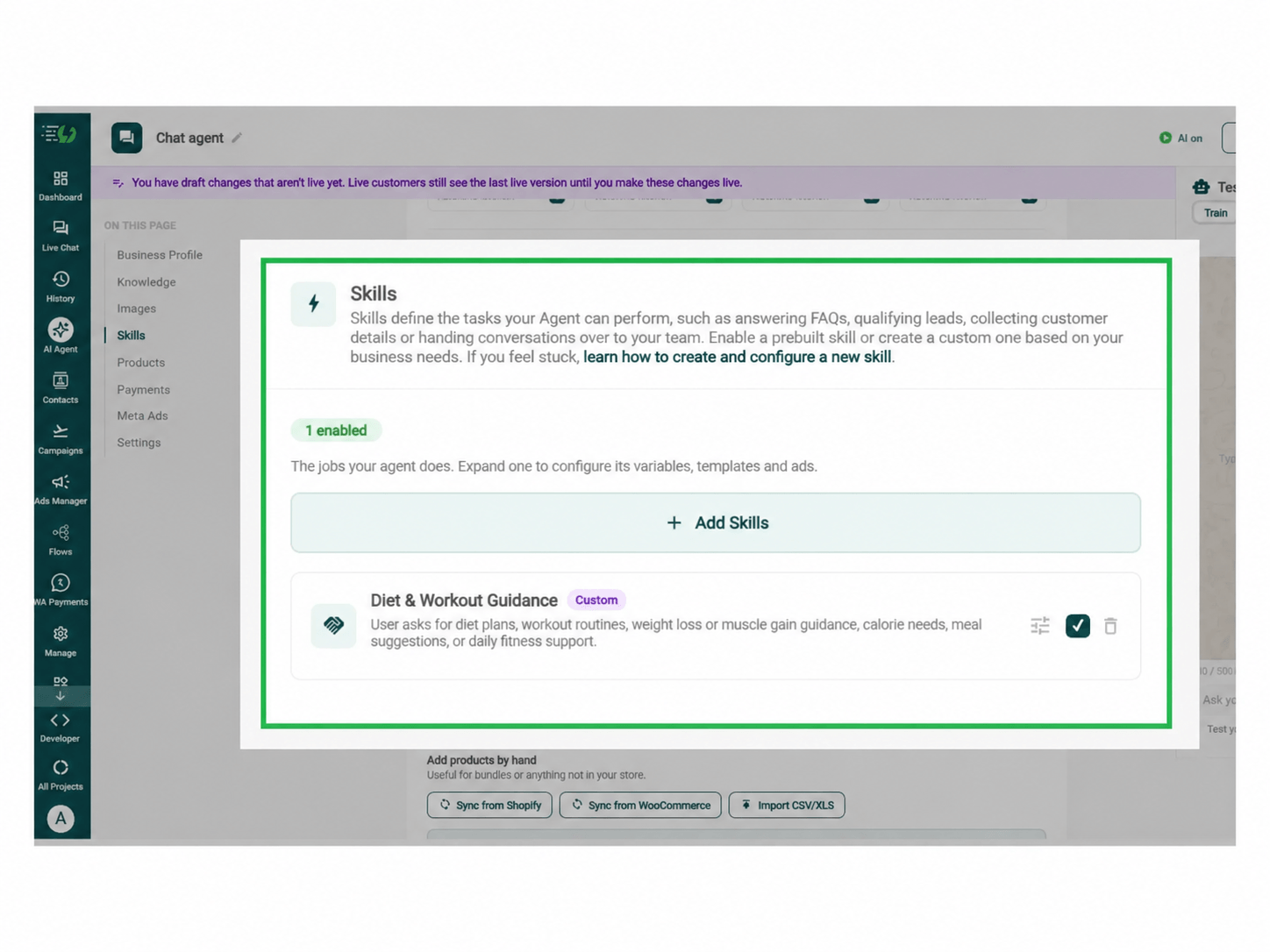
    Now that you have created the Diet & Workout Guidance skill, it will appear in the Skills list. You can switch it on, expand it to configure and then click Done.

    All you have to go through is:

    • Skills list

    • Enable the Diet & Workout Guidance skill

    • Expand to configure its variables, templates & ads

    • Skills enabled counter

    Your agent is now trained to understand fitness enquiries, recommend suitable diet and workout programs, and guide customers towards signing up.

    Before enabling the skill, make sure you have configured the Diet & Workout Guidance skill to ask about customers' fitness goals, activity levels, dietary preferences, workout experience, and budget.

    Train the agent to recommend suitable programs from the options available, explain why they fit, and refer customers who need specialised health or fitness advice to a qualified professional.

    Note* For customers with medical conditions, injuries, or specialised dietary requirements, configure the AI agent to refer them to a qualified fitness or healthcare professional rather than providing unverified medical advice.

    Diet & Workout Guidance Dashboard.png

    Connect Your Payment Gateway (Optional)

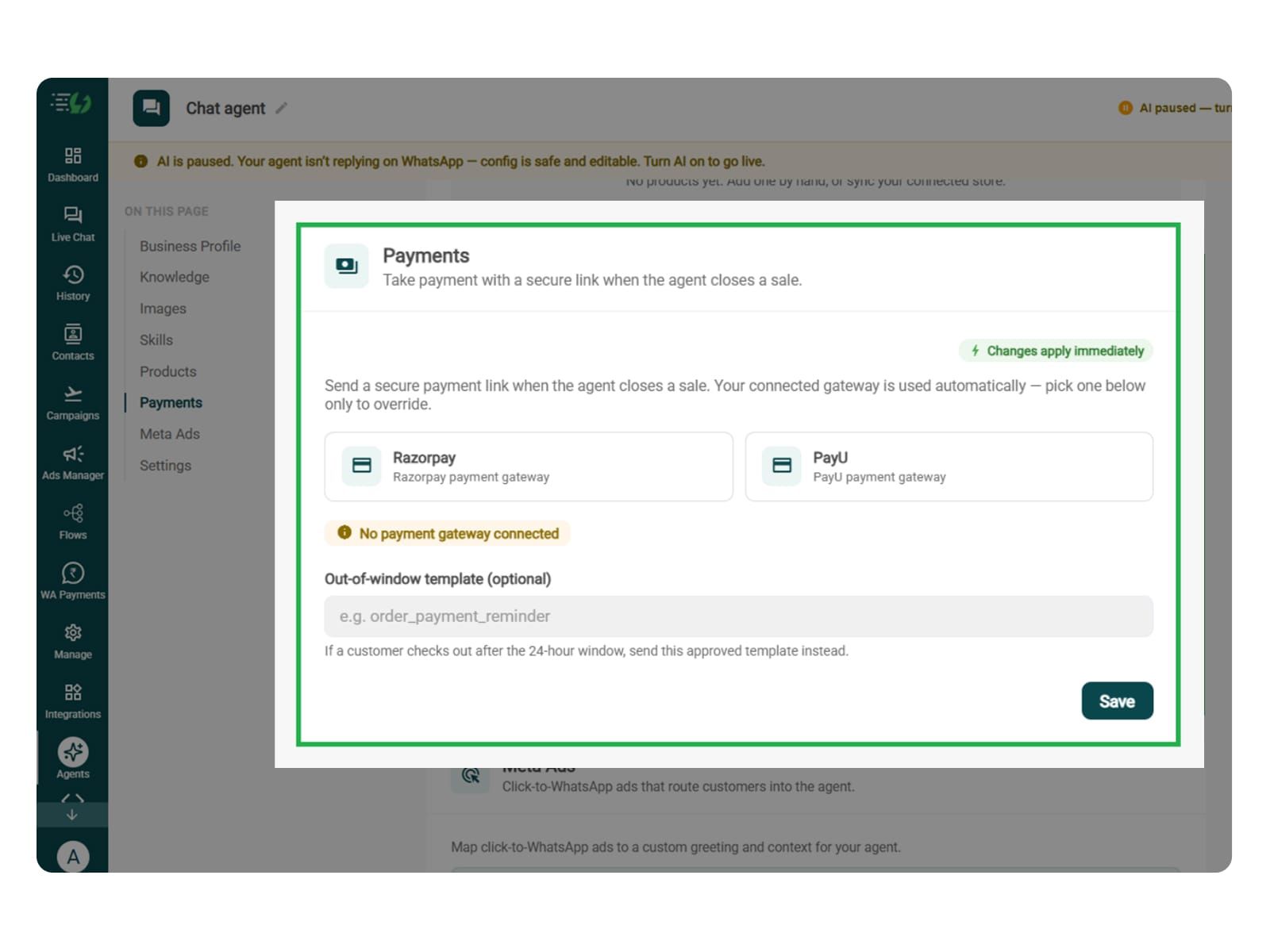
    Connect your payment gateway so the Diet & Workout WhatsApp AI Agent can share a secure payment link directly in the WhatsApp chat when a customer is ready to purchase a fitness program.

    • Payment gateway (Razorpay or PayU)

    • Out-of-window template (optional)

    This step is relevant only if you allow customers to purchase diet plans, workout programs, or personal training packages through the agent.

    You can skip this step if the agent only answers fitness enquiries, recommends suitable diet and workout plans, or connects customers with a fitness expert for further guidance.

    payments.jpg

    Link Your Meta Ads (Optional)

    This step is useful if you are running Click-to-WhatsApp ads promoting diet plans, workout programs, weight management packages, or personal training services. It helps the agent understand which fitness program or offer brought the customer to WhatsApp.

    Are you also running Click-to-WhatsApp ads?

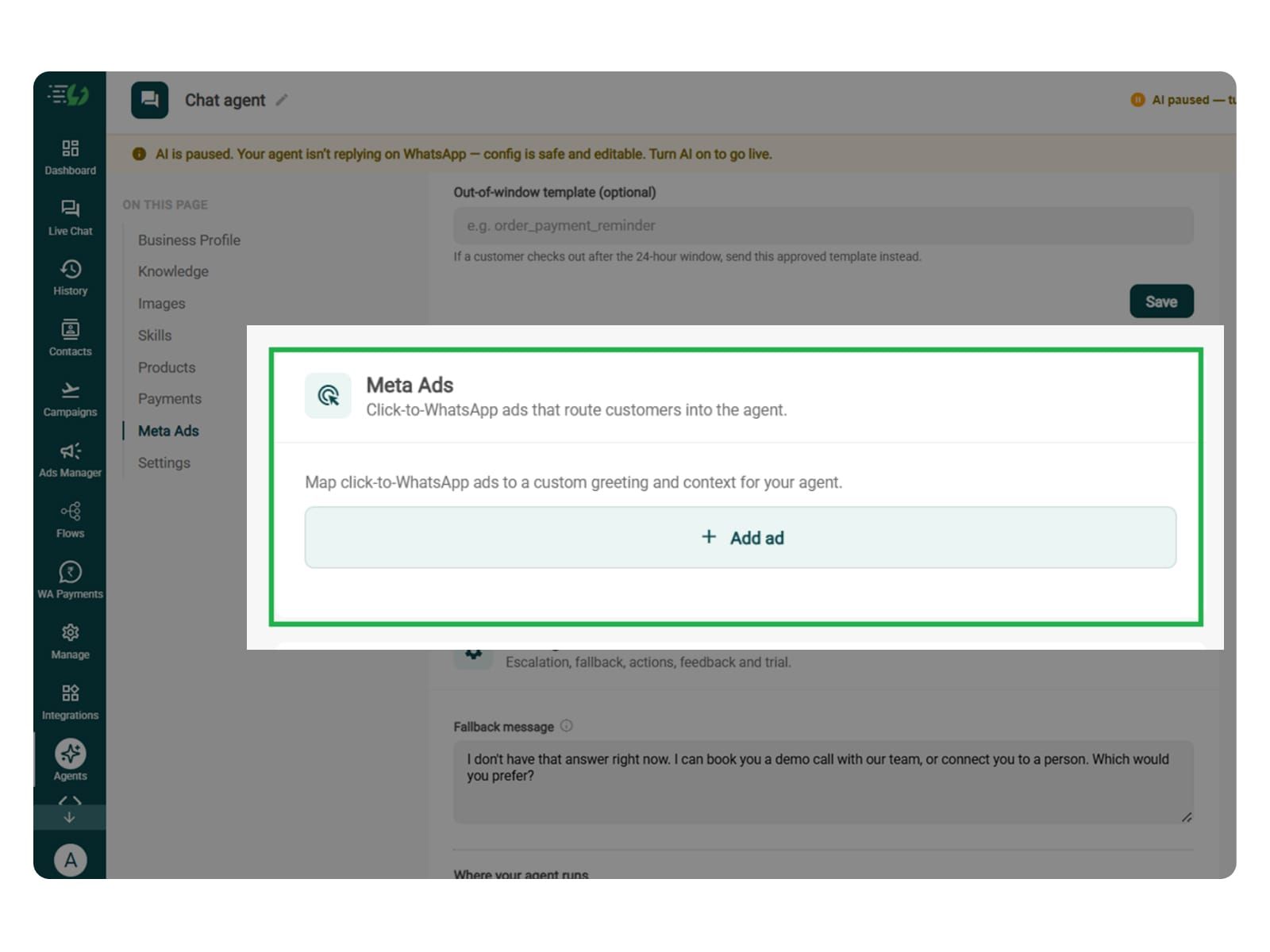
    If yes, you can map each ad to a custom greeting and context, so the agent knows exactly which diet or workout program the customer is interested in and responds accordingly.

    • Add ad (map ad → custom greeting & context)

    • Ad ID

    • Label

    • Greeting (first message to user)

    • Context (extra context for the agent)

    • Discount honoured at checkout (optional)

    • Products featured in this ad

    meta ads.jpg

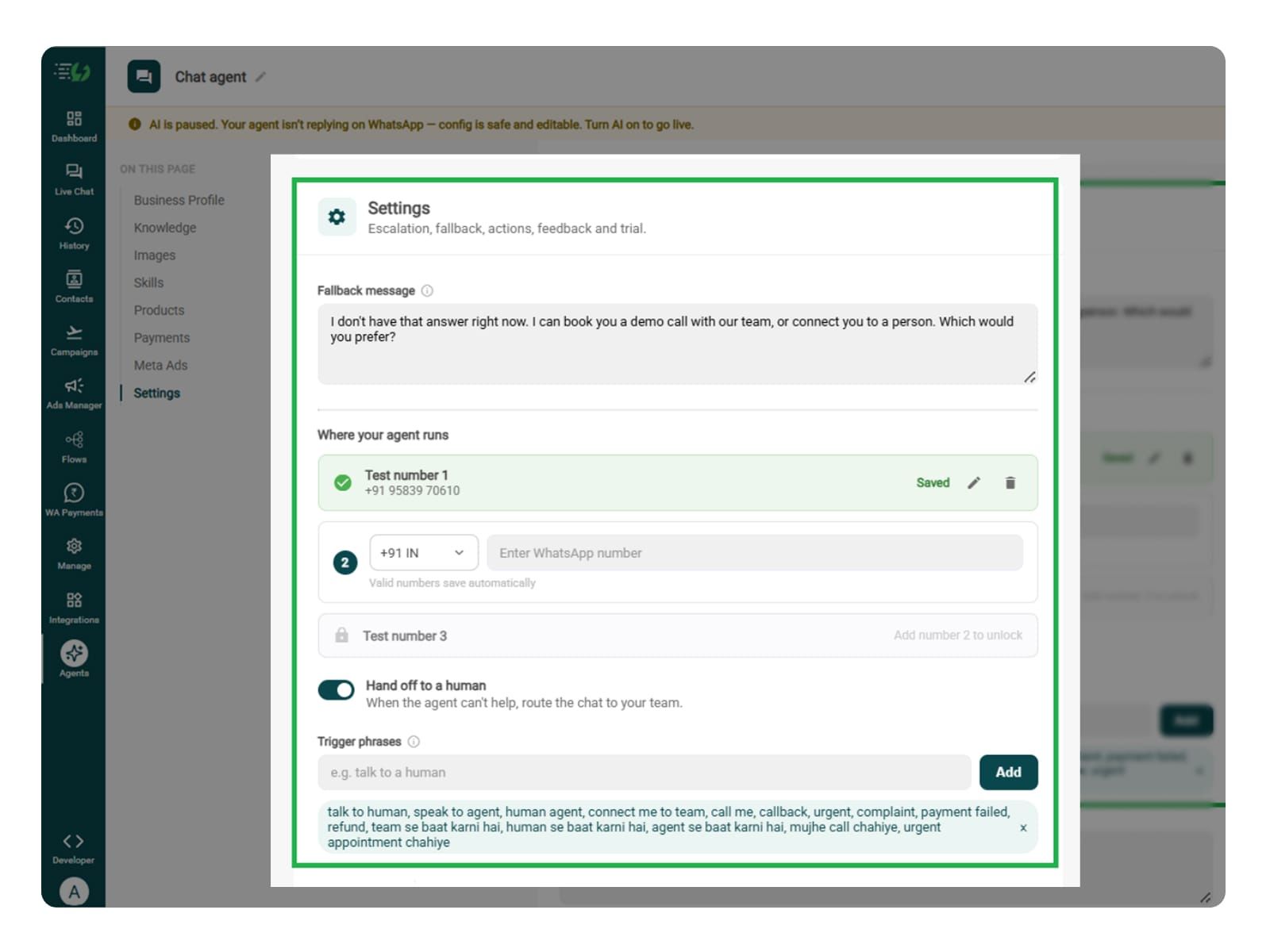
    Set Your Fallback & Handoff Rules

    You can set handoff triggers for customers who need personalised diet or workout guidance, have specific health concerns, ask questions outside the agent's knowledge base, request special pricing, or want to speak with a fitness expert.

    Fallback message: Write a reply for when the agent cannot find information about diet plans, workout programs, pricing, schedules, or trainer availability.

    Human handoff: Enable handoff for personalised nutrition consultations, medical conditions, injuries, specialised workout requirements, payment issues, and requests to speak with a certified trainer or nutritionist.

    In this step, you decide what happens when the agent cannot help. Write the fallback message, switch on Hand off to a human, and add the phrases that should transfer the conversation to your fitness or wellness team.

    What you must fill:

    • Fallback message

    • Where your agent runs: up to 3 test numbers

    • Hand off to a human: toggle

    • Trigger phrases

    • Handoff message

    fallback.jpg

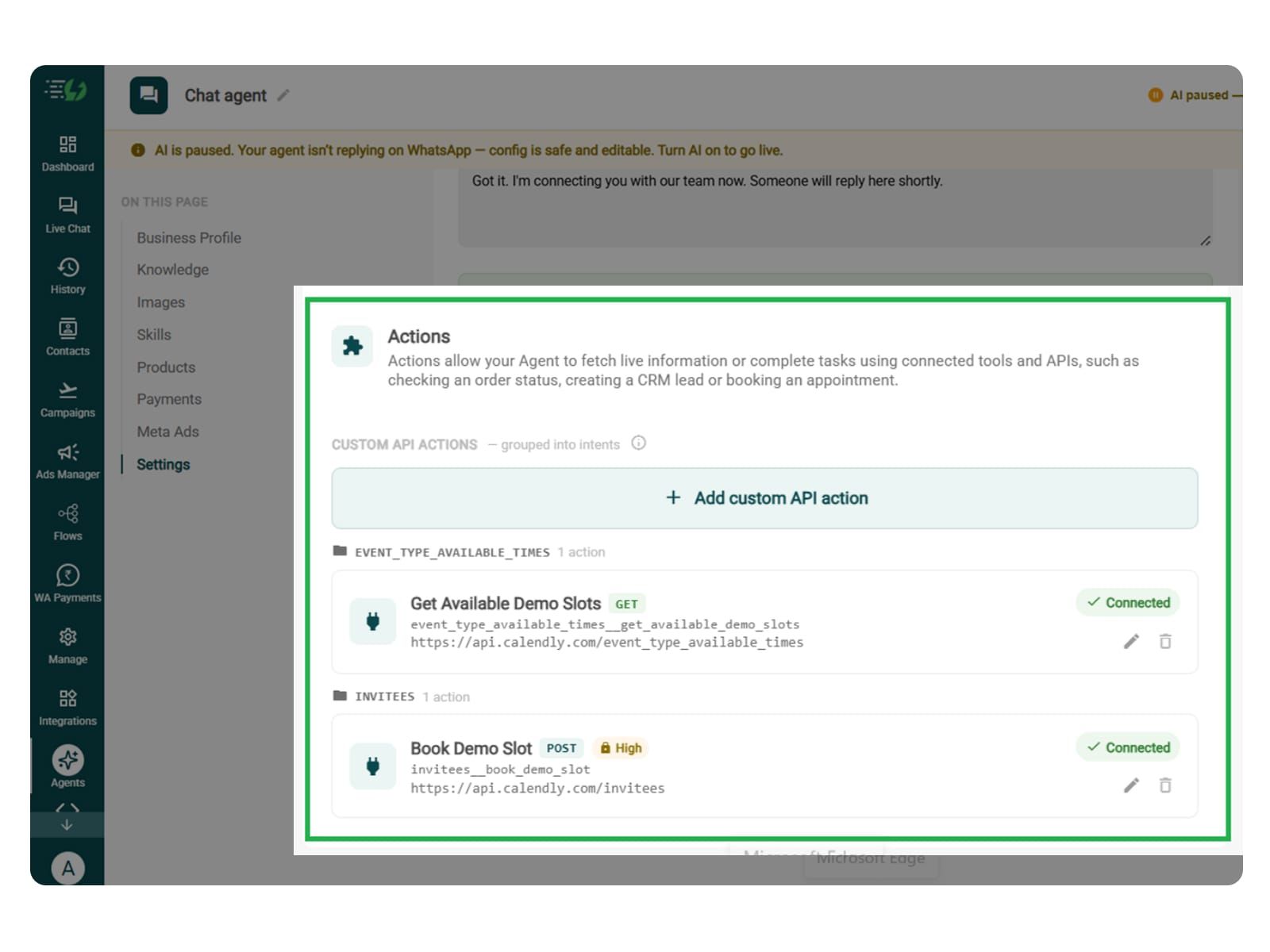
    Connect Tools & APIs (Optional)

    This step is optional and depends on your agent's requirements. It is useful when you want the Diet & Workout AI Agent to check trainer availability, book fitness or nutrition consultations, retrieve program details, or send customer enquiries to an external CRM.

    These actions allow your agent to fetch real-time information or complete tasks through connected tools and APIs, such as scheduling a consultation, checking program availability, or creating a lead in your CRM.

    Click Add custom API action, specify when the agent should use it, and paste your cURL to automatically fill in the request details.

    • Action name

    • When should the agent call it?

    • Paste cURL

    • Request: method + endpoint URL

    • Headers

    • Params

    • Body

    • Auth

    • Test call

    Click Next: variables to continue.

    Actions.jpg

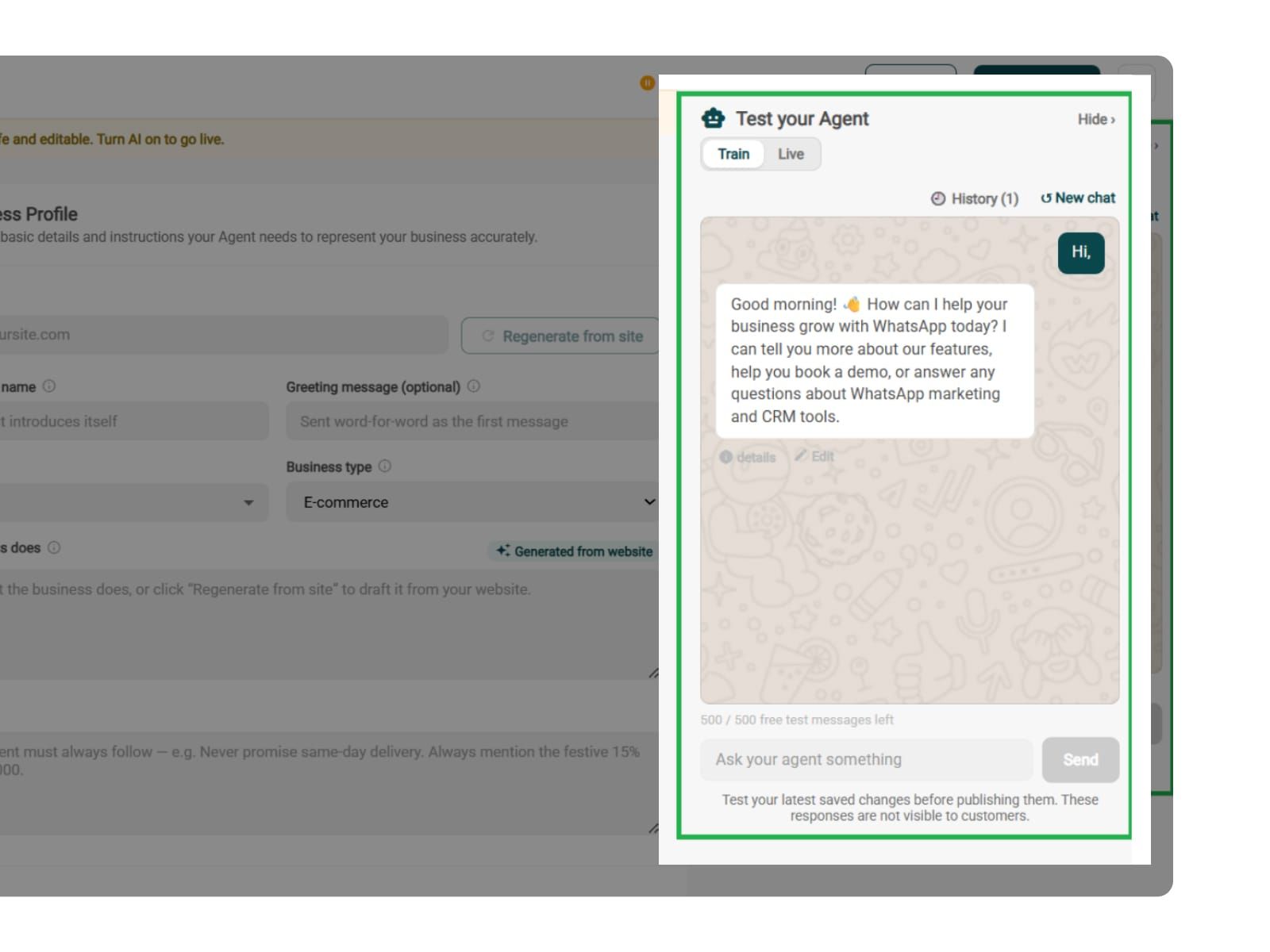
    Test, Publish & Go Live

    Before your AiSensy Diet & Workout WhatsApp AI Agent goes live, make sure to test it.

    You can test how the agent handles fitness enquiries, diet and workout recommendations, dietary preferences, pricing questions, and requests for personalised guidance.

    Make sure the agent doesn't invent diet plans, promise guaranteed fitness results, or provide unverified medical advice. It should recommend programs based on your provided information and refer customers with medical conditions or injuries to qualified professionals.

    You can chat with your agent before your customers do with AiSensy's 500 free AI messages for testing.

    Publish, switch the AI on & you're live.

    • Test your Agent panel (Train/Live modes)

    • Publish

    • AI on/off toggle

    test.jpg

    Simple Pricing. Every Agent Included.

    One plan unlocks the entire library - deploy any AI Agent, or build your own.

    ₹1,350

    Per Month (includes 1000 AI messages)

    Start for Free

    $50

    Per Month, Billed Annually (includes 1000 AI messages)

    Start for Free

    WhatsApp AI Agent Features

    Access every pre-built AI Agent in this library, plus the no-code builder to create your own - trained on your business and live on WhatsApp in minutes.

    • 1000 AI messages every month

    • 500 FREE AI messages for testing

    • Knowledge Base Q&A - train it on your website & documents

    • Long-term customer memory

    • No-code builder to customize any agent

    • Tool calling, skills & API integrations

    FAQ

    Frequently asked questions answered

    What does the Diet & Workout WhatsApp AI Agent do?

    The Diet & Workout AI Agent handles fitness enquiries directly on WhatsApp. It understands customers' fitness goals, recommends suitable diet and workout programs, explains pricing and schedules, answers common questions, and helps customers sign up for your fitness services.

    Can the AI Agent recommend personalised diet and workout plans?

    Yes. You can train the agent to ask about fitness goals, activity levels, dietary preferences, workout experience, and budget. Based on these answers, it recommends suitable programs from your available offerings. For plans requiring individual health assessments, it can connect customers with a qualified nutritionist or fitness trainer.

    Can it answer questions about weight loss and muscle gain?

    Yes. The agent can answer general questions about weight management, muscle gain, workout routines, nutrition programs, and fitness services using the information you've provided. It can also recommend relevant programs without promising specific results or providing medical diagnoses.

    Can it handle different dietary preferences?

    Yes. You can train the agent to understand preferences such as vegetarian, vegan, or non-vegetarian diets, along with food restrictions and fitness goals. It uses this information to suggest suitable meal plans or nutrition programs from your offerings. For allergies or medical dietary requirements, it can refer customers to a qualified professional.

    Can it book fitness or nutrition consultations?

    Yes, if you've connected your booking system through Tools & APIs. The agent can check available appointments and help customers book consultations with fitness trainers or nutritionists. Without an integration, it can collect their preferred timings and pass the enquiry to your team.

    Can customers purchase diet and workout programs on WhatsApp?

    Yes. Connect Razorpay or PayU, and the agent can share secure payment links directly in WhatsApp. Customers can pay for diet plans, workout programs, or personal training packages through the payment link. Once payment is verified, the agent can guide them through the next steps of registration.

    Can the AI Agent recommend home workouts and gym-based programs?

    Yes. You can train the agent on your home workout routines, gym training programs, equipment requirements, and fitness packages. When customers share their workout preferences, available equipment, and experience level, the agent can recommend suitable programs from your offerings.

    Will it work with my Click-to-WhatsApp ads?

    Yes. You can connect your Click-to-WhatsApp ads and map each ad to a custom greeting and context. For example, someone clicking an ad for a 30-day fitness program can receive information about that program, while someone interested in personal training gets details about your available training packages.