WhatsApp AI Agent by AiSensy
WhatsApp AI Agent for Government
Make government services easier to access with a WhatsApp AI Agent.
The Government Enquiry AI Agent answers citizen questions, explains public services, handles complaints & shares updates on WhatsApp.
No coding needed!

What Your AiSensy Government AI Agent Handles
From "How do I apply for this service?" to getting the right guidance, all handled inside WhatsApp
Answers Government Service Enquiries
"How can I apply for a birth certificate?"
The WhatsApp AI Agent answers questions about government services, procedures, requirements, and office details using your department's official information.
Guides Citizens Through Applications
Confused about a government form?
The agent explains application steps, required documents, and official submission links, helping citizens complete procedures with fewer questions.
Registers Public Complaints
"I want to report a broken streetlight."
The agent collects complaint details and can register grievances through your connected government complaint management system.
Shares Application & Complaint Updates
"What's the status of my complaint?"
The agent checks connected government systems and shares available updates, so citizens don't need to repeatedly contact your department.
Helps Citizens Find Government Offices
Looking for the right department?
The agent shares relevant office locations, working hours, contact information, and service procedures based on your department's information.
Connects Citizens With Officials
Some requests need human assistance.
The agent transfers complex enquiries, unresolved grievances, or special requests to the appropriate government support team with conversation context.
How a Government Enquiry Gets Resolved on WhatsApp
Here's how the AiSensy Government Enquiry WhatsApp AI Agent helps departments handle citizen requests, provide guidance, and resolve common enquiries.
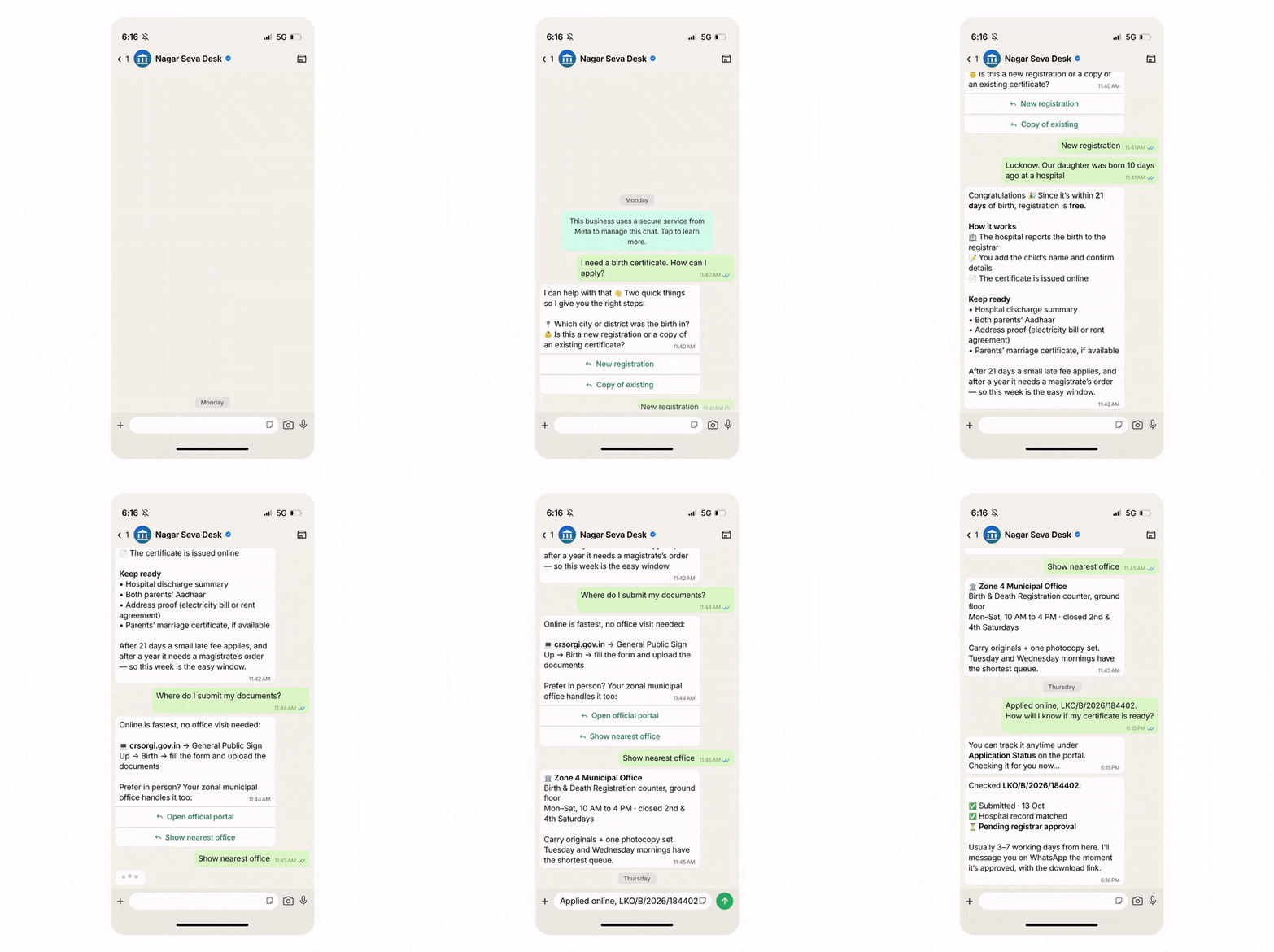
Starts With a Citizen Enquiry
Citizen: "I need a birth certificate. How can I apply?"
The WhatsApp AI Agent asks about their location and the service they need to understand the enquiry and provide the right guidance.
Explains the Application Requirements
Based on the citizen's response, the agent explains the application procedure, required documents, and applicable fees using the department's official information.
Helps Citizens Take the Next Step
Citizen: "Where do I submit my documents?"
The agent shares the official application portal or relevant government office details, helping citizens proceed without unnecessary visits.
Assists With Application Tracking
Citizen: "How will I know if my certificate is ready?"
The agent explains how to track the request or checks its status through a connected government system, where available.

Key Terms: How AiSensy WhatsApp AI Agent works
A brief description on each section you'll see inside AiSensy WhatsApp AI Agent dashboard and what each one actually does.

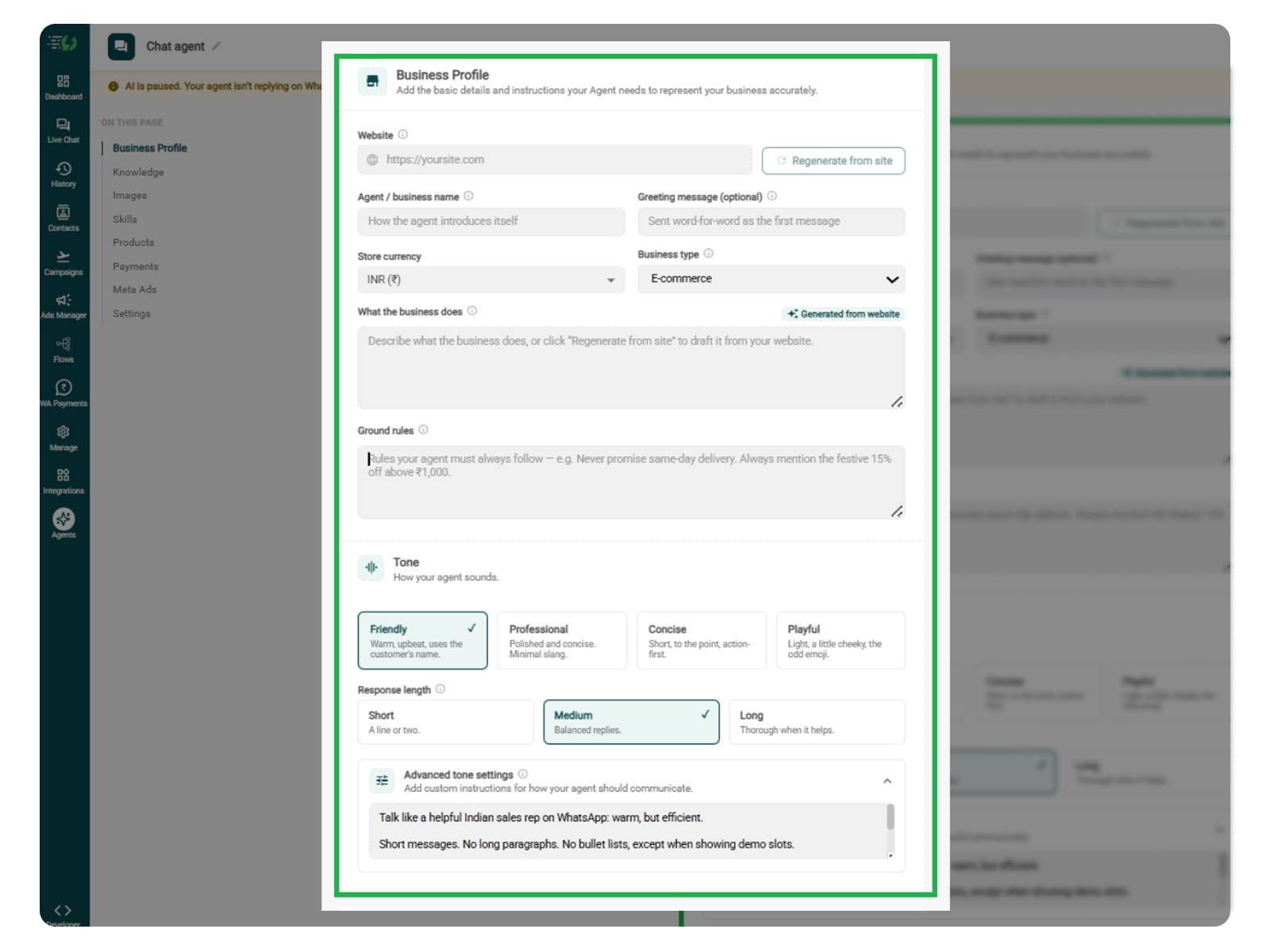
Business Profile
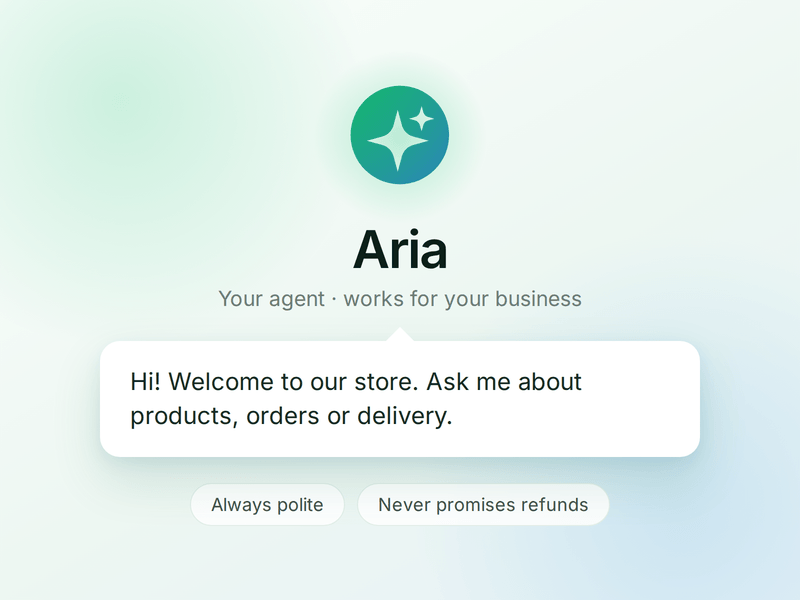
Who your agent is and who it works for. Your business details, the agent's name and greeting, and the ground rules it must always follow.

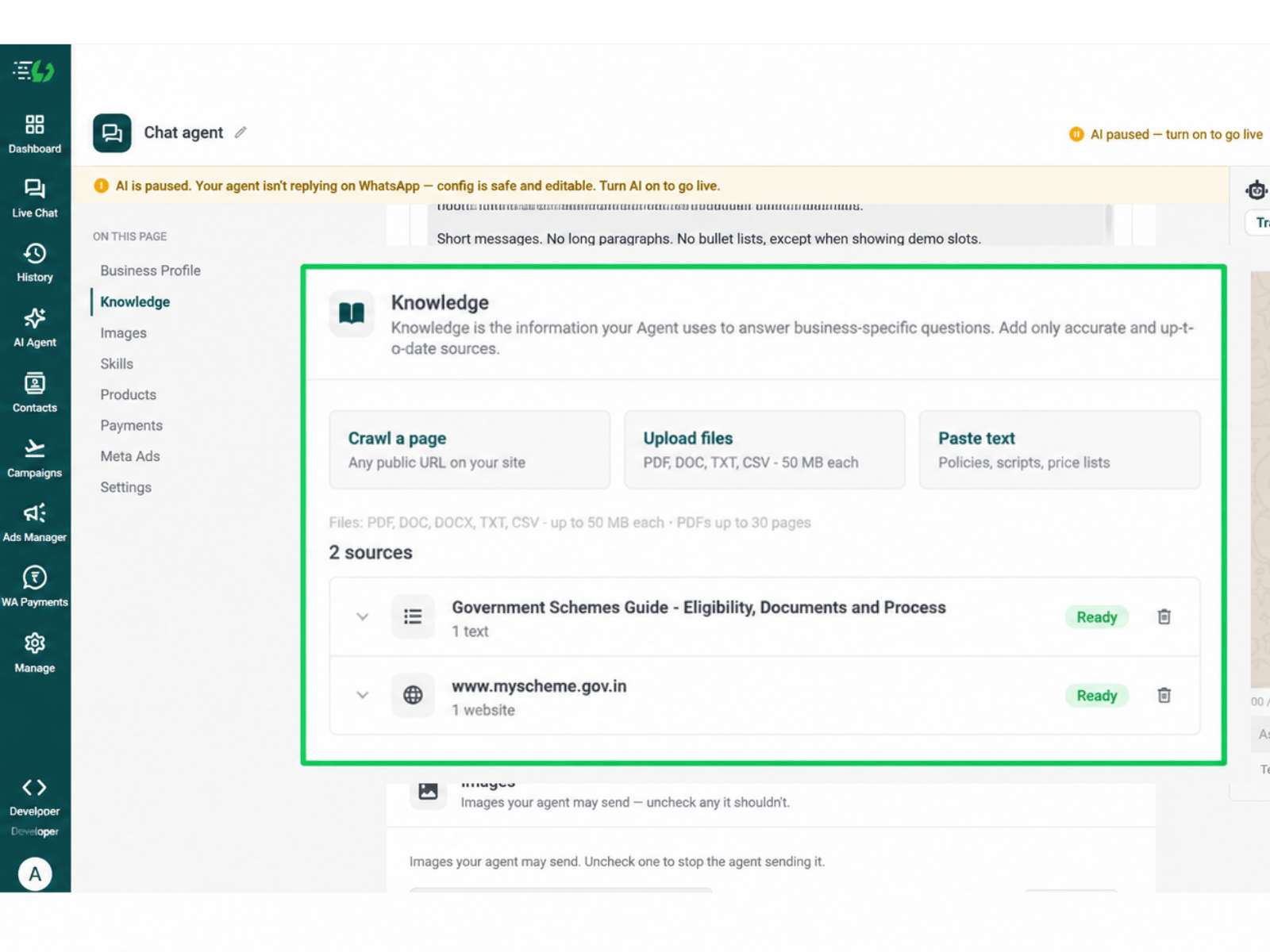
Knowledge
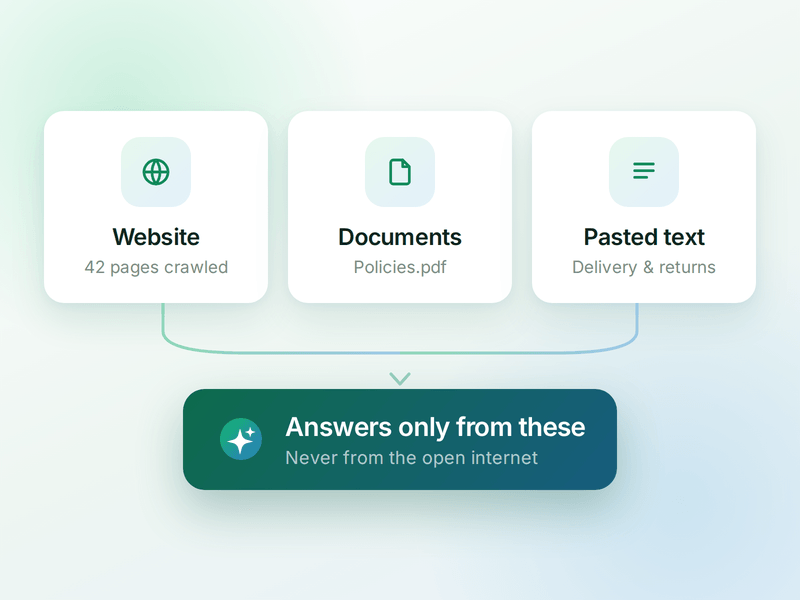
Everything your agent is allowed to know. Crawl your website, upload documents or paste text - the WhatsApp AI agent answers from these, not from the internet.

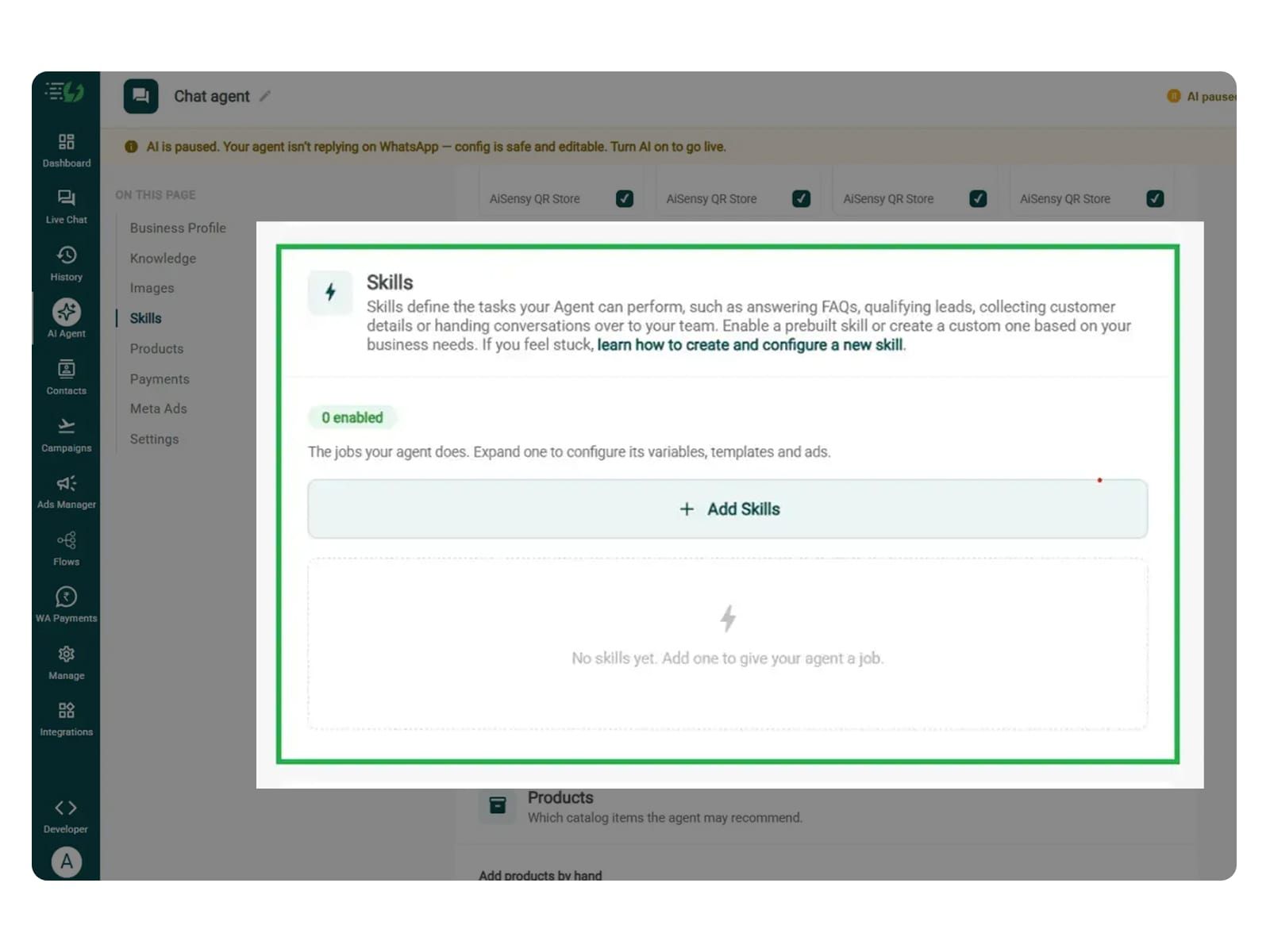
Skills
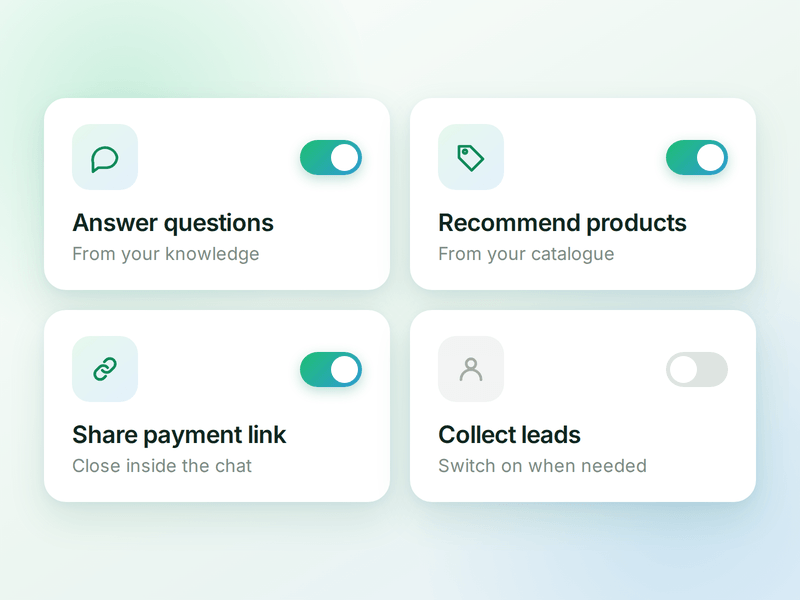
The jobs your agent can do. Switch on a ready-made skill or create your own, and the agent works out which one a conversation needs.

Products
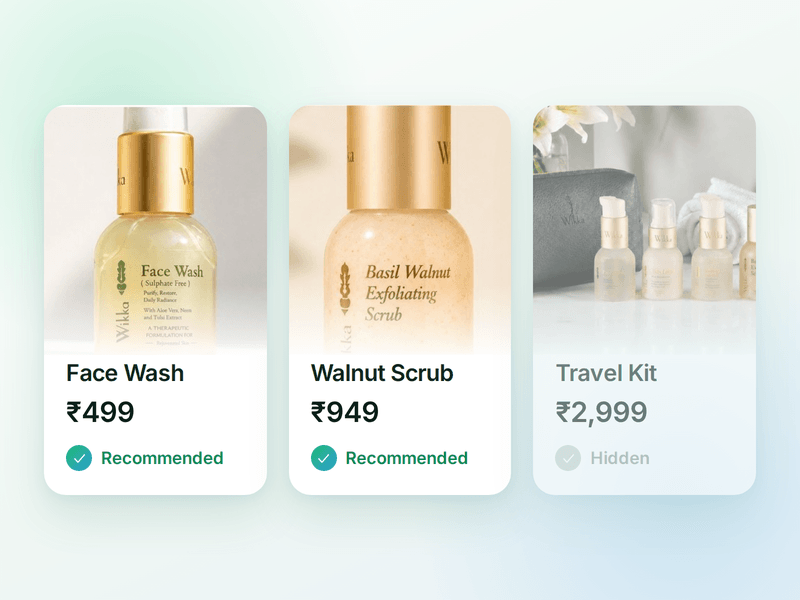
The catalogue your agent sells from. Sync your store or add items by hand, then pick which ones the agent is allowed to recommend.

Payments
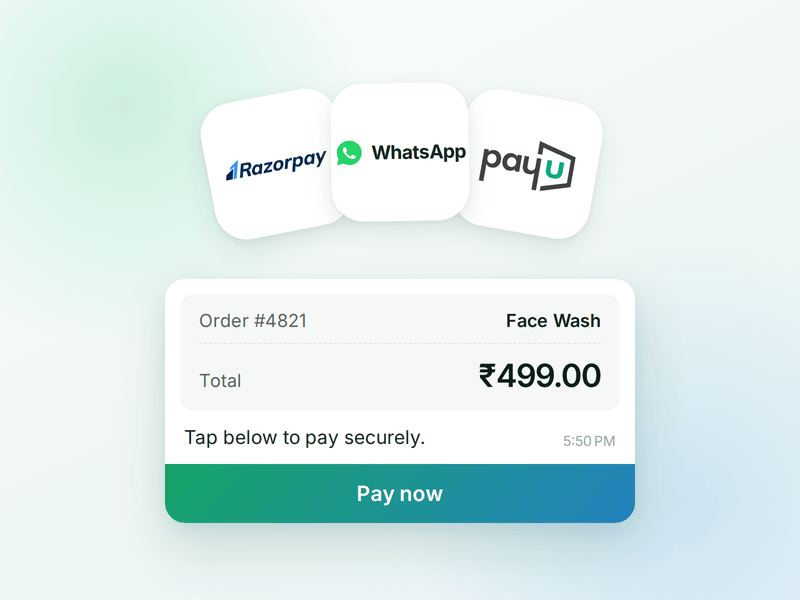
Your checkout, inside the WhatsApp chat. Connect Razorpay or PayU & the agent can send a secure payment link the moment a customer decides.

AI Messages
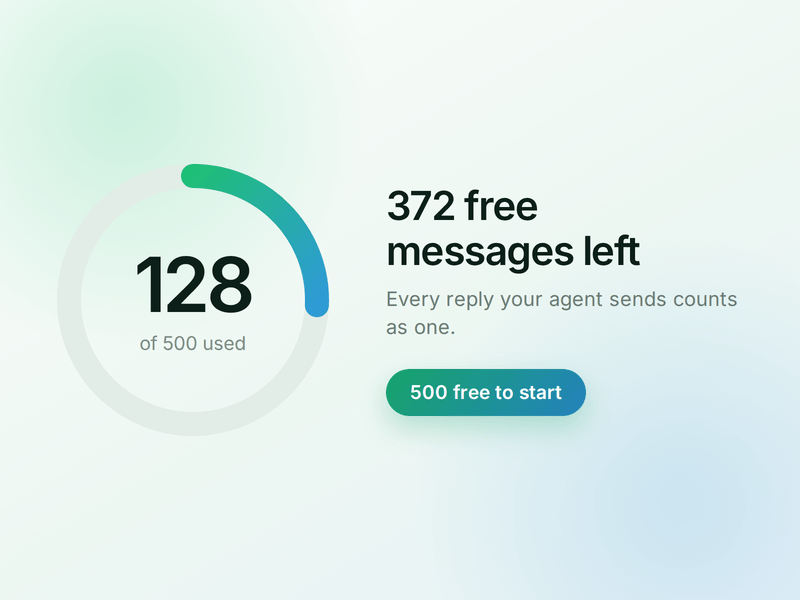
Each reply sent by your AI Agent counts as one AI Message and is deducted from your active plan. You get 500 free AI Messages to test your agent before going live.
How to Build Your WhatsApp Government AI Agent in AiSensy
Here's how to build and launch your Government Enquiry WhatsApp AI Agent with AiSensy, step by step.
Sign up on AiSensy
Go to the AiSensy Signup Page. Create your account using either:
Your Google account, or
Your business email address by filling out the sign-up form.
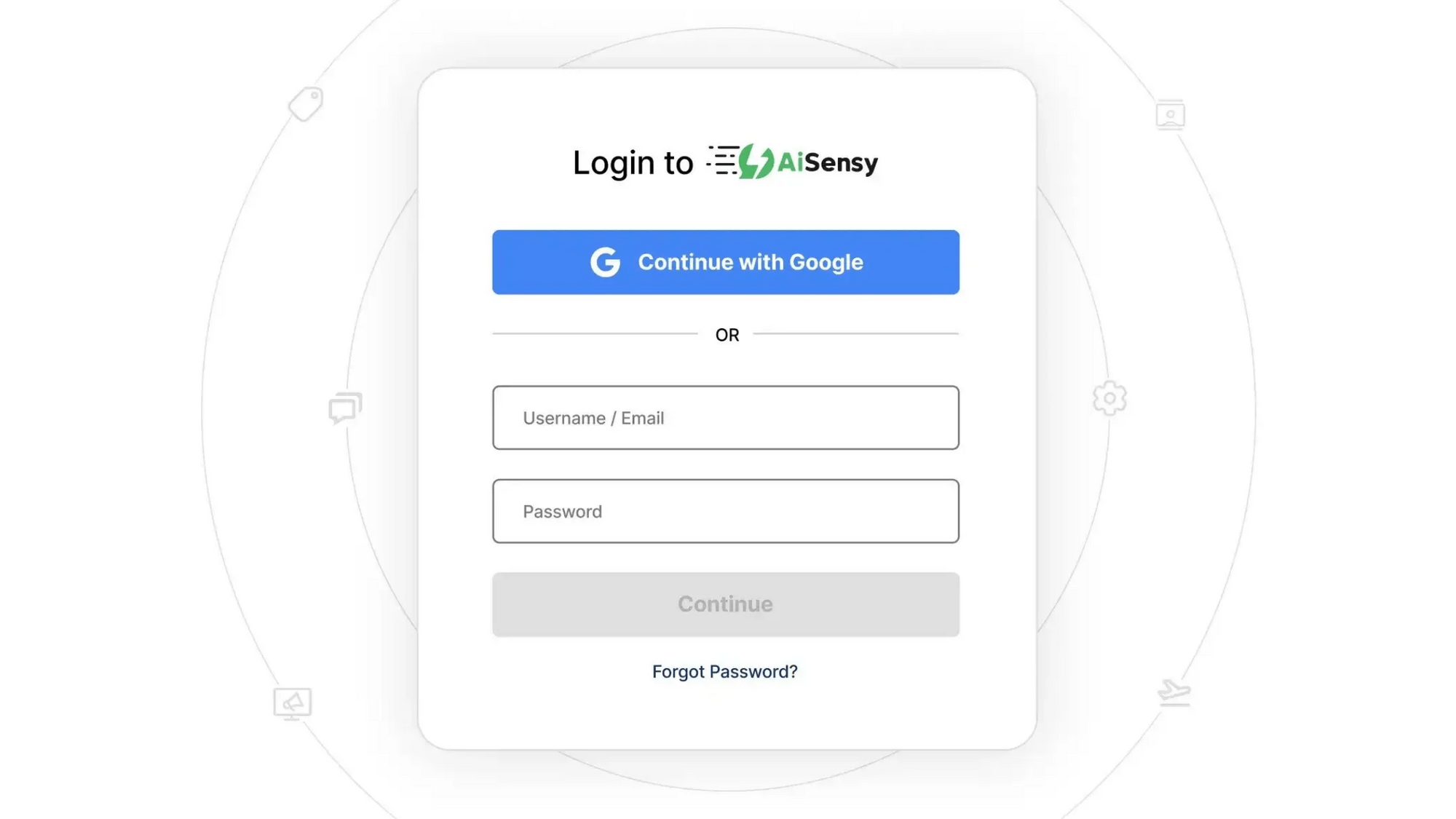
Once signed up, Log in to AiSensy using the same Google account or email credentials.

Build Your Agent from Your Website
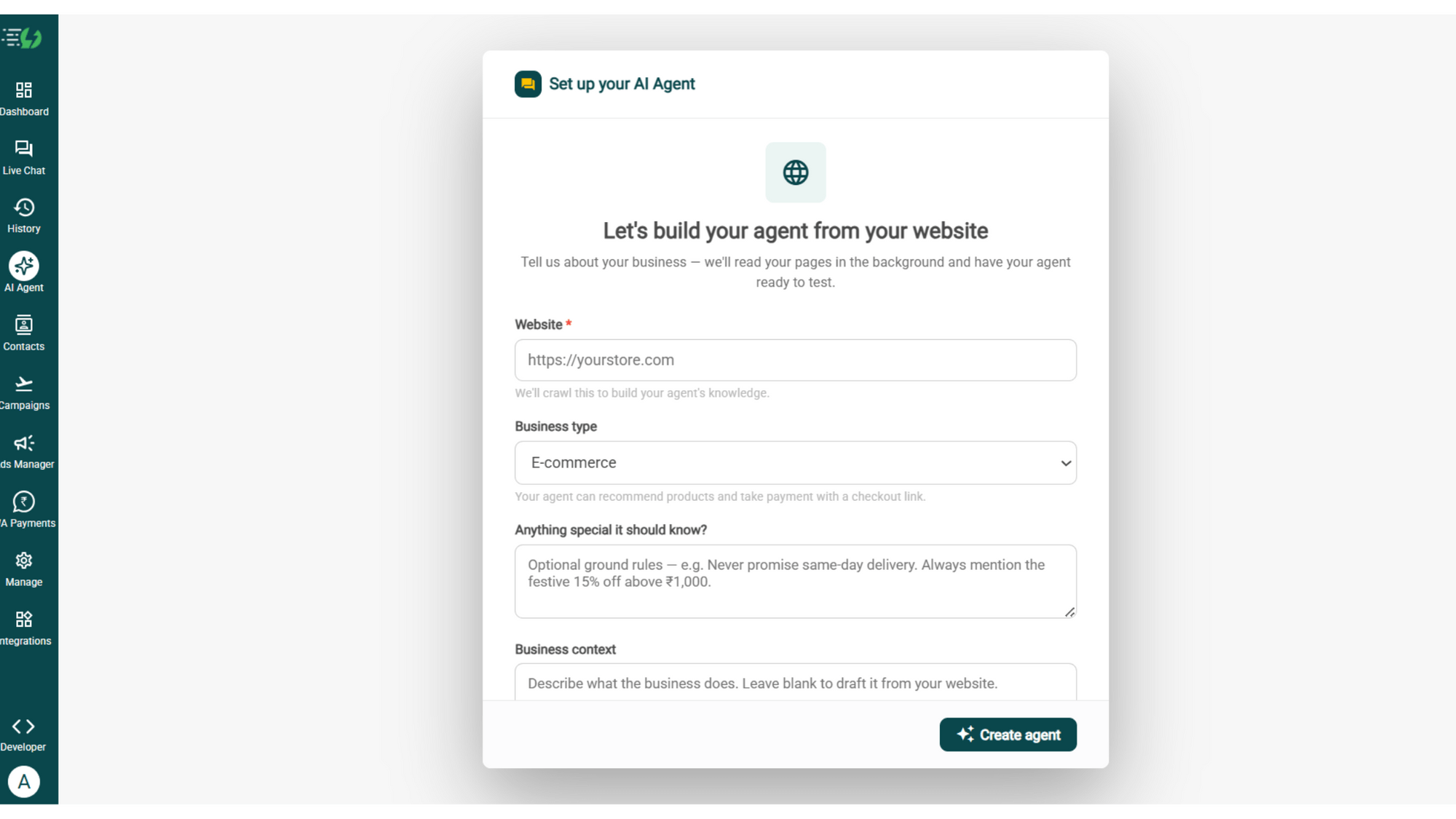
Once you are logged in, navigate to and click on AI Agent available on the navbar on the left.
Fill in the details given below:
Website (mandatory)
Business type
Anything special it should know? (optional)
Business context (optional)
Once you fill these details correctly, proceed to hit '✨ Create agent' button. AiSensy automatically builds an agent trained on your business.

Add Your Business Profile
When you add your website, AiSensy generates a description based on the information available. Set your agent's name, greeting, and ground rules to reflect your government department and the services it provides.
Fill the details given below:
Website (fetched automatically)
Agent/business name
Greeting message (optional)
Store currency
Business type
What the business does
Ground rules
Additional ground rule: The agent must never claim to represent a government department.

Train the Agent with Your Knowledge
In this step, train the agent on your government department's services, procedures, and public information. Add details about certificates, licences, government schemes, application requirements, public complaints, office locations, and FAQs.
You can provide this information through PDF, DOC, TXT, or CSV files. The WhatsApp AI Agent uses your department's knowledge to answer citizen enquiries accurately. For live application or complaint updates, connect your official systems through Tools & APIs.
Every source shows "Ready" once learned.
Perform the below-mentioned steps:
Crawl a page (website URL)
Upload files (PDF, DOC, TXT, CSV, up to 50MB each)
Paste text (service guidelines, application procedures, FAQs)
For your reference, train your agent to answer questions about government services, required documents, application processes, office locations, public complaints, service charges, operating hours, and request status.
Note* Keep your department's information updated with the latest official guidelines so citizens receive accurate instructions.

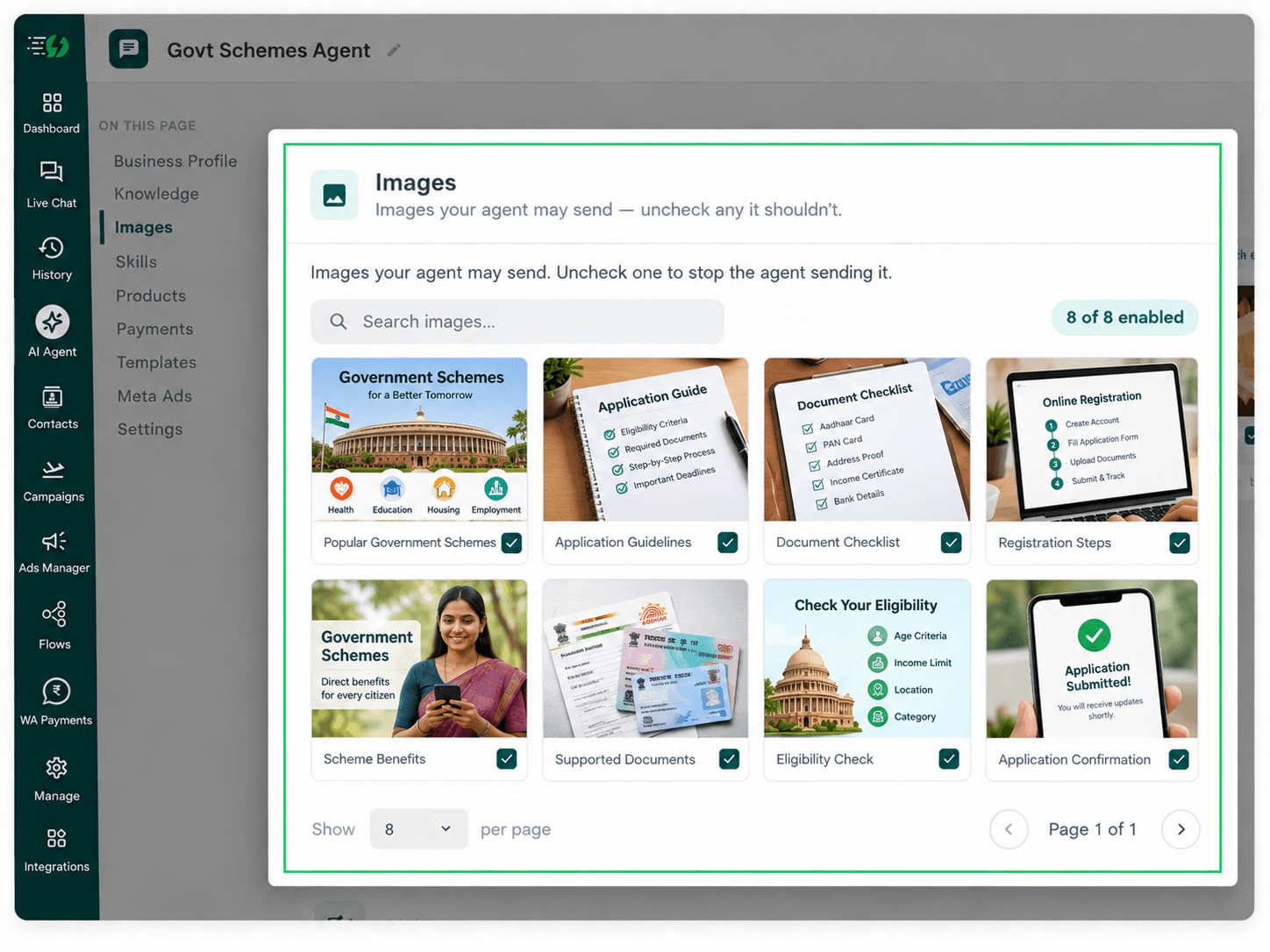
Choose the Images It Can Share (Optional)
This step is optional. You can add images related to government services, document requirements, office locations, application instructions, and public information notices to help citizens understand procedures.
When you add your website, the WhatsApp AI Agent automatically fetches images from it. You can review and control which visuals it can share during conversations.
Untick any image you don't want the agent to send.
You can:
Create Image library (enable/disable per image)
Search images
Upload guidelines PDF for users

Create the Government Enquiry Skill
In this step, navigate to and click on Add Skills. Check the prebuilt skills list first. If the skill isn't available, click Create custom, name it Government Enquiry, and select Task skill as the type.
What kind of skill is this? (Task skill)
Icon & name: Government Enquiry
When should the agent use it?
Instructions
Add skills
Make sure the instructions you provide are clear and easy to understand. The agent follows these instructions to answer public service questions, explain government procedures, and help citizens with their requests
One such template is:
“When a citizen asks about a government service, understand their request and ask relevant questions one at a time. Provide information using our department's official guidelines, explain procedures, and share required documents or application links. For complaints or status enquiries, use connected systems where available. Never invent policies, promise approvals, or confirm unverified information. Transfer complex requests to the appropriate team.”
Once you enter these instructions, the agent uses your department's knowledge and connected systems to handle citizen enquiries accordingly.
For more information, learn how to create a custom skill.

Enable the Government Enquiry Skill
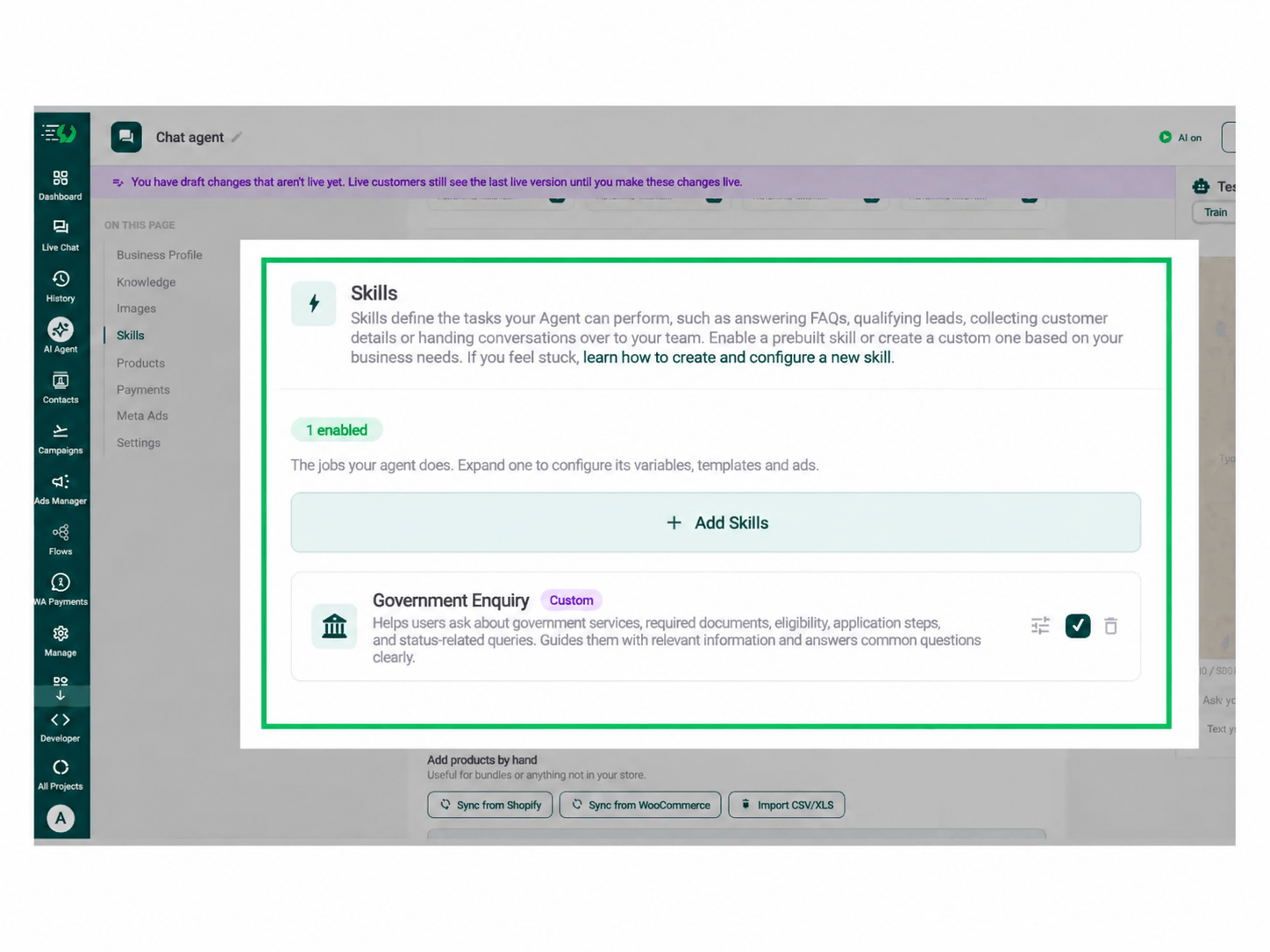
Now that you've created the Government Enquiry skill, it will appear in the Skills list. Switch it on, expand it to configure the required variables, templates, and ads, then click Done.
All you have to go through is:
Skills list
Enable the Government Enquiry skill
Expand to configure its variables, templates & ads
Skills enabled counter
Your agent is now trained to answer government-related enquiries, explain public services, guide applications, and assist citizens with common requests.
Before enabling the skill, configure it to follow your department's official guidelines, ask relevant questions, and escalate requests that require human assistance.

Connect Your Payment Gateway (Optional)
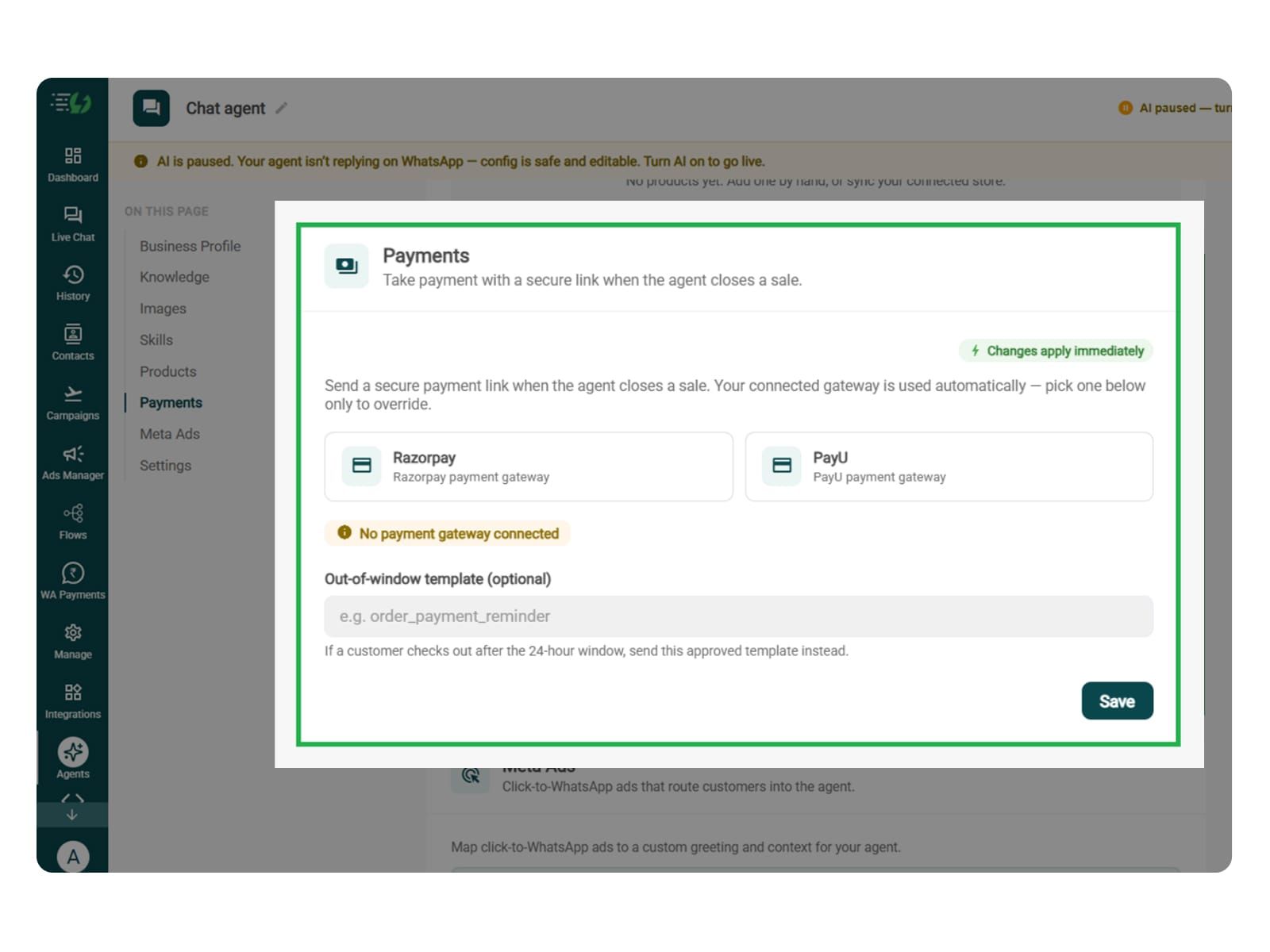
Government departments may collect official fees for certain public services, certificates, or applications. However, many government enquiries don't involve payments.
Connect your payment gateway only if your department is authorised to collect the applicable service fees through this channel.
Payment gateway (Razorpay or PayU)
Out-of-window template (optional)
You can skip this step if the agent only answers enquiries, shares service information, handles complaints, or guides citizens through official portals.
Note* The agent must never request unauthorised fees or collect payments outside approved departmental procedures.

Link Your Meta Ads (Optional)
This step is useful if your government department runs approved Click-to-WhatsApp campaigns to share information about public services, initiatives, or citizen assistance programs.
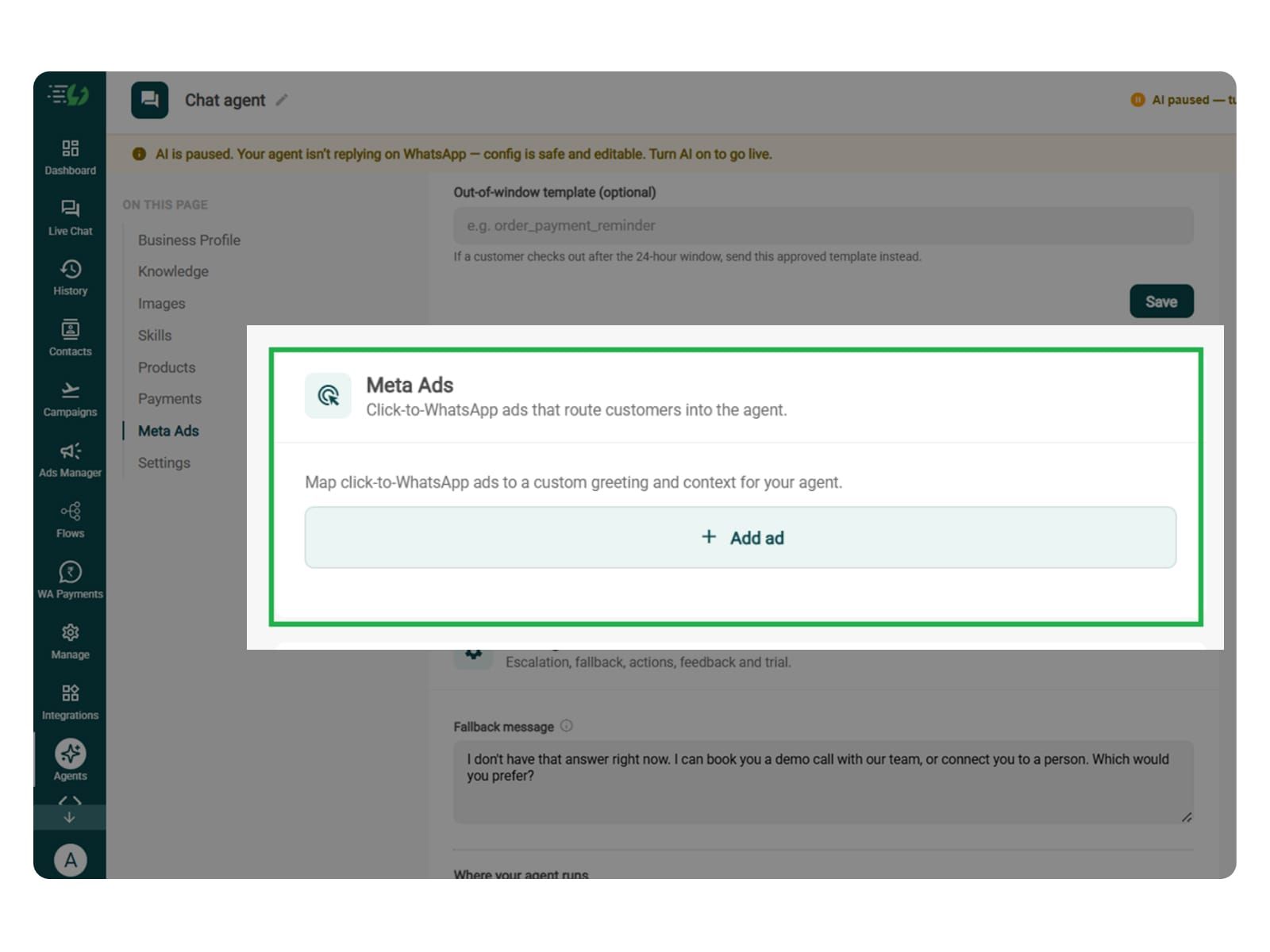
If you're running Click-to-WhatsApp ads, map each campaign to a custom greeting and context so the agent understands what prompted the citizen's enquiry.
Add ad (map ad → custom greeting & context)
Ad ID
Label
Greeting (first message to user)
Context (extra context for the agent)
Discount honoured at checkout (optional)
Products featured in this ad
You can skip this step if your department doesn't run Click-to-WhatsApp ads.
The discount and product fields are general platform settings and aren't normally relevant to government enquiries.

Set Your Fallback & Handoff Rules
You can set handoff triggers for citizens who have complex service requests, unresolved complaints, documentation issues, or questions that require assistance from a government official.
Fallback message: Write a reply for when the agent cannot find service information or retrieve details such as application procedures, office information, or request status.
Human handoff: Enable handoff for complex grievances, disputed application details, urgent service requests, sensitive matters, and requests to speak with an official.
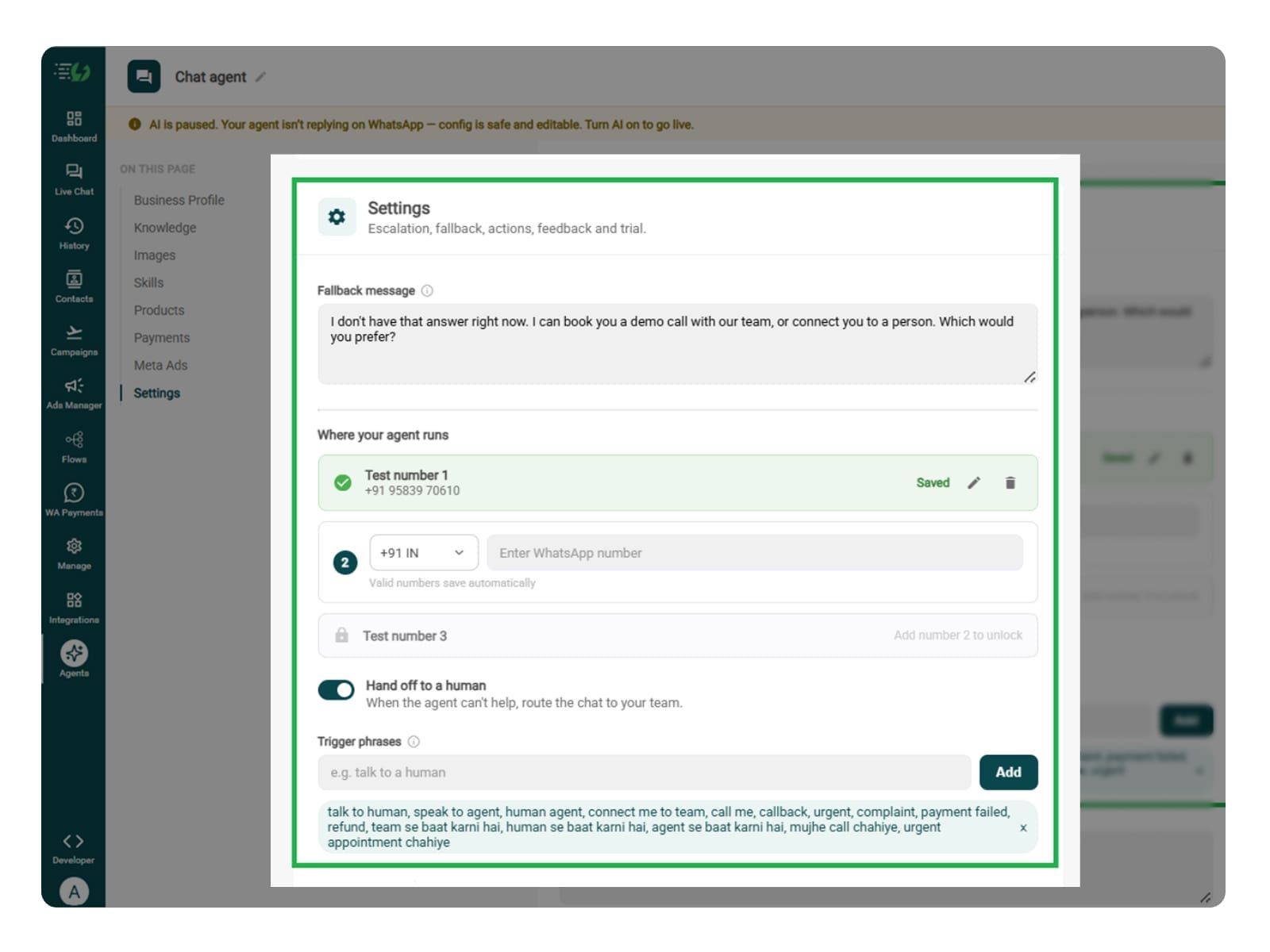
In this step, decide what happens when the agent cannot help. Write the fallback message, switch on Hand off to a human, and add phrases that should transfer the conversation to your department's support team.
What you must fill:
Fallback message
Where your agent runs: up to 3 test numbers
Hand off to a human: toggle
Trigger phrases
Handoff message

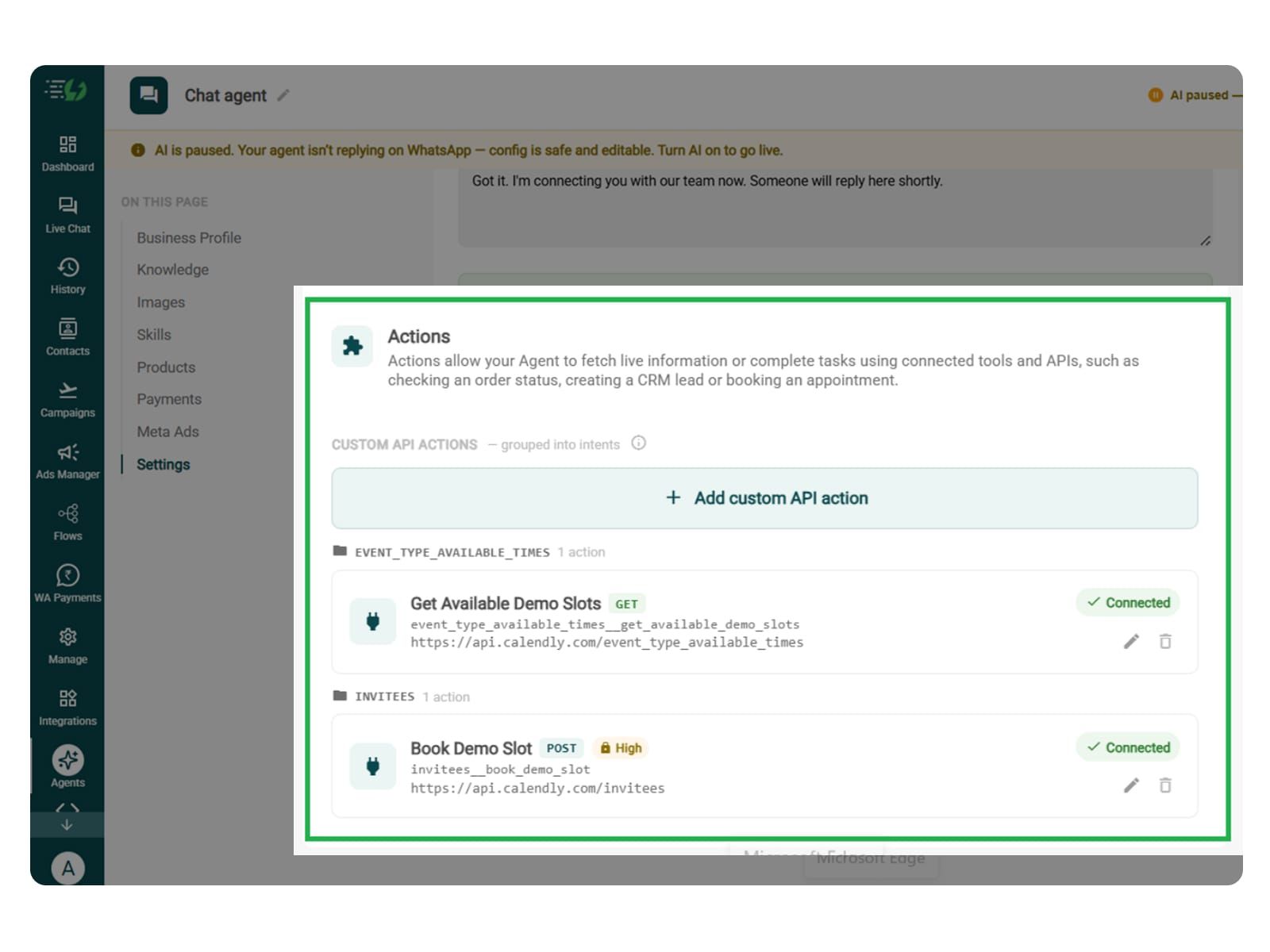
Connect Your Tools & APIs (Conditional)
This step is useful when your Government Enquiry WhatsApp AI Agent needs to check application status, retrieve public service records, register complaints, or update requests through connected departmental systems.
Connect your grievance management platform, application management system, or other approved government software through APIs. This allows the agent to retrieve live information or complete authorised tasks.
Click Add custom API action, specify when the agent should use it, and paste your cURL to automatically fill in the request details.
Action name
When should the agent call it?
Paste cURL
Request: method + endpoint URL
Headers
Params
Body
Auth
Test call
Click Next: variables to continue.
Note* You can skip this step if your agent only answers general enquiries using your department's published information. For live tracking, complaint registration, or record updates, an authorised integration is required.

Test, Publish & Go Live
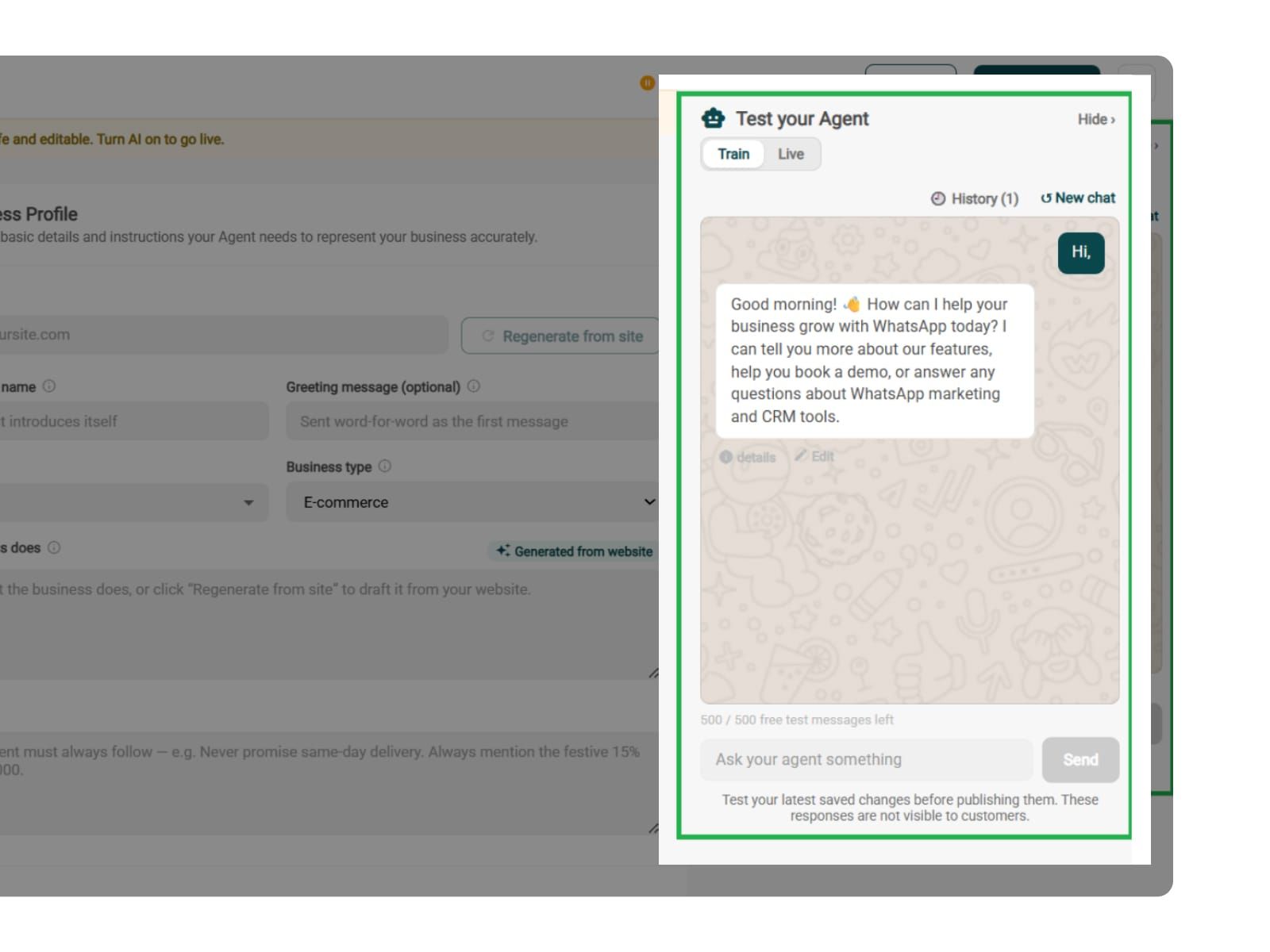
Before your AiSensy-powered Government Enquiry WhatsApp AI Agent goes live, make sure to test it.
You can test how the agent handles public service enquiries, application guidance, required documents, complaint registration, request status updates, and human handoffs.
Make sure the agent doesn't invent government rules, share outdated service information, promise approvals, or confirm requests without verification.
You can chat with your agent before citizens do with AiSensy's 500 free AI messages for testing.
Publish, switch the AI on & you're live.
Test your Agent panel (Train/Live modes)
Publish
AI on/off toggle

Simple Pricing. Every Agent Included.
One plan unlocks the entire library - deploy any AI Agent, or build your own.
₹1,350
Per Month (includes 1000 AI messages)
$50
Per Month, Billed Annually (includes 1000 AI messages)
WhatsApp AI Agent Features
Access every pre-built AI Agent in this library, plus the no-code builder to create your own - trained on your business and live on WhatsApp in minutes.
1000 AI messages every month
500 FREE AI messages for testing
Knowledge Base Q&A - train it on your website & documents
Long-term customer memory
No-code builder to customize any agent
Tool calling, skills & API integrations
What does the Government Enquiry WhatsApp AI Agent do?
The Government Enquiry WhatsApp AI Agent helps government departments answer citizen enquiries, explain public services, guide applications, and handle complaints. It provides information on WhatsApp 24/7, reducing repetitive work for government staff.
How does the AI Agent help government departments manage citizen enquiries?
The agent automatically answers common questions about public services, government schemes, documents, office timings, and application procedures. This helps departments manage high enquiry volumes without requiring staff to respond to every message.
What types of government enquiries can the AI Agent handle?
It can handle enquiries about birth certificates, licences, government schemes, public services, documentation, departmental procedures, and complaint registration. You can train the agent on your department's official information and services.
Can citizens register complaints through the WhatsApp AI Agent?
Yes. The agent can collect complaint details and register requests through a connected grievance management system. It can also share complaint reference numbers once registration is confirmed, helping citizens track their requests.
How does the AI Agent assist with government applications?
The agent explains application procedures, shares document requirements, and provides official submission links. Citizens can get step-by-step guidance on WhatsApp without repeatedly contacting government offices for basic information.
Is it possible to track application or complaint status on WhatsApp?
Yes. When connected to authorised government systems, the agent can retrieve application or complaint updates and share them with verified citizens. Without integration, it can guide users to the official tracking portal.
Which languages does the Government Enquiry WhatsApp AI Agent support?
The agent can communicate in Hindi, English, Hinglish, and other supported languages. This helps government departments assist citizens in their preferred language and makes public service information easier to understand.
When does the AI Agent transfer a conversation to a government official?
You can configure human handoff for unresolved complaints, complex applications, sensitive enquiries, or requests requiring an official's assistance. The agent transfers the conversation with its context so citizens don't have to repeat their questions.
Does the Government Enquiry AI Agent integrate with existing government systems?
Yes. Government departments can connect supported systems through Tools & APIs. This allows the agent to retrieve authorised information, register complaints, check application status, and update service requests, depending on the available integrations.
How much does the Government Enquiry WhatsApp AI Agent cost?
AiSensy's AI Agent plan has been listed at ₹1,350 per month for 1,000 AI messages, including access to prebuilt agents and the no-code builder. Government departments should confirm current pricing and any applicable deployment or integration requirements with AiSensy before proceeding.