WhatsApp AI Agent by AiSensy
WhatsApp AI Agent for Test Drive Bookings
Help buyers find the right car and book a test drive with your WhatsApp AI Agent, bringing them closer to a purchase.
Let your WhatsApp AI Agent show available slots, confirm variants, and book visits 24/7.
No coding needed!

What Your AiSensy Test Drive AI Agent Handles
Everything between "Can I drive it?" and the buyer arriving at your showroom - handled inside WhatsApp chat.
Shows the Available Slots
Connect your demo car calendar once & the WhatsApp AI agent offers only the times that car is genuinely free. No holding pattern, no "our executive will call you back shortly."
Books the Car, Not Just the Time
Buyers want to test drive the right variant. The AI agent confirms the model, fuel type, and transmission before booking, saving them a wasted trip.
Checks the Licence in Advance
A forgotten licence can derail a test drive. The agent reminds buyers what to carry before they leave home.
Offers Showroom or Doorstep
Let buyers choose a showroom or home test drive. The agent collects their preference and address, then shares the booking details with your team.
Reschedules & Frees the Car
Plans may change. The agent reschedules the test drive and frees up the original slot for another buyer. All done within a WhatsApp chat.
Books After Showroom Hours
The agent books test drives 24/7, so your team starts each day with appointments lined up.
How a Test Drive Gets Booked on WhatsApp
Here’s how the AiSensy WhatsApp Test Drive AI Agent handles conversations automatically, with human handoff when needed.
Answers With a Time, Not a Callback
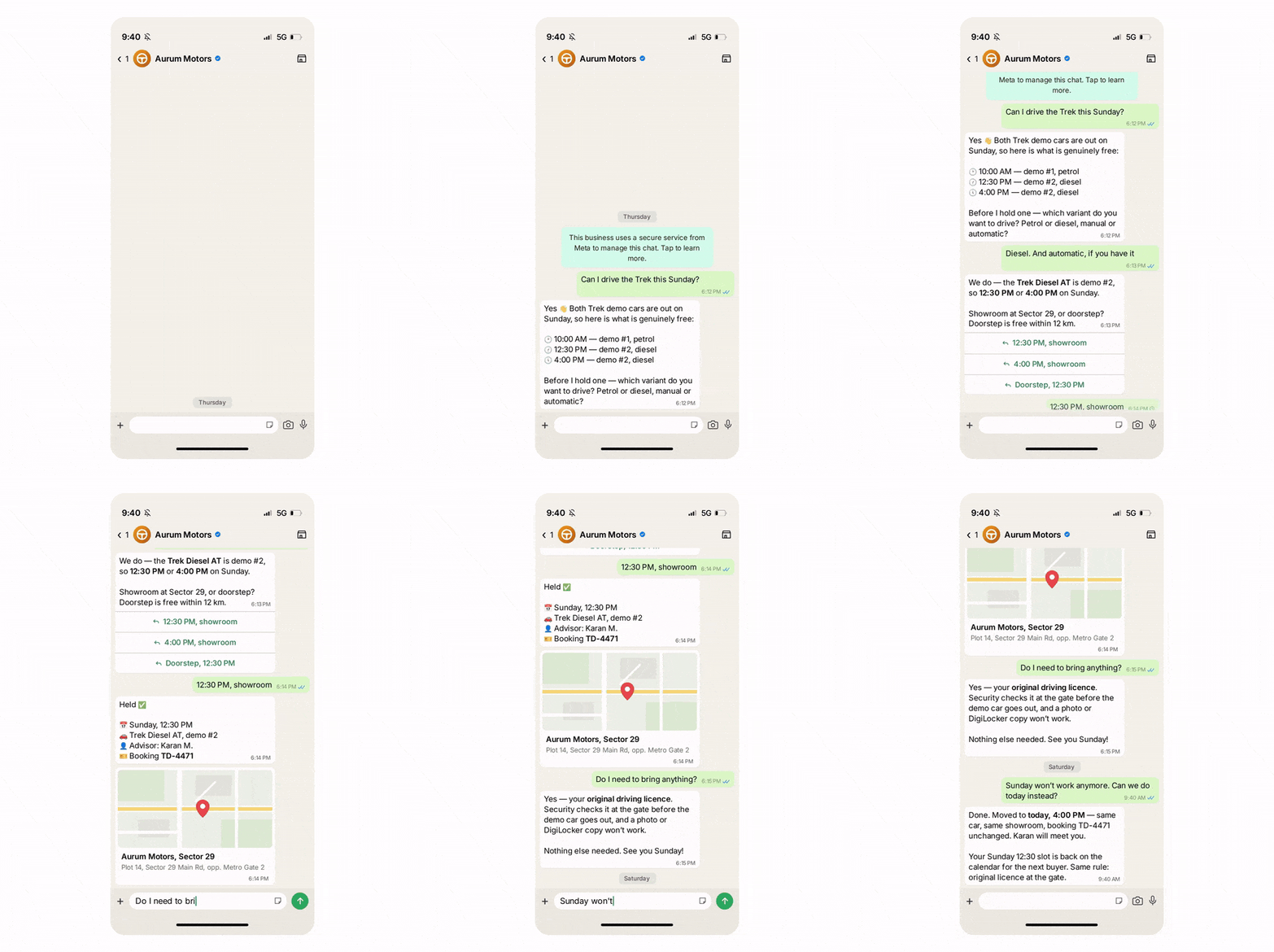
A buyer asks "Can I drive the Creta this Sunday?"
The WhatsApp AI agent checks which demo car is genuinely free and comes back with real slots. The question that normally starts a three-day phone chase gets answered in one reply.
Settles the Variant Before It Holds the Slot
"Diesel. And automatic, if you have it."
Model, fuel, transmission, showroom or doorstep - all confirmed in the WhatsApp chat. The car that gets booked is the one the buyer wants to drive, not the one that happened to be free.
Catches the Thing That Ends the Visit at the Gate
"Do I need to bring anything?"
Yes - the original licence. The WhatsApp AI agent says so up front instead of letting a buyer hear it from your security guard on a Sunday morning. That is how a booked test drive turns into a bad Google review.
A Freed Slot Becomes Somebody Else's Saturday
Plans change, and the WhatsApp AI agent moves the booking & releases the demo car in the same reply. The slot goes straight back on the calendar - so the car spends the afternoon being driven instead of parked.

Key Terms: How AiSensy AI Agent works
A brief description on each section you'll see inside AiSensy WhatsApp AI Agent dashboard and what each one actually does.

Business Profile
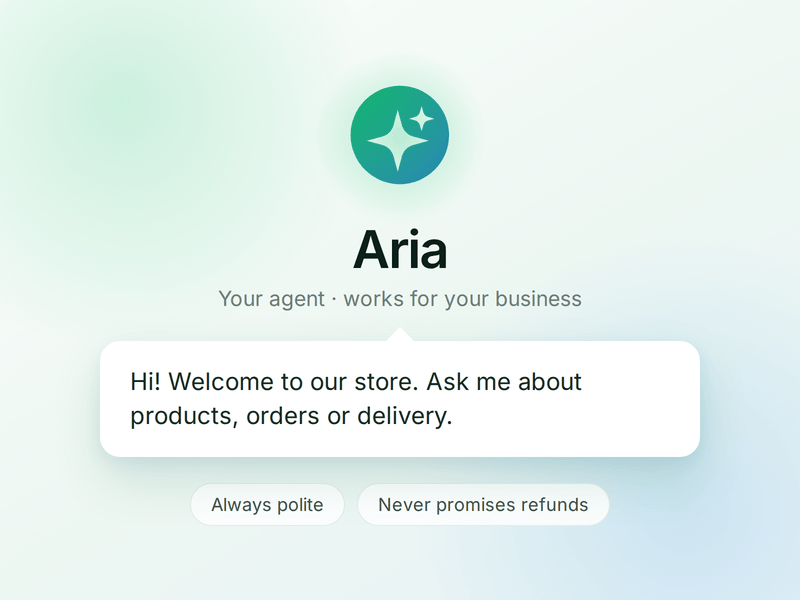
Who your agent is and who it works for. Your business details, the agent's name and greeting, and the ground rules it must always follow.

Knowledge
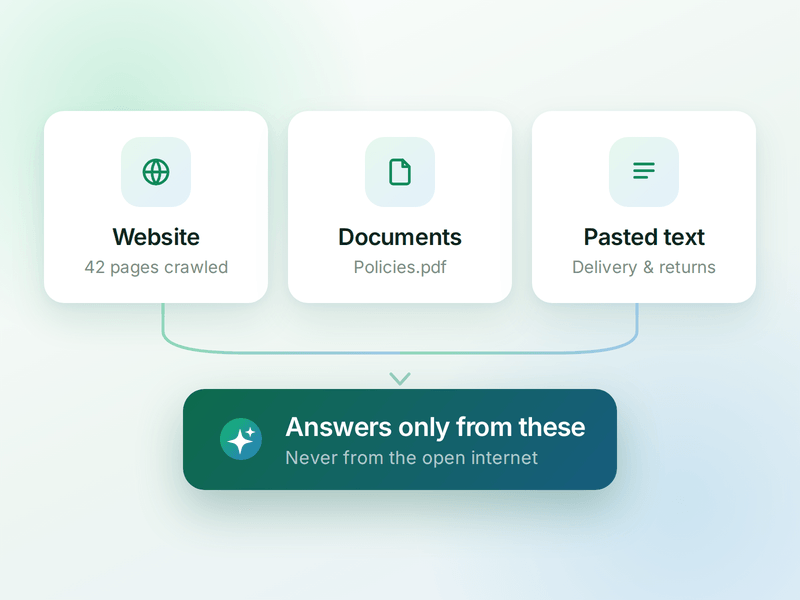
Everything your agent is allowed to know. Crawl your website, upload documents or paste text - the WhatsApp AI agent answers from these, not from the internet.

Skills
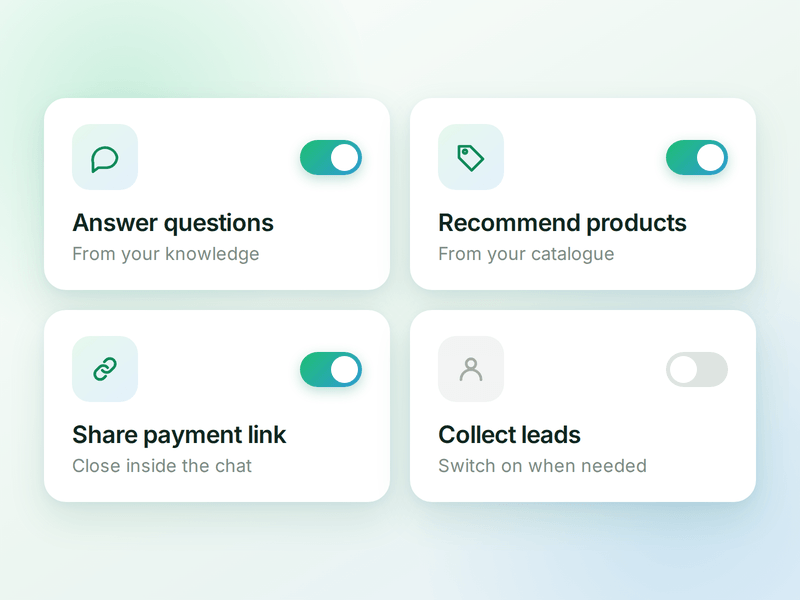
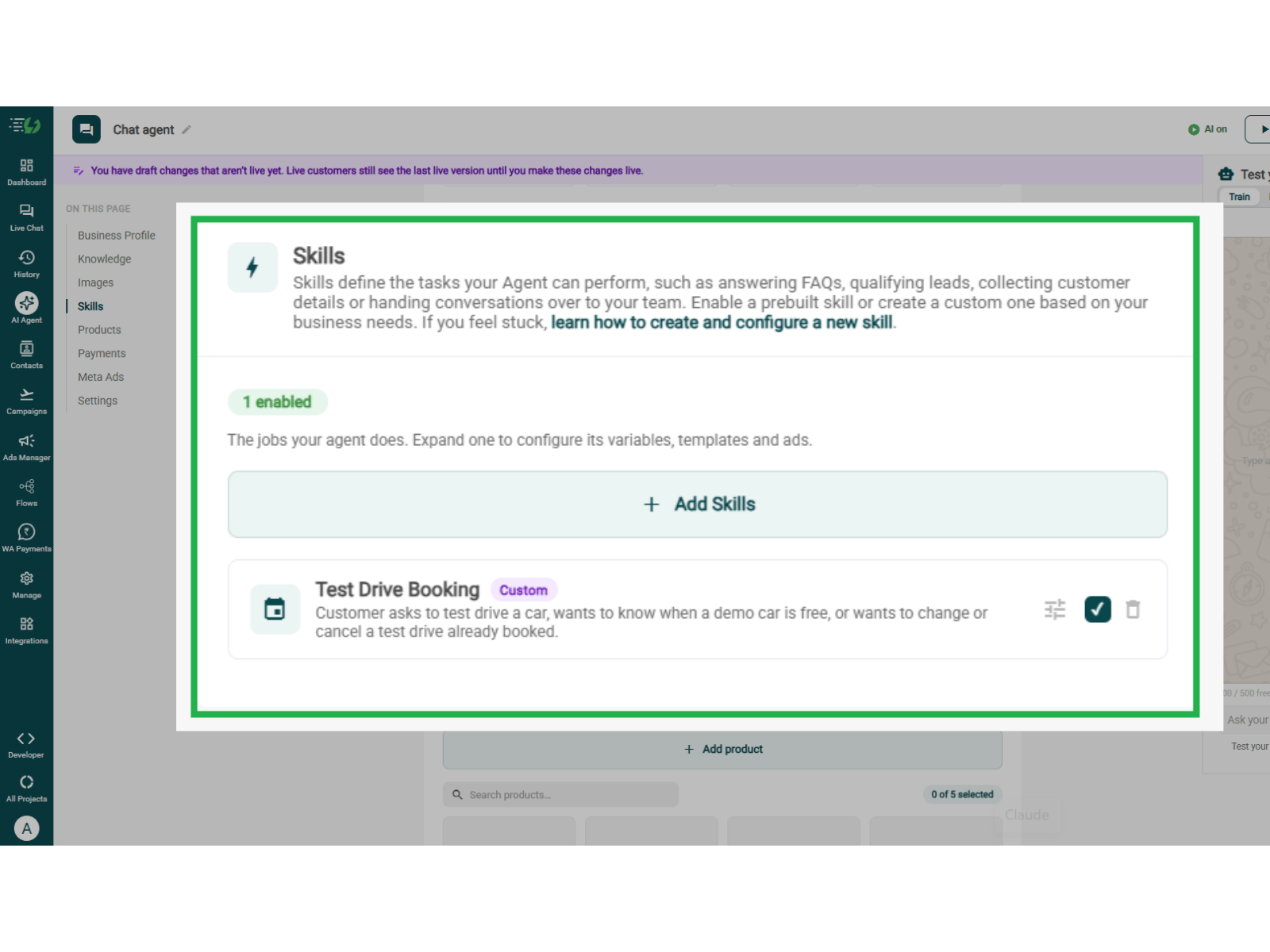
The jobs your agent can do. Switch on a ready-made skill or create your own, and the agent works out which one a conversation needs.

Products
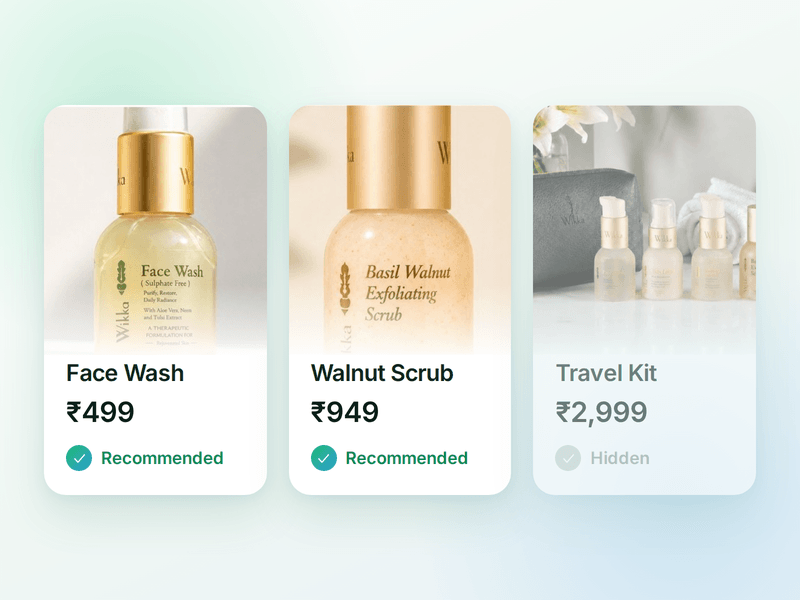
The catalogue your agent sells from. Sync your store or add items by hand, then pick which ones the agent is allowed to recommend.

Payments
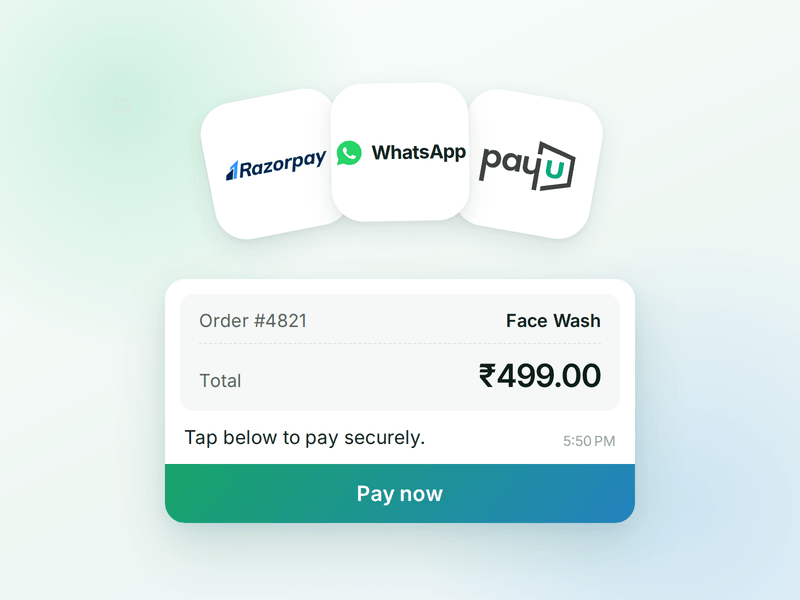
Your checkout, inside the WhatsApp chat. Connect Razorpay or PayU & the agent can send a secure payment link the moment a customer decides.

AI Messages
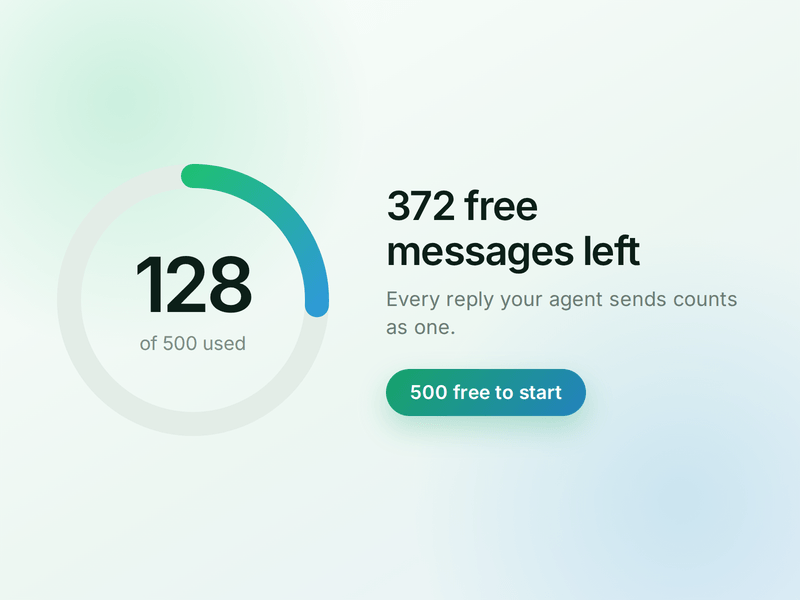
Each reply sent by your AI Agent counts as one AI Message and is deducted from your active plan. You get 500 free AI Messages to test your agent before going live.
How to Build Your WhatsApp Test Drive Booking AI Agent in AiSensy
Here's how a real brand goes from zero to a live Test Drive Booking AI Agent on WhatsApp.
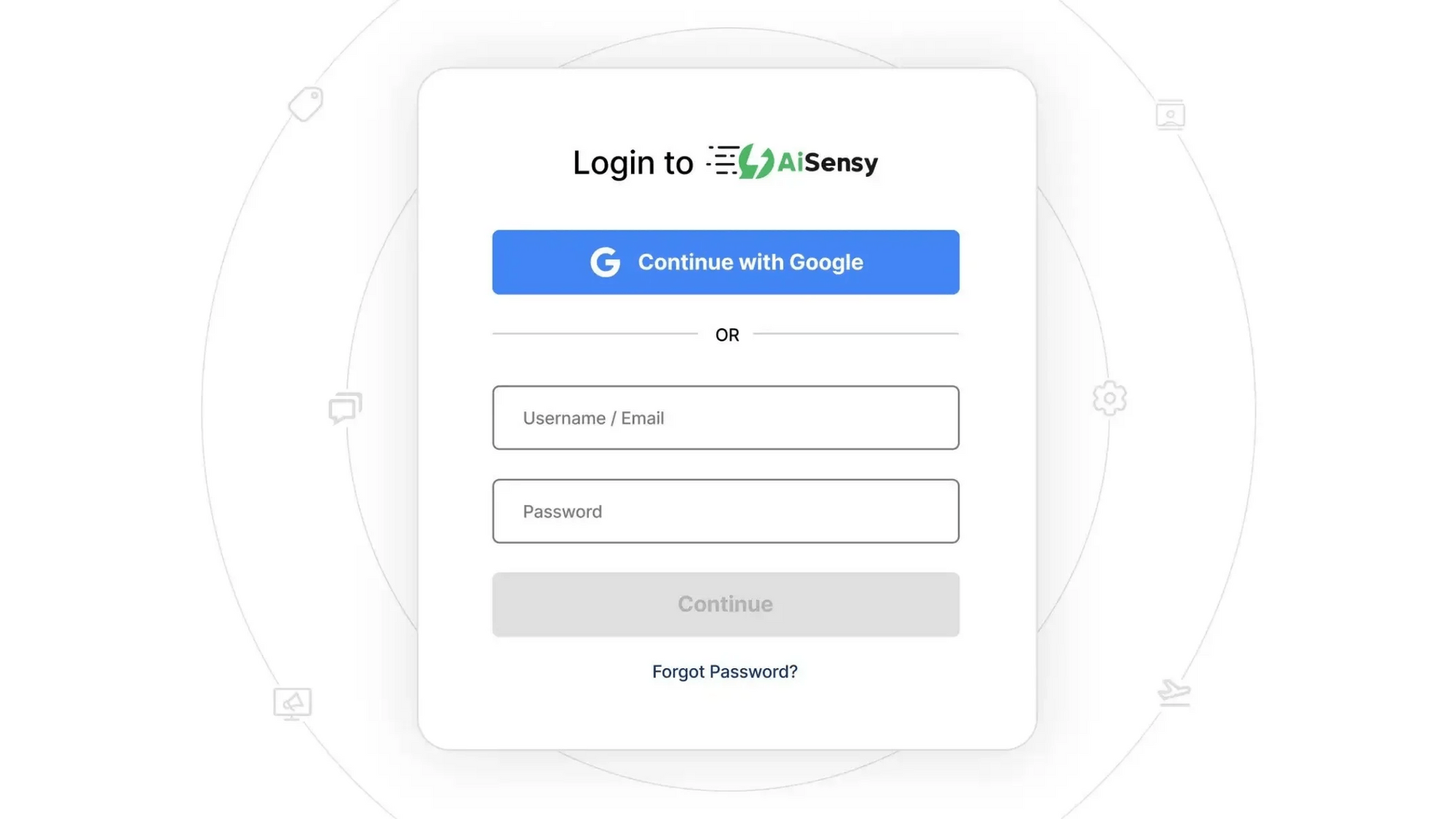
Sign up on AiSensy
Go to the AiSensy Signup Page. Create your account using either:
Your Google account, or
Your business email address by filling out the sign-up form.
Once signed up, Log in to AiSensy using the same Google account or email credentials.

Build Your Agent from Your Website
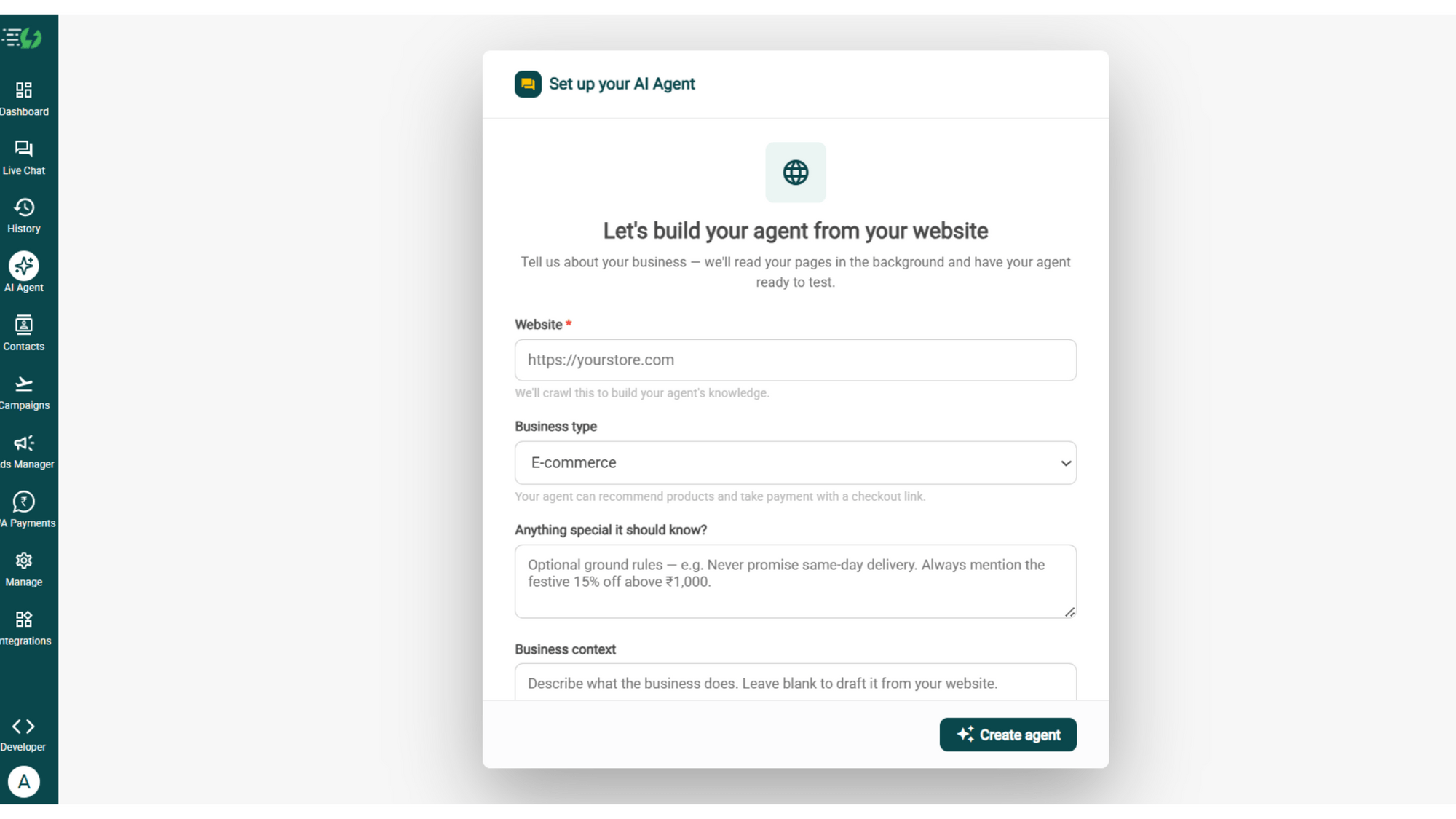
Once you are logged in, navigate to and click on AI Agent available on the navbar on the left.
Fill in the details given below:
Website (mandatory)
Business type
Anything special it should know? (optional)
Business context (optional)
Once you fill these details correctly, proceed to hit '✨ Create agent' button. AiSensy automatically builds an agent trained on your business.

Add Your Business Profile
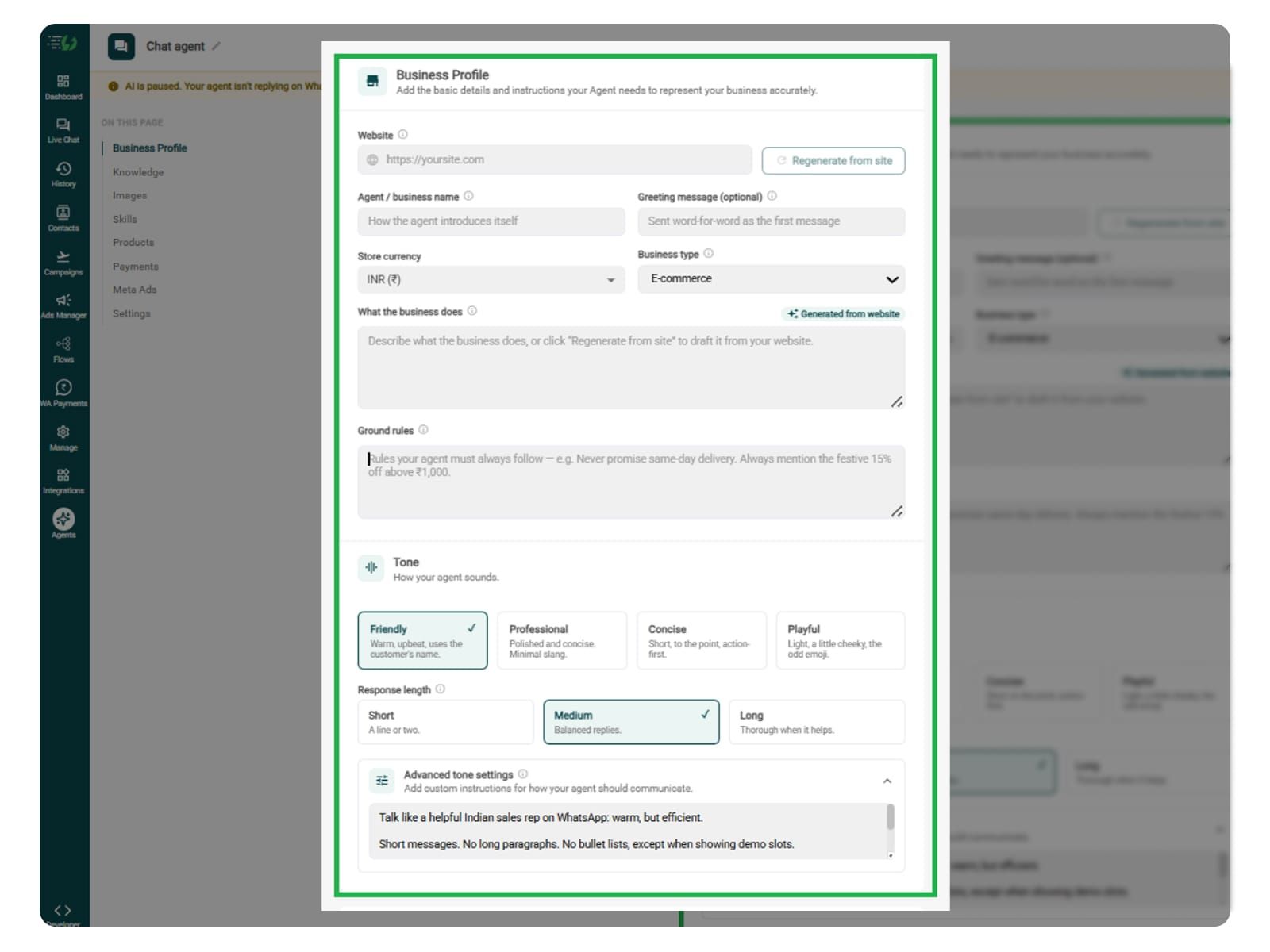
When you add your website, AiSensy AI engine auto-generates your business description. Set your agent's name, greeting, and a few ground rules it must always follow.
Fill the details given below:
Website (fetched automatically)
Agent/business name
Greeting message (optional)
Store currency
Business type
What the business does
Ground rules

Train the Agent with Your Knowledge
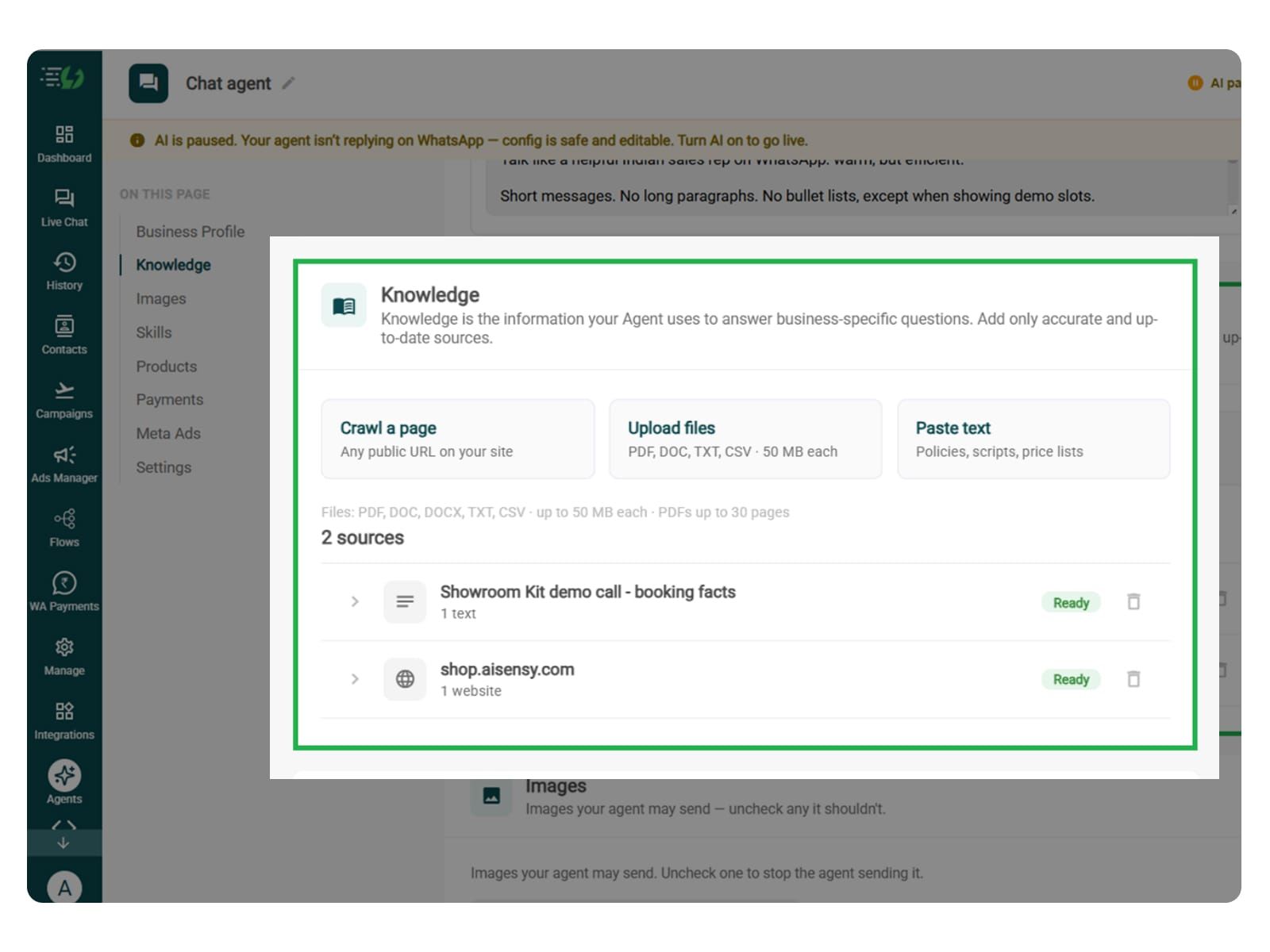
In this step, you have to tell the agent about your automobile business website. You can add information about vehicle models, variants, features, test drive requirements, dealership locations, and FAQs. You can use connected systems for vehicle availability and available test drive slots.
You can submit this information in the form of PDF, DOC, TXT, or CSV files. The agent entirely relies on the kind of information you submit. Hence it always responds according to it and never gives generic replies.
Every source shows “Ready” once learned.
Add your information using these options:
Crawl a page: Add a website URL.
Upload files: PDF, DOC, TXT, or CSV, up to 50MB each.
Paste text: Car models and variants, showroom timings, licence requirements, and test drive booking policies.

Choose the Images It Can Share (Optional)
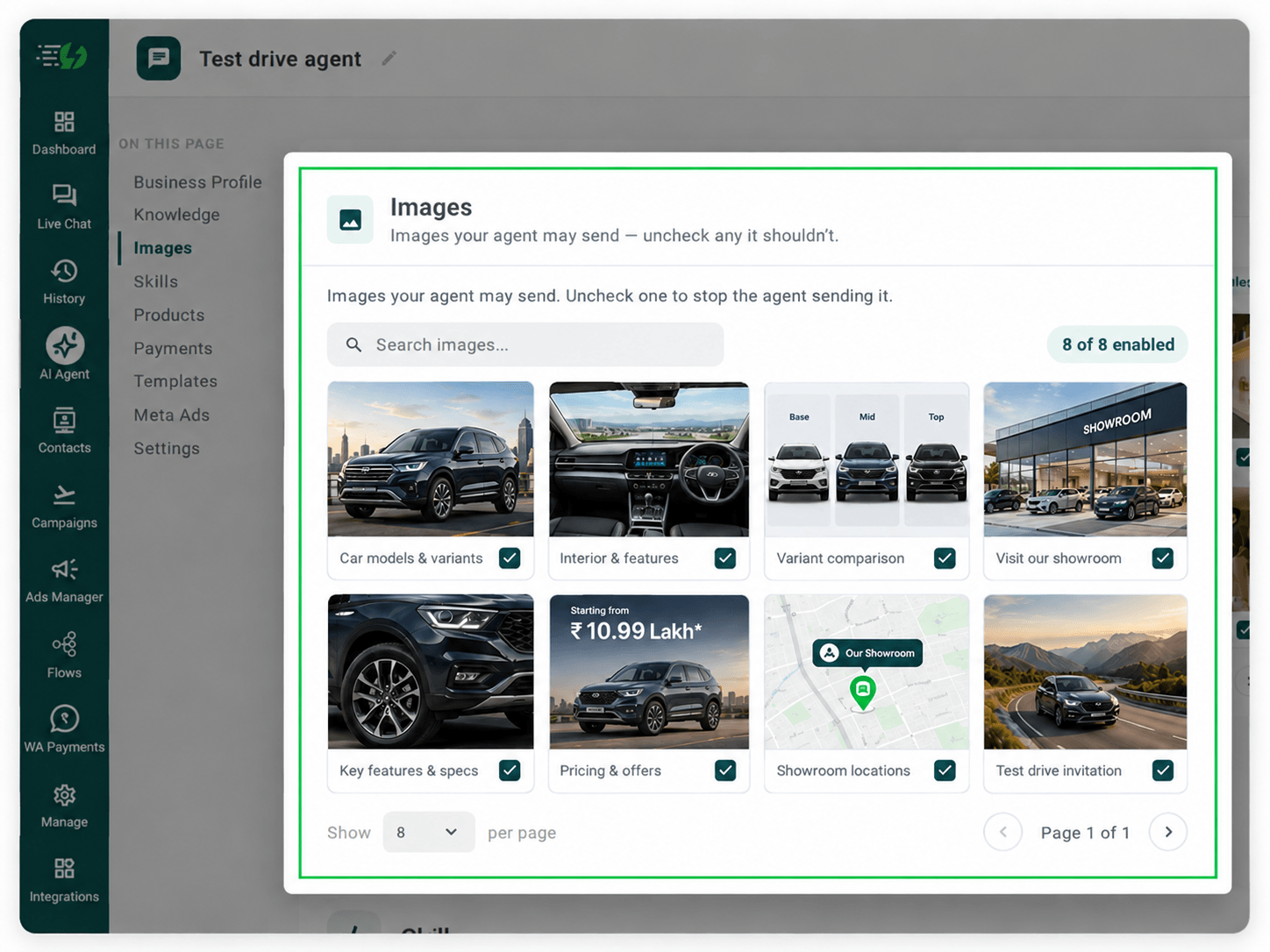
This step is optional, but adding vehicle photos, interiors, variant comparisons, and showroom maps helps buyers prepare for their visit.
Though, when you add your website, the AiSensy WhatsApp AI Agent fetches images from it (only from the website). You can review which visuals it can share in chat.
Untick any image you don’t want the agent to send.
You can:
Manage your image library: Enable or disable individual images.
Search images: Quickly find the visuals you need.

Create the Test Drive Skill
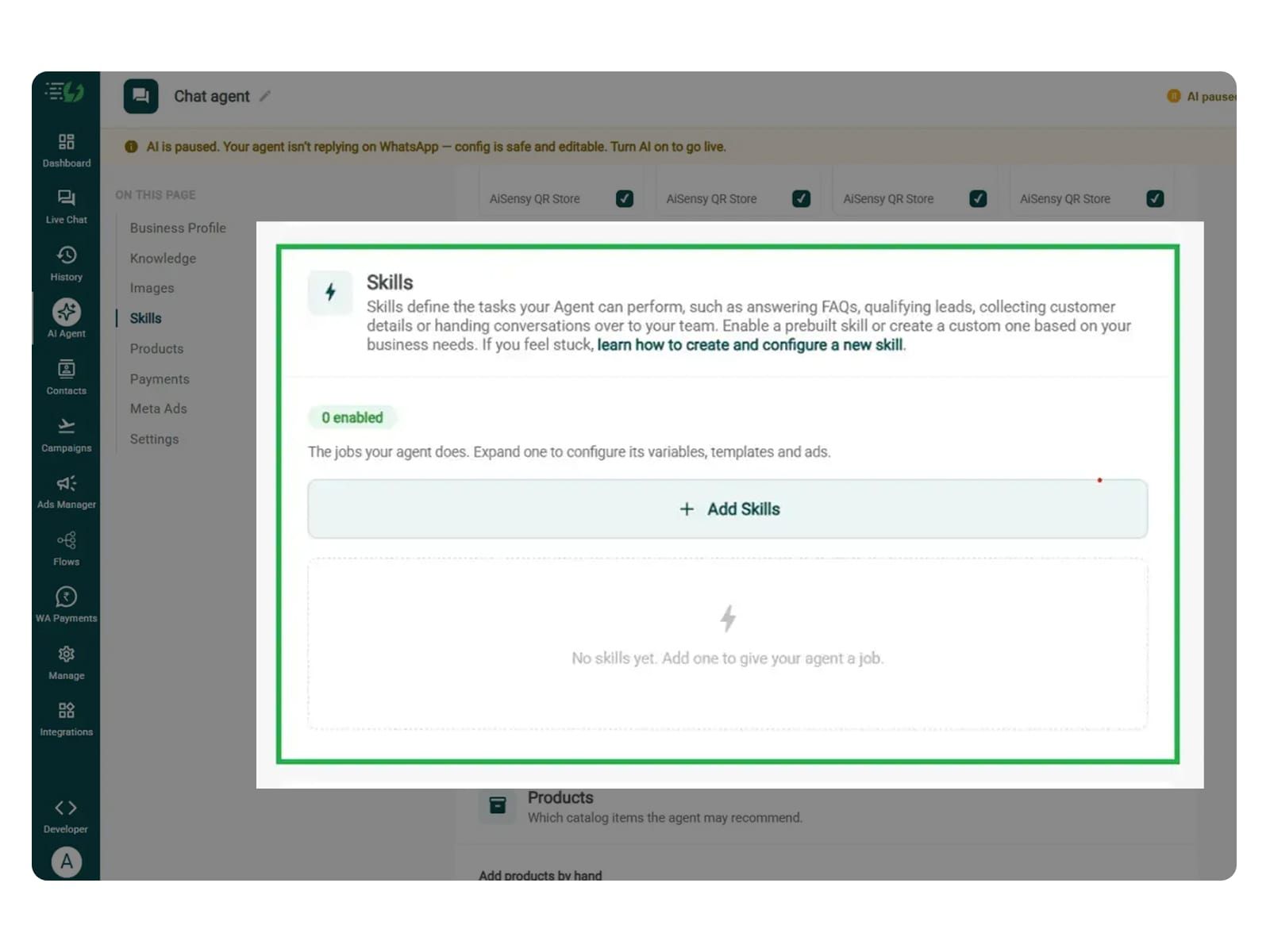
In this step, navigate to and click on Add Skills. Check the prebuilt skills list first. If the skill you need isn't already available, then navigate to and hit 'Create custom' button, name it Test Drive, and pick Task skill as the type.
The other details which need to be filled are given below:
What kind of skill is this? (Task skill)
Icon & name: Test Drive
When should the agent use it?
Instructions
Add skills
In this step, you can define how the agent should collect the preferred model and variant, dealership, date, time, and contact details.
Now, you must make sure that the instructions fed to the agent are clear and easy to understand. The agent behaves according to the instructions given to it.
One such template is:
“When someone asks ‘Can I book a test drive?’, ask which car model, fuel type, and transmission they prefer. You must ask one question at a time. Then check available slots and collect their preferred date, time, and showroom location. Confirm the test drive only after the booking succeeds, then share the documents they need to bring.”
Once you enter these instructions, the WhatsApp AI agent fetches the information around the instructions and replies accordingly.
For more info, tap here to learn how to create a custom skill

Enable It on Your Agent
Now that you have created the skill you need, it starts to appear in the Skills list. You can now switch it on, expand it to set your cut-off and where a qualified applicant should go, then hit Done.
All you have to go through is:
Skills list
Enable the test drive skill
Expand to configure its variables, templates & ads
Now you agent is well taught and it knows how it should respond.
While configuring the skill, you can simply train your agent to check availability for the exact vehicle and slot, confirm the customer’s selection, and submit the booking.
It can also share with customers what to carry. For home test drives, collect the address and check service coverage. Remove qualification scores unless the dealership explicitly needs screening.
Note* You can also enable the Appointment Booking skill along with the test drive booking skill. It will help the AI agent handle what the buyer wants to drive and when they can drive it. Together, they can match the buyer’s preferred car with an available appointment.

Link Your Meta Ads (Optional)
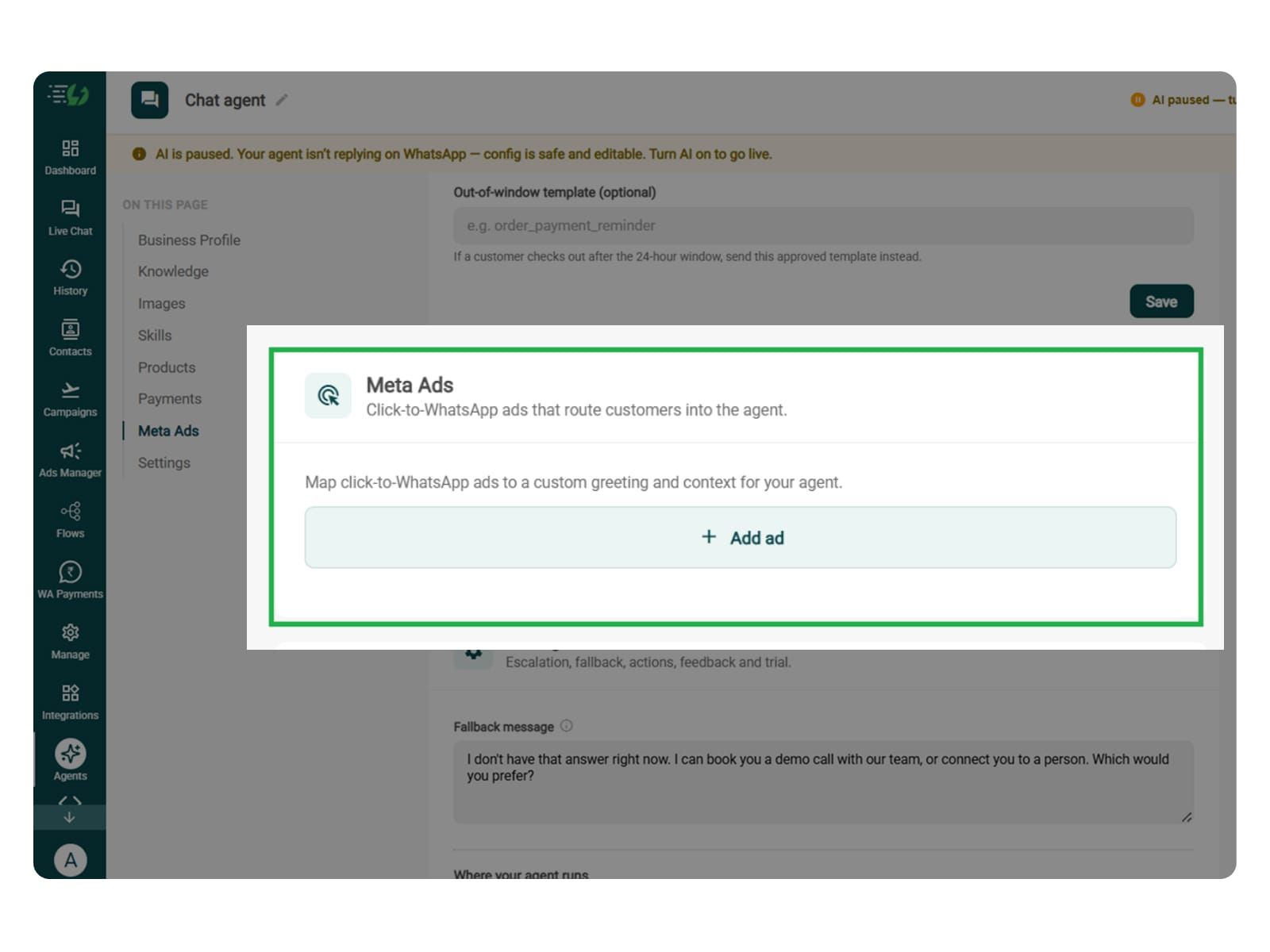
The step is only essential if you are running Click-to-WhatsApp ads promoting specific models, so the agent starts with the right vehicle context.
For this, you will have to map each ad to a custom greeting & context, so the agent knows exactly which ad brought the customer in.
Add ad (map ad → custom greeting & context)
Ad ID
Label
Greeting (first message to user)
Context (extra context for the agent)
Discount honoured at checkout (optional)
Models featured in this ad

Set Your Fallback & Handoff Rules
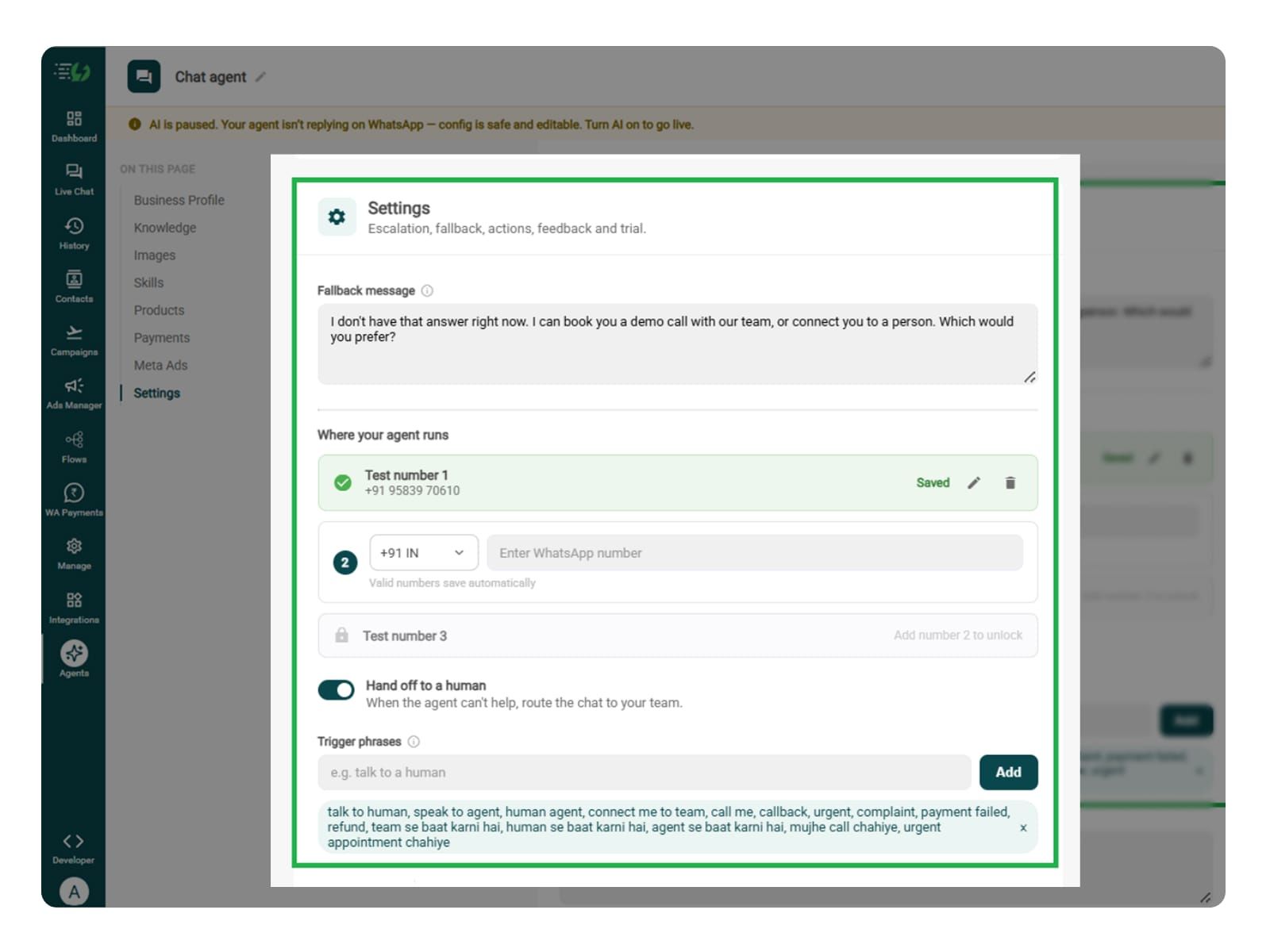
This step decides what happens when the agent can't help. In this step, you can write a fallback reply for unavailable information or failed availability checks.
Fallback message: Write a reply for when the agent cannot find vehicle information or retrieve details such as model availability, variants, or available test drive slots.
Human handoff: Enable handoff for specific vehicle queries, unavailable test drive slots, booking or rescheduling issues, special requirements, and requests to speak with a sales representative.
What you must fill:
Fallback message
Where your agent runs: up to 3 test numbers
Hand off to a human: toggle
Trigger phrases
Handoff message

Connect Tools & APIs
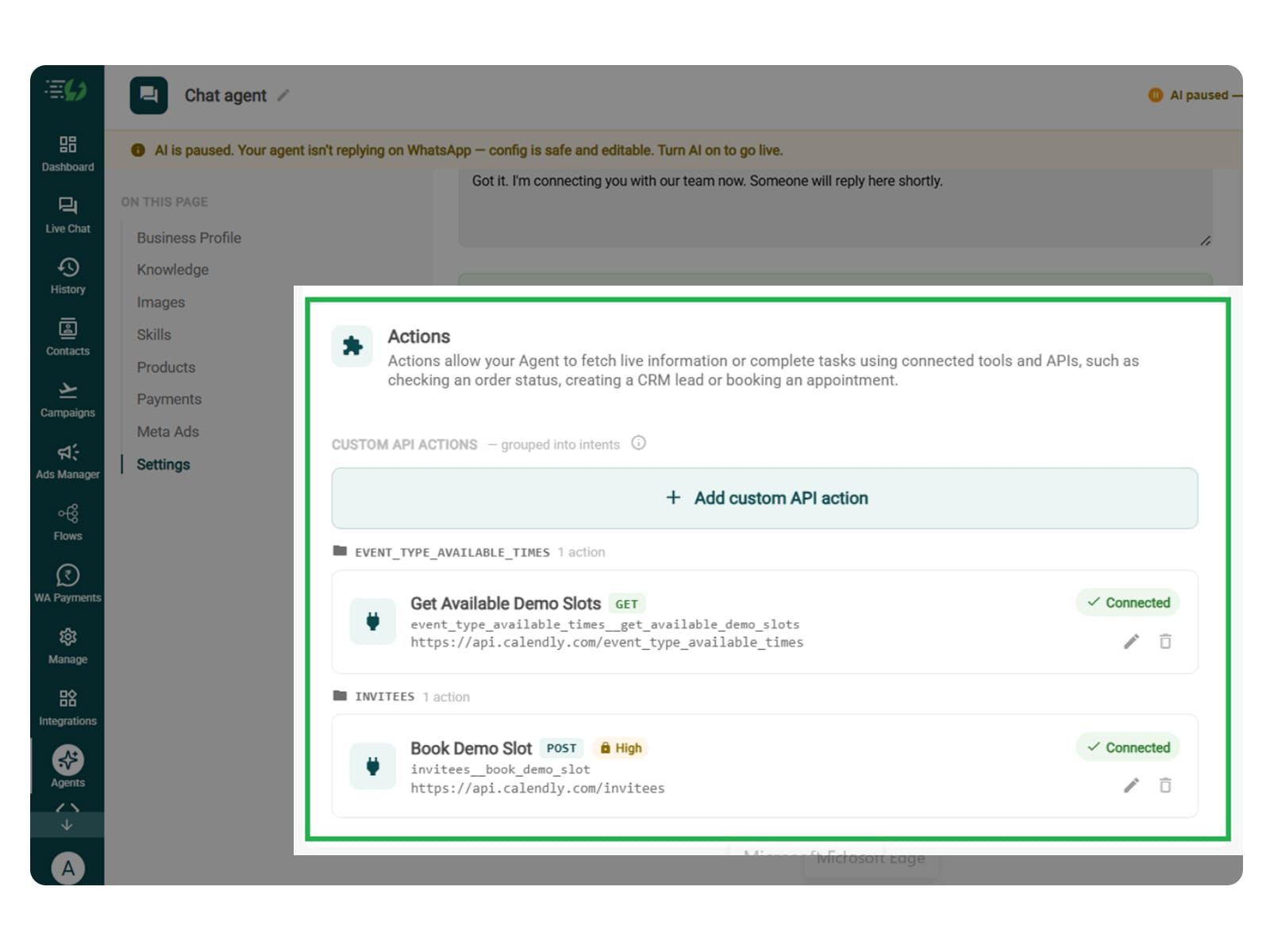
It is an important step to connect the dealership’s booking system to check demo vehicle and slot availability, create bookings, and manage changes.
You can skip this step if you agent is designed only to collect requests for your team or share a booking link.
You can click Add custom API action, explain when the agent should use it, and paste your cURL request to fill in the request details.
Review the following fields:
Action name
When should the agent call it?
Paste cURL
Request: method + endpoint URL
Headers
Params
Body
Auth
Test call
Click Next: variables to continue.

Test, Publish & Go Live
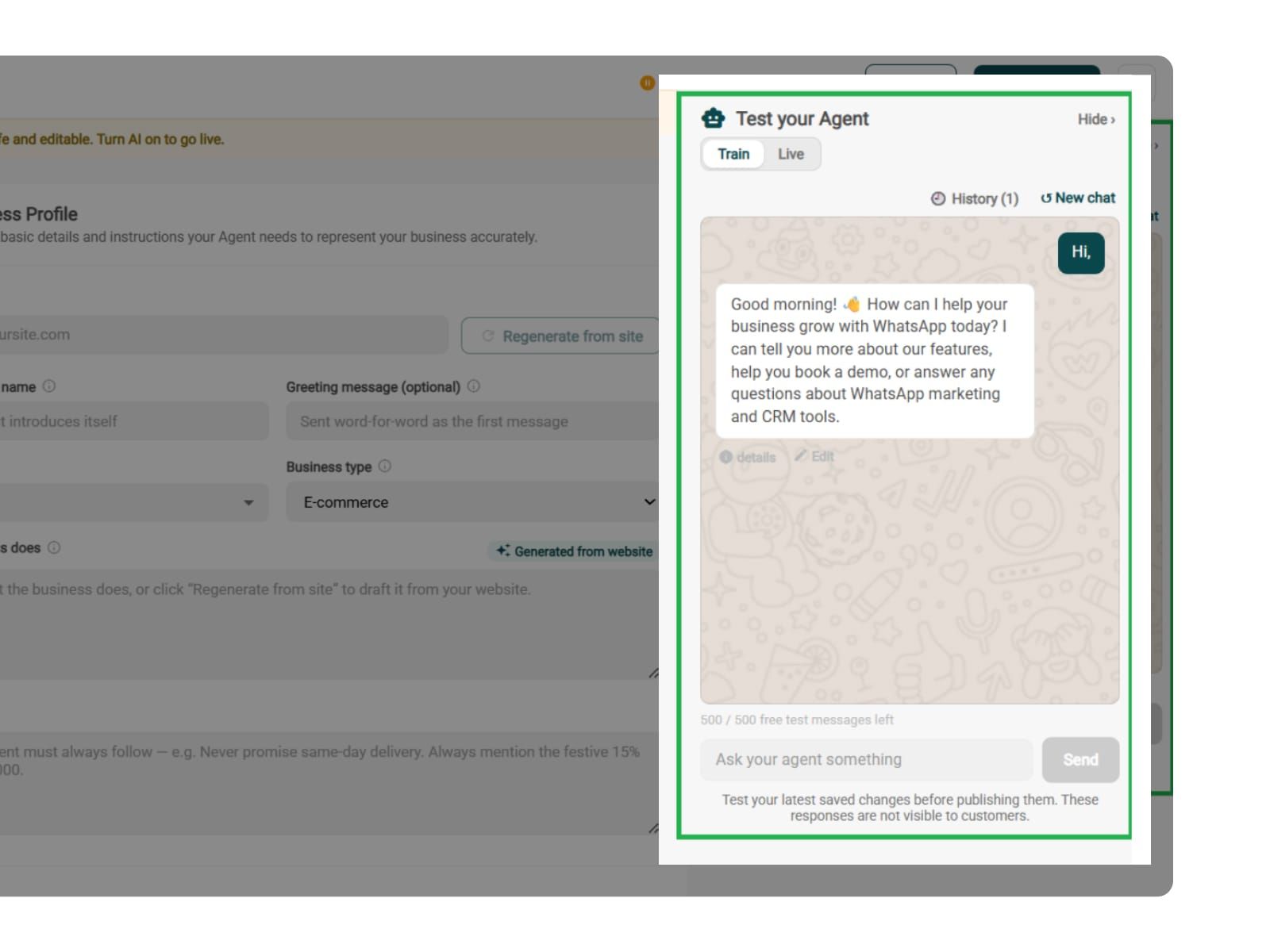
You can test your AiSensy powered WhatsApp AI agent before it goes live. You can simply test how your newly built AI agent responds to vehicle enquiries, unavailable test drive slots, booking failures, rescheduling, cancellations, and handoff requests.
You can also train your agent to verify customer details before confirming a test drive and confirm bookings only after the booking system reports success.
You can chat with your agent before your customers do with AiSensy's 500 free AI messages for a trial.
Publish, switch the AI on & you're live.
Test your Agent panel (Train/Live modes)
Publish
AI on/off toggle

Simple Pricing. Every Agent Included.
One plan unlocks the entire library - deploy any AI Agent, or build your own.
₹1,350
Per Month (includes 1000 AI messages)
$50
Per Month, Billed Annually (includes 1000 AI messages)
WhatsApp AI Agent Features
Access every pre-built AI Agent in this library, plus the no-code builder to create your own - trained on your business and live on WhatsApp in minutes.
1000 AI messages every month
500 FREE AI messages for testing
Knowledge Base Q&A - train it on your website & documents
Long-term customer memory
No-code builder to customize any agent
Tool calling, skills & API integrations
FAQs
What does the Test Drive AI Agent do?
As the name suggests, the agent books test drives inside WhatsApp. It goes beyond this by showing the slots your demo car is genuinely free, confirming which variant the buyer wants, checking the licence, and rescheduling or canceling the when plans change.
Does it need to connect to my calendar?
The skill is badged "Needs tool" for a reason - a connected scheduling tool is how the agent sees real availability instead of guessing. If you follow the steps thoroughly, you will connect it under Tools & APIs.
Can it book a doorstep test drive?
The agent can book a doorstep test drive. You are required to set it as one of your services and the agent will ask whether the buyer wants the showroom or their address, collect the address, and pass it to your team with the booking.
Does it check the driving licence?
This is the most crucial thing you must train your agent about. Tell it to collect licence confirmation before a slot is held, and to state that the original must be carried. The physical check still happens at your end - the agent's job is making sure nobody arrives without one.
Can it tell buyers the on-road price?
It can share what you've trained it on, which is usually ex-showroom. Keep on-road out of it - RTO, insurance and running offers move it city by city, and a wrong figure in writing is a fight you don't want. Route price talk to your sales team.
Can it reschedule or cancel?
Yes, and that's where most of the value sits. A demo car released on Saturday morning is a slot someone else takes on Saturday afternoon.
What does it collect before confirming?
Whatever you tell it to - model, variant, fuel type, transmission, showroom or doorstep, name, and licence confirmation. Mark the ones you can't book without as Required.
Will it work with my Click-to-WhatsApp ads?
Absolutely, it will work and go well with your Click-to-WhatsApp ads (if you are running any). You can simply map each ad to its own greeting & context, and you can fire the skill only for contacts arriving from a specific ad - so a model-specific ad opens straight into booking that car.
When does a human take over?
It is probably for when the agent is not able to respond to customer's queries of if something critical with human intervention comes up. It gets done whenever you decide. It can be price negotiation, finance eligibility, exchange valuation, or anyone who asks for a person - the chat gets handed to your team with the full conversation attached.
How much does the Test Drive AI Agent cost?
It's included in the AI Agent plan at ₹1,350 a month with 1000 AI messages monthly. That plan unlocks every prebuilt agent in the library plus the no-code builder - you're not paying per agent.